# Log in / Apply to activate WeChat payment
[https://pay.weixin.qq.com/](https://pay.weixin.qq.com/)
If you have not applied to activate WeChat payment, please go to the above URL, click "Become a merchant" under the QR code in the upper right corner, and follow the instructions to activate WeChat payment.
If you have already activated WeChat Pay, scan the QR code to log in.
# View and configure the merchant number and key
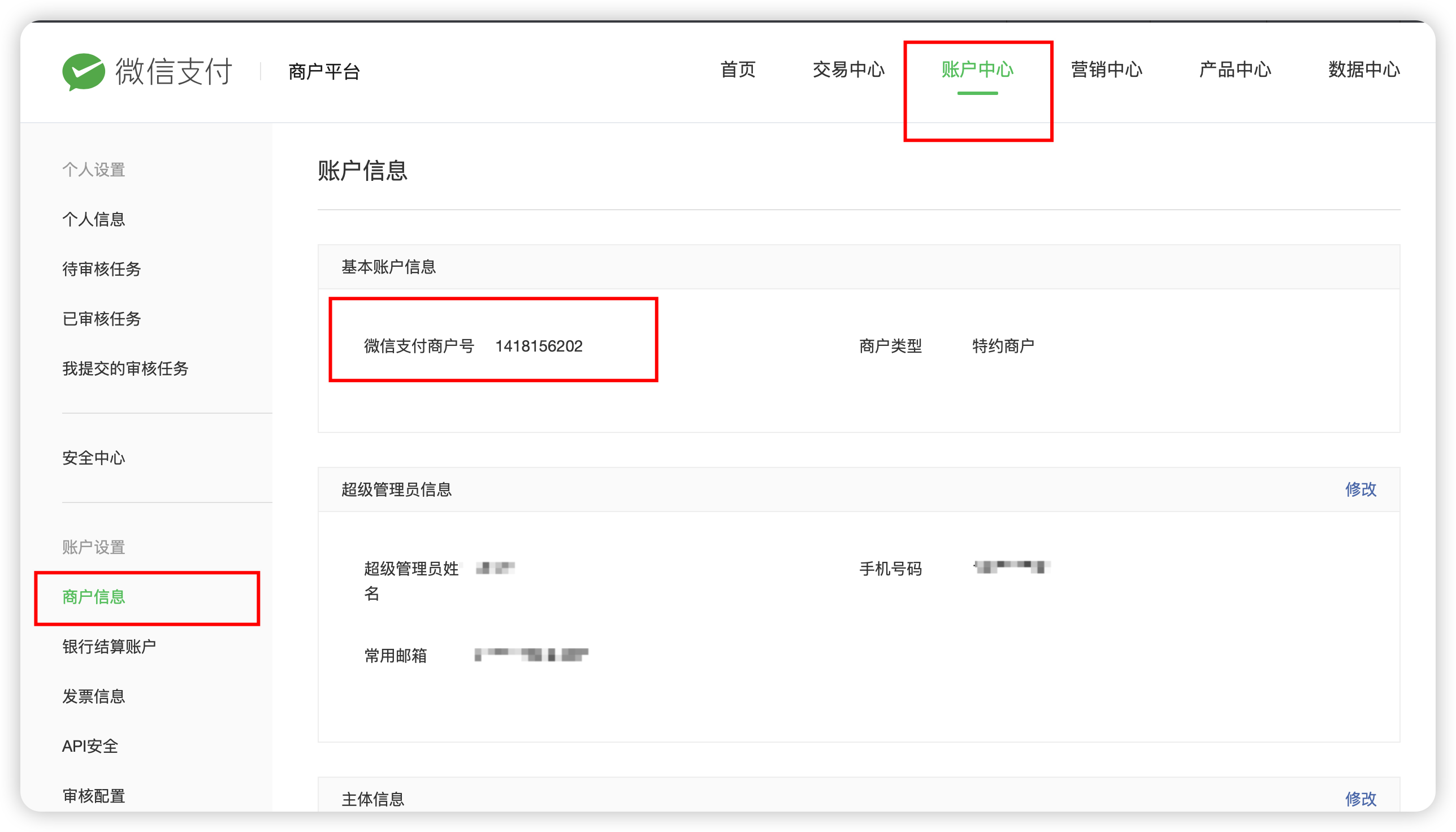
As shown in the picture above, you can view the merchant number of WeChat Pay

As shown in the figure above, set the v2 key, v3 key, and api certificate respectively. These three pieces of information must be kept well.
**v2 and v3 keys must be a 32-bit combination of letters + numbers, and cannot contain other special characters.**
# Configure the above information to the apifm background
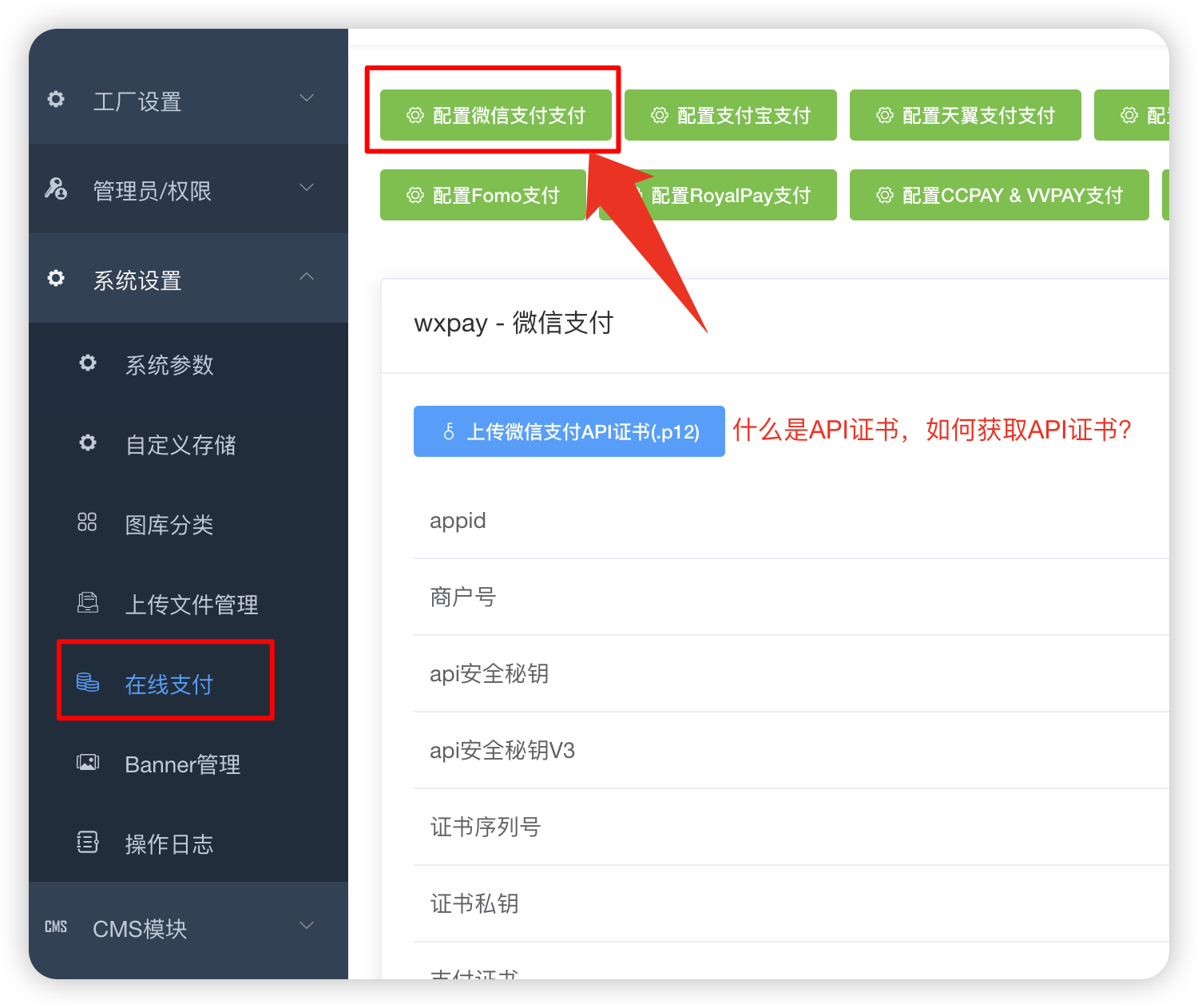
Fill in the information instructions:
1. appid Fill in the appid of your mini program. You can check your mini program appid in the left menu "WeChat Settings" -> "Mini Program Settings"
2. For the merchant number, fill in the merchant number for WeChat payment from the previous step of this tutorial.
3. API security key, fill in the v2 key from the previous step of this tutorial
4. API security key v3, fill in the v3 key from the previous step of this tutorial
5. For the certificate serial number, fill in the api certificate set up in the previous step of this tutorial and click on it to view it.
6. Certificate private key: the contents of the apiclient_key.pem file after decompression of the certificate compressed package
7. For the payment interface, be sure to select “Merchant Transfer to Change”
# Upload api certificate
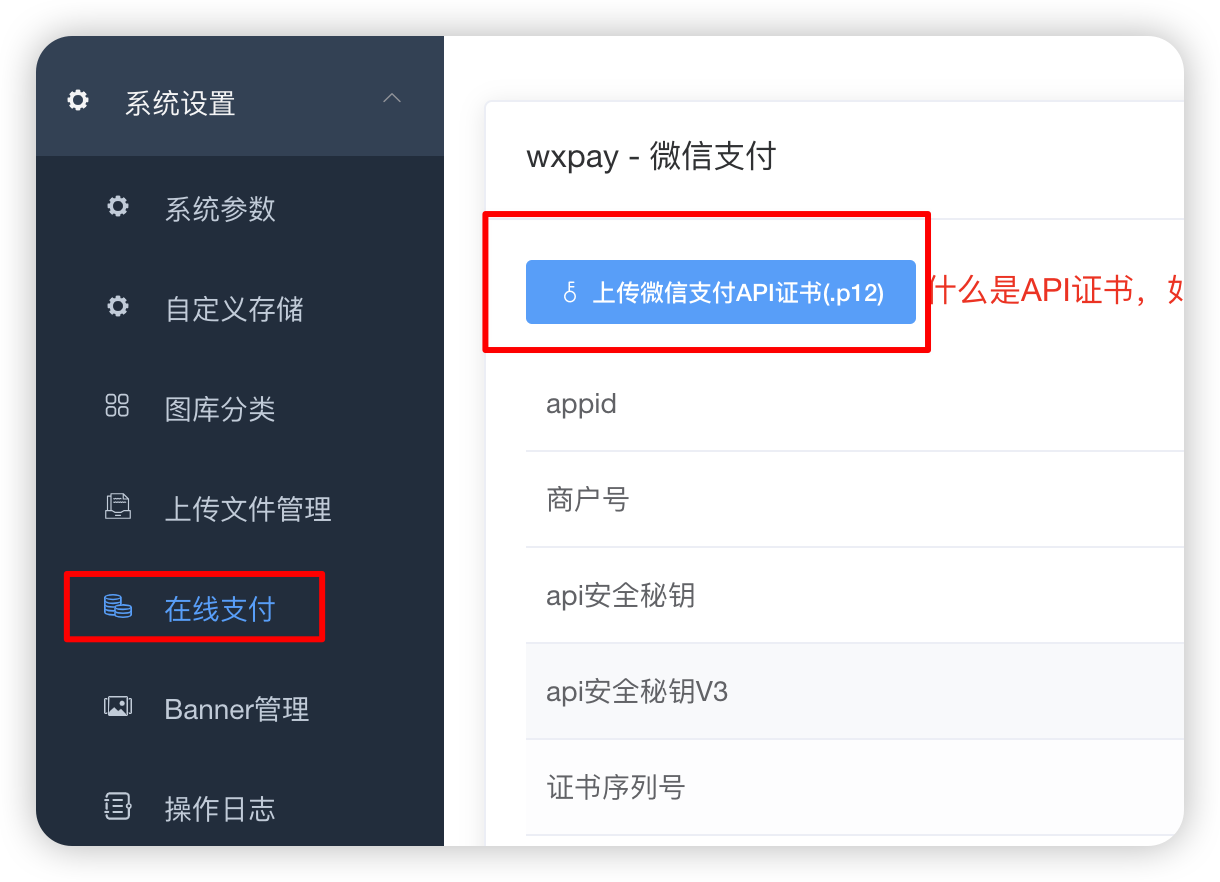
The certificate is used for refund. If you do not send the certificate, you will not be able to return it via the original route.
# FAQ
["WeChat Payment MA Authorization (appid and mch_id do not match)"](https://www.yuque.com/apifm/doc/zrui8q)
Prompt for signature error: 100% your v2 key setting is wrong, check it