“apifm” provides 100MB free image storage space for all free users, and 500MB free image storage space for all paid members. If the free quota is insufficient, you can expand the storage traffic package according to your needs:
[https://www.yuque.com/apifm/doc/mk2qwy](https://www.yuque.com/apifm/doc/mk2qwy)
In order to adapt to the needs of more customers and meet more actual project needs, customers can use their own Qiniu Cloud Storage to store the pictures of the "apifm". Then they are not subject to the storage restrictions mentioned above, and they do not need to pay storage fees on the "apifm" because of this. Customers can settle with Qiniu Cloud Storage by themselves:
# Register and activate Qiniu
[https://portal.qiniu.com/signup?code=1hfcwwmhj2yc2](https://portal.qiniu.com/signup?code=1hfcwwmhj2yc2)
Click and register to open your own Qiniu Cloud account. After successful registration, after a few simple steps, select the appropriate real-name authentication method (individual/enterprise), and then you can use Qiniu Cloud normally.
# Activate cloud storage
Log in to the backend and enter the "Object Storage" module

## Create storage space
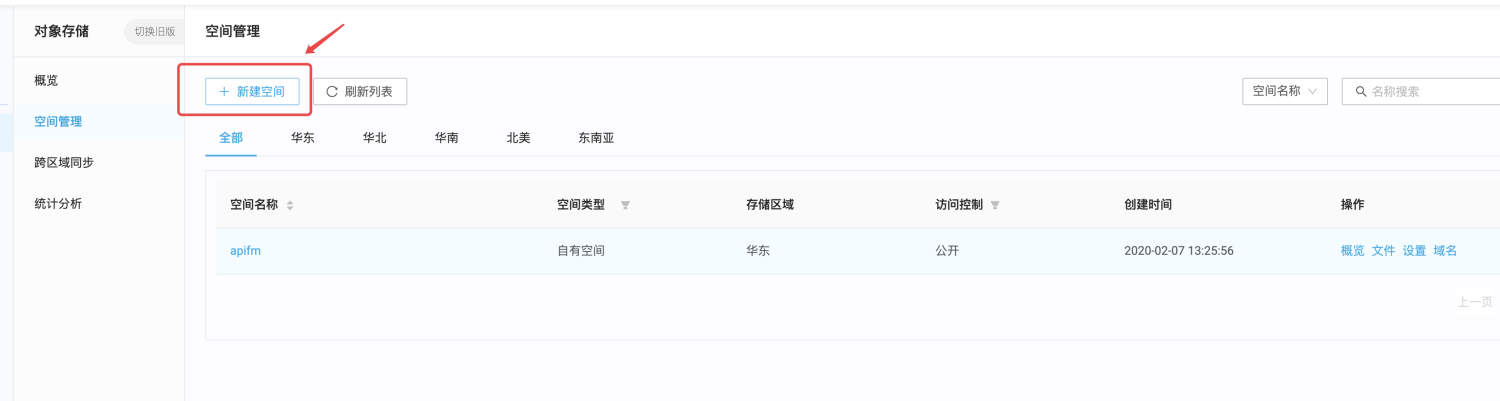
You can choose the name of the space as you like, and select public for access control (only others can access your pictures or videos when they are public)
After creating it, click on the blue words in the space name to enter the settings interface. You can also see the basic situation of your current storage space.
## Bind acceleration domain name
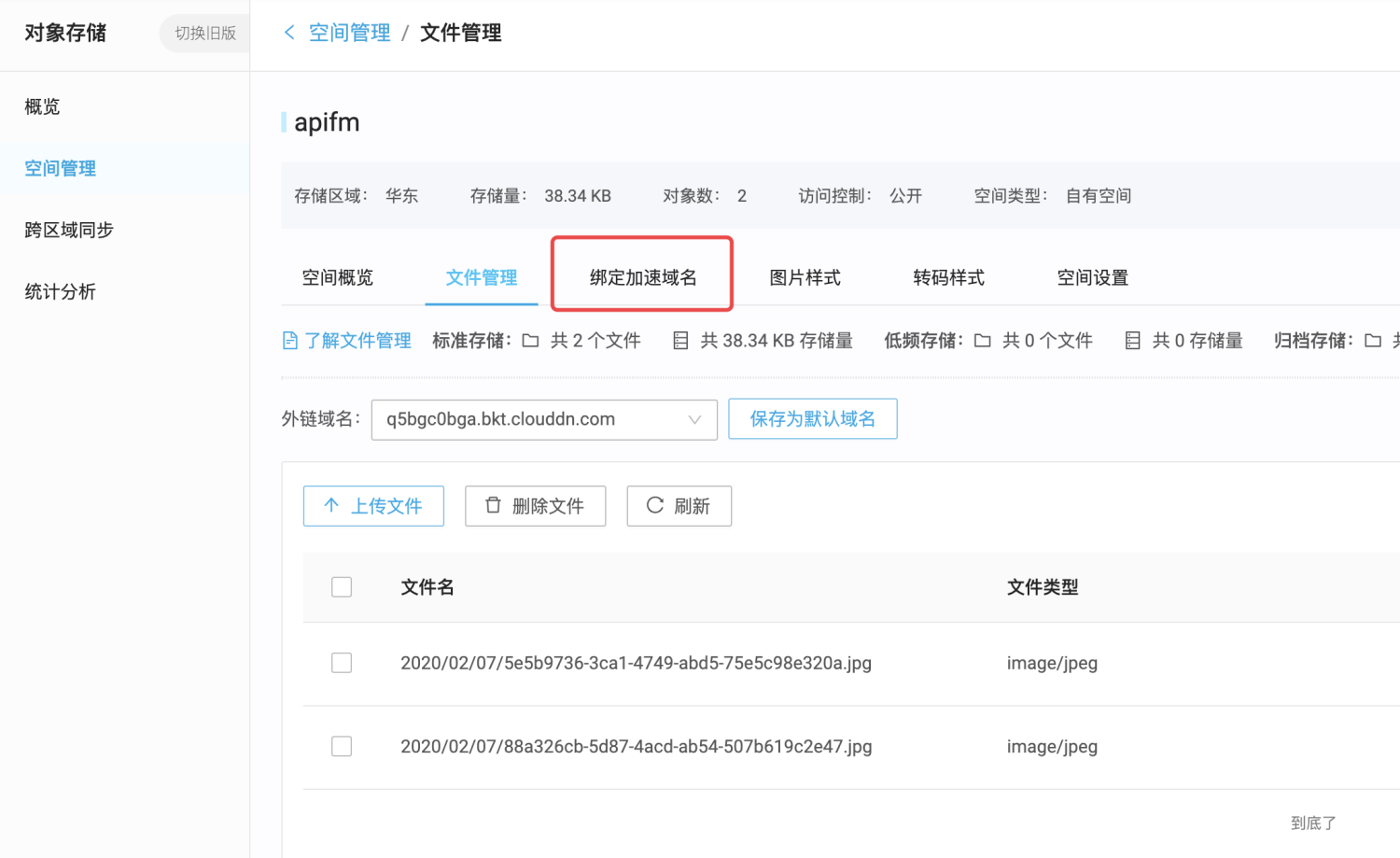
You need to bind your own access domain name before you can normally access your pictures or video files on Qiniu. You can complete the binding of the accelerated domain name in a few simple steps according to the guidance steps on the interface.
# View the secret key

On the avatar in the upper right corner, click to enter key management, "apifm" to manage your files on Qiniu through the key
# Configure custom storage

Fill in the acceleration domain name, space name, and secret key to complete the configuration.
# test
You can find the place where you can upload pictures in any menu in the background, test the upload picture function, view and access your pictures. The access address of the pictures is already the storage address of your Qiniu.