# Register and open a mini program account
[https://mp.weixin.qq.com/](https://mp.weixin.qq.com/)
Select the identity of "Enterprise", "Individual Industrial and Commercial Household" or "Individual" according to your actual situation, and register a mini program account
"[Set the legal server domain name of the mini program](https://www.yuque.com/apifm/doc/tvpou9)"
# Register and open a backend account
[https://admin.it120.cc/](https://admin.it120.cc/)
Register for free and open a new backend, then log in. The home page after logging in, **Please note your exclusive domain name**, will be used later
Then do the following 2 steps:
1.Left menu, Factory settings --> Module management --> System parameters, after enabling, F5 refresh
2. Add system parameters:
1. Add the file parameter bg_img and select your background image to upload;
2. Add text parameter btn_txt, the text content displayed by the button;
3. Add text parameter mallName, the name displayed by the applet;
4. Add text parameter mallName, the name displayed by the applet;
# Download and install development tools
[https://developers.weixin.qq.com/miniprogram/dev/devtools/download.html](https://developers.weixin.qq.com/miniprogram/dev/devtools/download.html)
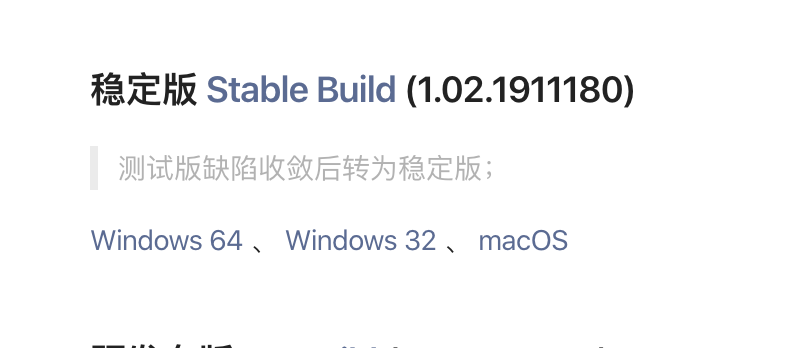
According to your own operating system, download the latest stable version and complete the installation after the download is complete.
# Download the mini program source code
[kefu-only.zip](https://www.yuque.com/attachments/yuque/0/2019/zip/572726/1576466104172-524437aa-ad5e-4564-91c5-17fb0538e413.zip)
Download the latest mini program source code. The download is a zip compressed package. Please unzip it.
# Run the mini program to see the effect
Double-click to run the small program development tool installed in the first step and open it to see the effect.
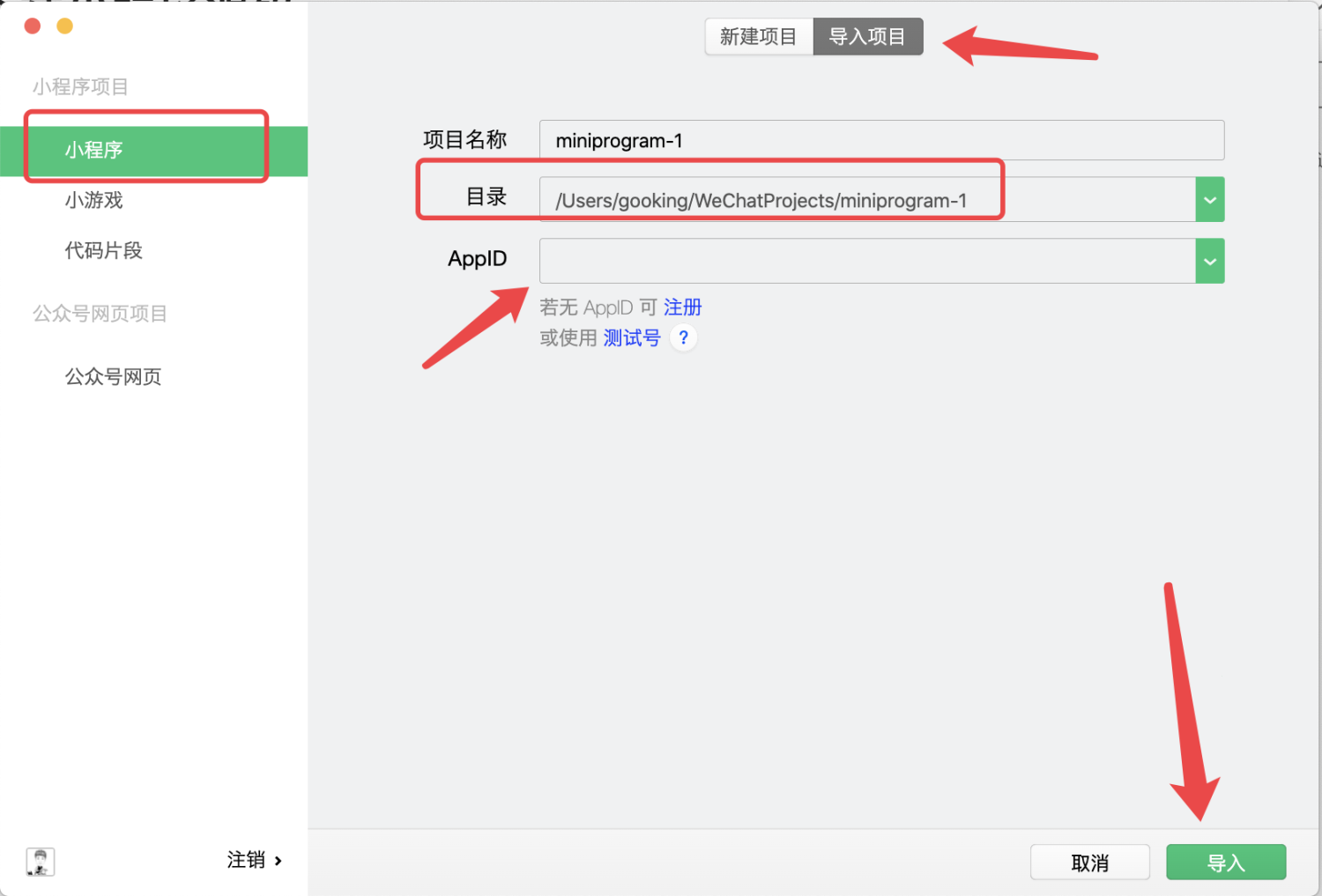
In the directory, select the applet source code you downloaded above and unzip the subsequent folder.
Import the project here, and select the directory where the applet code you downloaded and compressed in the "second step" is located.
**APPID must be changed to the APPID of your own mini program****
****APPID must be changed to the APPID of your own mini program****
****APPID must be changed to the APPID of your own mini program**
Then click the import button
["How to check the APPID of my mini program? Where can I check the APPID of my mini program? 》](https://jingyan.baidu.com/article/642c9d340305e3644a46f795.html)
# Configure docking with your own backendIn the development tool, change the subDomain in config.js to your own exclusive domain name, and press ctrl + s to save.# Launch mini program
1. Upload the code to the WeChat server
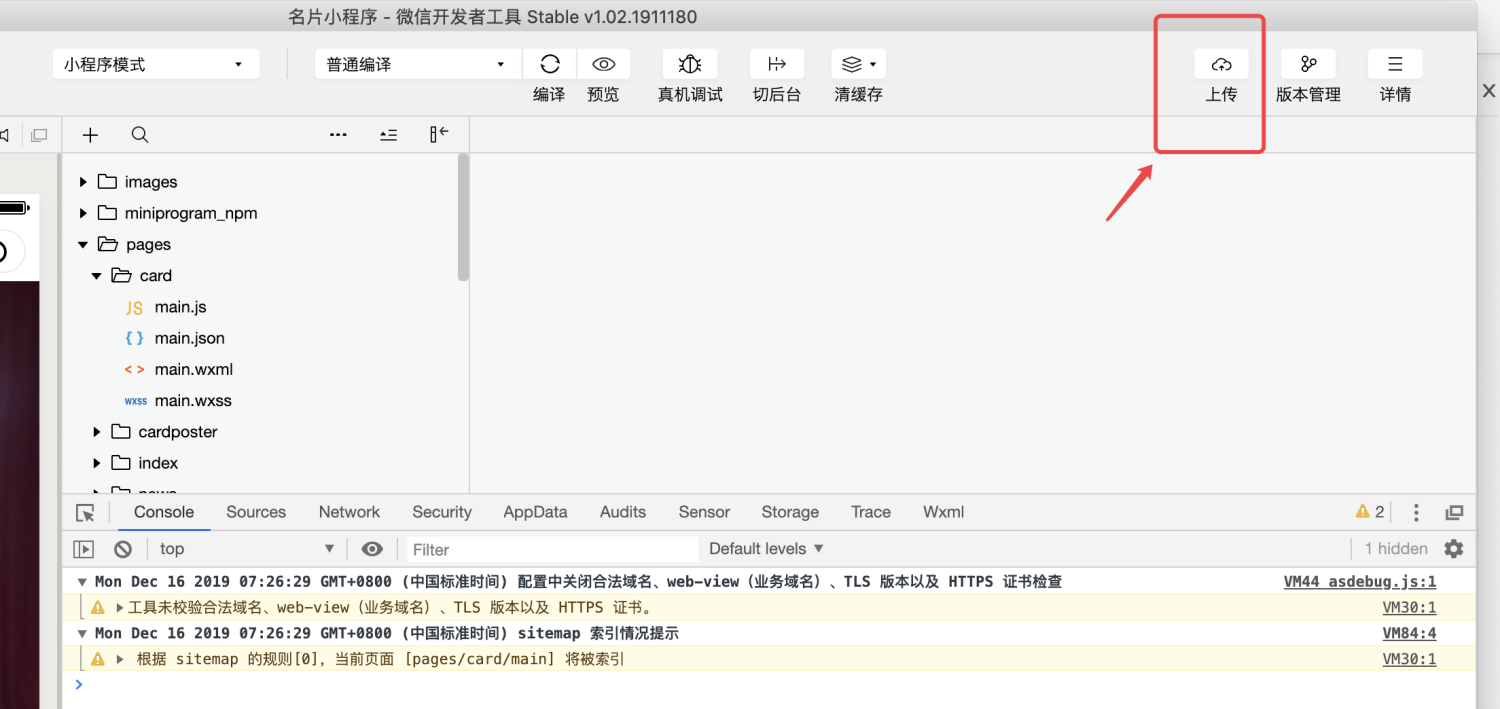
2. Submit for review
Log in to the mini program merchant backend in the "first step", go to "Version Management" on the left menu, find the mini program version you just uploaded, and click Submit for WeChat review. Once approved, your mini program can be officially released.
3. Officially release your mini program
When logging in to the mini program merchant backend in the "first step", go to "Version Management" on the left menu, find the version that has passed the review, and click Publish Now