This article takes the Frontend API docs of "apifm" as an example to teach you the correct way to call the interface;
For all interfaces of "apifm", the parameter submission method is **application/x-www-form-urlencoded**method, never use Json method to submit parameters, otherwise the interface will return a prompt for missing parameters:
["Parameters are obviously passed, but why is it prompted that parameters are missing? 》](https://www.yuque.com/apifm/doc/mgrw2p)
The domain name of the interface document address is the domain name called by the api interface!The address of Frontend API docs is: [#](#)
Then, the calling domain names of all api interfaces in this interface document are: **https://api.it120.cc**
Let’s look at 2 examples and introduce the complete interface address in detail:
1. Check the location of mobile phone number
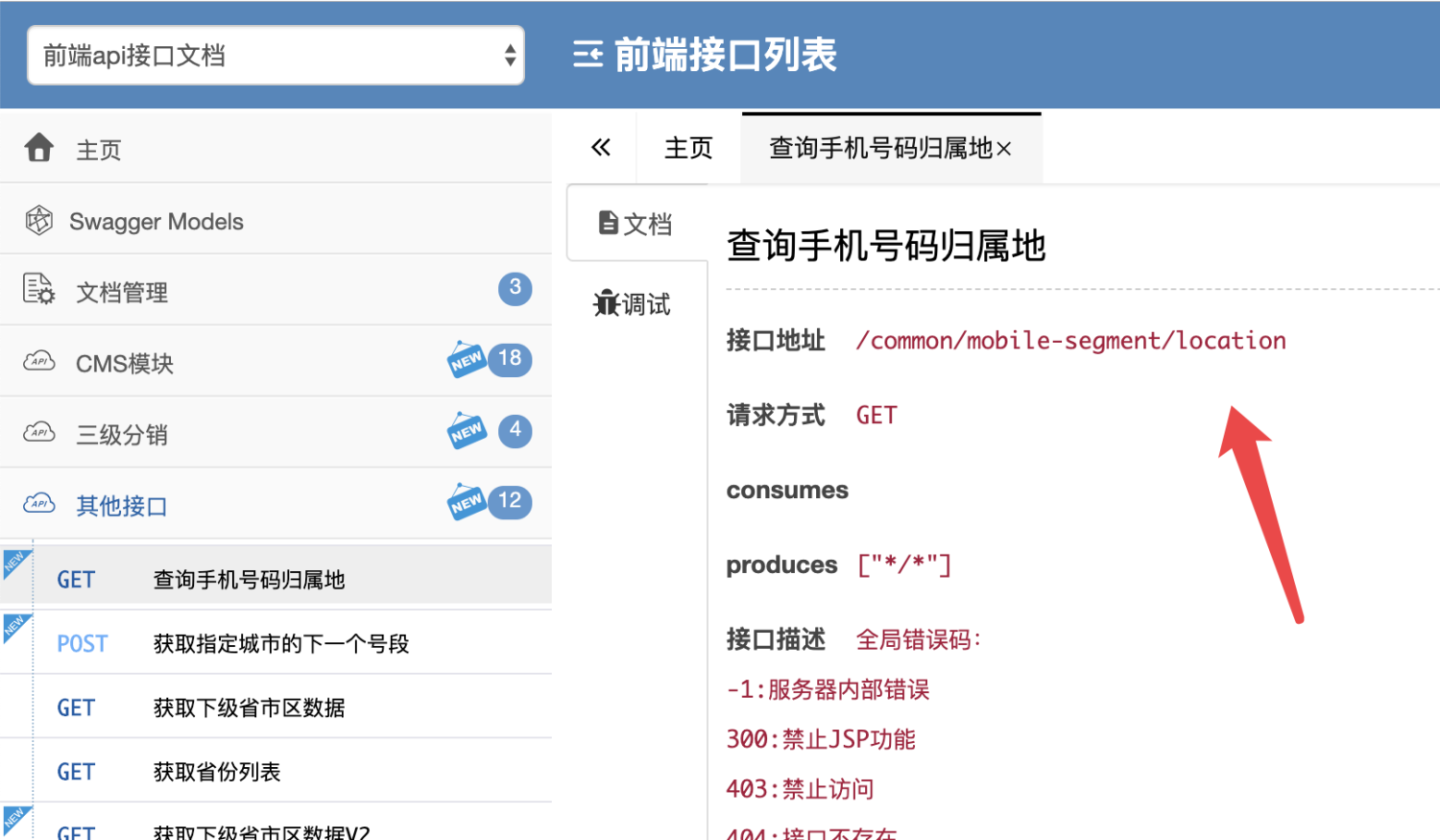
In the above interface description, the interface address is/common/mobile-segment/locationThen, use this address to splice the above-mentioned interface domain name, and the complete api request address is:
**https://api.it120.cc/common/mobile-segment/location**
2. Read Banner carousel image
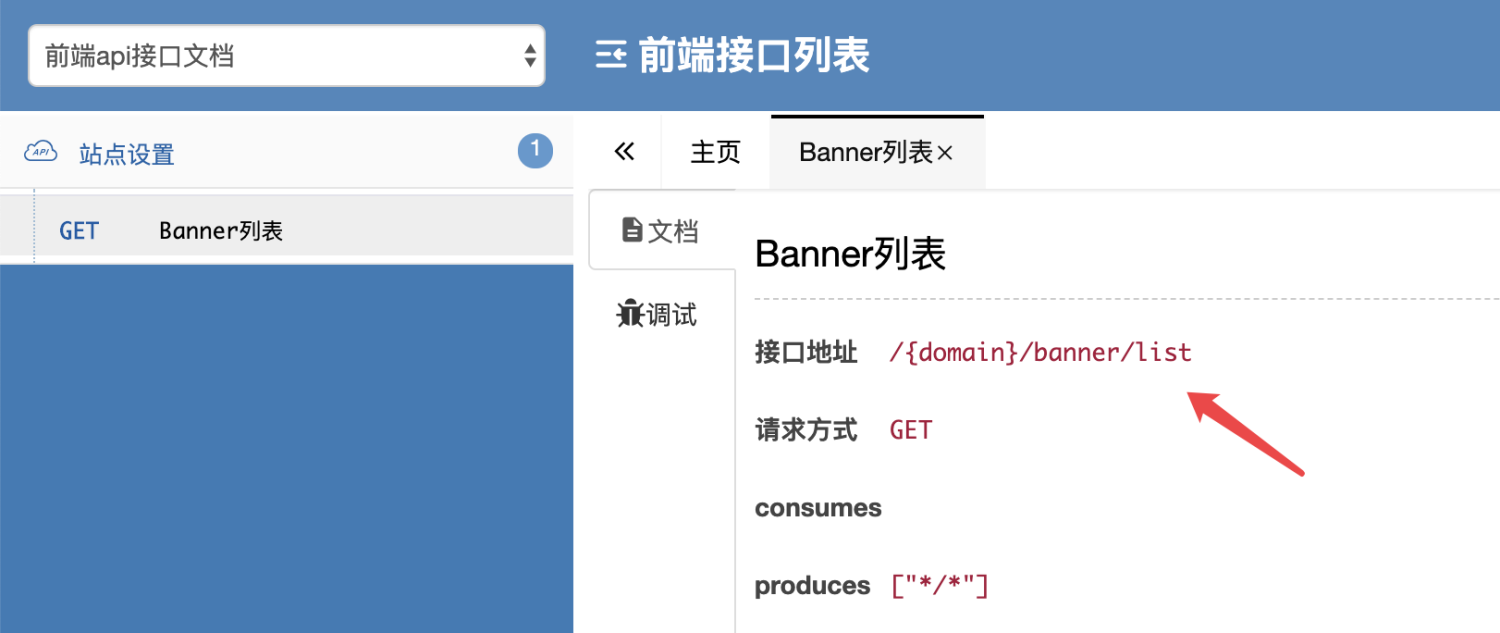
In the above interface description, the interface address is/{domain}/banner/listThen, use this address to splice the above-mentioned interface domain name, and the complete api request address is:
[**http://api.it120.cc**](http://api.it120.cc/%7Bdomain%7D/banner/list)**/{domain}/banner/list**
{domain} in the above address is a variable. Please replace this value with your own exclusive domain name:
["What is an exclusive domain name?" 》](https://www.yuque.com/apifm/doc/qr6l4m)
In the above example, the exclusive domain name is gooking. Then, the complete interface request address for reading the Banner carousel image is:
**https://api.it120.cc/gooking/banner/list**
After the interface address is determined, please use the correct parameters to call it according to the instructions in the document.