# Activate Alibaba Cloud SMS function
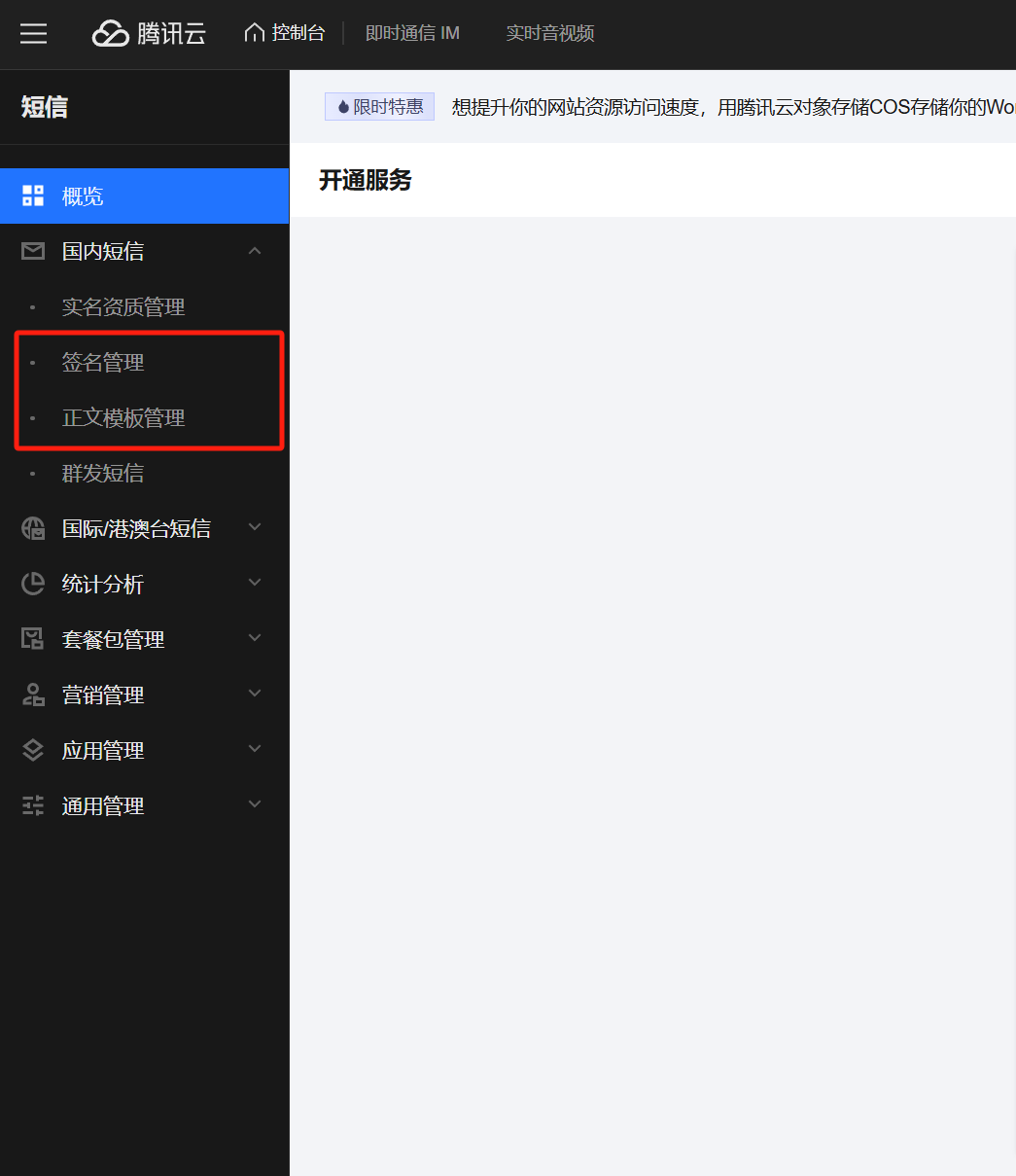
**To be able to send text messages, you must first approve your text message signature and text message template!**
****
# Get SDKAppID
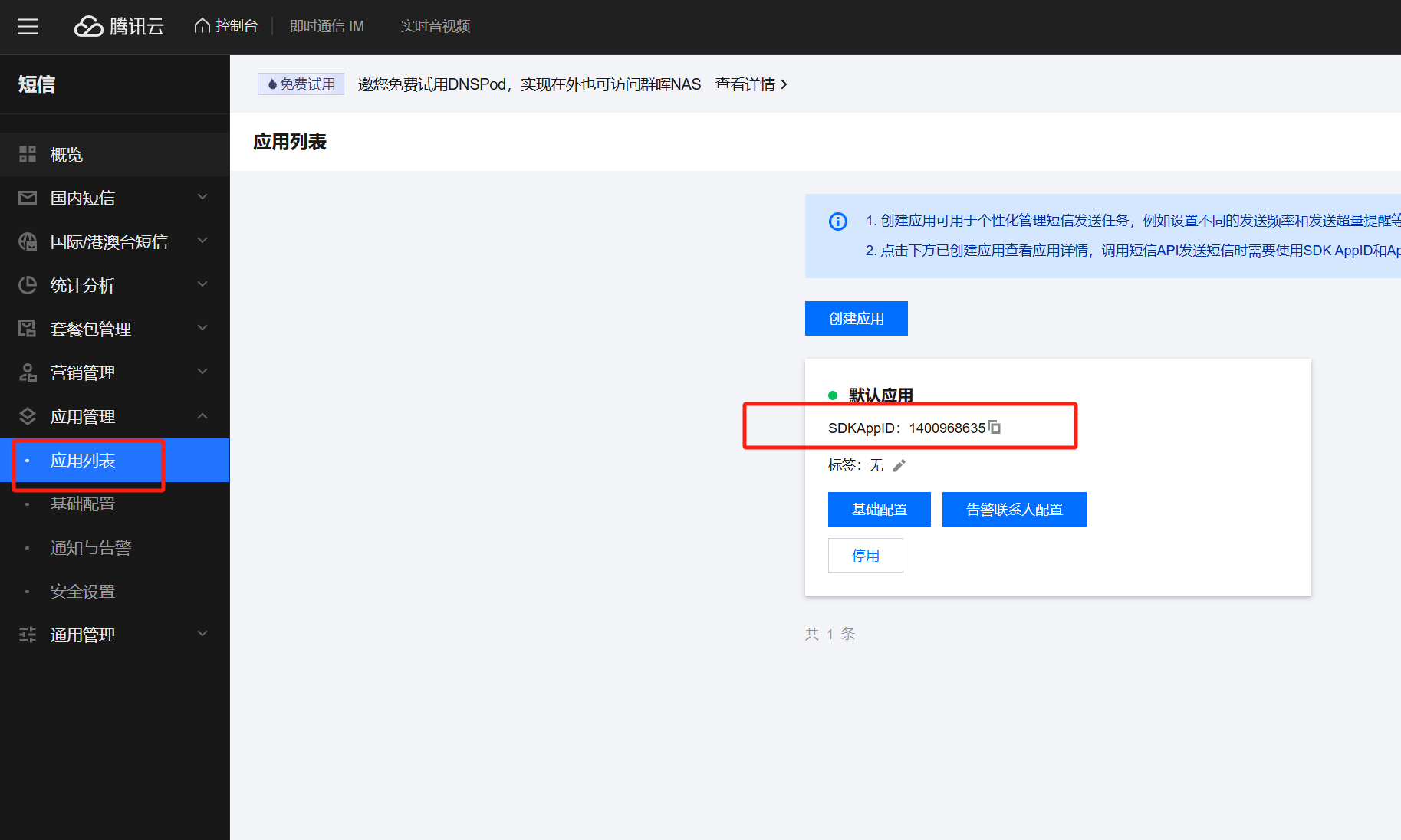
Create an application, the `SDKAppID` here will be used later
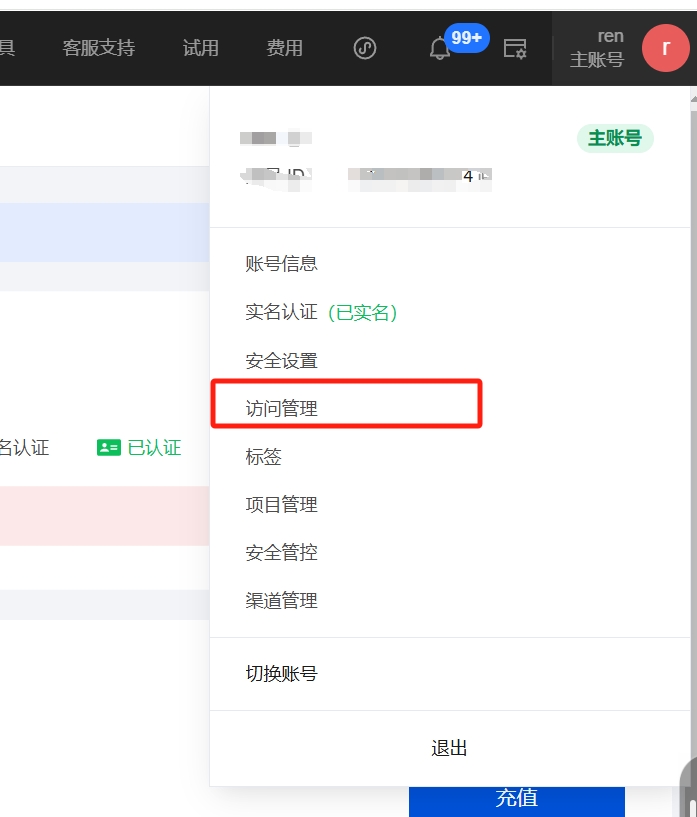
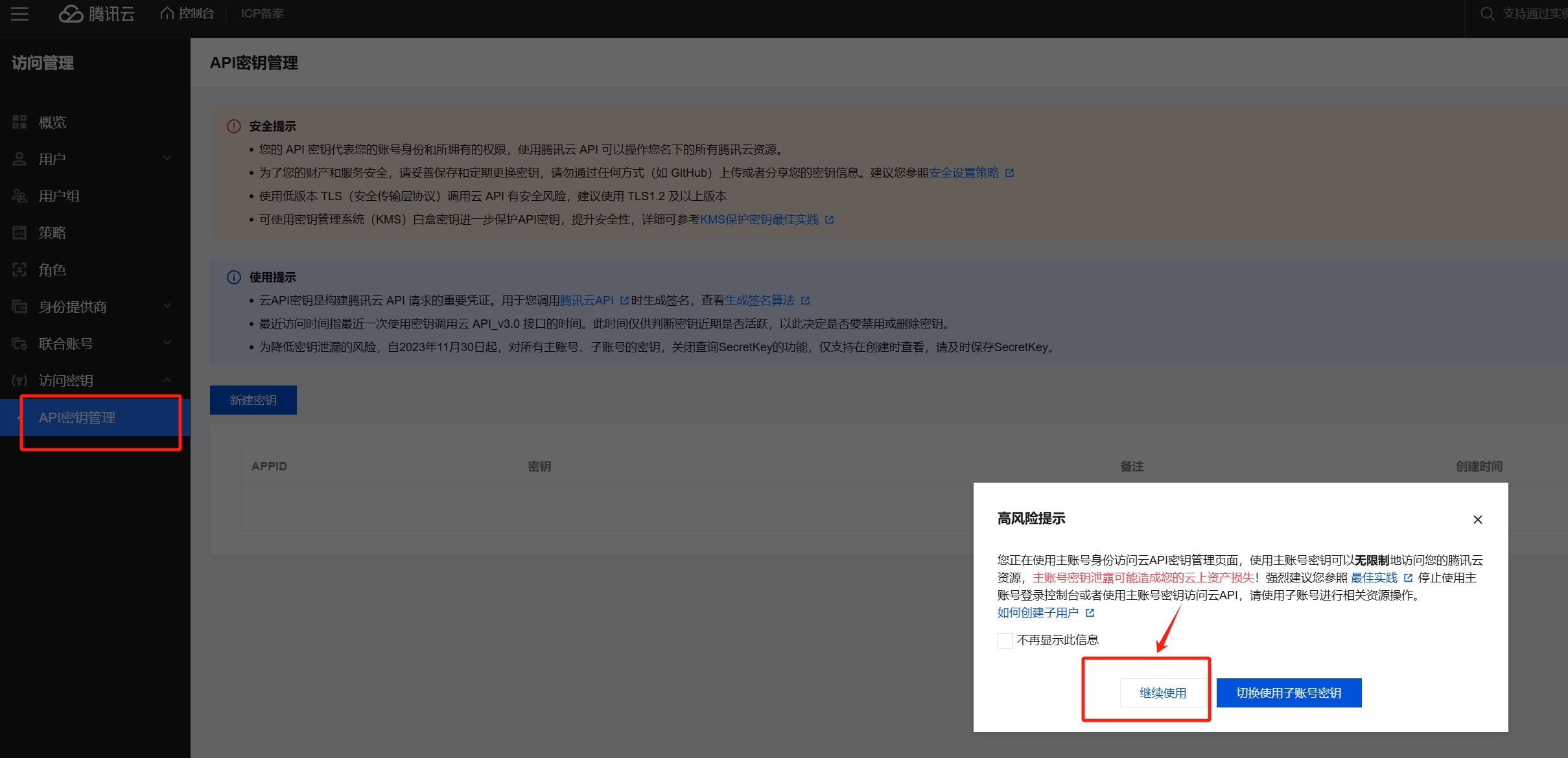
# Get SecretId and SecretKey
# Configuration usage
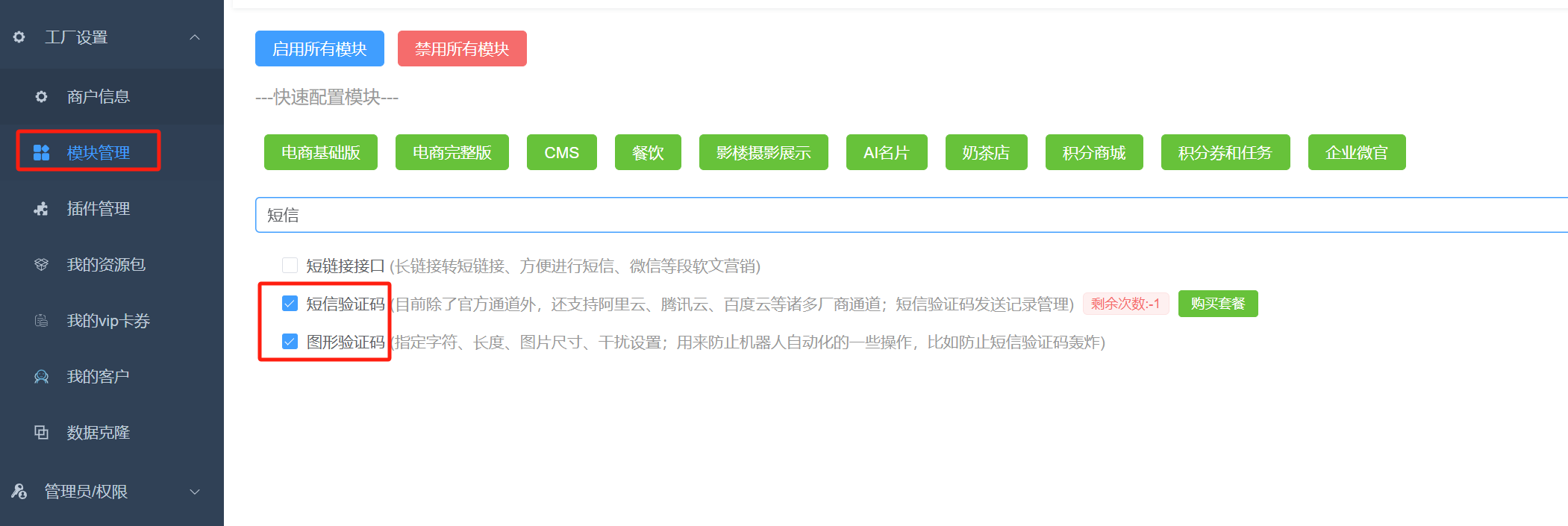
## Enable SMS module
## Configure SMS channel information
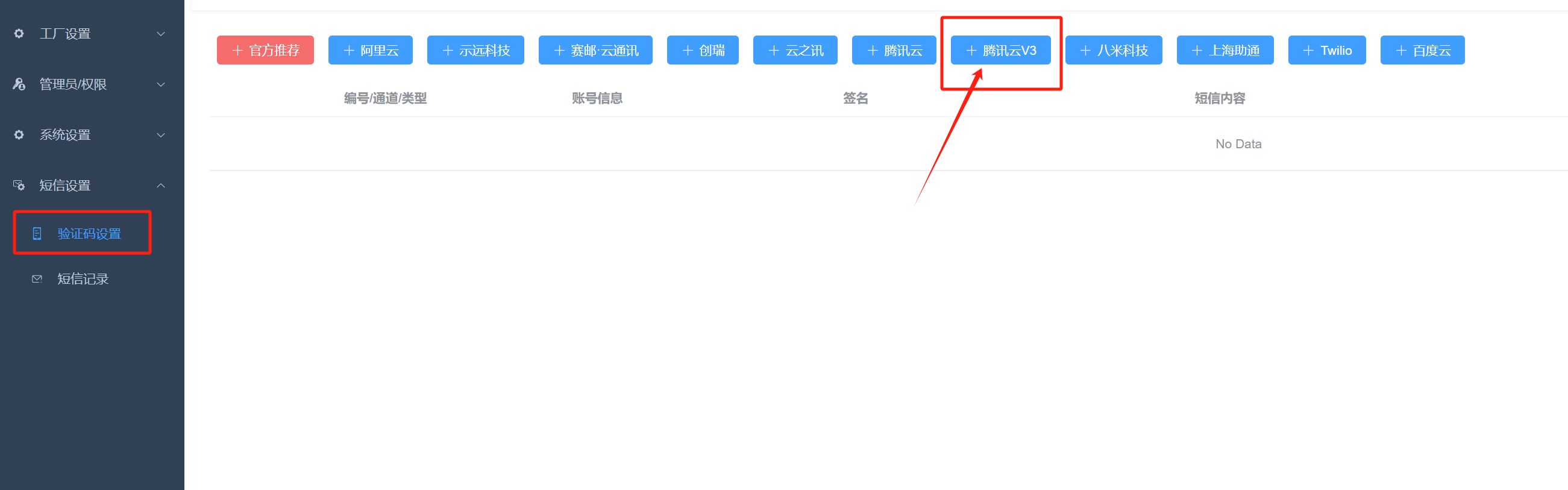
Click and fill in the information:
+ Fill in the information in the above steps for SecretId, SecretKey, and SmsSdkAppid respectively. Be careful not to copy spaces when copying them.
+ SMS signature, fill in the content of your signature that was approved in the first step
+ Template ID, fill in the ID of the SMS template you approved in the first step
##