# 1. Background introduction
Backend API docs address: [#](#)
The "apifm" backend is essentially the backend api interface called to implement backend data management. All api interfaces in the backend require administrator permissions to be called, so authorization must be obtained before calling any interface in the backend. [The reason why you need to log in first in the background]
For different business scenarios, the following describes how to call the backend API interface in several different business scenarios:
# 2. Use Basic Authentication to call the backend interface without login in a trusted scenario
If you call the interface on your own laptop, server or other protected devices, there is no chance that others will come into contact with your device. You can hard-code and fix the authorization through Basic Authentication, so that you can call any API interface in the background at will.
Specific documentation: ["Basic Authentication calls the backend interface without login"](https://www.yuque.com/apifm/doc/guzeid)
**Please be sure to know: Authorization must be saved on a trusted and protected device and must not be leaked. For example, you must not expose Authorization to the user's mobile phone, web page js code, or even send it to others! Authorization leakage may cause malicious users to call your background deletion API through this Authorization to delete all your data.**
# 3. Use in non-trust scenarios
The non-trust scenario refers to the device accessing the interface that is not controllable by you, for example:
1. In the "apifm" background, users access it on their own computer's browser. Users can use the network tool in the browser console to view the parameters and return values of the interface request.
2. Call the backend api interface in a mini program or APP. The mini program and app run on the user's mobile phone. Then the user can capture the packets, download and crack the source code of the mini program or app, and then view the code you wrote. [If there are hard-coded usernames, passwords, Authorization, etc. in the code, they will be exposed.] Even malicious users can capture and analyze network request packets, intercept network request packets, and then view the authorization information transmitted when you call the interface.
In the above scenario, because of lack of trust and uncertainty,**It is not allowed to use the above Basic Authentication method to call the backend api interface**, the correct usage method is:
1. Provide a login interface that allows users to enter username + password to log in. After successful login, the login interface will return the X-TOKEN used to call the backend.
2. Use X-TOKEN to call the backend api interface
In this scenario, it is safe to use the x-token obtained after logging in to call the backend api interface, because if a malicious user does not have the correct backend login username and password, the x-token cannot be obtained. If you can obtain x-token, it means that he is a trusted user with a legal username and password who can log in to the backend normally.
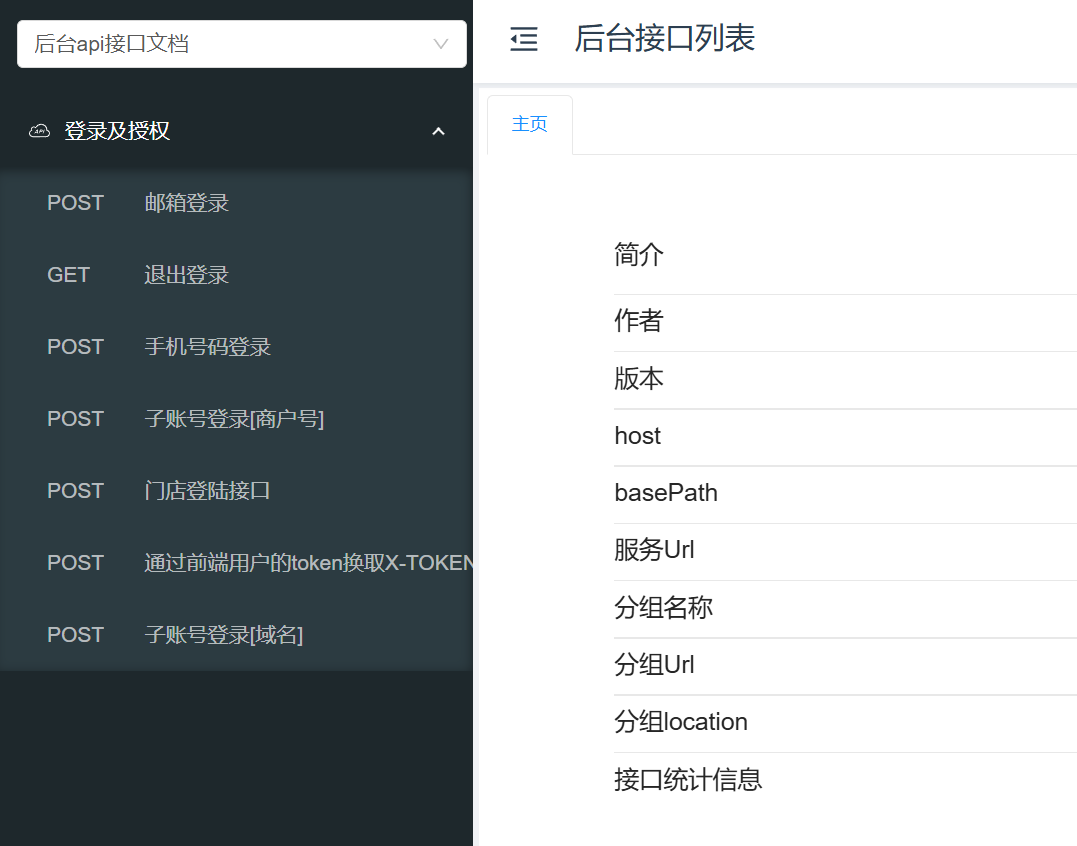
For the login interface, you can find any convenient interface for logging in in the interface document:
# 4. Use it in non-trust scenarios and do not want to call the login interface.
In actual applications, there may be situations where the usage scenario is on an untrusted device, but based on user experience considerations, you do not want authorized users to log in. So what should you do?
The following introduces a method that can authorize an ordinary user to have administrator status, so that he can call the backend API interface without logging in:
## Bind the corresponding relationship between ordinary users and administrators
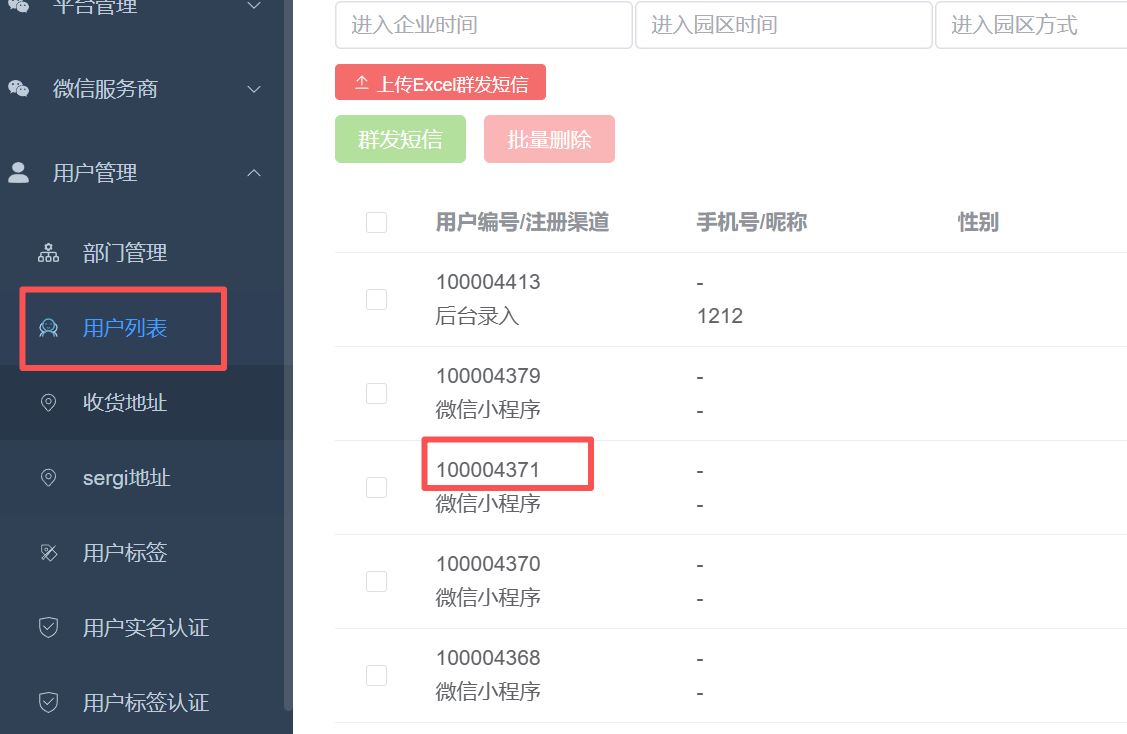
If you now want to authorize the user with user number 100004371, you can call the backend API interface. First, you need to bind this user to an administrator in the backend. After binding, the user will be authorized to perform backend operation permissions corresponding to the bound administrator.
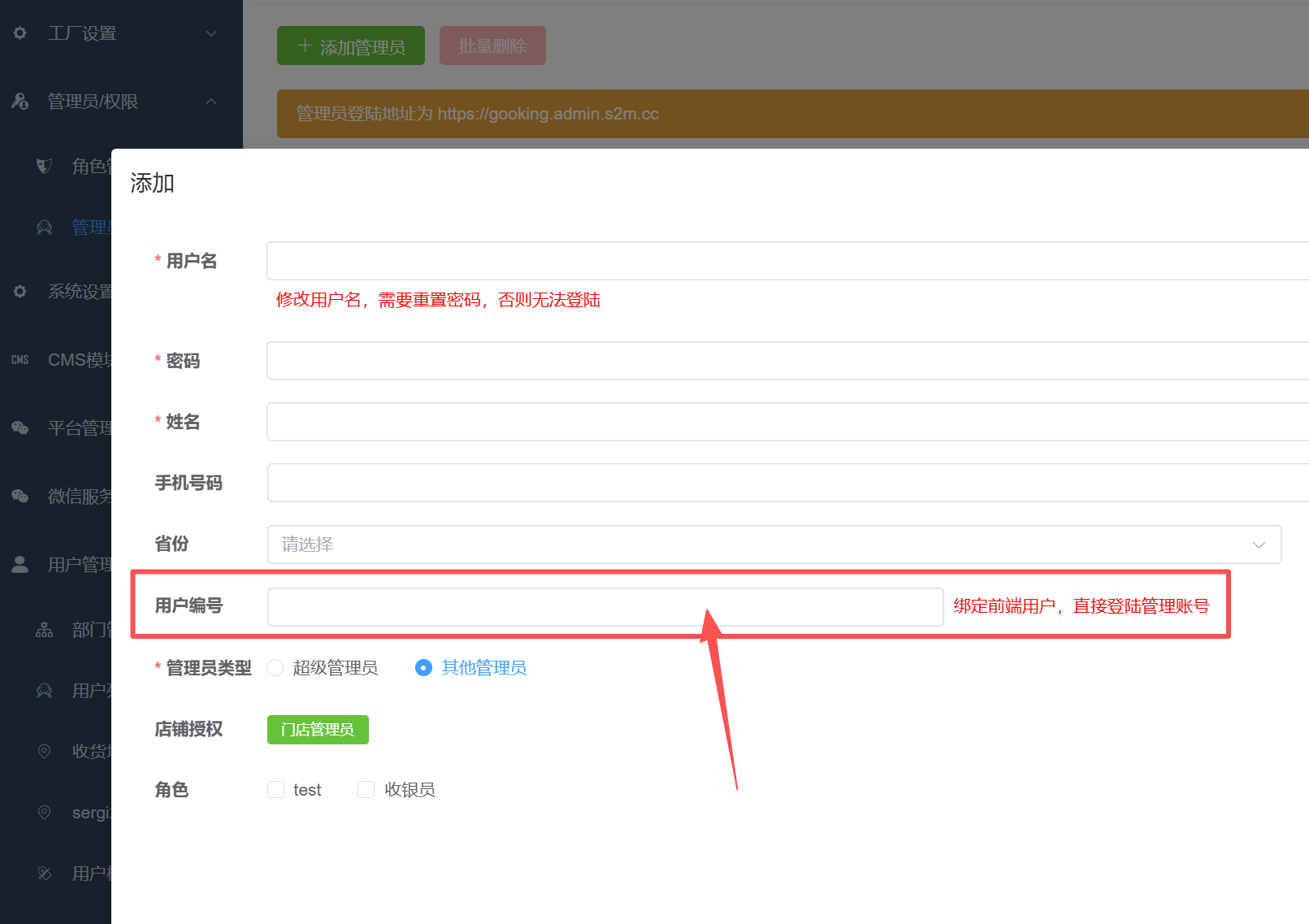
After binding in this way, the administrator will establish a relationship with the ordinary user above, which means the authorization will be completed.
## Use the login token of an ordinary user in exchange for x-token
The token of an ordinary user is the token returned by the user's login interface in your existing business. For example, many user operation API interfaces need to be called through this token, such as: viewing the shopping cart, viewing your own orders, fund status, capital flow, etc.
interface address
https://user.api.it120.cc/login/token
Called in POST mode, use application/x-www-form-urlencoded in request mode
Parameter: token, pass in the login token of an ordinary user
If the token of the current user provided is correct, the interface will return the x-token used by the user to call the backend api interface, and then you can use the x-token to call the backend api interface.
So, what should we do if this ordinary user is bound to multiple administrator accounts?
This situation exists. For example, administrators with multiple identity roles are created in the background, such as financial identity, customer service identity...
In this case, if there are multiple bound administrators, the system does not know which administrator's x-token should be returned to you for use. At this time, the above interface will return a list of administrators, and each administrator will have an ID.
You can display this administrator list to the user, allowing the user to choose which administrator they want to log in and then obtain the x-token of the corresponding administrator. After the user selects, you still call the above interface to obtain the x-token of the corresponding administrator. The only difference is that at this time, you need to pass one more parameter: id , passing in the id of the administrator account that the user chooses to log in to.
At this point, you will be able to happily call the backend API interface. If you have any problems with use, you can consult our customer service for help.