# enable module
Left menu "Factory settings" --> "Module management", enable "SMS verification code” module, then F5 to refresh the background management interface, you can see the SMS settings menu
# Configure SMS settings
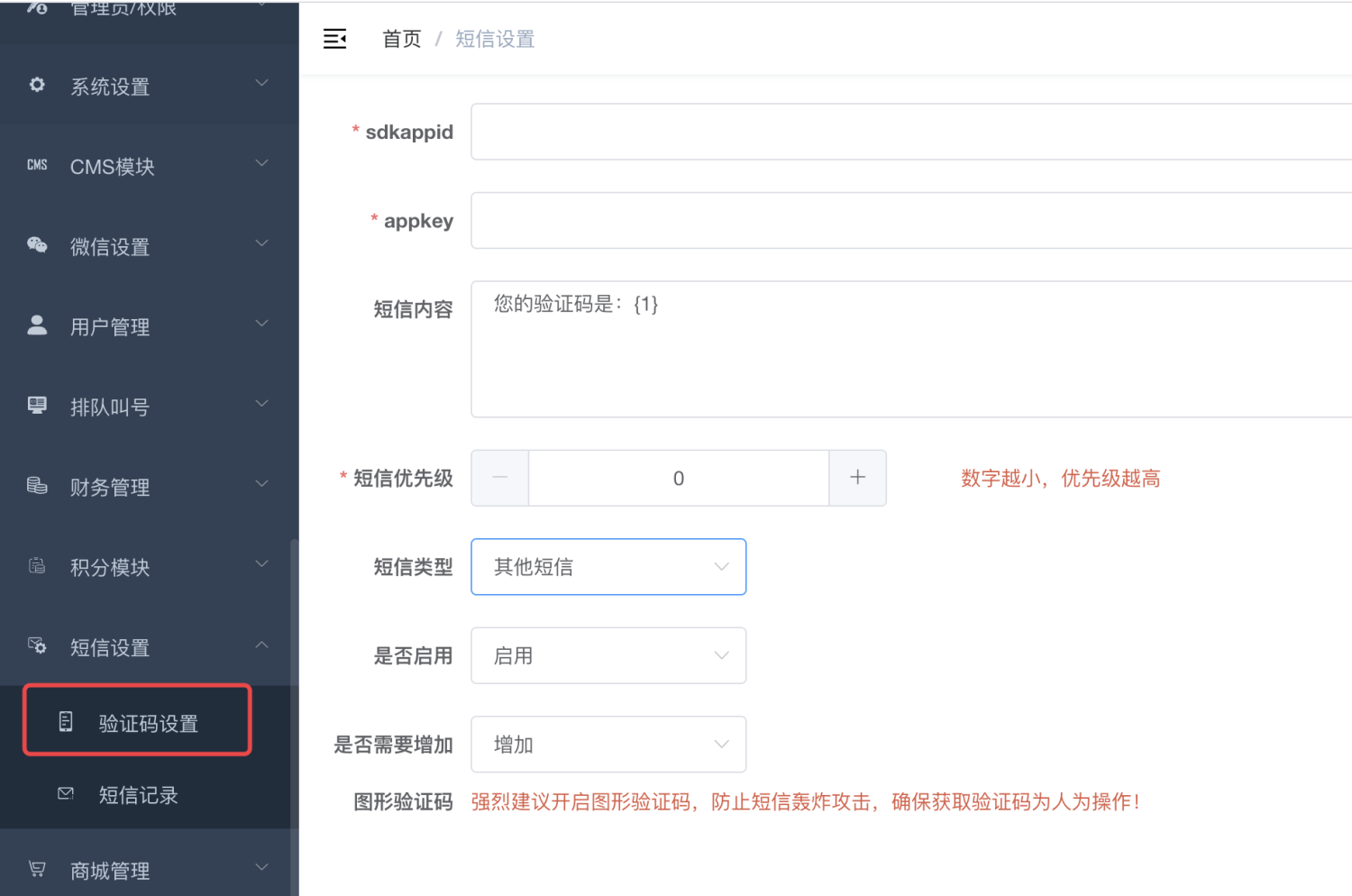
Please fill in the appID and key for sending text messages on Tencent Cloud. Once filled in correctly, you can send text messages;
You need to select "Other SMS" as the SMS type and do not select verification code;
Please fill in other settings according to your actual needs;
# Call the send SMS interface
[#](#)
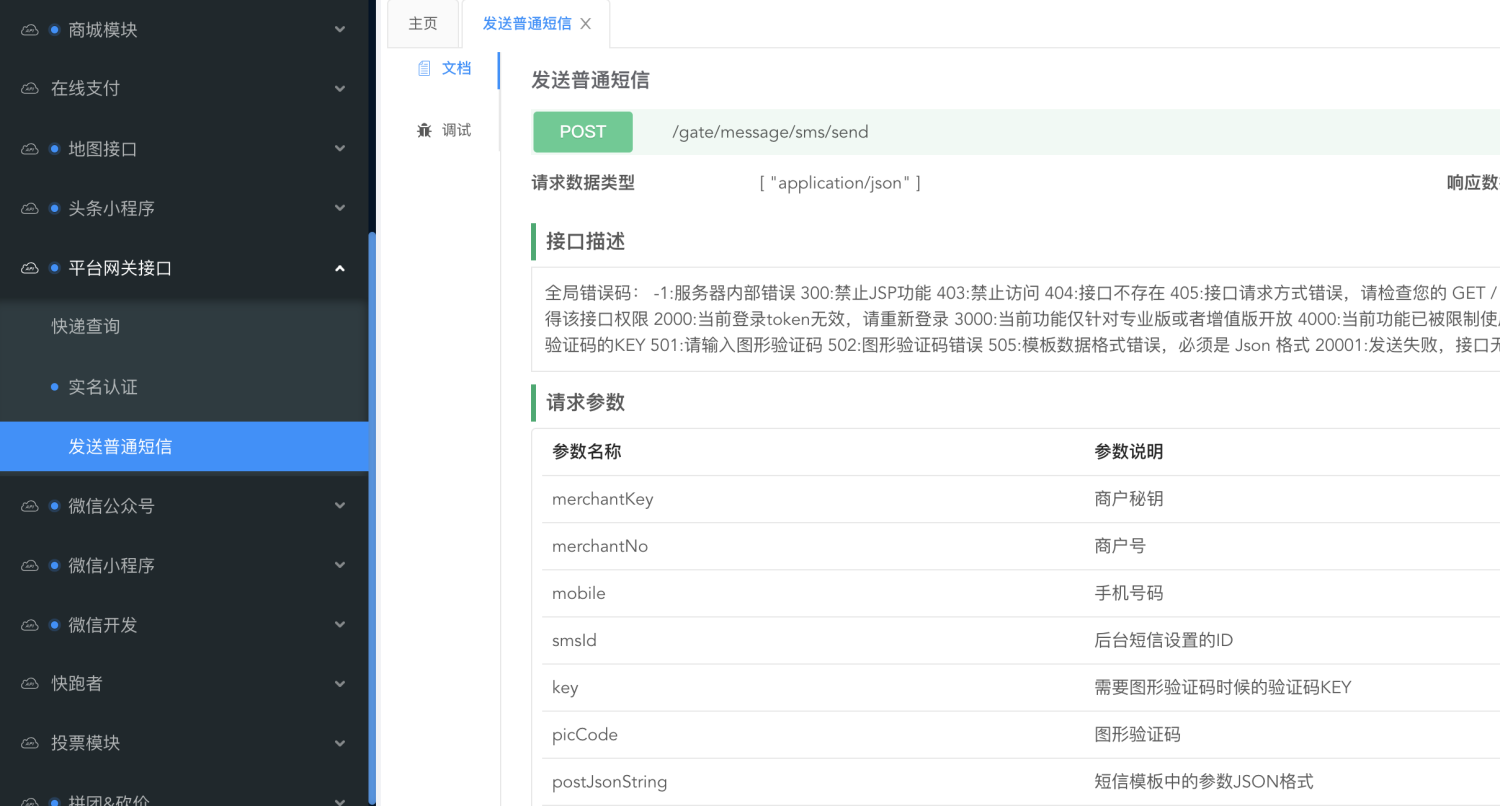
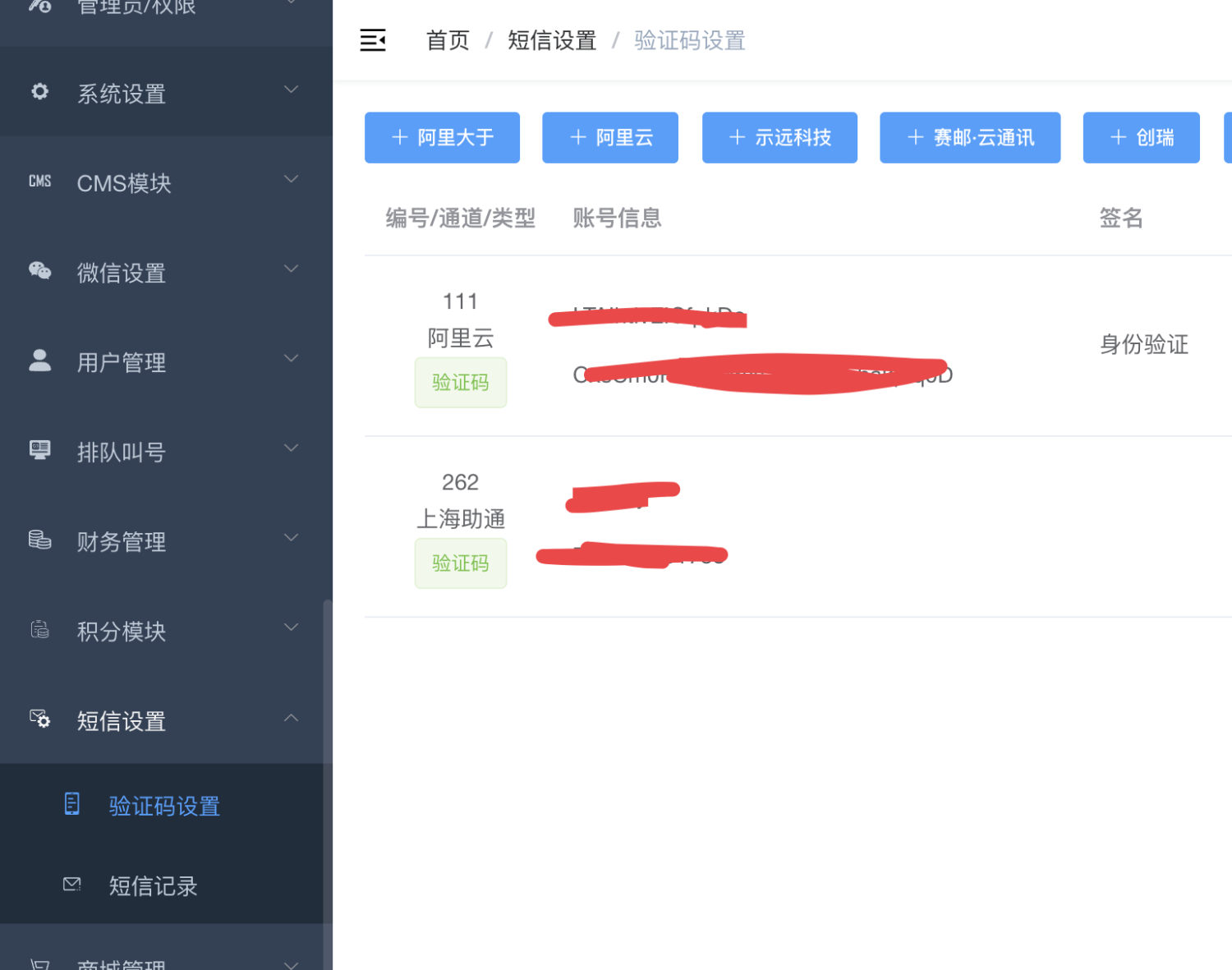
Please go to the left menu of the background, Factory settings --> Merchant information, to view your ownmerchantKey andmerchantNosmsId is the number of background SMS settings, as shown in the figure below, smsId is 111 and 262
postJsonString field example:
```json
{params: ["Parameter 1", "Parameter 2", "Parameter 3"]}
```
Please pass the parameters yourself according to your own SMS template parameters.