# Configure Budweiser ID and KEY
Log in to the backend, go to the left menu "System Settings" --> "Online Payment Settings" and click Budweiser Payment;
Fill in the Budweiser payment information you applied for:
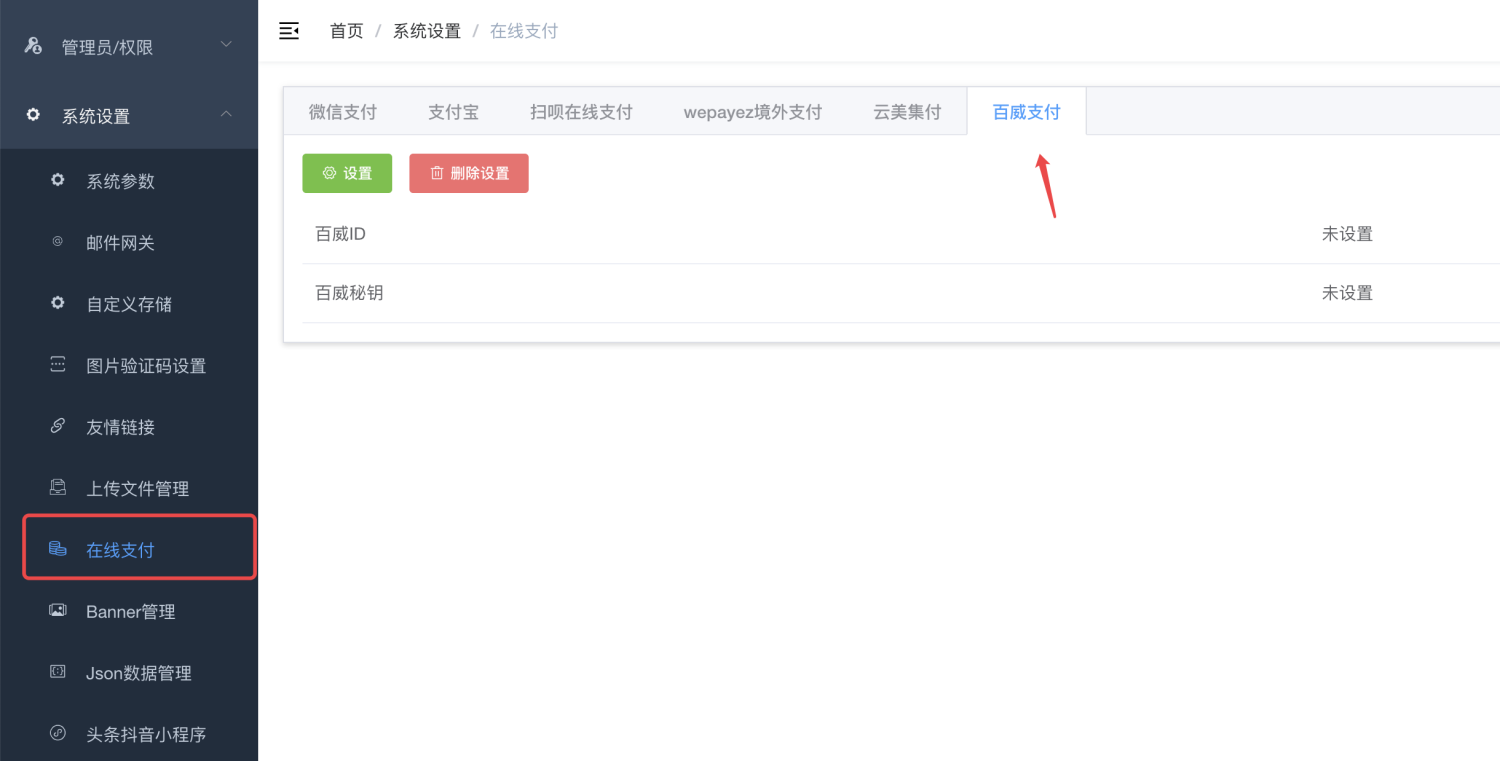
If you don’t see the “Online Payment” menu, it’s because you have not enabled this module. Please go to “Factory settings” --> “Module management”, turn on the “Online Payment” module, and then refresh the background with F5 to see the background.
# Mini program replaces the mini program payment interface
The payment interface address of Budweiser Mini Program is:/pay/baiwei/wxappJust use the information returned by this interface to directly wake up the payment.
## Angel Children's Clothing Open Source Project Modification Guidelines
**Step one: Modify payment address**
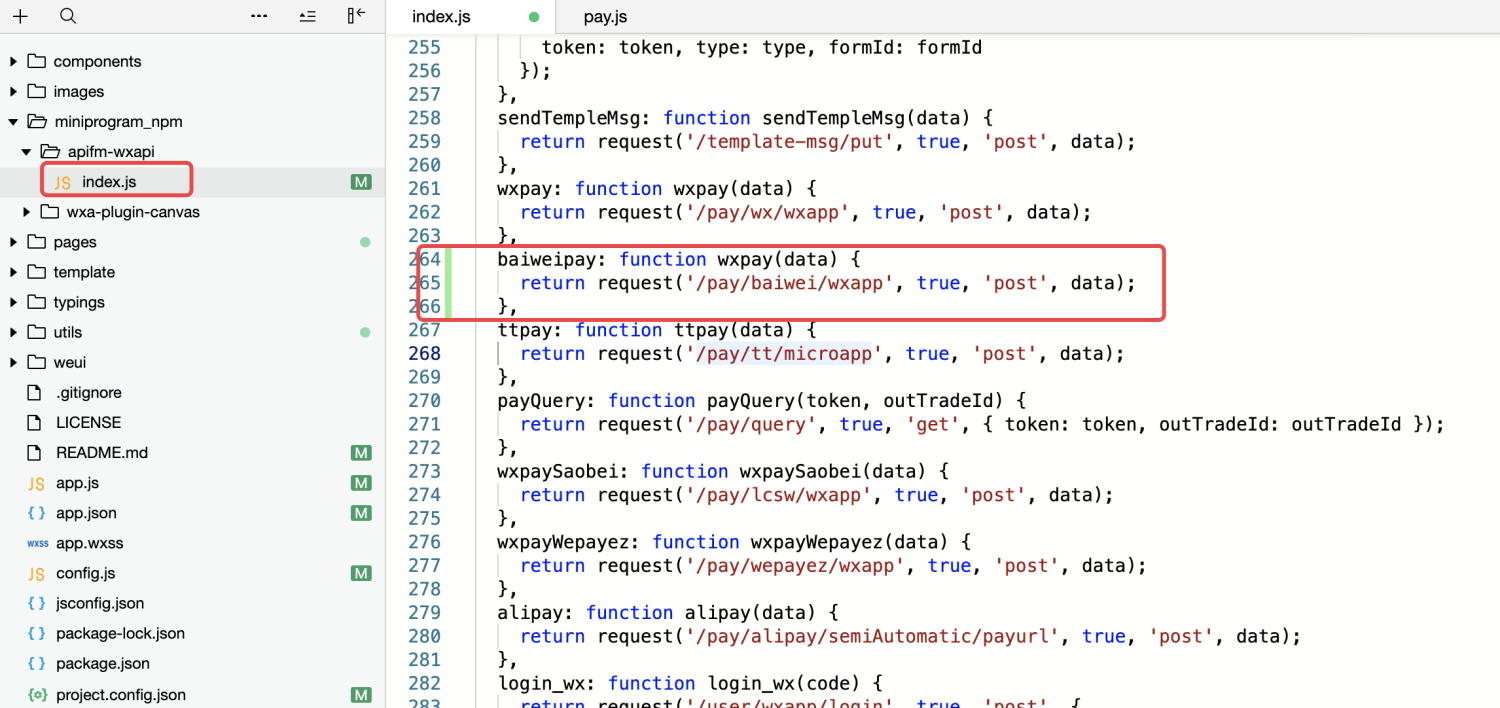
Add a new method of “Budweiser Payment”
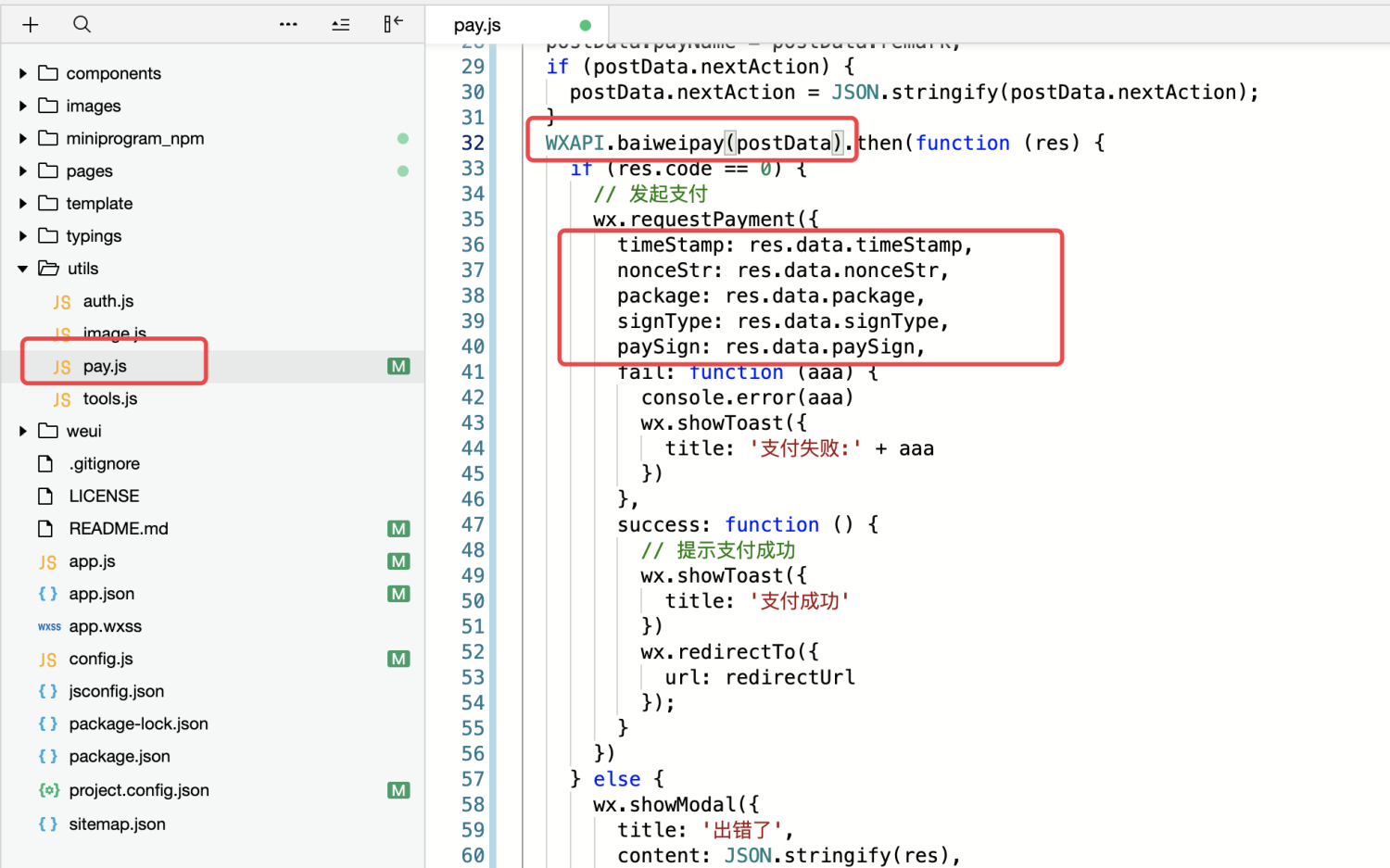
**Step 2: Modify the code that initiates payment**