# Glossary
## Queue
The same queue maintains a separate serial number. Each user takes a number for the same queue, and the system allocates numbers in an orderly manner.
For example, when we handle daily bank business, different queues are displayed on the number-taking machine:
+ Personal business
+ Corporate business
Users can select the corresponding queue to get a number based on their actual situation.
## Service window
The same queue can have multiple service windows. For example, in the bank example above, there are currently 100 people who have received numbers for private business, and users have received 100 numbers from 1 to 100 respectively.
In order to improve the efficiency of business processing, banks will set up multiple windows to handle private business at the same time (same queue). For example, the bank has opened three windows No. 6, No. 7, and No. 8 to handle private business.
Then, multiple service windows share the same queue. If window No. 6 is currently handling customer No. 71, then when window No. 7 calls the next service customer, it will be customer No. 72, and when window No. 8 calls the next service customer, it will be customer No. 73.
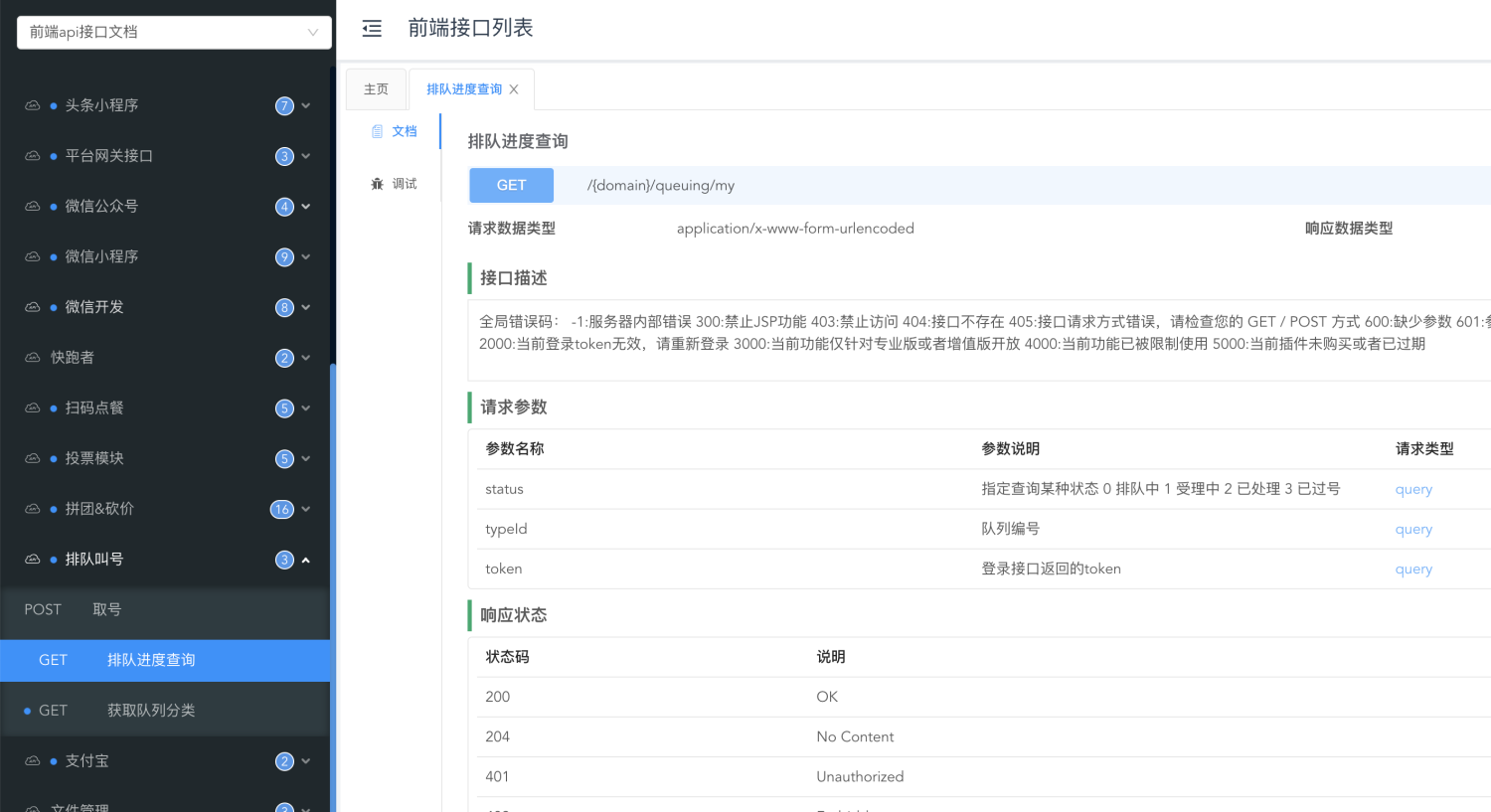
In the background related api interface, the fieldserviceWindowThe parameter value is the service window
## Number
The number is a unique acceptance sequence number assigned by the system that is unique to the current queue and is obtained by the user in a certain queue through the number retrieval interface.
#Add queue
## Name
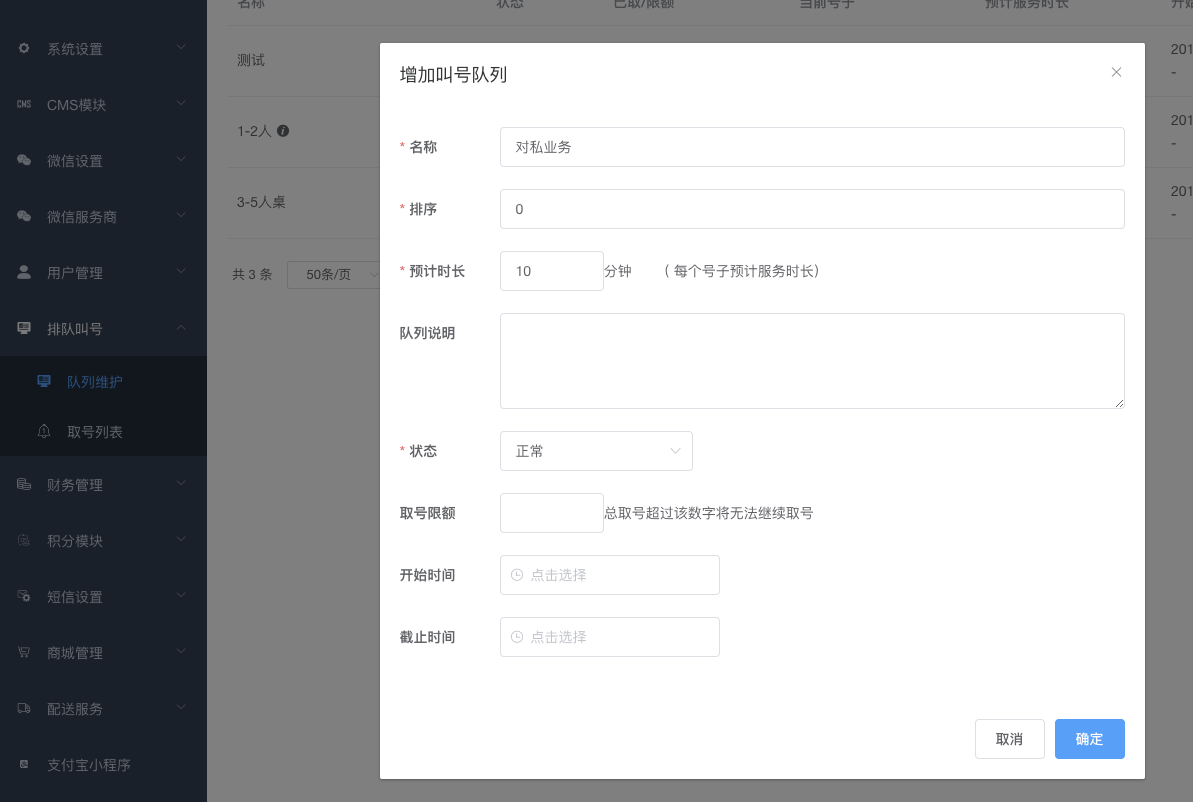
Queue name, the front-end interface can obtain all queues in the current system, and display it on the web page, app, or applet according to business needs for users to choose to get a number.
## Sort
This only affects the order in which queue data is returned by the front-end queue list interface, not the sorting of the queue itself.
The smaller the number, the higher it is
## Estimated completion time
Fill in this information for the estimated completion time of each number, so that you can help the front-end user estimate the time required to queue up when picking up the number. You can even print out the estimated queuing time when the ticket is printed.
## Queue description
This information will also be reflected in the front-end queue list interface, which is convenient for you to display to users.
## Number retrieval limit
In some business scenarios, a queue needs to limit the number of people served. If this number is exceeded, users will no longer be able to get a number.
## Aging
If the start time and end time are set, the number can only be taken within the specified time range.
# Queue operations
## Reset queue
Through this operation, a queue can be initialized:
+ The current processing number is set to 0
+ The current total number of taken numbers is reset to 0
+ All accounts that have been collected but not in service will be marked as expired
After resetting, the user can re-acquire a number according to the queue settings.
## Get the current service number of a certain service window
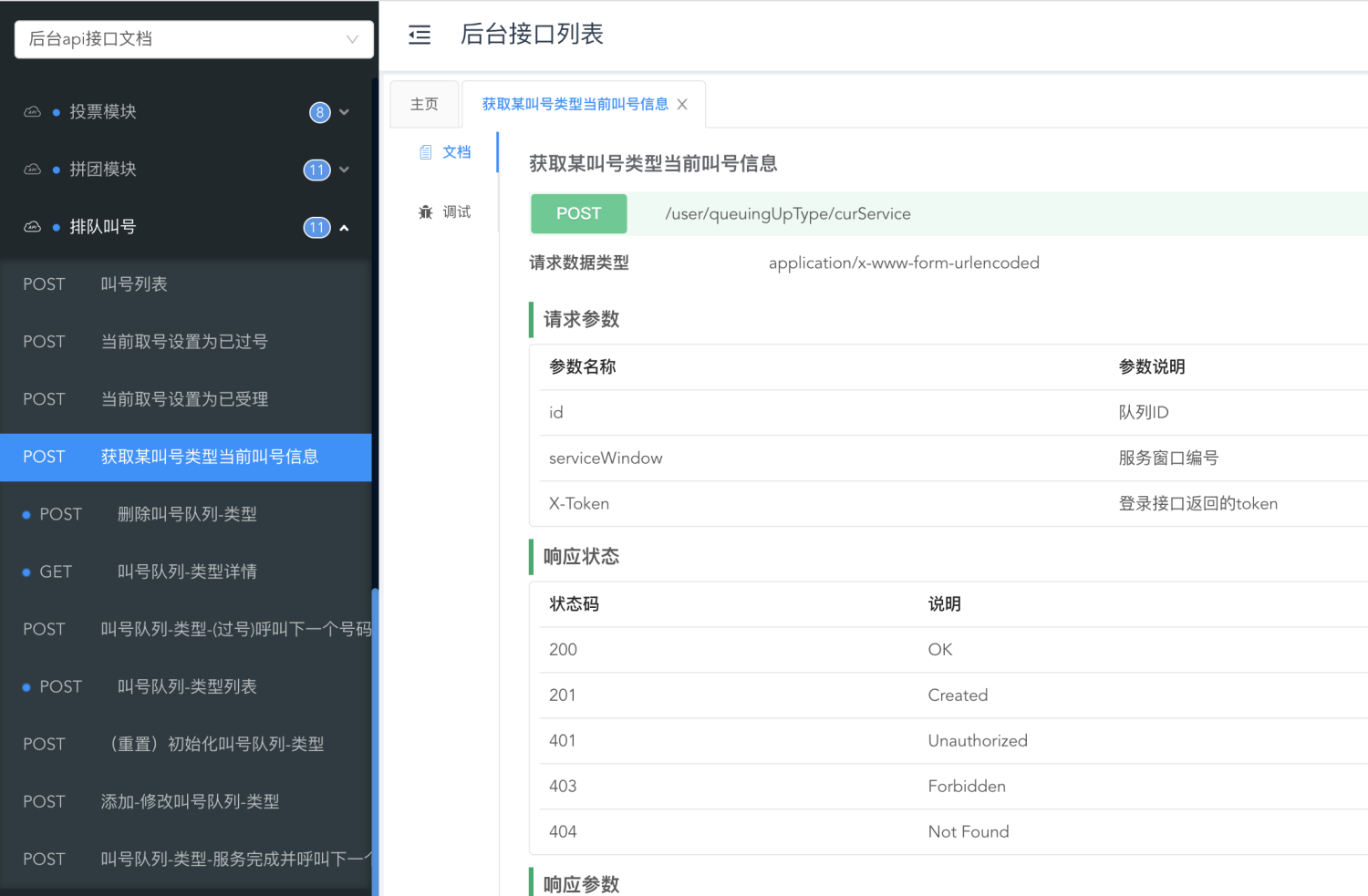
By passing in the queue ID and service window name, you can get the number being served by the current service window. Example of the interface return:
```json
{
"code": 0,
"data": {
"log": {
"id": 322,
"mobile": "",
"number": 1,
"serviceWindow": "1",
"status": 1,
"statusStr": "Accepting",
"typeId": 180,
"uid": 1679490
},
"type": {
"curNumber": 1,
"dateBegin": "2020-09-27 18:48:10",
"id": 180,
"minitus": 10,
"name": "Private business",
"numberGet": 1,
"status": 0,
"statusStr": "Normal"
}
},
"msg": "success"
}
```
If the current service window does not have a service number, or the number passed in by this interfaceserviceWindow If the parameter is a brand new window name, then the interface will not return the log data object. At this time, the window needs to perform a "pass number" operation first, and the system will assign a number to it for service.
## Pass number
When a service window is added to the queue for the first time, it needs to perform a number-passing operation first;
If no one responds to the current number after multiple calls, the number change operation can be performed according to your company's actual business regulations;
After the account transfer operation, the status of the executed account will change to expired, and the service will no longer be available. Please guide the user to re-account through UI interaction;
## Call next
After performing this operation, the number of the current service is marked as served, and the next number of the queue to which the current service window belongs is assigned.
## Forced modification of account status
In the background number retrieval list, you can force a certain number to be changed to completed or expired status.
## Check the queue progress on the front end