# Preface
This tutorial is based on the "apifm-wxapi" module and teaches you how to quickly implement small program development, so you may need to understand the following knowledge points first:
["Creating HelloWorld Project"](https://www.yuque.com/apifm/doc/hezlrm)
["Use "apifm-wxapi" to quickly develop small programs"](https://www.yuque.com/apifm/doc/mdldsd)
["Register for free to open the backend and obtain an exclusive domain name"](https://www.yuque.com/apifm/doc/qr6l4m)
In this case, some functions require the user to log in before they can be operated, which means token authorization is required. Please understand first:
["WeChat Mini Program login to obtain openid and third-party tokens"](https://www.yuque.com/apifm/doc/kaygbw)
# Function introduction
This example will help you quickly implement the following five functions in a small program:
1. Read the user information of the currently logged in user: basic information, extended information, real-name information, etc.;
2. Read the openid and unionid of the currently logged in user;
3. Modify user information: province and city, nickname, avatar, extended attributes;
4. Real-name authentication: Fill in the correct name and ID number for quick authentication;
5. Log out
# enable module
Log in to the "First Step" registration background, left menu --> Factory settings --> Module management
Find and enable the following modules:
1. Real-name authentication
_Real-name authentication needs to verify whether the name and ID number match through the public security interface, so be sure to enable the module first, otherwise it will prompt that the module is not enabled_
_The real-name authentication interface is a paid interface. You need to recharge the number of interface calls where the module is enabled before you can use the real-name authentication function_
# apifm-wxapi method description
## Get user information
```javascript
WXAPI.userDetail(token)
```
> The base data stores the user’s basic information;
>
> The idcard data stores the user’s real-name authentication information [if the user has passed real-name authentication]
>
> ext data stores the user’s extended attributes
>
## Get user id, openid, unionid
```javascript
WXAPI.userWxinfo(token)
```
> Get the user id, openid, unionid of the currently logged in user
>
## Modify user information
```javascript
WXAPI.modifyUserInfo(Object object)
```
## Real-name authentication
```javascript
WXAPI.idcardCheck(token, name, idCardNo)
```
> Identity verification method, verify whether the name and ID number match
>
> name is the real name; idCardNo is the ID card number
>
## Log out
```javascript
WXAPI.loginout(token)
```
> After exiting, the current token will become invalid immediately.
>
# Mini program development
## Effect screenshot
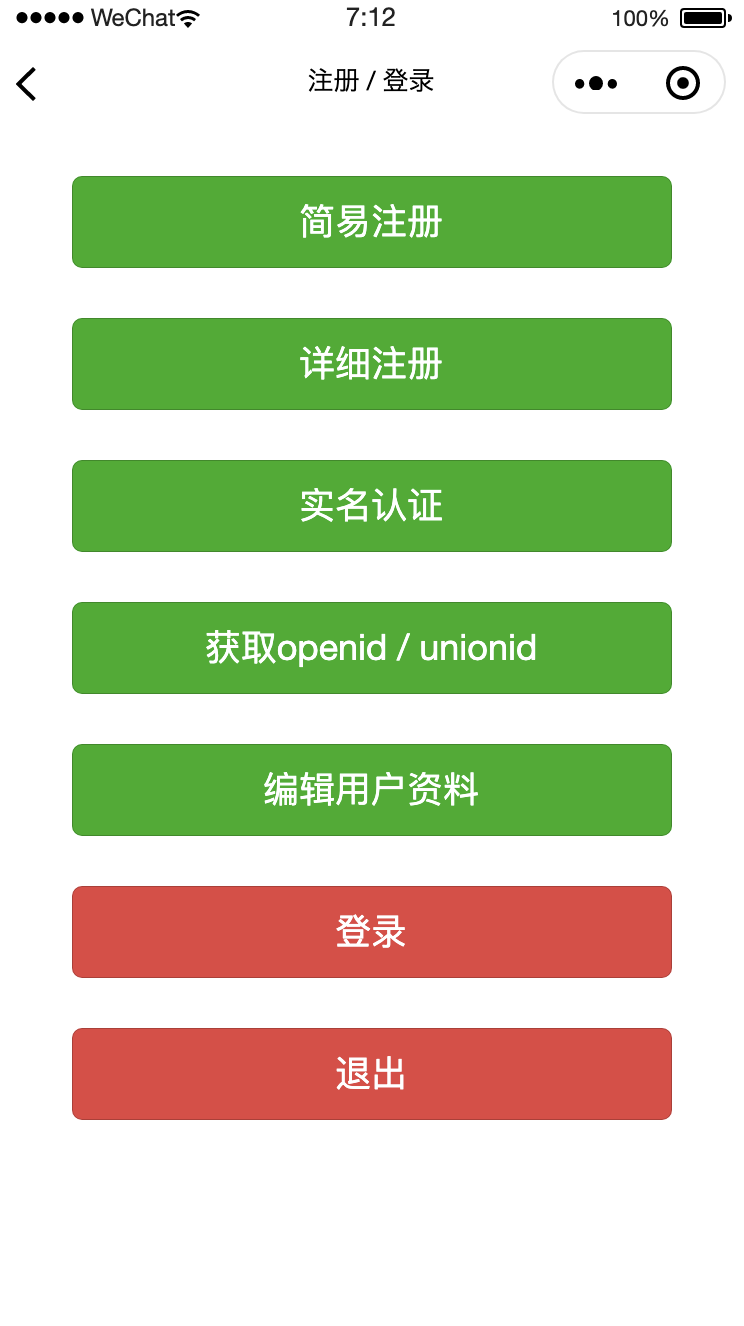
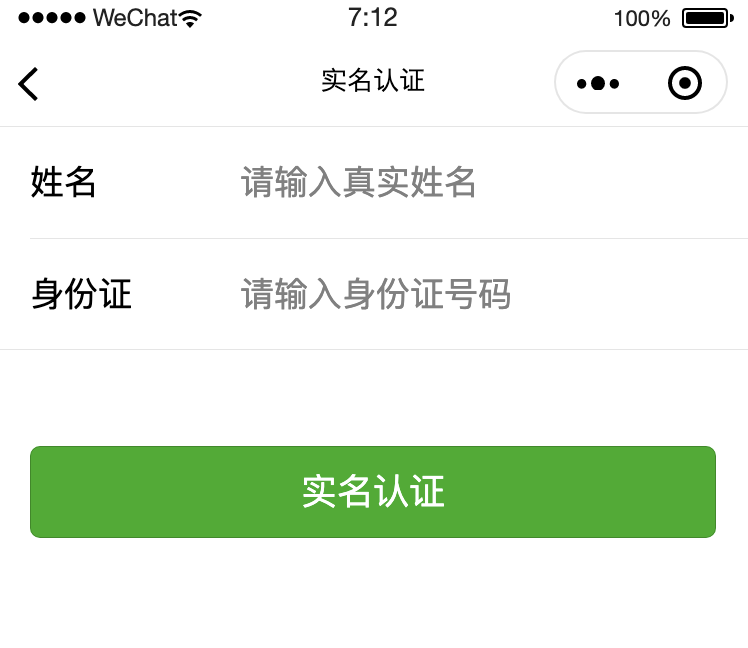
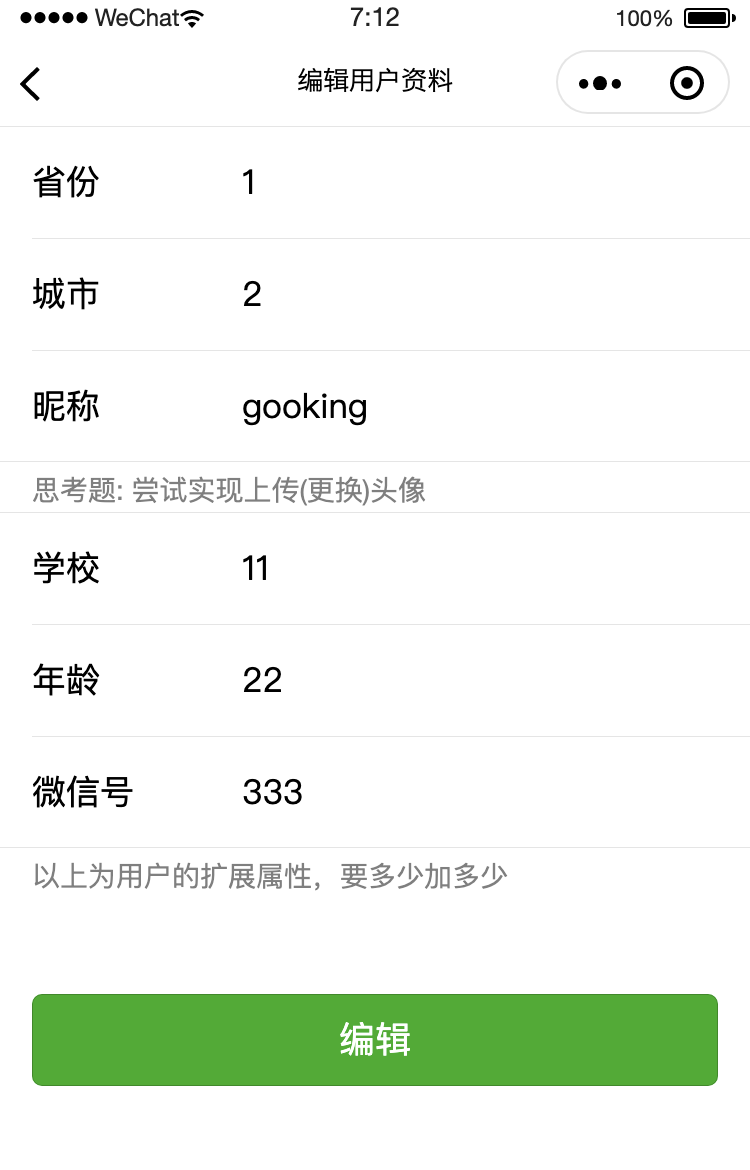
## Mini program code
### Read user information/modify information
```javascript```
```javascript
const WXAPI = require('apifm-wxapi')
Page({
data: {
userInfo: undefined
},
onLoad: function (options) {
},
onShow: function () {
const loginToken = wx.getStorageSync('loginToken')
if (!loginToken) {
wx.showToast({
title: 'Please log in first',
icon: 'none'
})
this.goRegist()
return
}
WXAPI.userDetail(loginToken.token).then(res => {
console.log(res)
if(res.code == 0){
this.setData({
userInfo: res.data
})
}
})
},
goRegist() {
wx.navigateTo({
url: '/pages/auth/index'
})
},
bindSave(e) {
const loginToken = wx.getStorageSync('loginToken')
if (!loginToken) {
wx.showToast({
title: 'Please log in first',
icon: 'none'
})
this.goRegist()
return
}
const province = e.detail.value.province;
const city = e.detail.value.city;
const nick = e.detail.value.nick;
const extJsonStr = {}
extJsonStr['school'] = e.detail.value.school
extJsonStr['age'] = e.detail.value.age
extJsonStr['WeChat ID'] = e.detail.value.wx
WXAPI.modifyUserInfo({
token: loginToken.token,
province,
city,
nick,
extJsonStr: JSON.stringify(extJsonStr)
}).then(res => {
console.log(res)
if (res.code == 0) {
wx.showToast({
title: 'Modification successful',
icon: 'success'
})
} else {
wx.showToast({
title: res.msg,
icon: 'none'
})
}
})
},
})
```
### Real-name authentication
```javascript```
```javascript
const WXAPI = require('apifm-wxapi')
Page({
data: {
},
onLoad: function (options) {
},
onShow: function () {
},
goRegist() {
wx.navigateTo({
url: '/pages/auth/index'
})
},
bindSave(e) {
const loginToken = wx.getStorageSync('loginToken')
if (!loginToken) {
wx.showToast({
title: 'Please log in first',
icon: 'none'
})
this.goRegist()
return
}
const name = e.detail.value.name;
const idCardNo = e.detail.value.idCardNo;
if (!name || !idCardNo) {
wx.showToast({
title: 'Information not filled in',
icon: 'none'
})
return
}
WXAPI.idcardCheck(loginToken.token, name, idCardNo).then(res => {
console.log(res)
if (res.code == 0) {
wx.showToast({
title: 'Certification passed',
icon: 'success'
})
} else {
wx.showToast({
title: res.msg,
icon: 'none'
})
}
})
},
})
```
### Get openid/unionid
```javascript```
```javascript
openid(){
const loginToken = wx.getStorageSync('loginToken')
if (!loginToken) {
wx.showToast({
title: 'Please log in first',
icon: 'none'
})
return
}
WXAPI.userWxinfo(loginToken.token).then(res => {
console.log(res)
wx.showToast({
title: 'View console',
icon: 'success'
})
})
}
```
### Log out
```javascript```
```javascript
loginout(){
const loginToken = wx.getStorageSync('loginToken')
if (loginToken) {
WXAPI.loginout(loginToken.token).then(res => {
if (res.code == 0) {
wx.showToast({
title: 'Exit successfully',
icon: 'success'
})
wx.clearStorage()
} else {
wx.showToast({
title: res.msg,
icon: 'none'
})
}
})
} else {
wx.showToast({
title: 'Exit successfully',
icon: 'success'
})
}
}
```
**For more detailed parameter usage and more advanced advanced usage methods, please refer to the API interface documentation: **
["api interface document"](#)
_More usage methods about apifm-wxapi: _
["apifm-wxapi Instructions for Use"](https://github.com/gooking/apifm-wxapi/blob/master/instructions.md)
_Download the Demo code of this case: _
["apifm-wxapi using Demo program"](https://github.com/gooking/apifm-wxapi-demo)
Looking forward to your progress!
grateful!