# Register and open an account
[https://www.ucpaas.com/product/sms.html](https://www.ucpaas.com/product/sms.html)
Please go to the official website of "Yunzhixun" to register and open your own SMS account
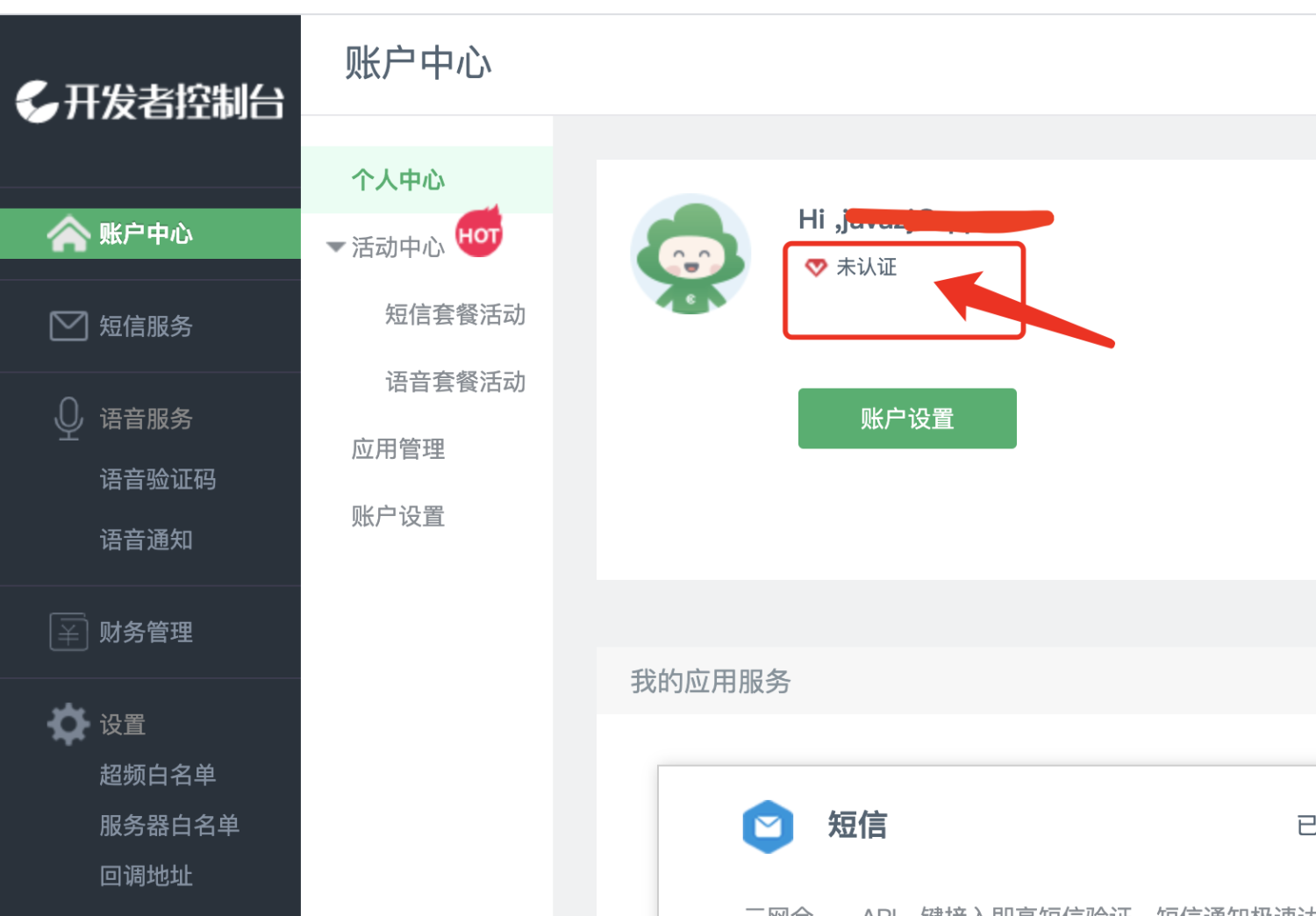
**After registration, you must complete account verification before you can send text messages:**
#Create application
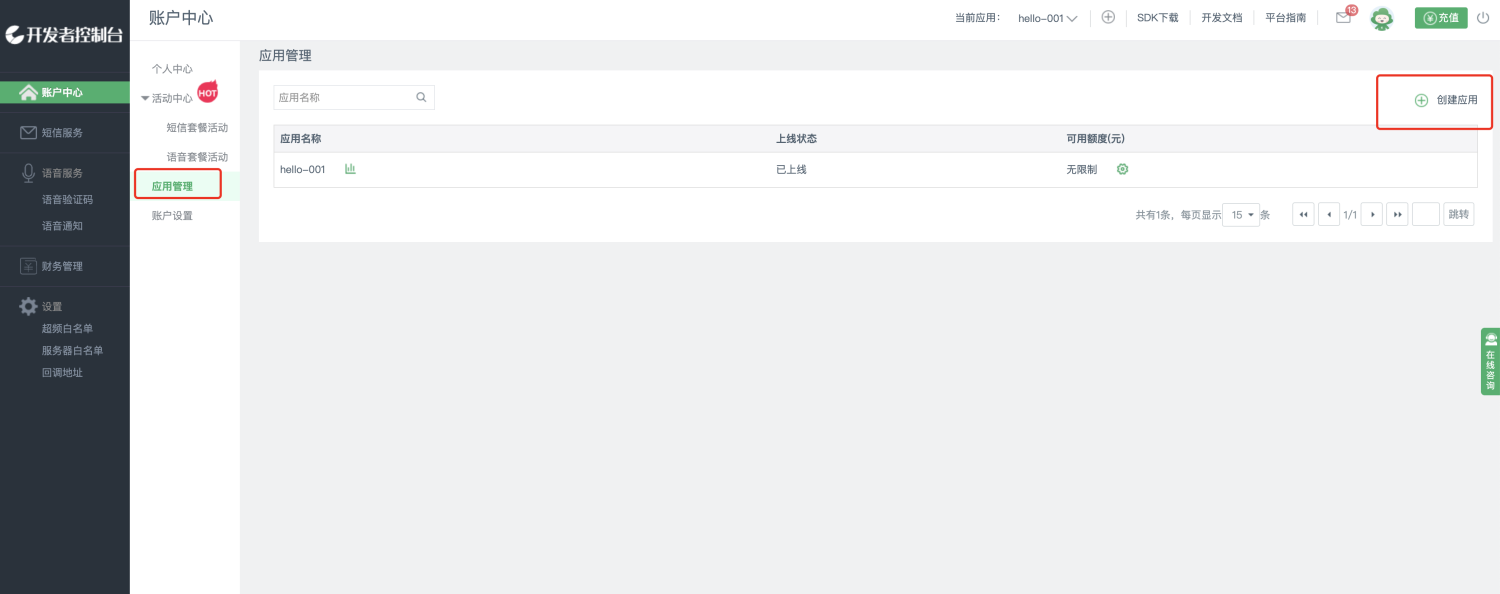
Create an application to send out SMS verification codes
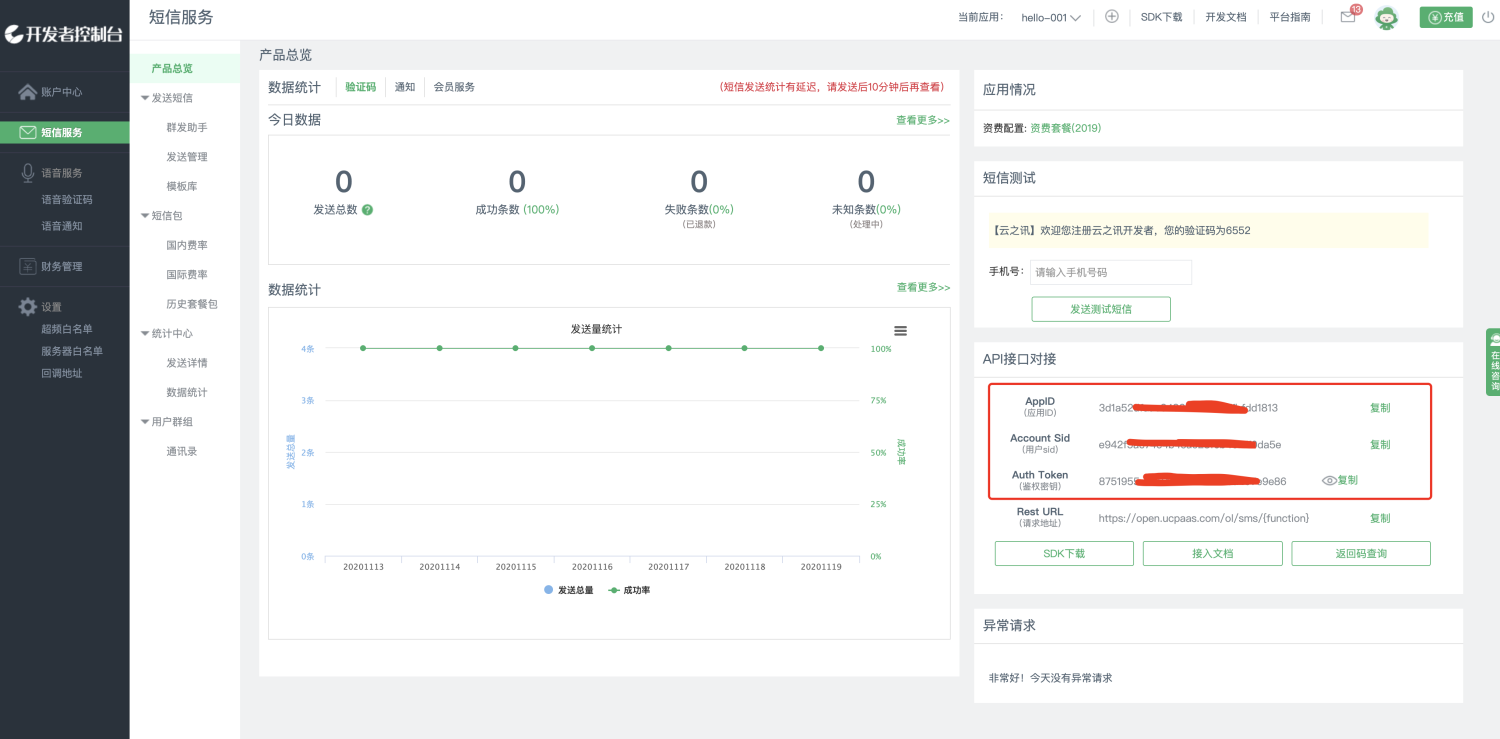
After creating it, record these 3 pieces of information:
+ appID
+ sid
+ token
# Add SMS template
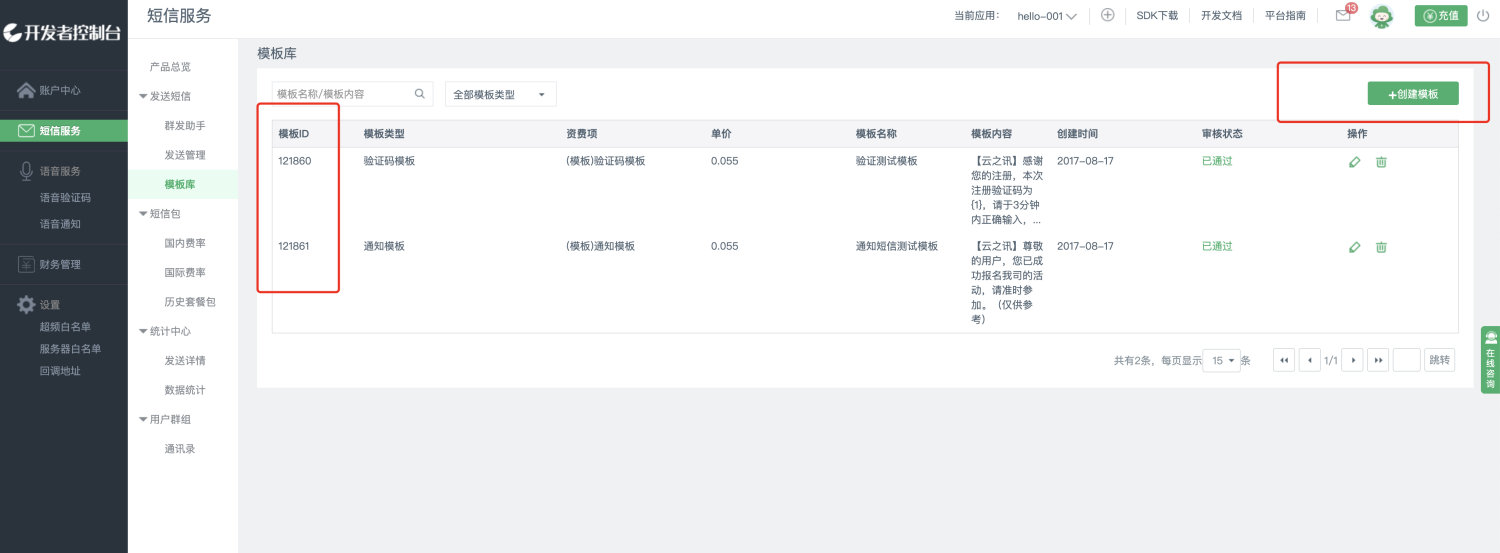
**There can only be one variable in the template, {1}, and the system will automatically fill this variable with random numbers as the verification code.**
Record the template ID in the picture above
# Configure SMS channel
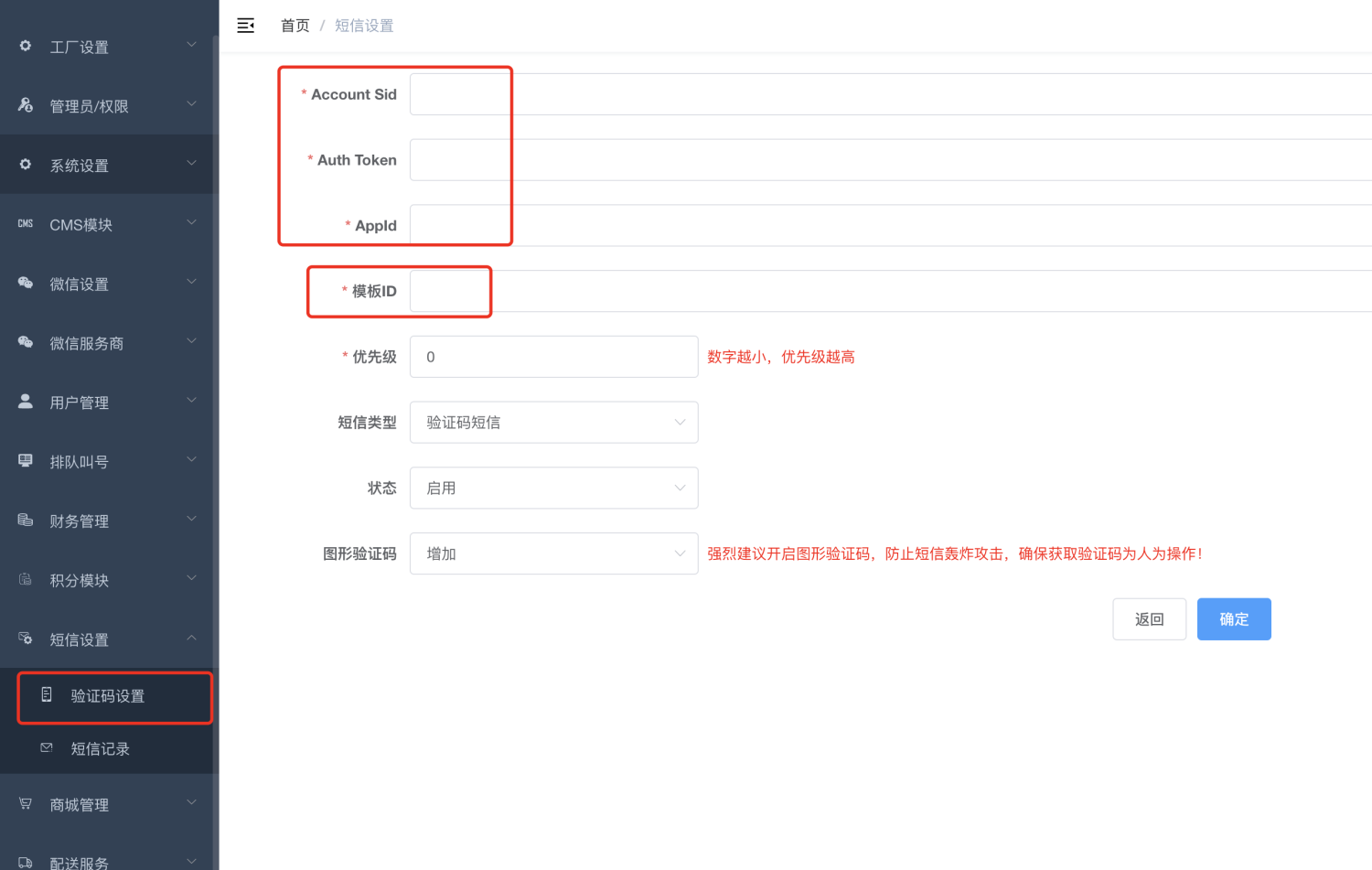
Fill in the information in the previous steps here and a verification code SMS will be sent.
# Error troubleshooting
If you cannot receive text messages, please check the system log:
System Settings-->Operation Log
Check the error code returned by Yunzhixun, and then check the error reason in their official error code table:
[http://docs.ucpaas.com/doku.php?id=error_code](http://docs.ucpaas.com/doku.php?id=error_code)