# Activate payment code payment
[https://pay.weixin.qq.com/](https://pay.weixin.qq.com/)
After logging in to your WeChat payment, activate the "payment code payment" function:

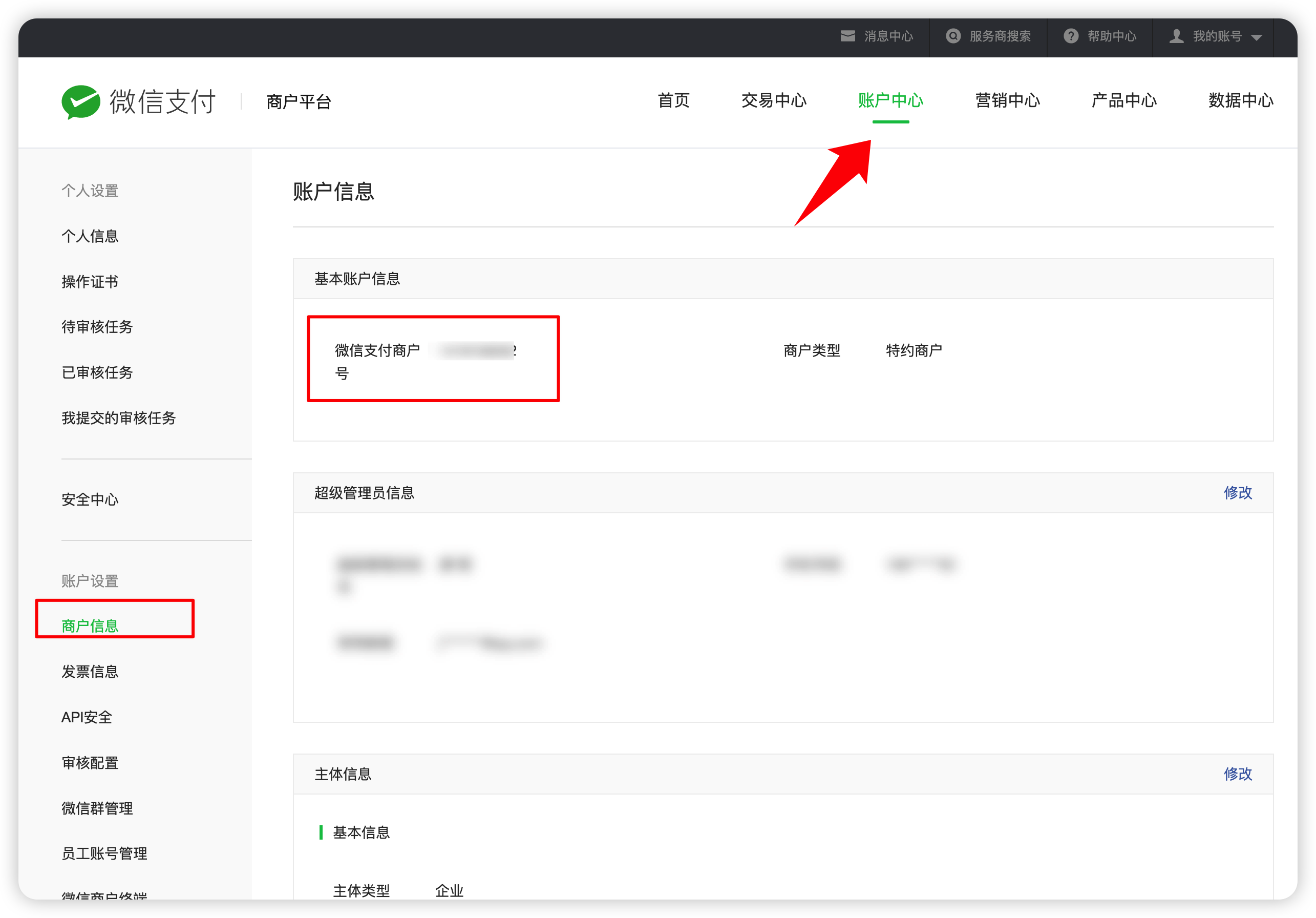
# View merchant number
#Set api security key
Payment requires the use of the v2 version of the api security key. Don’t be mistaken, it is the V2 version, not the V3 version~

The api key is 32 bits in length, consisting of numbers, uppercase and lowercase letters, 32 bits in length, no more, no less
# apifm background configuration
[https://admin.it120.cc/](https://admin.it120.cc/)
Backend menu path: System Settings -- Online Payment -- Configure WeChat Payment
Fill in the information carefully:
+ appID Fill in the appID of your mini program or service account
+ Merchant number The merchant number read in the second step above
+ api security key Fill in the key in the previous step
+ Certificate private key, just fill in any number of letters
+ Leave the other fields blank.