# Preface
This tutorial is based on the "apifm-wxapi" module and teaches you how to quickly implement small program development, so you may need to understand the following knowledge points first:
["Creating HelloWorld Project"](https://www.yuque.com/apifm/doc/hezlrm)
["Use "apifm-wxapi" to quickly develop small programs"](https://www.yuque.com/apifm/doc/mdldsd)
["Register for free to open the backend and obtain an exclusive domain name"](https://www.yuque.com/apifm/doc/qr6l4m)
# Requirements description
_Let’s make it simple first. We do not use the user authorization, login, and pull user information of the mini program; instead, we use the more traditional user name and password to implement a simple registration and login process_
1. Complete registration via username + password;
2. Use the correct username + password to complete the login;
# budget
0 yuan, free implementation
# Requirements realization
### Write small program code:
#### Registration implementation:
```plain
const WXAPI = require('apifm-wxapi')
WXAPI.init('wxapi')
Page({
data: {
},
onLoad: function (options) {
// Register
WXAPI.register_username({
username: 'zansan',
pwd: '123456'
}).then(res => {
console.log(res)
})
}
})
```
> WXAPI.init('wxapi') This code links your mini program to your backend, where wxapi is your exclusive domain name (please check the chapter on exclusive domain names in the preface);
>
_The registration method can receive more parameters, please check the API interface document for details: _
["api interface document"](#)
#### Login implementation:
```plain
const WXAPI = require('apifm-wxapi')
WXAPI.init('wxapi')
Page({
data: {
},
onLoad: function (options) {
// Log in
WXAPI.login_username({
username: 'zansan',
pwd: '123456',
deviceId: 'wxapp', // You can fill it in casually, just mark the login device
deviceName: 'Lunch' // You can fill it in casually, just mark the login device
}).then(res => {
console.log(res)
})
}
})
```
> WXAPI.init('wxapi') This code links your mini program to your backend, where wxapi is your exclusive domain name (please check the chapter on exclusive domain names in the preface);
>
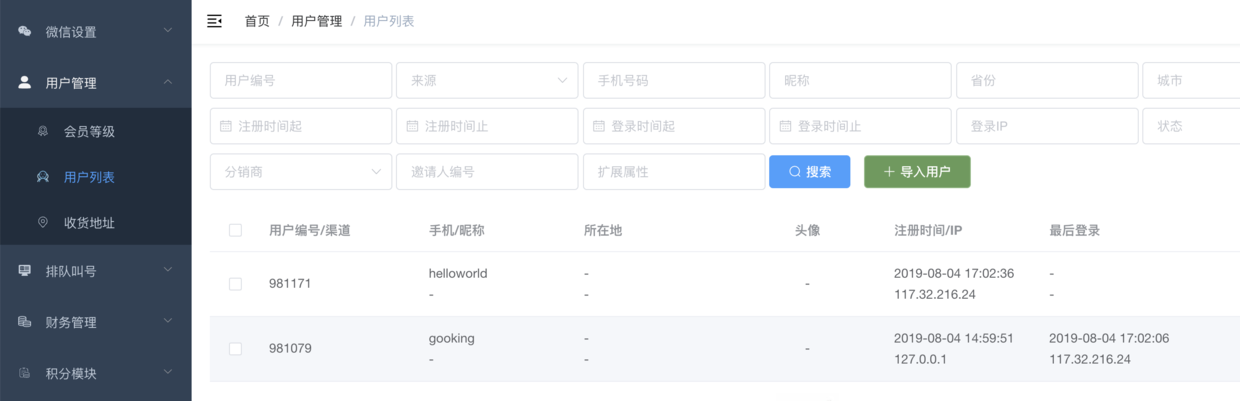
### Log in to the backend to manage registered users:
Looking forward to your progress!
grateful!