# Activate Alibaba Cloud SMS function
Log in to Alibaba Cloud account
[https://www.aliyun.com/minisite/goods?userCode=gbwvwbc6](https://www.aliyun.com/minisite/goods?userCode=gbwvwbc6)

Configure and activate your SMS service, as shown below:

**In order for Alibaba Cloud to be able to send SMS messages, you must first approve your SMS signature and SMS template!**
# Configuration usage
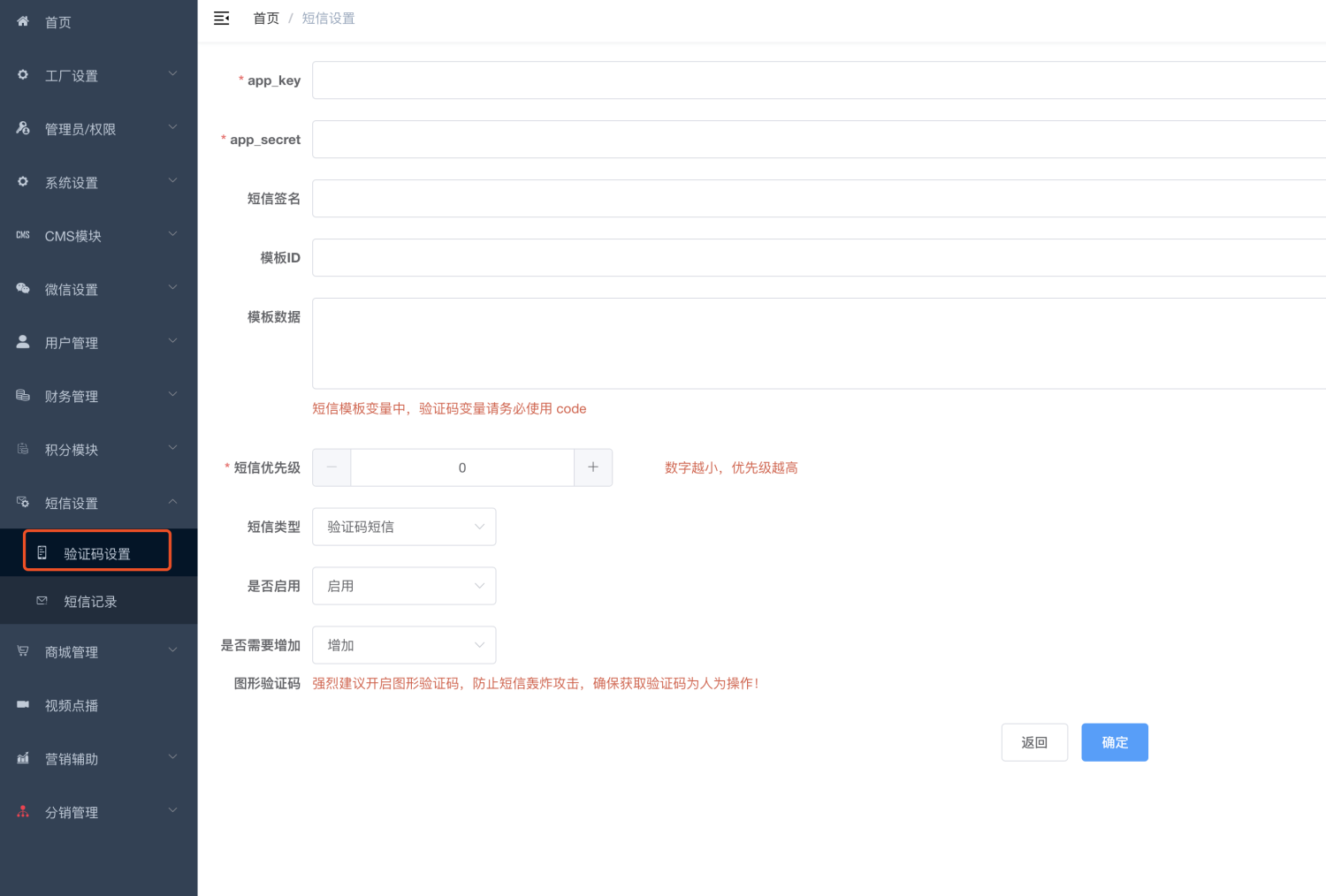
## **app_key and ****app_secret**
****
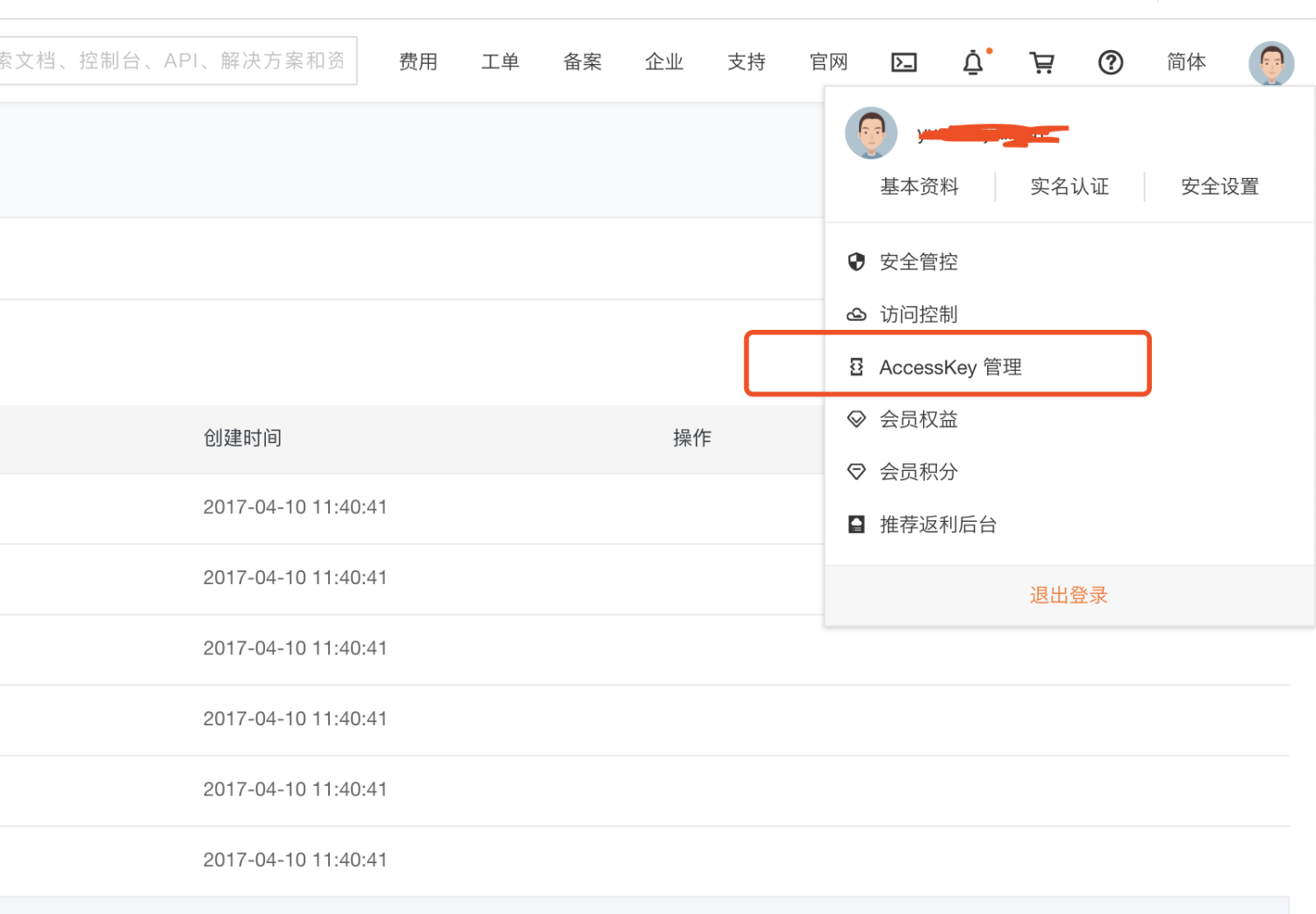
****
## SMS signature
The signature approved in the first step must be filled in
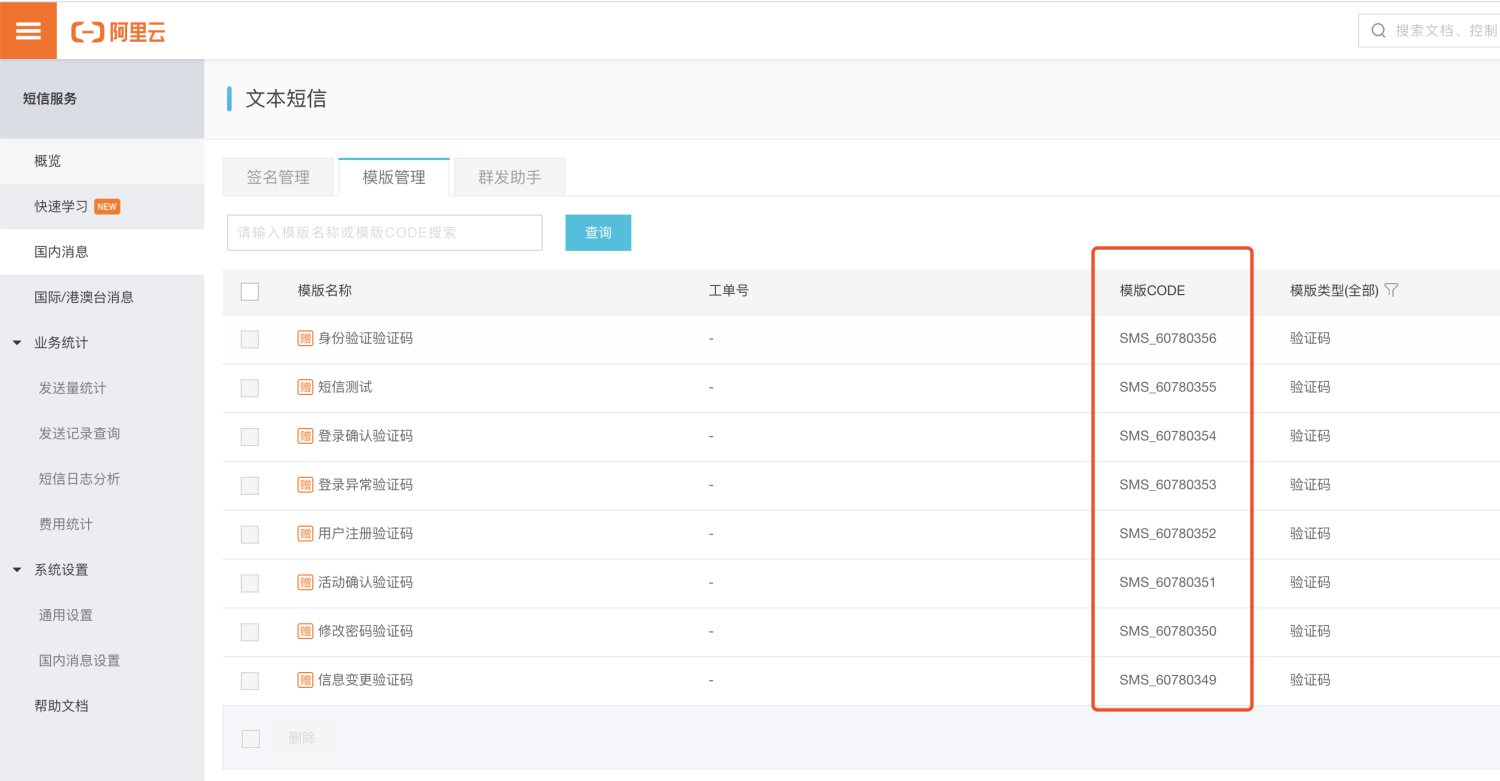
## Template ID
Fill in the template CODE
## Template data
For example, your text message template is:
```plain
Verification code ${code}, don’t tell anyone else!
```
Then please fill in:
```json
{code:1234}
```