# Official description
[https://opendocs.alipay.com/open/199/105225?pathHash=07933824](https://opendocs.alipay.com/open/199/105225?pathHash=07933824)
Follow the instructions to apply for permission to open a card package
After activation, go to the product permissions of the mini program console and bind the product permissions of the card package
# Design card package template
[https://opendocs.alipay.com/open/199/popvoucher](https://opendocs.alipay.com/open/199/popvoucher)
For example, here is a possible card pack template:
```json
{
"evoucherInfo": {
"title": "Receive a 200 yuan shopping red envelope as a benefit",
"type": "marketVoucher",
"product": "free",
"startDate": "$activeTime$",
"endDate": "$expireTime$",
"operation": [
{
"format": "url",
"message": "alipays://platformapi/startapp?appId=2021004100636465&page=pages/index/index",
"altText": "Use now"
}
],
"einfo": {
"logoText": "200 yuan shopping red envelope",
"secondLogoText": "Red envelopes can only be used to purchase some physical goods on this page",
"auxiliaryFields": [],
"backFields": [
{
"label": "Instructions for use",
"value": "Instructions for use:\n\n1. Red envelopes can only be used to purchase some physical goods on this page;\n2. Red envelopes can only be used to deduct the amount of the goods (excluding taxes and shipping costs);\n3. Red envelopes are limited to payment for single items;\n4. Red envelope write-off time: within 48 hours;\n5. Red envelope write-off scope: can be written off on items marked Products with the words "Flash Sale";\n6. Red envelopes cannot be used in combination;\n7. Red envelopes cannot be withdrawn, given to others, or paid for others;\n8. Each product is limited to 1 red envelope. When submitting an order for payment, the system will automatically cancel the red envelope;\n9. Shopping red envelopes are issued by this mini program. If you have any questions, please Contact support.",
"type": "text"
}
],
"customFields": [],
"useLimitDesc": "",
"brandName": "Shopping red envelope",
"originPrice": "",
"banner": {
"bannerImg": "",
"url": ""
},
"passImg": "",
"passImgRatio": "2.79"
}
},
"platform": {
"channelID": "2021004100636465"
},
"style": {
"backgroundColor": "RGB(16,142,233)"
},
"fileInfo": {
"formatVersion": "4",
"canShare": true,
"canBuy": false,
"canPresent": false,
"serialNumber": "$serialNumber$"
},
"source": "alipassprod",
"merchant": {
"mname": "Shopping red envelope",
"mcallbackUrl": "https://api.it120.cc/alicps/alipayPass/b"
}
}
```
The mini program `appId` in the template above needs to be changed to the appId of the actual mini program.
Please change `mcallbackUrl` to your real callback address[The callback is explained below]#Create a card package template and get the template ID
[#](#)
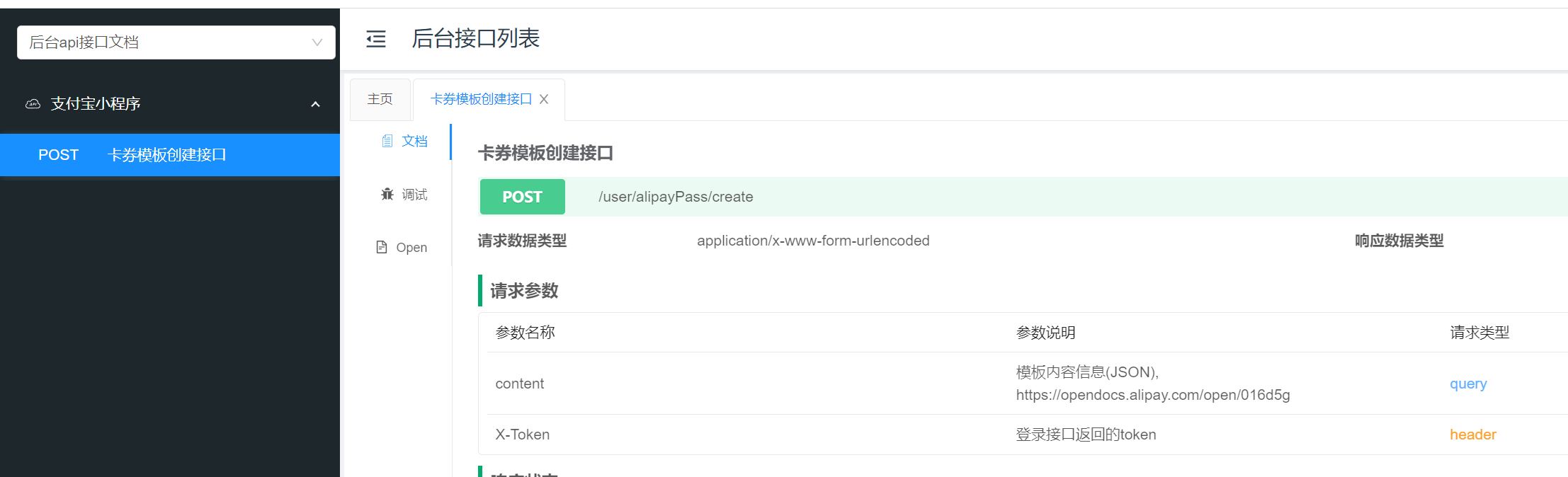
Content is passed the json string of the card package template in the previous step, and the interface returns the template ID that has been created.
# Jump to Alipay’s card package interface to receive cards and coupons
[https://opendocs.alipay.com/open/199/popvoucher#%E7%AC%AC%E4%B8%89%E6%AD%A5%EF%BC%9A%E7 %94%A8%E6%88%B7%E8%B7%B3%E8%BD%AC%E8%87%B3%E9%A2%86%E5%88%B8%E9%A2%84%E8%A7%88%E9%A1%B5] (https://opendocs.alipay.com/open/199/popvoucher#%E7%AC%AC%E4%B8%89%E6%AD%A5%EF%BC%9A%E7 %94%A8%E6%88%B7%E8%B7%B3%E8%BD%AC%E8%87%B3%E9%A2%86%E5%88%B8%E9%A2%84%E8%A7%88%E9%A1%B5)
For example:
```javascript
const curDate = new Date()
const expireTime = new Date(curDate.getTime() + 2 * 24 * 60 * 60 * 1000)
const templateParams = {
activeTime: this.dateFormat(curDate, 'yyyy-mm-dd') + ' 00:00:00',
expireTime: this.dateFormat(expireTime, 'yyyy-mm-dd') + ' 23:59:59'
}
window.ap.call('addCoupon',
{
userId: 'Alipay user's userId, not openID',
templateId: 'Card package template ID from the previous step',
bizType: 'svPage',
templateParams: JSON.stringify(templateParams)
}, function(err) {
console.err(err);
})
```
# Callback after the user receives the card pack
https://api.it120.cc/**gooking**/alipayPass/b
Please change googling to your own exclusive domain name
After Alipay callback, `passId` will be saved to the "data tunnel", which can be read through the tunnel interface:
[https://www.yuque.com/apifm/nu0f75/qvaupf](https://www.yuque.com/apifm/nu0f75/qvaupf)
```javascript
WXAPI.channelDataPull('channelData_alipayPass_fetch_Alipay user ID')
```
Replace `Alipay user ID` with the real userId
You can use `passId` to query subsequent coupon issuance results.