WeChat Mini Program has two ways to access customer service:
+ Mini program customer service (use it after scanning the personal WeChat code to log in to the customer service system)
+ WeChat customer service (connect to Enterprise WeChat, and any messages will be sent directly to Enterprise WeChat)
# Mini Program Customer Service
[https://developers.weixin.qq.com/miniprogram/dev/framework/open-ability/customer-message/customer-message.html](https://developers.weixin.qq.com/miniprogram/dev/framework/open-ability/customer-message/customer-message.html)
Please refer to the official link above for details.
## Place a customer service button on the page
```javascript
Page({
handleContact (e) {
console.log(e.detail.path)
console.log(e.detail.query)
}
})
```
Need to[button](https://developers.weixin.qq.com/miniprogram/dev/component/button.html)Components`open-type`The value of is set to`contact`, when the user clicks, they will enter the customer service session. If the user clicks on the mini program message during the session, they will return to the mini program. Developers can use`bindcontact`The event callback obtains the page path of the message clicked by the user`path`and corresponding parameters`query`。##Backend access customer service
Log in to your mini program merchant backend:
[https://mp.weixin.qq.com/](https://mp.weixin.qq.com/)

Enter through the "Customer Service" menu on the left menu and add your customer service personnel (up to 100 customer service personnel can be added)
Then ask the customer service to log in to the web page or the mobile customer service applet, and you can become a customer service anytime and anywhere.
# WeChat customer service (connect to corporate WeChat, and send messages directly to corporate WeChat)
## View enterprise ID
[https://kf.weixin.qq.com/](https://kf.weixin.qq.com/)
Use corporate WeChat to scan the QR code to log in:

## View customer service linkThere are two methods below, whichever one can be used to view:### Option 1
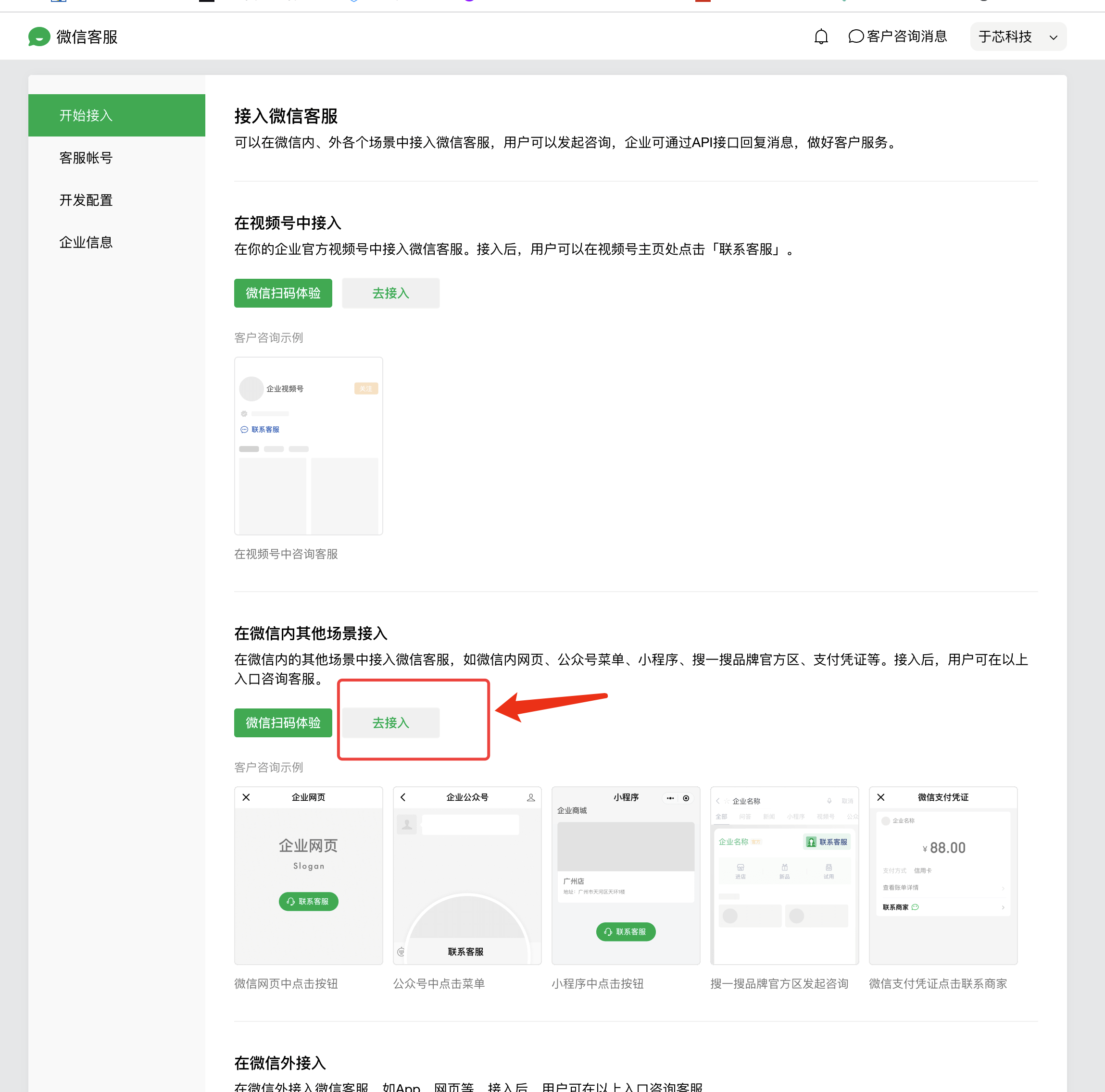

### Option 2
Log in to the enterprise WeChat backend: [https://work.weixin.qq.com/](https://work.weixin.qq.com/)
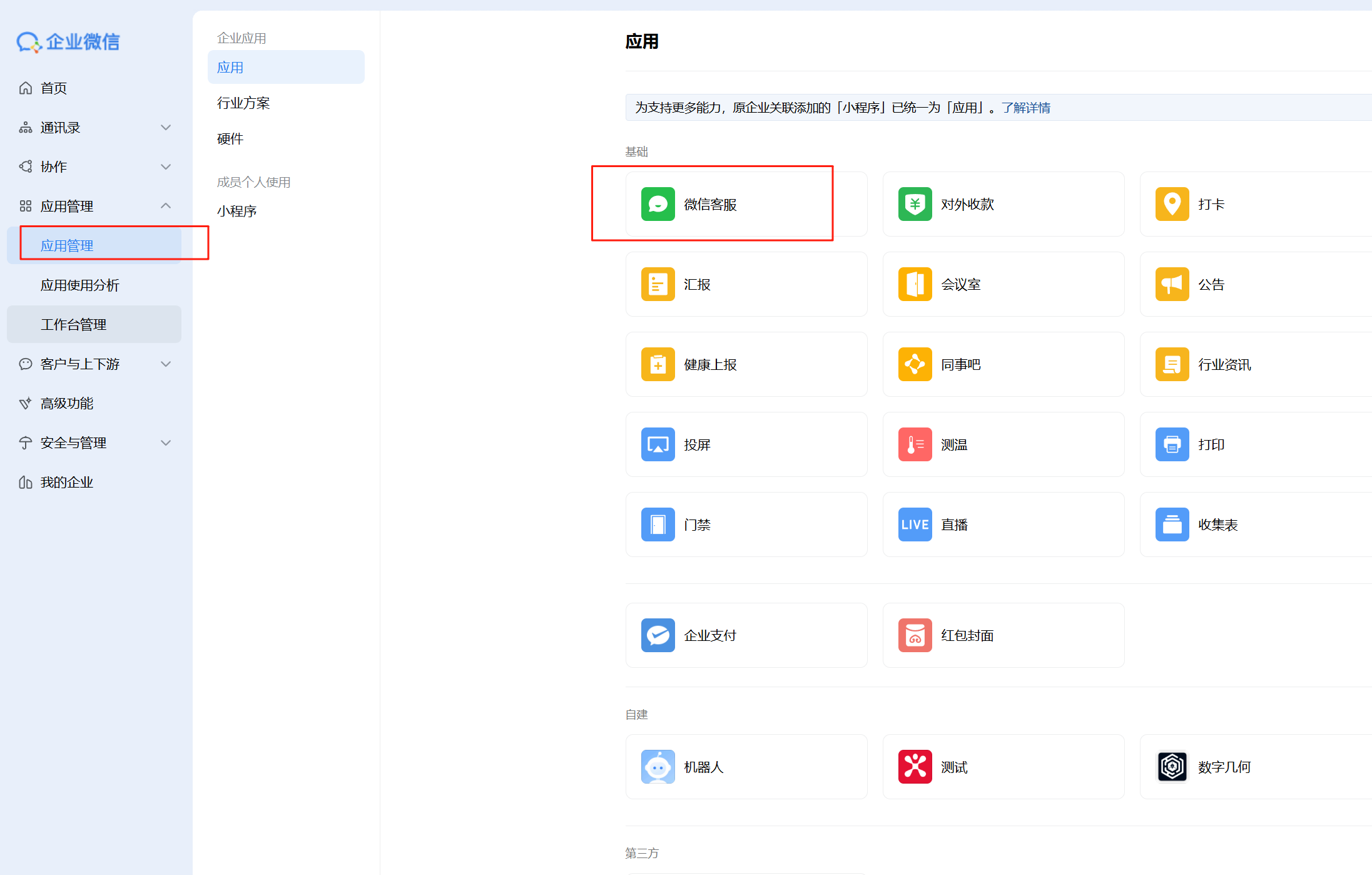
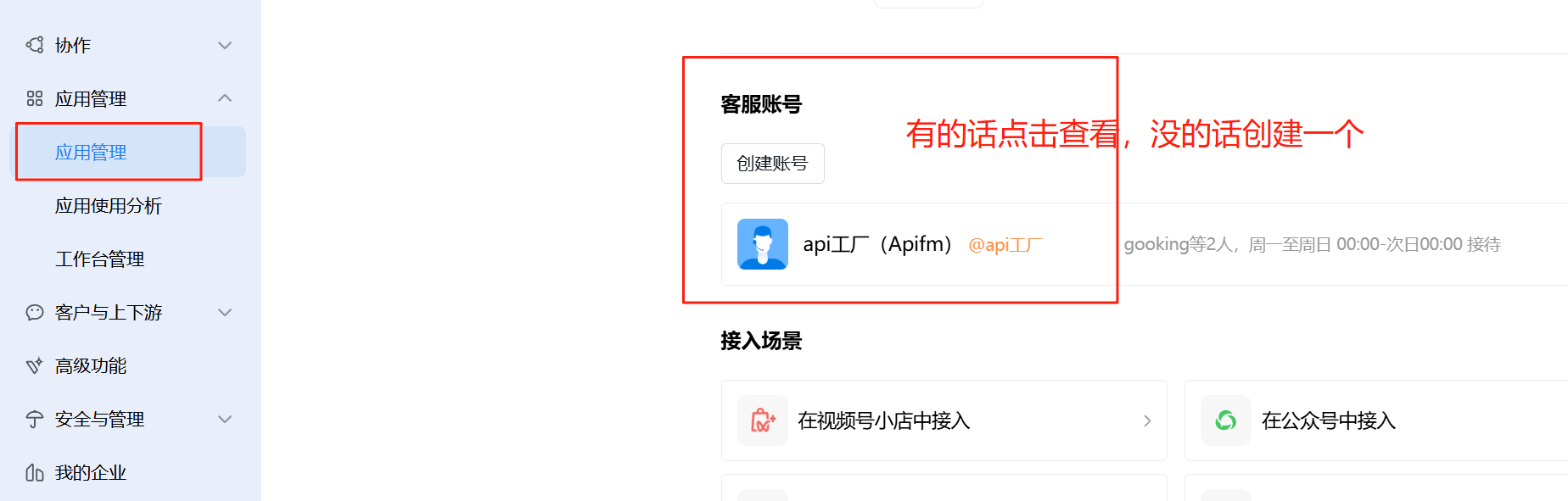
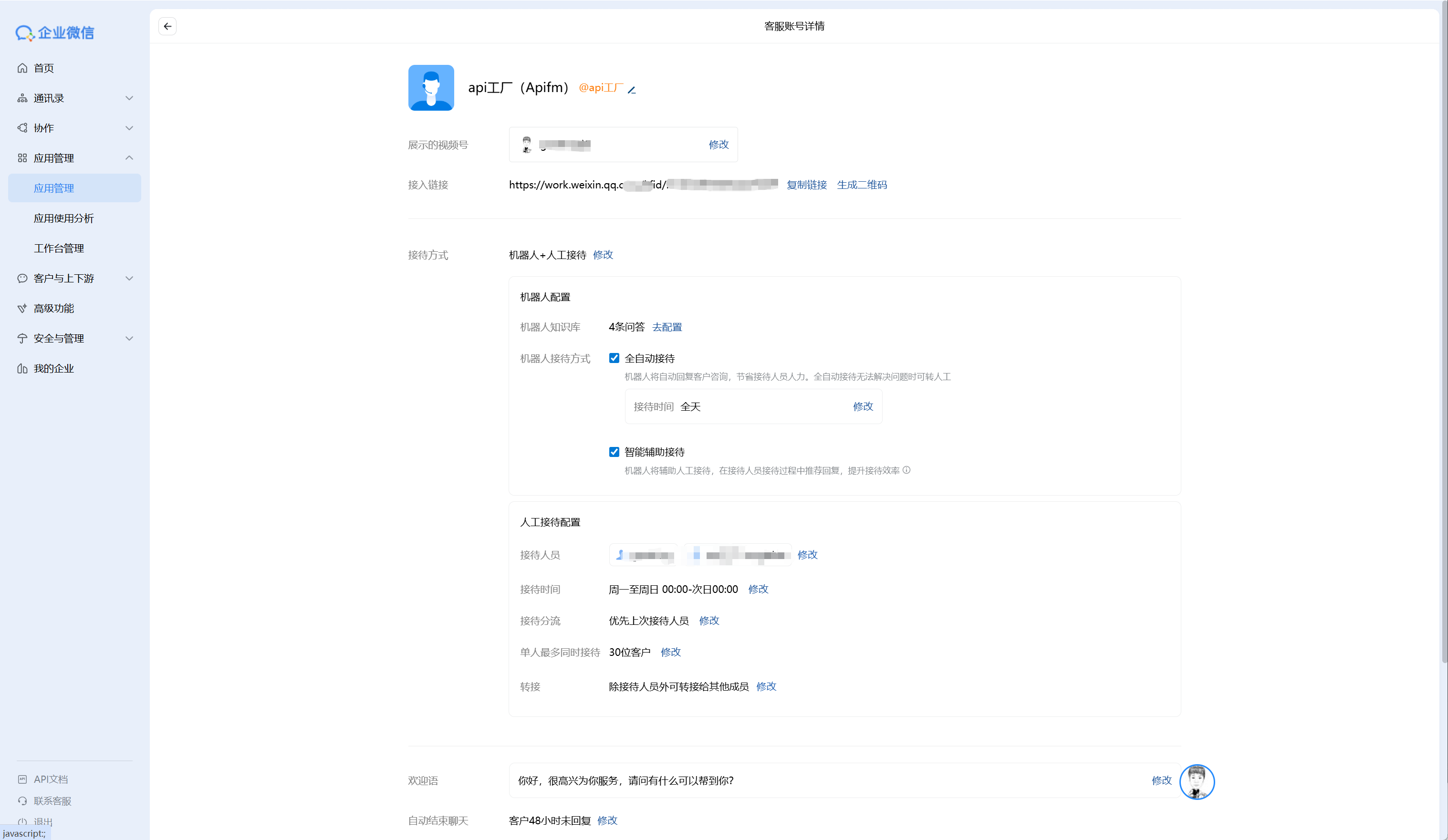Just copy the access link above## Log in to the mini program backend and bind the enterprise WeChat customer service
[https://mp.weixin.qq.com/](https://mp.weixin.qq.com/)

## Jump to the customer service dialog box in the mini program
[https://developers.weixin.qq.com/miniprogram/dev/api/open-api/service-chat/wx.openCustomerServiceChat.html](https://developers.weixin.qq.com/miniprogram/dev/api/open-api/service-chat/wx.openCustomerServiceChat.html)
```javascript
wx.openCustomerServiceChat({
extInfo: {url: ''},
corpId: '',
success(res) {}
})
```
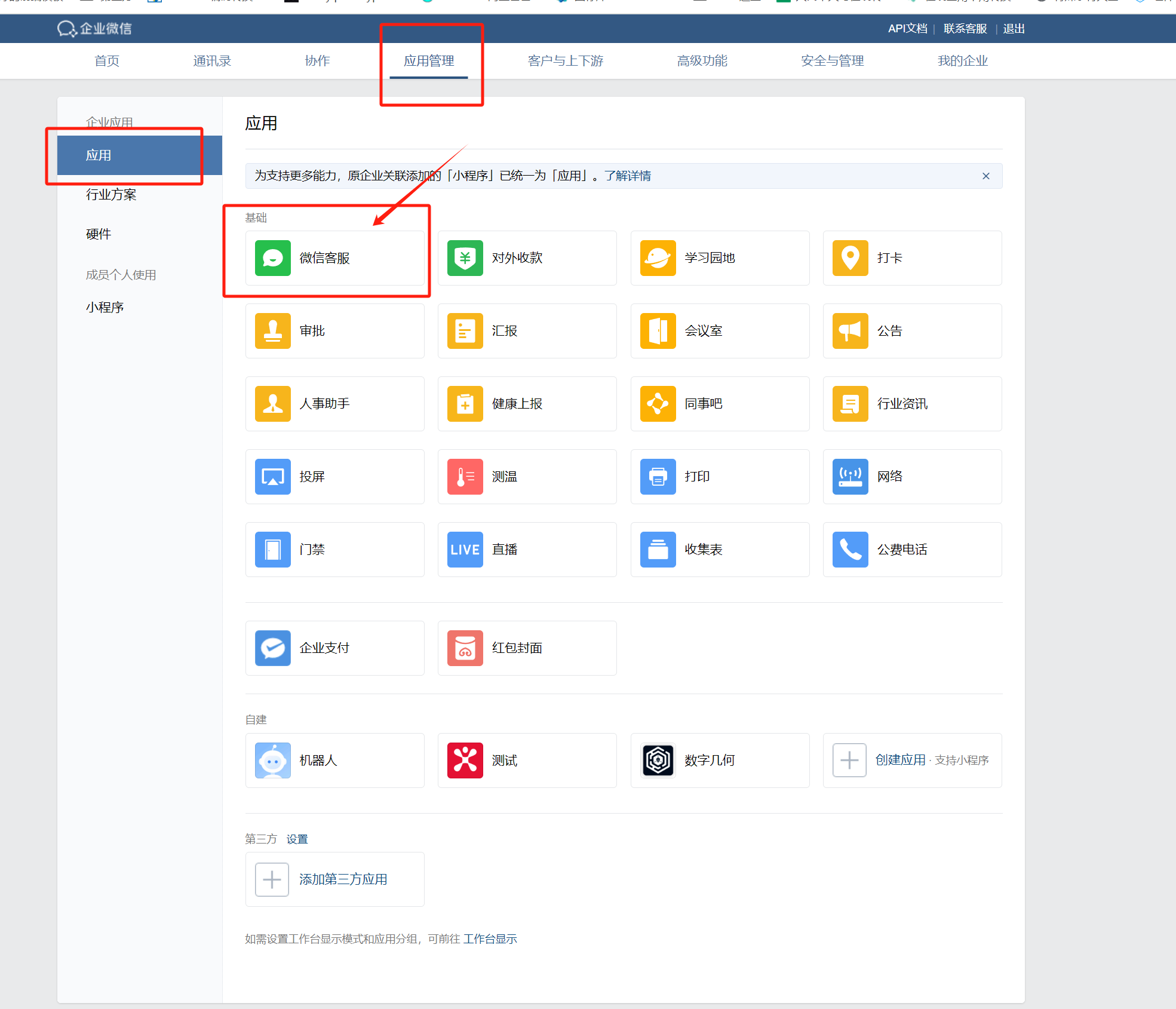
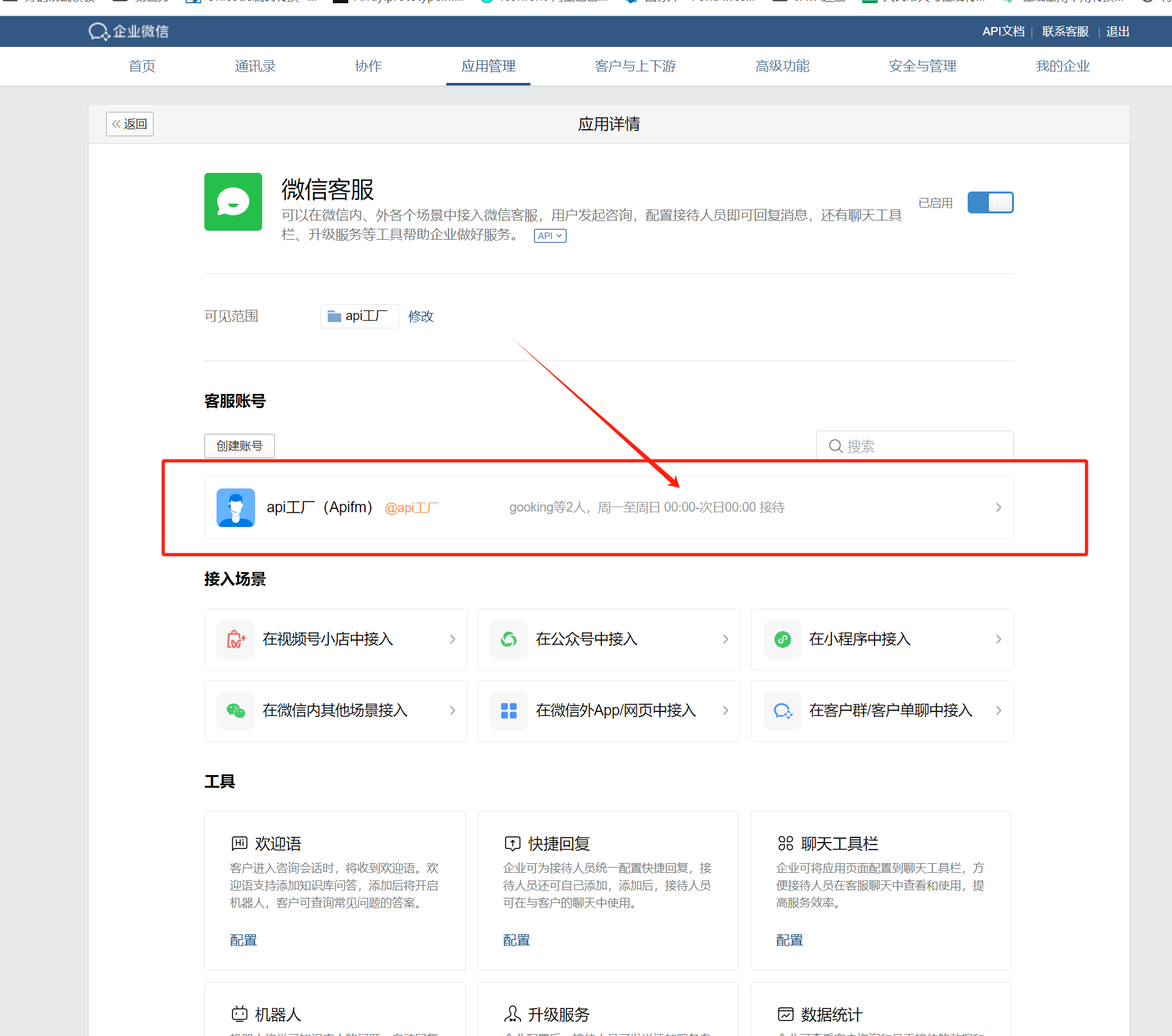
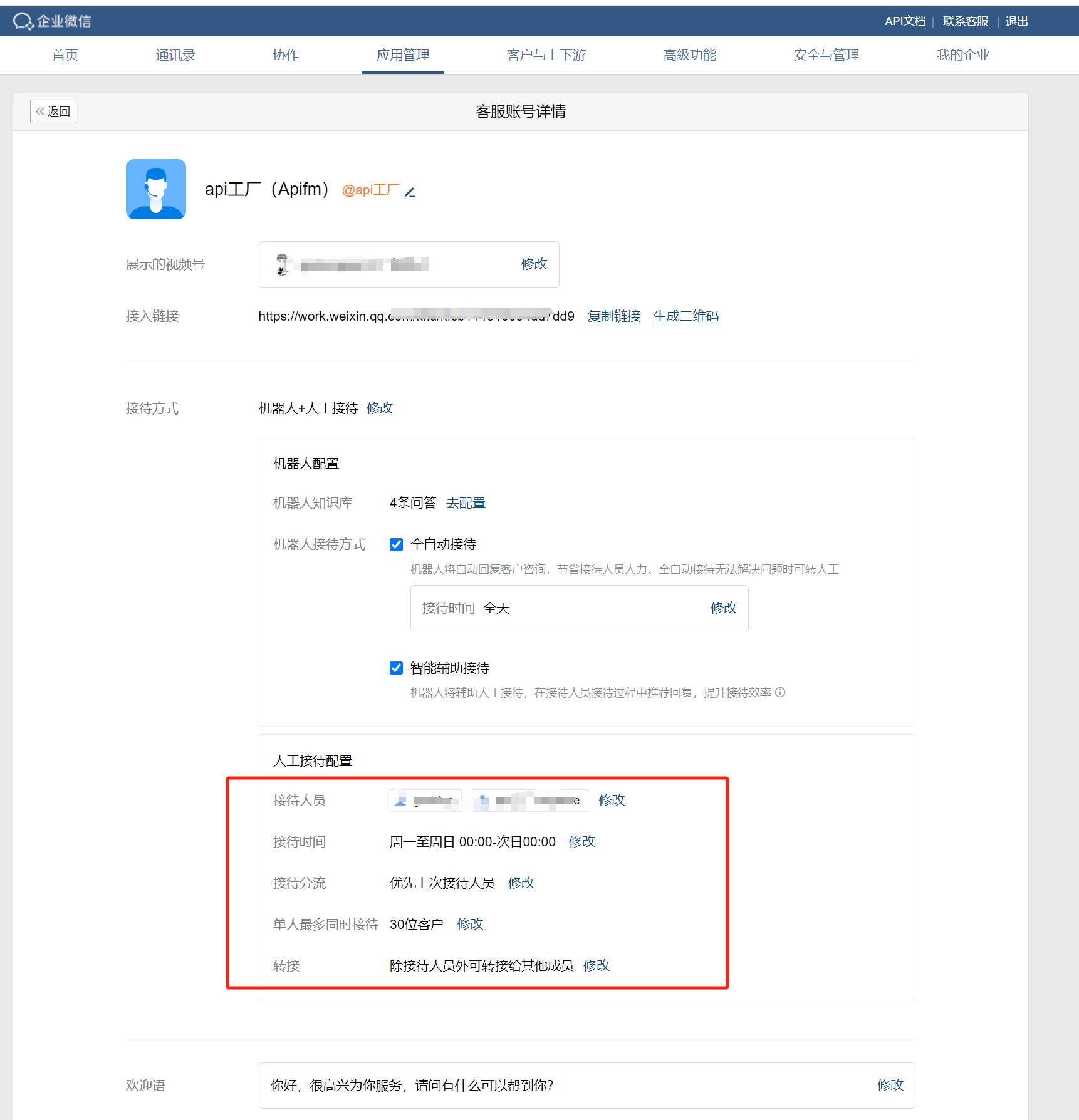
## Designated customer service agent receptionist
Log in to the enterprise WeChat backend:
[https://work.weixin.qq.com/](https://work.weixin.qq.com/)
## FAQ
### Can’t jump when clicked
If you have not bound the corporate ID of the enterprise WeChat in the mini program background, please follow the above tutorial to bind it.