WeChat Mini Program has officially launched the live streaming component. Many users who are using the "apifm" have been asking in the past few days how to use the live streaming function of existing mini programs. Do they need to make complicated changes? Do you need to re-develop the app? Is the threshold for use high? Are there any additional fees required?
Today, the editor will help you sort out these issues that everyone is concerned about:
["WeChat Mini Program Live Broadcast Function Access Requirements"](https://res.wx.qq.com/mmbizwxampnodelogicsvr_node/dist/images/access_02b58d.pdf)
["WeChat Mini Program Live Operation Operation Manual"](https://res.wx.qq.com/mmbizwxampnodelogicsvr_node/dist/images/help_0f7865.pdf)

# Create a live broadcast room
The mini program's live broadcast of goods relies on the live broadcast room. You can create multiple live broadcast rooms in the background of your mini program to achieve separate live broadcasts or multiple live broadcasts at the same time:
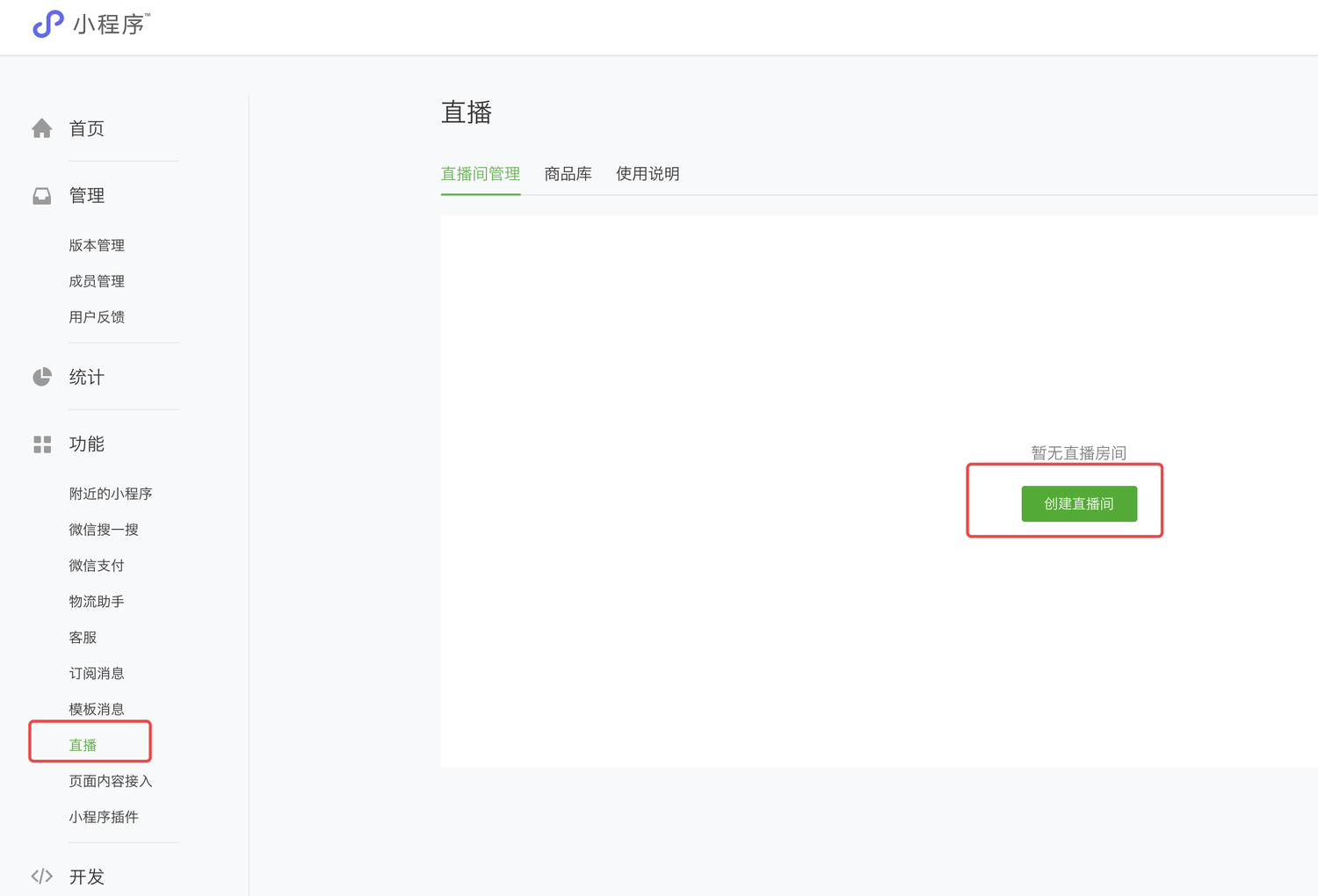

After creating the live broadcast room, the anchor can scan the anchor code, open the anchor applet, and start pushing the anchor.
# Add goods with goods
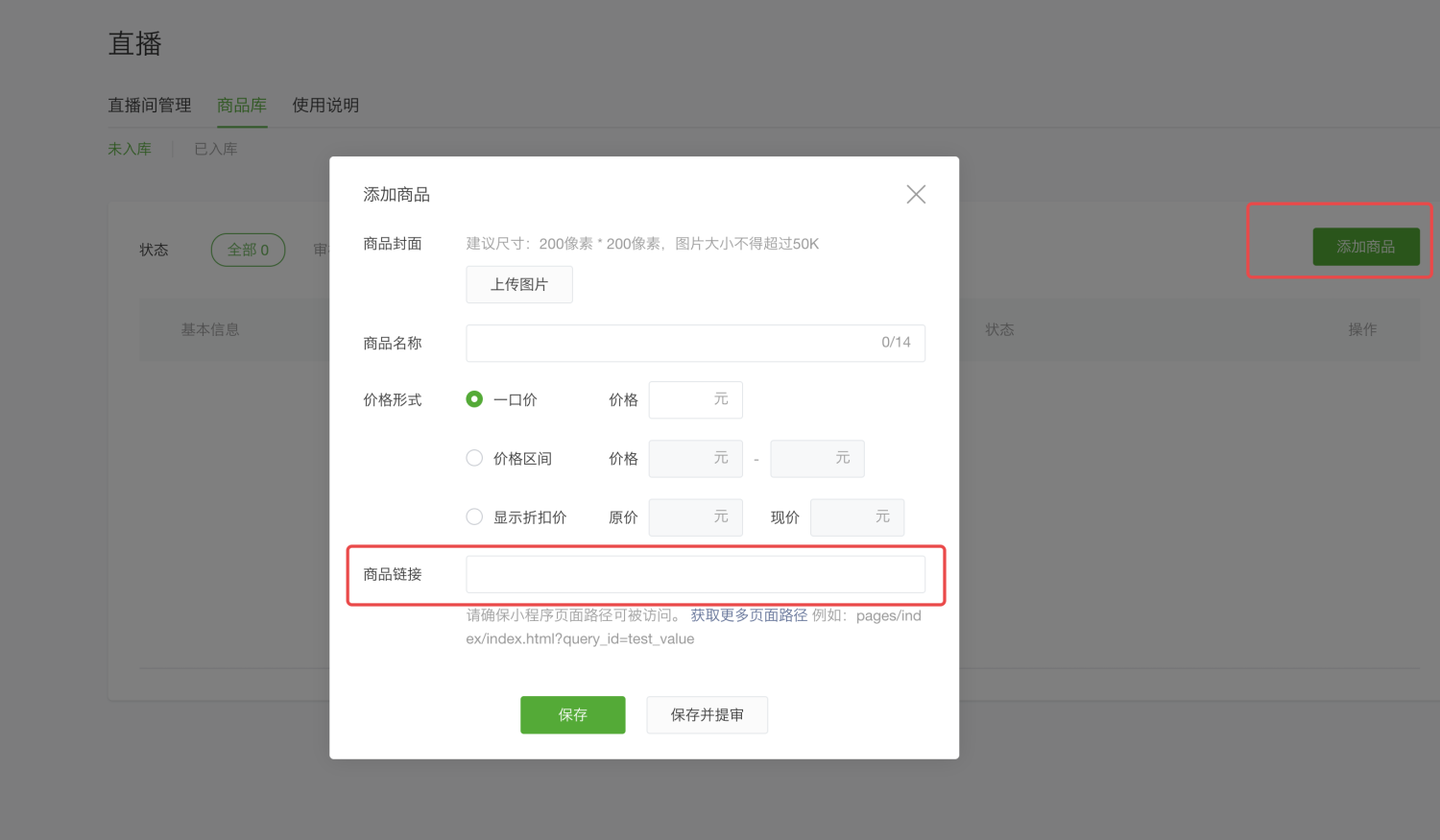
Here, maintain your product information well. At the product link, just fill in the address of the mini program for your product. When users watch the live broadcast, after clicking on the product with goods, the product on your mini program will be opened, and then the user will be guided to complete your original mini program shopping process.
# Synchronize live broadcast data in the background
## Activate the live broadcast plug-in
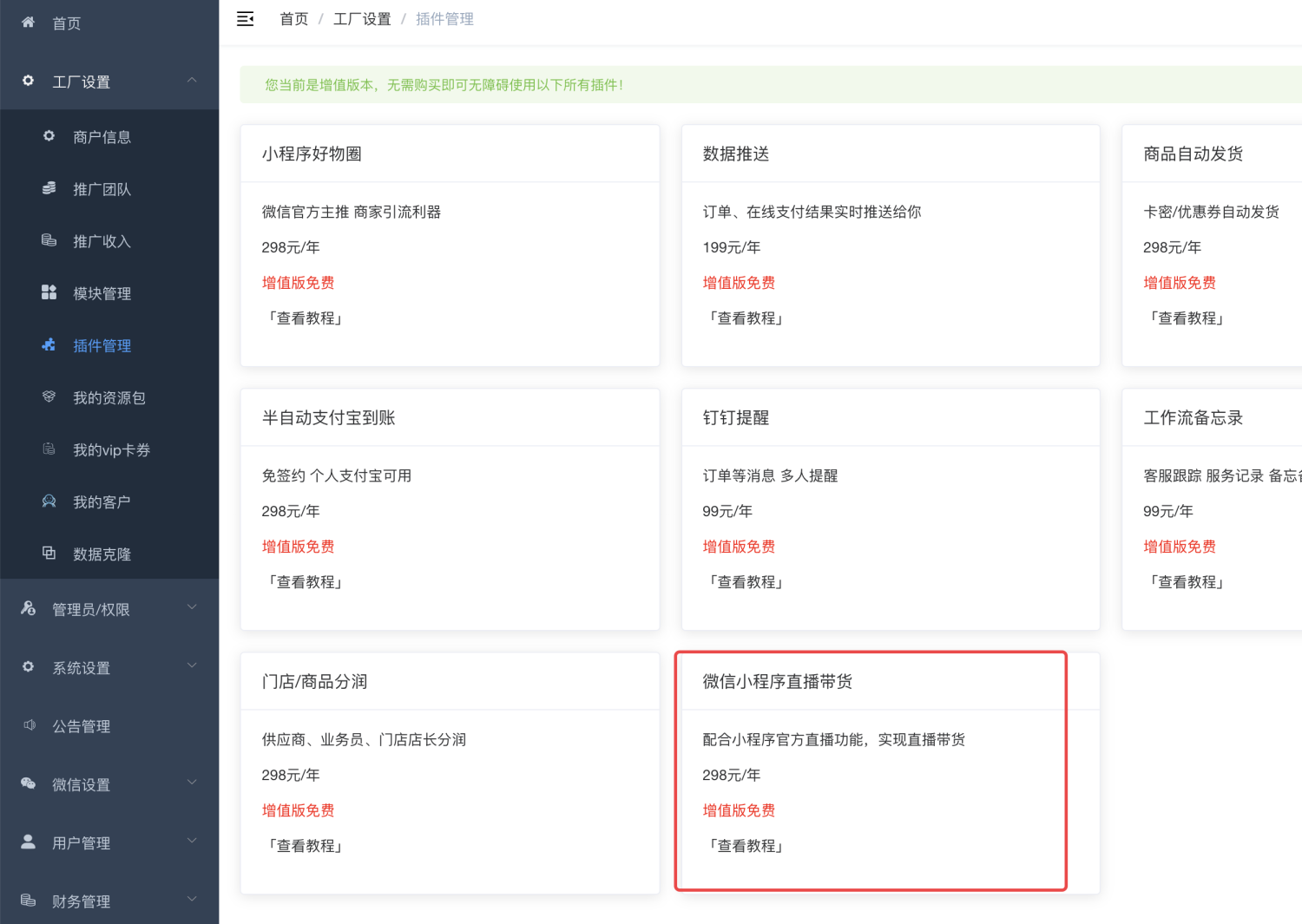
If you are a value-added version member, you do not need to activate the plug-in, you can use it directly
## Enable module

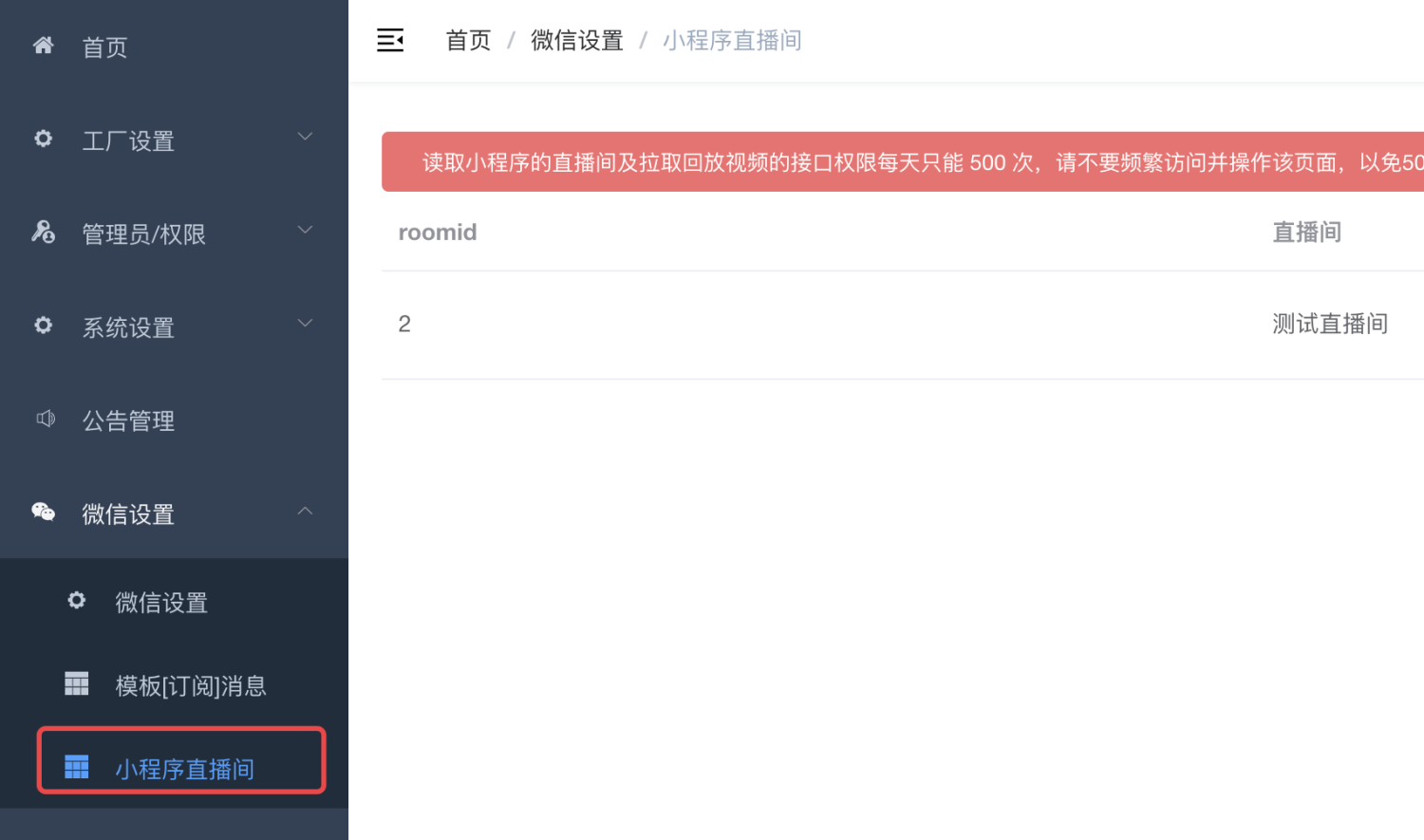
## Synchronize live broadcast room data
# Add live broadcast function to mini program
## Add plugin
In app.json, add the live broadcast room plug-in call:

```javascript
"plugins": {
"live-player-plugin": {
"version": "1.2.5",
"provider": "wx2b03c6e691cd7370"
}
},
```Don’t add the wrong location!## Enter the live broadcast room
```htmlEnter the live broadcast room```
Through the link above, you can open it in the mini program and enter the live broadcast room to watch the live broadcast. The room_id above is the number of the live broadcast room synchronized to the background in the previous step.
## Mini program interface
Added 2 new interfaces:
### Read all live broadcast room lists/wx/live/rooms
### Read the playback video of a live broadcast room/wx/live/his?roomId=2
I wish you a happy use~