To call `PayPal` to pay, the following 4 pieces of information are required:
+
clientId
+
clientSecret
+
webhookId
+
currency# Open an account
[https://www.paypal.com/](https://www.paypal.com/)
Open and register your own PayPal account, and then enter the developer platform to create an application:
[https://developer.paypal.com/developer/applications/](https://developer.paypal.com/developer/applications/)
After creating the application, you can view the application to
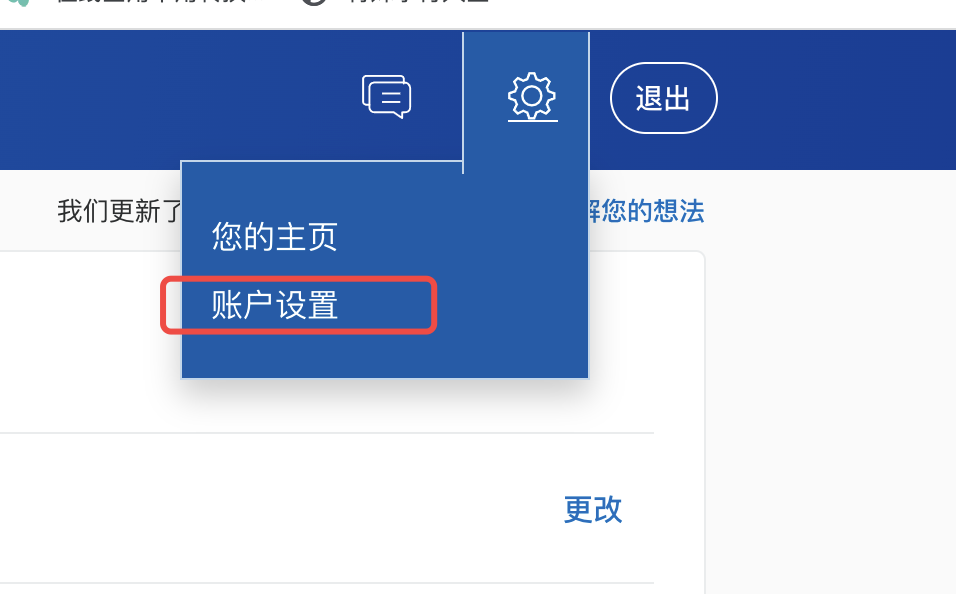
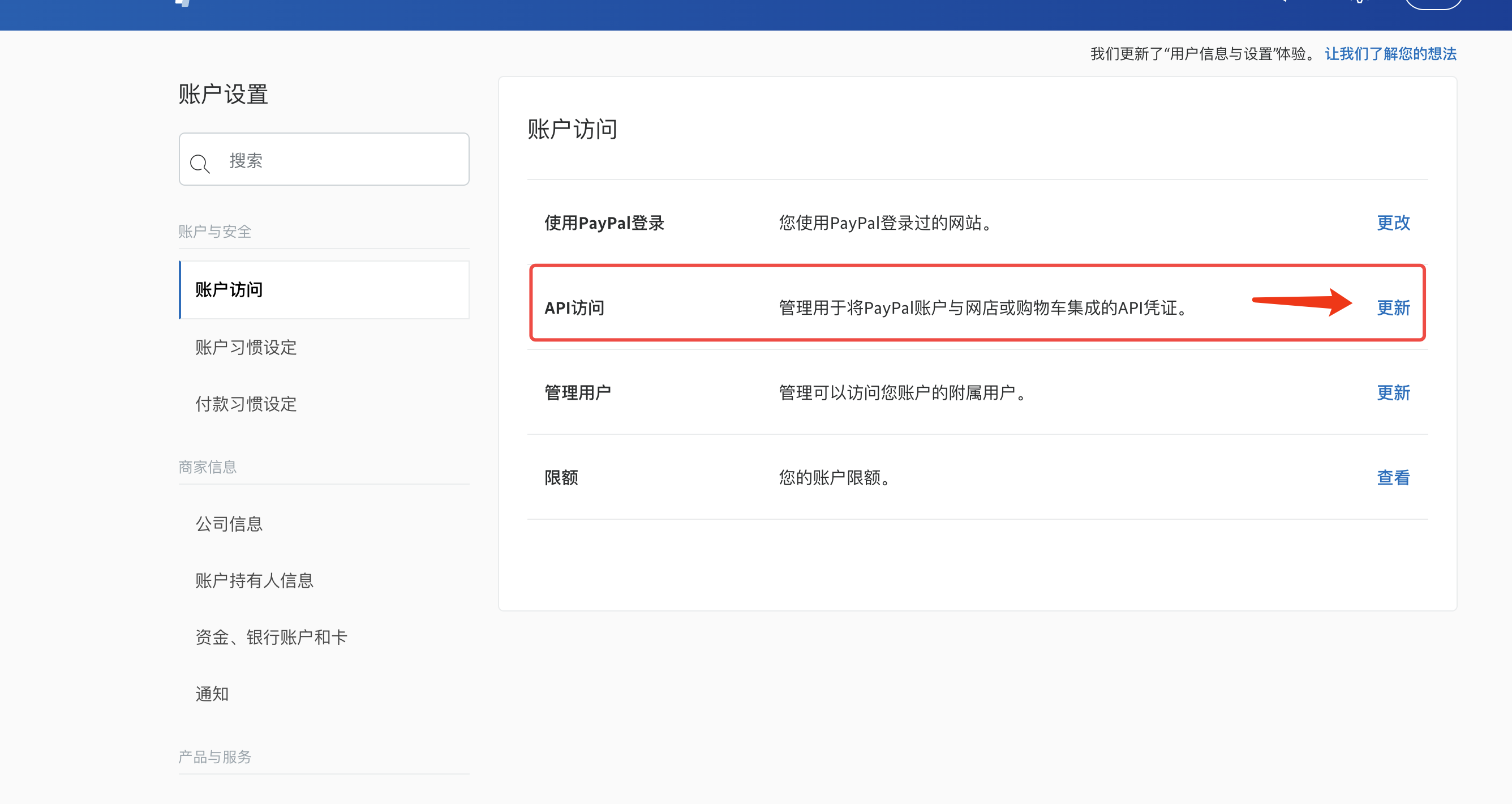
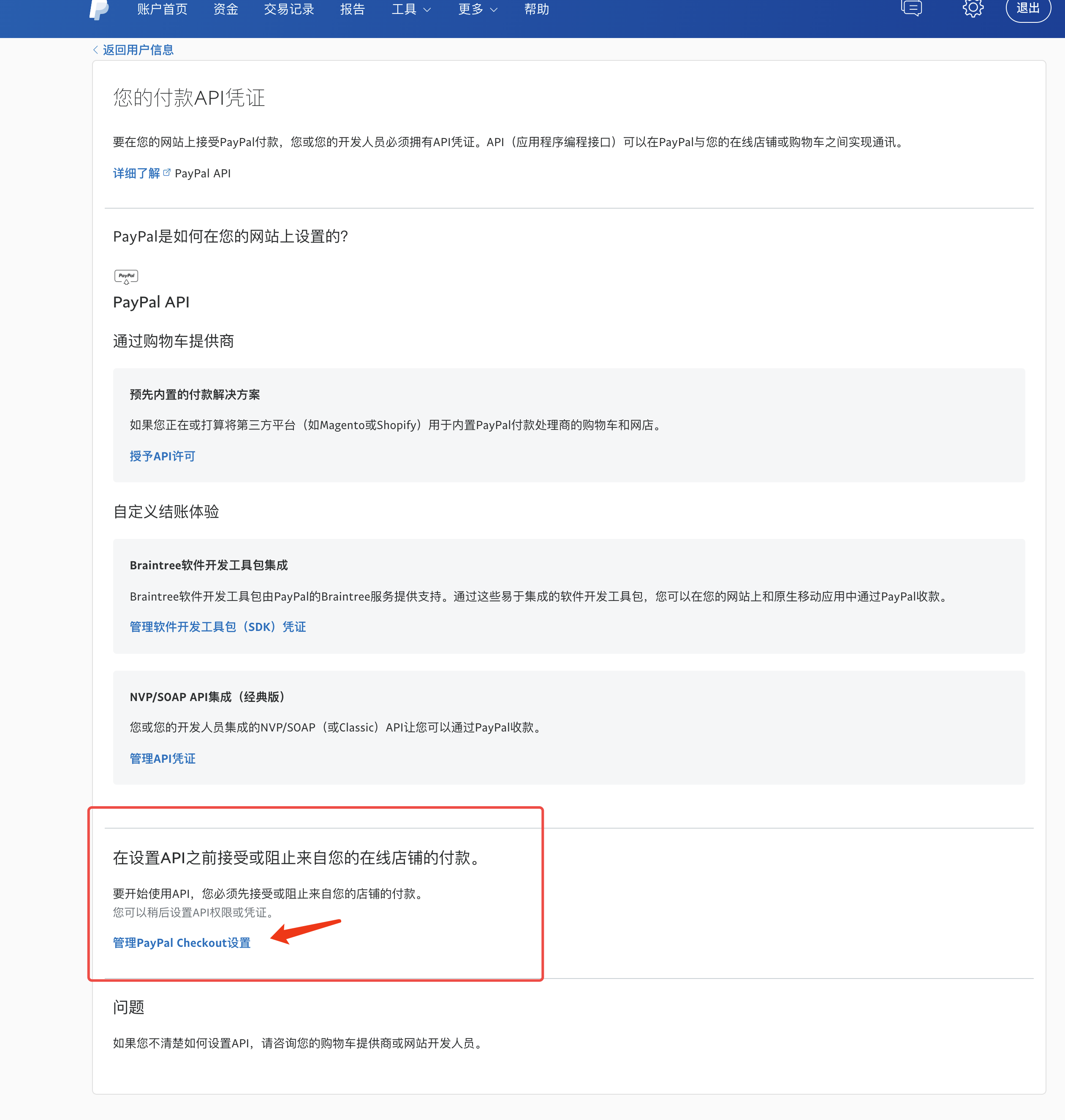
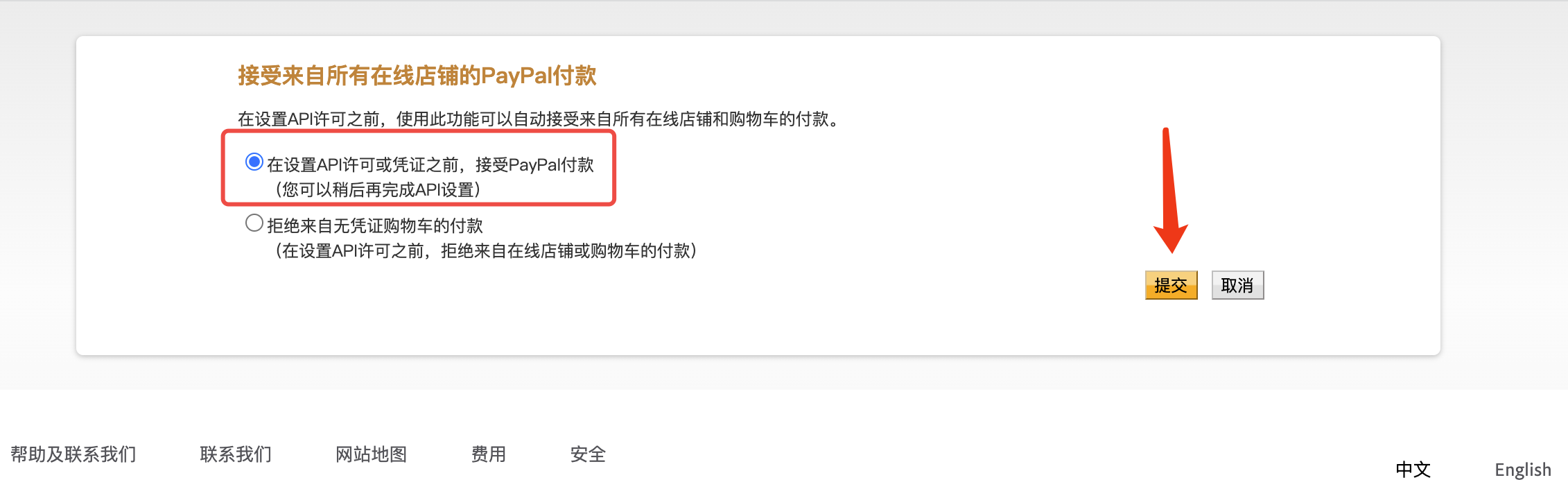
clientId and clientSecretAt the same time, you must set up the account settings to allow the checkout method to collect money, otherwise it will prompt that the permission is not used.
# Configure webhook
PayPal's payment asynchronous notification is implemented by configuring webhook, as shown in the figure:
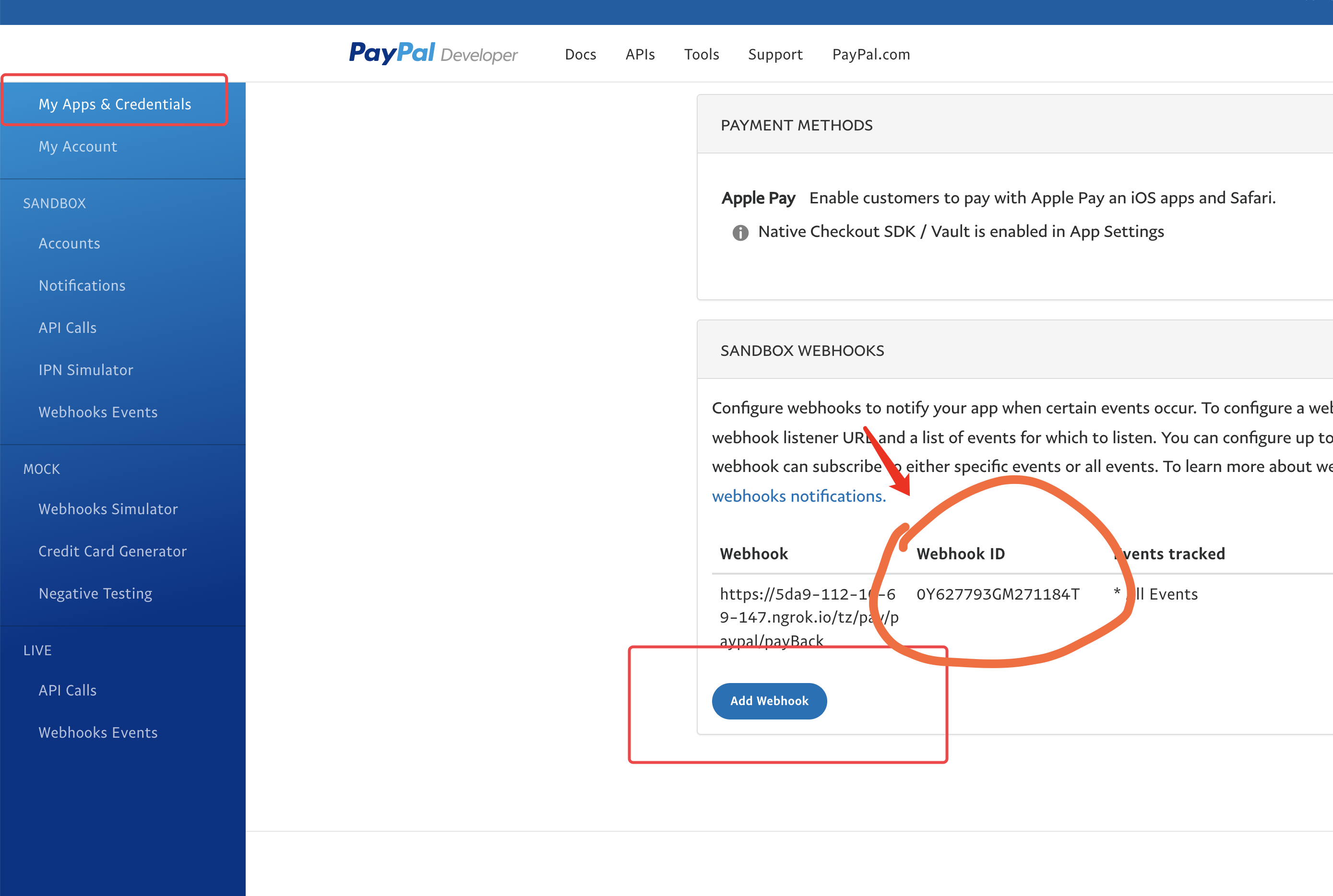
Fill in the notification address: https://common.apifm.com/**
gooking**/pay/paypal/payBack
Among them red **
gooking** Please change it to your own exclusive domain name
Please check the following notification events: PAYMENT.CAPTURE.COMPLETED
After creating a webhook, you can get the webhookId in the list
# Currency symbol
[https://developer.paypal.com/docs/api/reference/currency-codes/](https://developer.paypal.com/docs/api/reference/currency-codes/)
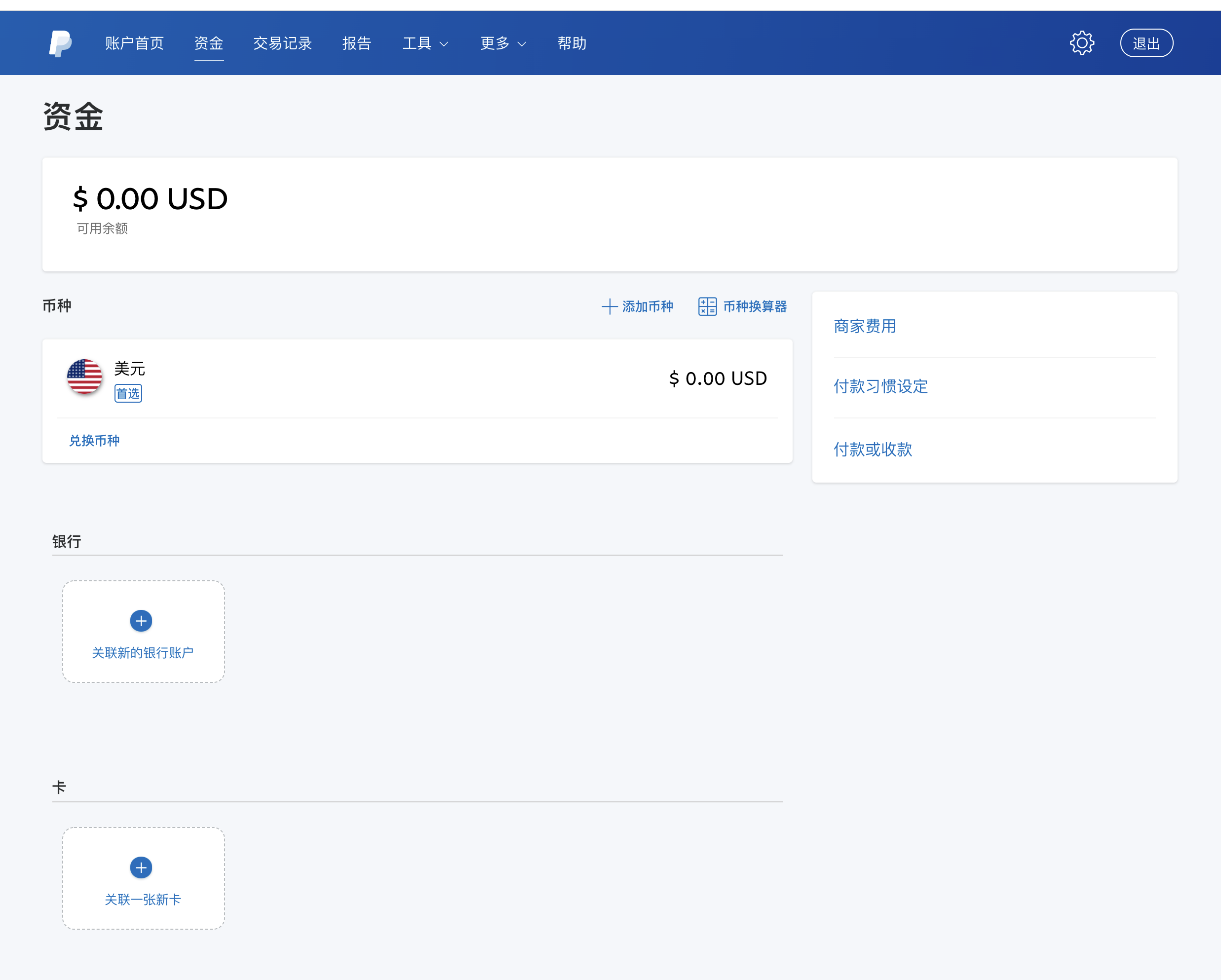
Make sure that the `currency` you pass must be a supported currency, otherwise the interface cannot be adjusted.
#Backend configuration
Configure the above information to the "apifm" background:
System settings --> Online payment --> Set up paypal payment
# Front-end call
## Mini program payment
The front end can initiate payment by calling the interface: `/pay/paypal/checkout` interface;
WXAPI SDK can be called directly:
```javascript
WXAPI.paypalCheckout({...})
```
## Initiate checkout collection in js
You need to introduce the official js first
```javascript```
Where the PayPal button needs to appear, place the container:
```html
```
Write js file:
```javascript
paypal.Buttons({
createOrder: function(data, actions) {
// This function sets up the details of the transaction, including the amount and line item details.
// return actions.order.create({
// purchase_units: [{
// amount: {
// value: '0.21'
// }
// }]
// })
return _this.$wxapi.paypalCheckout({
token: getToken(),
Money: 1.03
}).then(res => {
return res.data.orderId
})
},
onApprove: function(data, actions) {
// This function captures the funds from the transaction.
return actions.order.capture().then(function(details) {
console.log(details)
// This function shows a transaction success message to your buyer.
alert('Transaction completed by ' + details.payer.name.given_name)
})
}
}).render('#paypal-button-container')
```
# References
[https://developer.paypal.com/docs/checkout/integrate/](https://developer.paypal.com/docs/checkout/integrate/)
[https://github.com/paypal/Checkout-Java-SDK](https://github.com/paypal/Checkout-Java-SDK)
Webhook will call back 2 types:
~~CHECKOUT.ORDER.APPROVED User authorized deduction~~
PAYMENT.CAPTURE.COMPLETED order completed
Just check the second option