Purchasing the value-added version of membership that activates "apifm" will give you the source code of the front-end part of the backend management interface (based on the vue + element framework);
If you know a little bit about Vue development, you can modify the style of the backend management interface yourself, and then deploy the backend management interface to your own server;
# Modify interface address
Open the ".env.development" file in the root directory and use the following interface address:
```javascript
VUE_APP_BASE_API = 'https://user.api.it120.cc'
```
# Install dependencies
Like all vue projects, the first thing to do is to install all dependencies through the following command
```javascript
npm install
```
# Run locally to see the effect
```javascript
npm rundev
```
The browser will automatically open the access address. Just log in using the mobile phone number and password you registered at "apifm"
## How to log in with an administrator account locally
By default, projects running locally can only use registered mobile phone account + password to log in, but not the administrator you created in the background. If you need to implement administrator login, you need to modify it as follows:
Open the file: src/views/login/index.vue
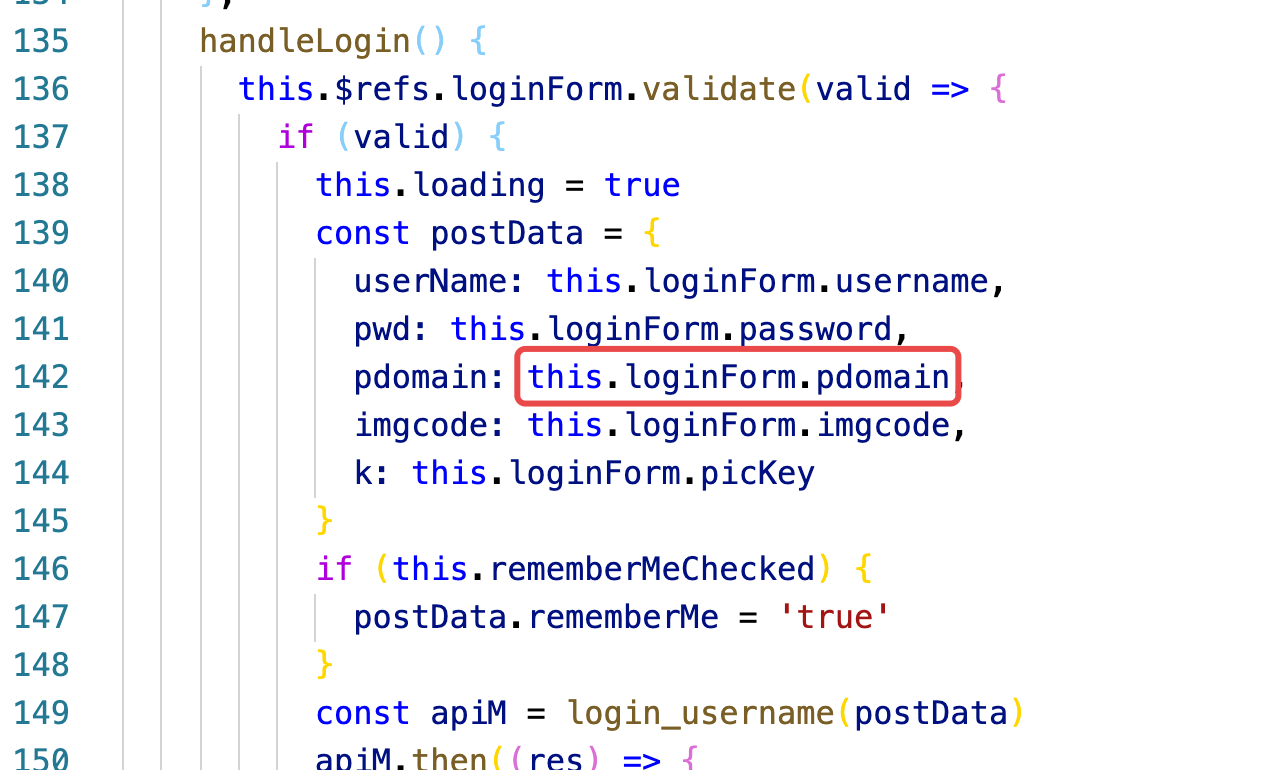
Don't use variables here, just write your own exclusive domain name.
["**What is an exclusive domain name? **》](https://www.yuque.com/apifm/doc/qr6l4m)
# Deploy and go online
```javascript
npm run build:prod
```
After running this command, the deployable html file will be packaged under the dist folder. You only need to transfer the contents of the dist folder to your server or cloud storage.
Because the packaged files are html files, any space that can support html static page access can be deployed.
## File cannot be accessed? 404?
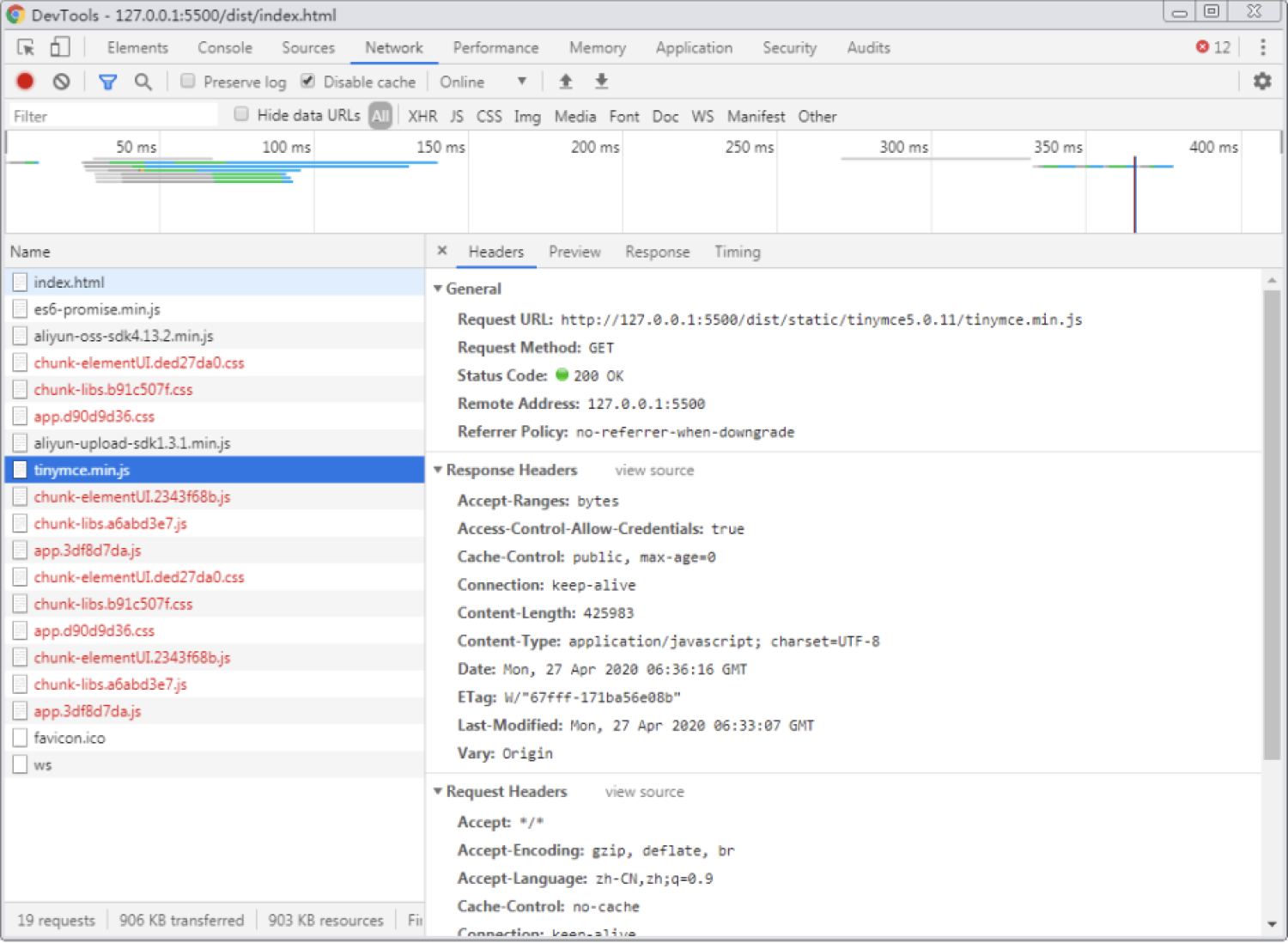
This situation is because you did not transfer the contents of the dist folder to the space above the server**root directory** Caused by.
There is an additional dist path in your address.