# Apply to activate payment function
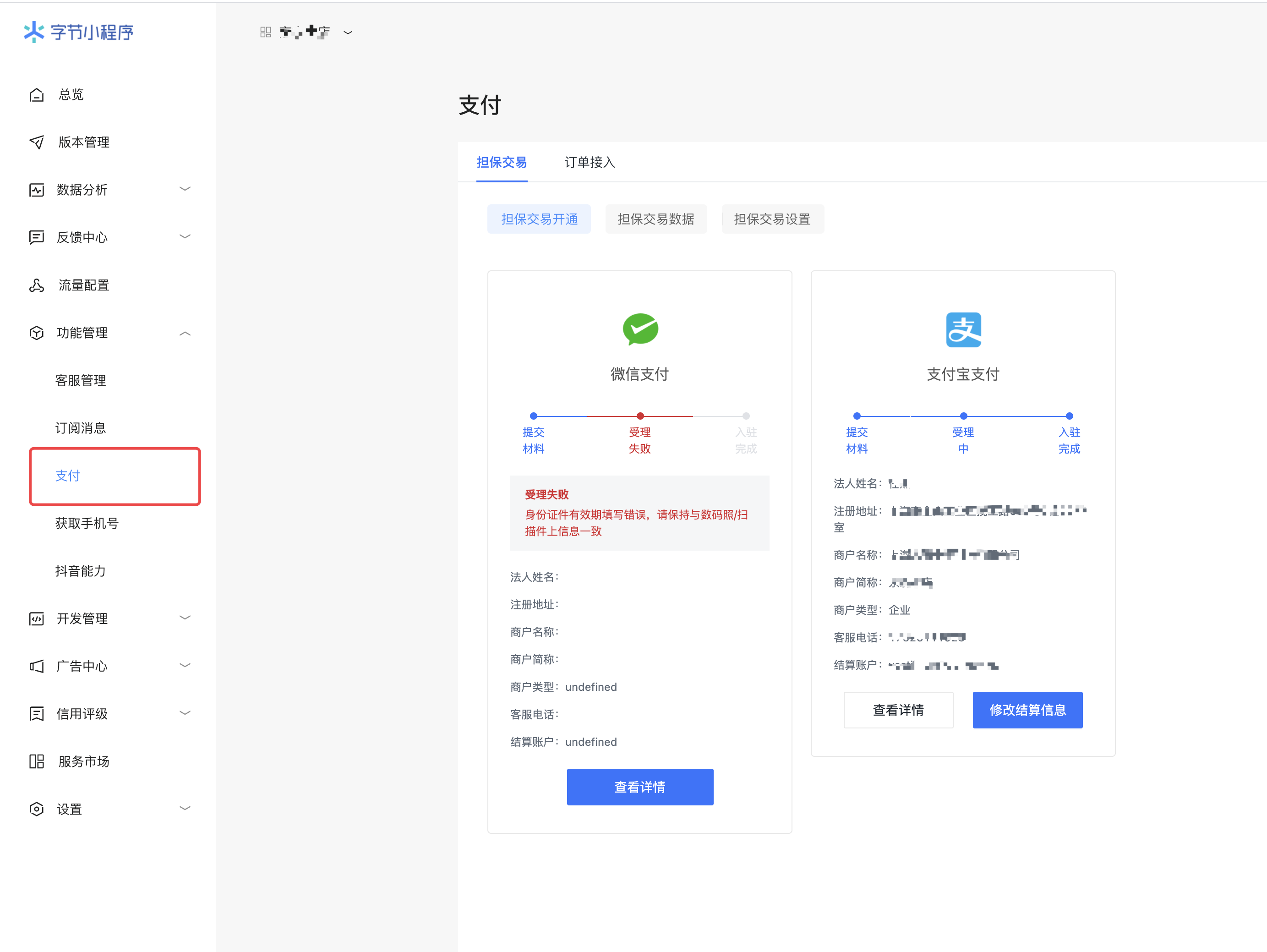
It is recommended to apply for WeChat and Alipay at the same time, so that users can choose their own payment method when making payments.
#Set payment key and payment callback information
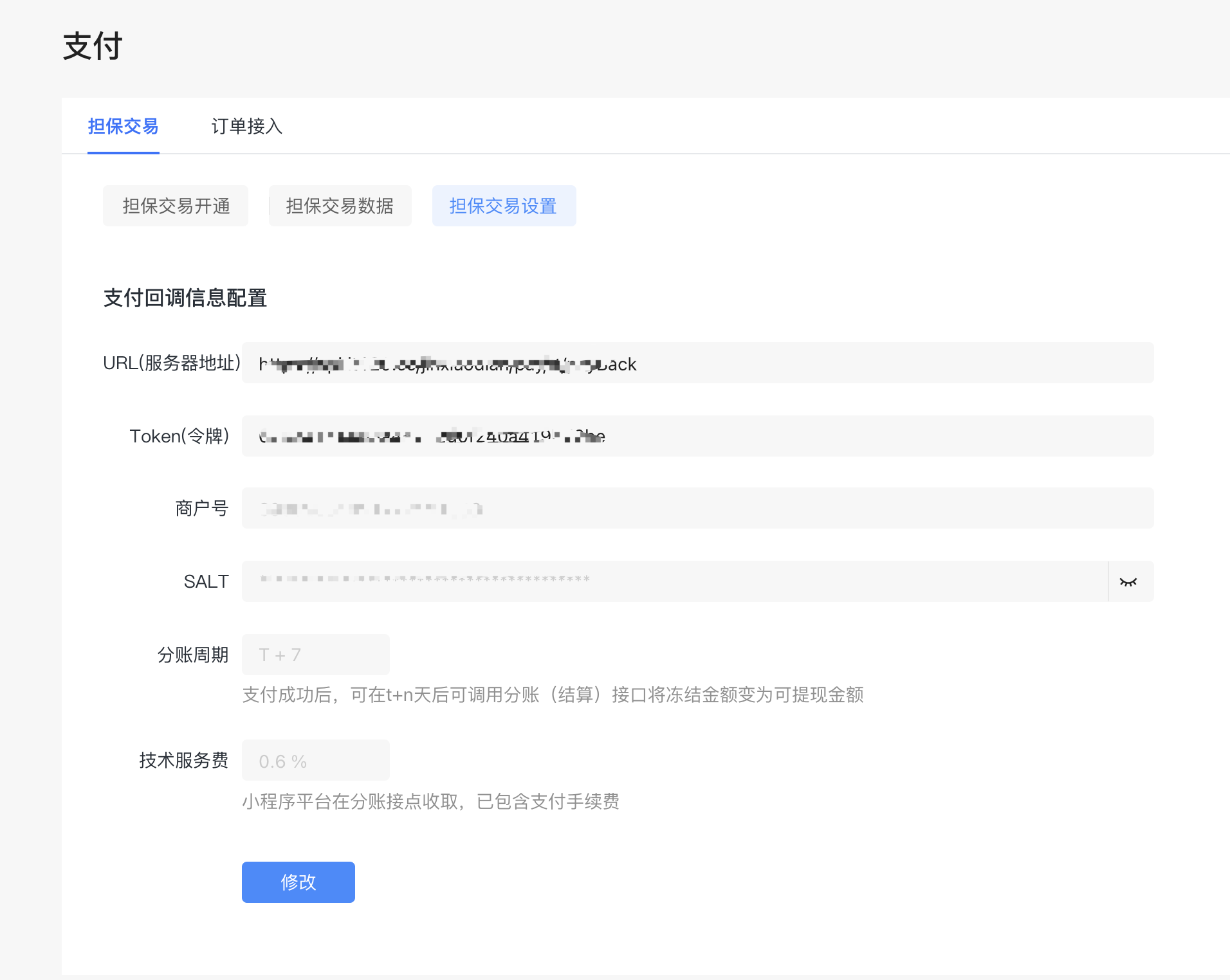
+ url server address
Fixed here: https://api.it120.cc/**gooking**/pay/tt/payBack
Among them, the red googling, please replace it with your own exclusive domain name
+ token token
Set a 32-bit number + letter combination by yourself as the key for signing during payment callback.
+ Merchant ID
Bytes automatically allocated
+ SALT
When Byte initiates payment, please keep the key used for data signature properly.
# Configure payment information in the background
Configure the payment information from the previous step in the "apifm" background:
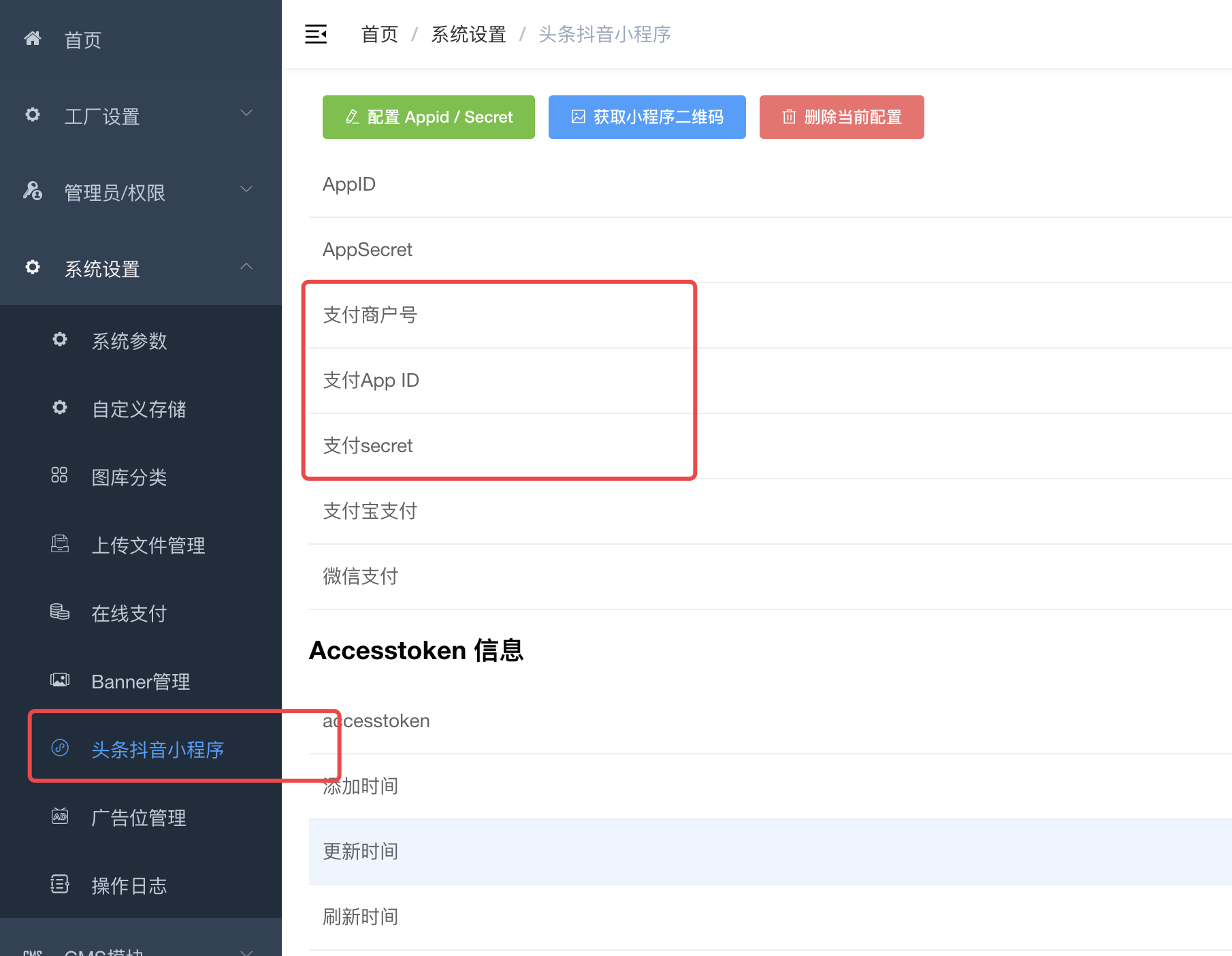
+ Payment merchant number, fill in the merchant number from the previous step
+ Pay appID and fill in the Token from the previous step
+ Pay the secret and fill in the SALT in the previous step
# Initiate payment
[##/%E5%89%8D%E7%AB%AFapi%E6%8E%A5%E5%8F%A3%E6%96%87%E6%A1%A3/%E5%9C%A8%E7%BA%BF%E6%94%AF%E4%BB%98/ecpayUsingPOST] (##/%E5%89%8D%E7%AB%AFapi%E6%8E%A5%E5%8F%A3%E6%96%87%E6%A1%A3/%E5%9C%A8%E7%BA%BF%E6%94%AF%E4%BB%98/ecpayUsingPOST)
According to the above interface document, call the payment initiation interface, and the interface will return the data used for the mini program to call payment:
```json
{
"order_id": "6819903302604491021",
"order_token": "CgsIARCABRgBIAQoARJOCkx+WgXqCUIwTel2V3siEGZ0++poigIM+SMMxtMx798Vj0ZYzoTYBqeNslodUC9X5KAOHkR1YbSBz6I6pXATh5faIGy7R72A9vwm0OczGgA="
}
```
Then use the `tt.pay` method of Byte to invoke payment. Sample code:
```javascript
WXAPI.ttpay({
token,
money,
nextAction,
payName,
remark
}).then(res => {
tt.pay({
orderInfo: res.data,
service: 5,
fail: function (err) {
console.log(err)
},
success: function (res) {
console.log(res)
}
})
})
```
`tt.pay` method details:
[https://microapp.bytedance.com/docs/zh-CN/mini-app/develop/api/open-interface/pay/tt-pay](https://microapp.bytedance.com/docs/zh-CN/mini-app/develop/api/open-interface/pay/tt-pay)
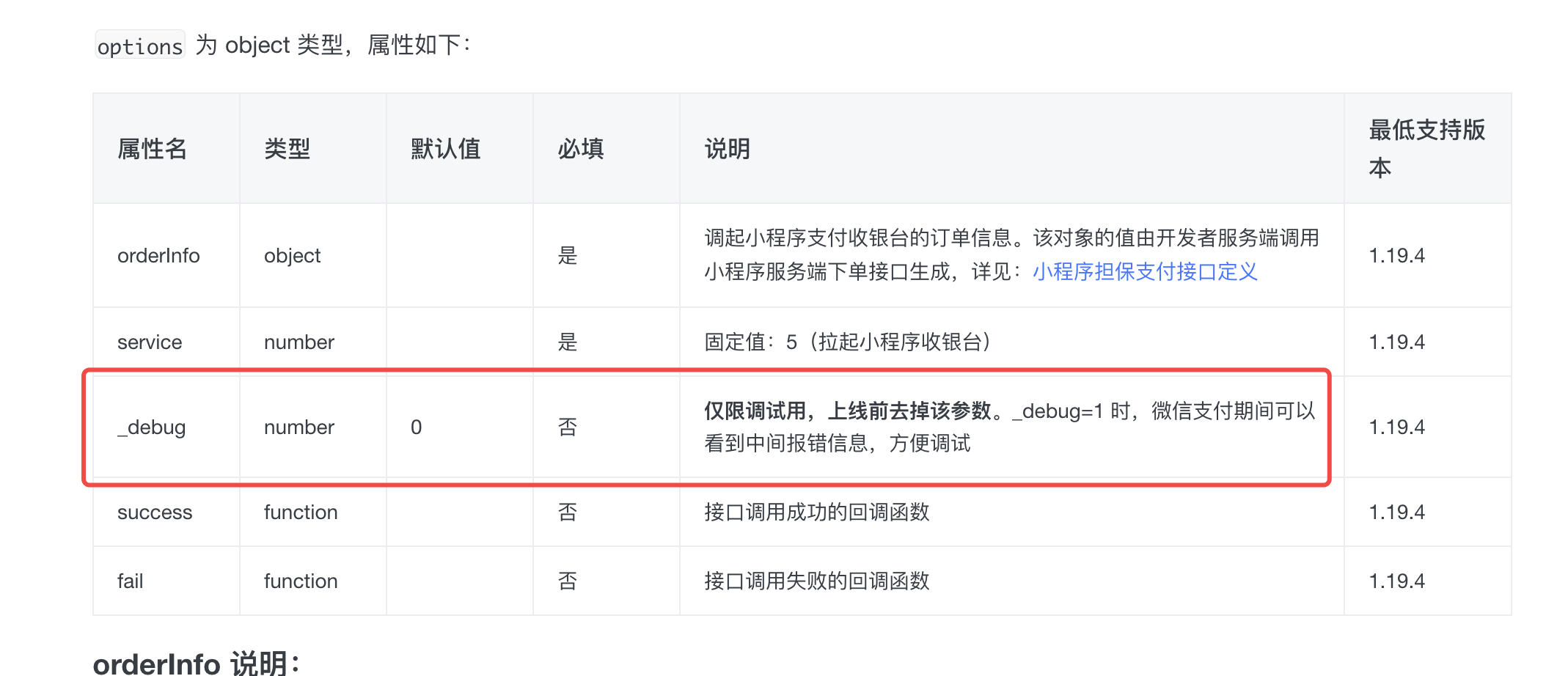
If you are unable to pay or encounter problems during the payment process, you can turn on the debug mode linked above: