# Preface
If we want to develop a small program, it basically involves the following aspects of work:
1. Purchase a server to run the backend and interface programs;
2. Purchase a domain name. The mini program needs to use the domain name to call the server data;
3. Purchase an SSL certificate. The mini program requires an https address. Traditional HTTP requests without certificates and encryption are not supported by WeChat;
4. Backend programmers develop backend programs so that they can log in to the backend for product management, order maintenance, fund and financial management, etc.;
5. The restfull api interface or websocket interface available for background programmers to develop small programs;
6. The security, functionality, and stability of the developed backend and interface programs are tested, and bug debugging is completed;
7. UI designers design exquisite mini program interfaces;
8. The front-end engineer develops the mini program based on the UI design draft and connects to the API interface to complete the development of the final mini program;
Although the so-called sparrow is small and has all the internal organs, it is not as easy as imagined to develop a small program that is responsible, stable in operation, and has data security and accountability, right?
Perhaps many people have taken a breath of air-conditioning when they saw this? this. . . Too much trouble? ! Are there any shortcuts I can take? !
The answer is yes, that is, you can integrate the "apifm-wxapi" module in the mini program to achieve rapid development...
# What is "apifm-wxapi"
Let’s use the official introduction of “apifm-wxapi” to answer this question:
>WeChat Mini Program cloud development toolkit, with this toolkit, you will not need to invest in servers, interface programming, or backend development, and will increase the efficiency of traditional mini program development by a hundred times.>
** “apifm-wxapi”**’s github address is: [https://github.com/gooking/apifm-wxapi](https://github.com/gooking/apifm-wxapi)
If you are interested, you can click in to learn more, but today we will first take a look at what problems "apifm-wxapi" can help us solve in actual small program development?
Looking back at the 8 steps for developing small programs introduced above, if we use "apifm-wxapi", then we only need to do:
~~1. Purchase a server to run backend and interface programs;~~
~~2. Purchase a domain name. The mini program needs to use the domain name to call the server data; ~~
~~3. When purchasing an SSL certificate, the mini program requires an https address. Traditional HTTP requests without certificates and encryption are not supported by WeChat; ~~
~~4. Backend programmers develop backend programs so that they can log in to the backend for product management, order maintenance, fund and financial management, etc.;~~
~~5. The restfull api interface or websocket interface available for background programmers to develop small programs;~~
~~6. The security, functionality, and stability of the developed backend and interface programs have been tested, and bug debugging has been completed; ~~
**7. UI designers design exquisite mini program interfaces; **
**8. The front-end engineer develops the mini program based on the UI design draft, and at the same time connects to the API interface to complete the development of the final mini program; **
We just have to do 7 + 8!
How about it? Isn’t it particularly convenient? Believe it or not, just follow me for a day and you won’t be convinced!
# How to install the “apifm-wxapi” module for existing mini program projects
First of all, you need to check whether your mini program project supports npm. The judgment standard is very simple. Check whether there is a "package.json" file in the root directory of your mini program. If there is this file, it means it is supported. If there is no such file, it means it is not supported yet;
What should you do if your mini program project does not support npm? It's very simple, just run the ** npm init ** command in the root directory;
For specific operations, you can click to read this article's "Initializing npm project" ["Creating HelloWorld Project"](https://www.yuque.com/apifm/doc/hezlrm)
Next, let’s start the installation:
### Step one: npm install module
Open your terminal (Windows system is the dark DOS window, and mac system everyone knows what a terminal is~)
Enter the command in the terminal to enter the root directory of your mini program:
>cd /Users/gooking/WeChatProjects/helloworld>
**Note:** The root directory path of my mini program here is /Users/gooking/WeChatProjects/helloworld. You need to operate according to your own actual situation.
>npm install apifm-wxapi>
After running, congratulations! You have successfully installed the “apifm-wxapi” plug-in
### Step 2: Build npm
Click WeChat Mini Program Development Tools --> Tools --> Build npm
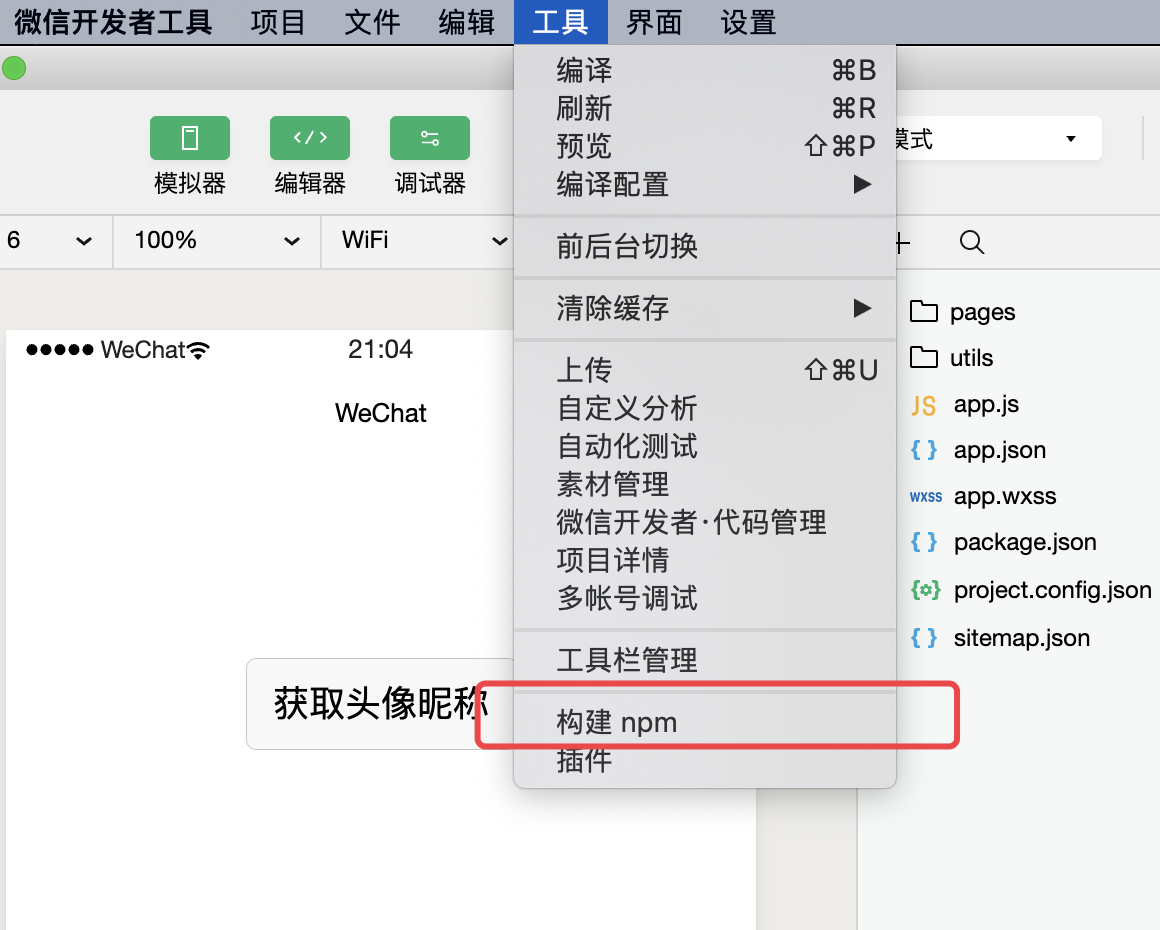
Build npm
# How to use "apifm-wxapi"?
There are probably hundreds of functions of "apifm-wxapi". You can take a look at them when you have time in the future and try them one by one. The function description document is:
[https://github.com/gooking/apifm-wxapi/blob/master/instructions.md](https://github.com/gooking/apifm-wxapi/blob/master/instructions.md)
Next, I will demonstrate a function to obtain all provinces, so that you can appreciate the charm of "apifm-wxapi" and how interesting it is to master it:
### Let’s make a small setting first:
Because WeChat Mini Program requires a domain name whitelist setting for api interface requests, that is to say, the domain name requested by the interface must be added to the whitelist in the security settings of your mini program background before debugging;
For the convenience of our testing, we can make some settings on the development tools so that the development tools do not perform domain name verification temporarily, which will improve the efficiency of our development and debugging;
Of course, before the official launch, you still need to add the interface domain name to the background settings of your mini program (otherwise, after the official launch, the domain name will be intercepted and users will not be able to see the data~ It would be a tragedy...)
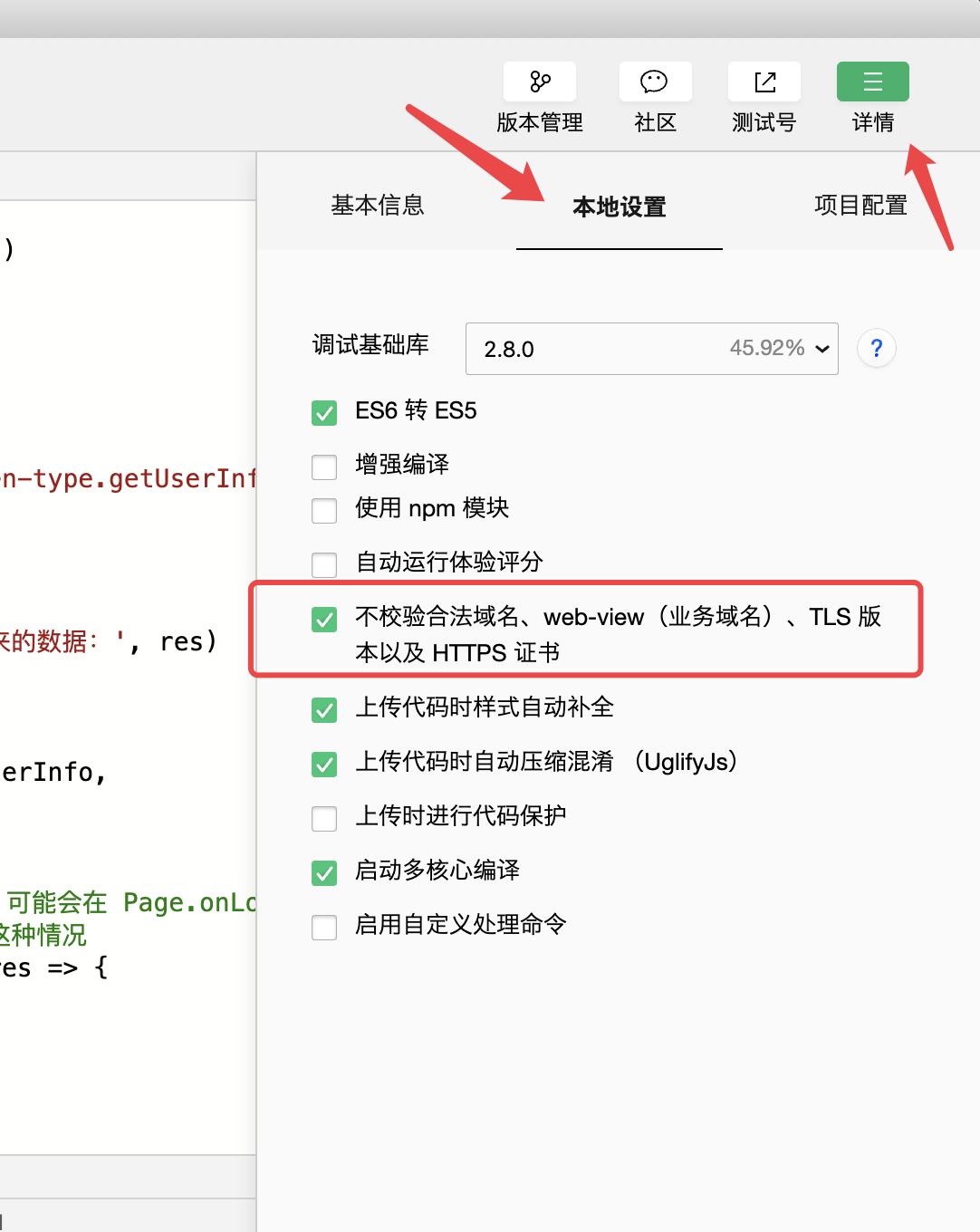
Does not verify legitimate domain names
Next, we can start work ------>
### Step one: Introduce “apifm-wxapi” into the header of the js file of the required page
>const WXAPI = require('apifm-wxapi')>
### Step 2: Directly call the method provided by "apifm-wxapi" to directly retrieve the data
You don’t have to worry about where the data comes from or what data you want, just get it!
>WXAPI.province().then(res => {
>
> Console.log('Please see the printed data on the console:', res)
>
> })>
Done in two steps! Run your mini program, this is the moment to witness the miracle!
Let’s take a look at some screenshots:
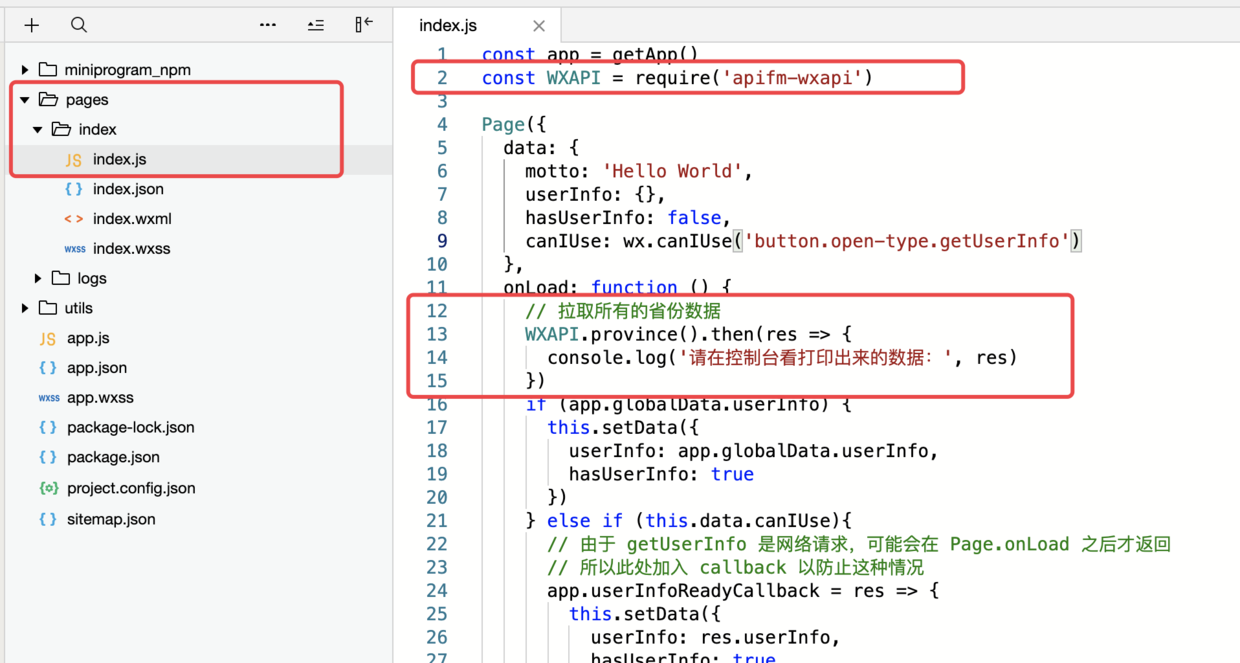
Mini program code
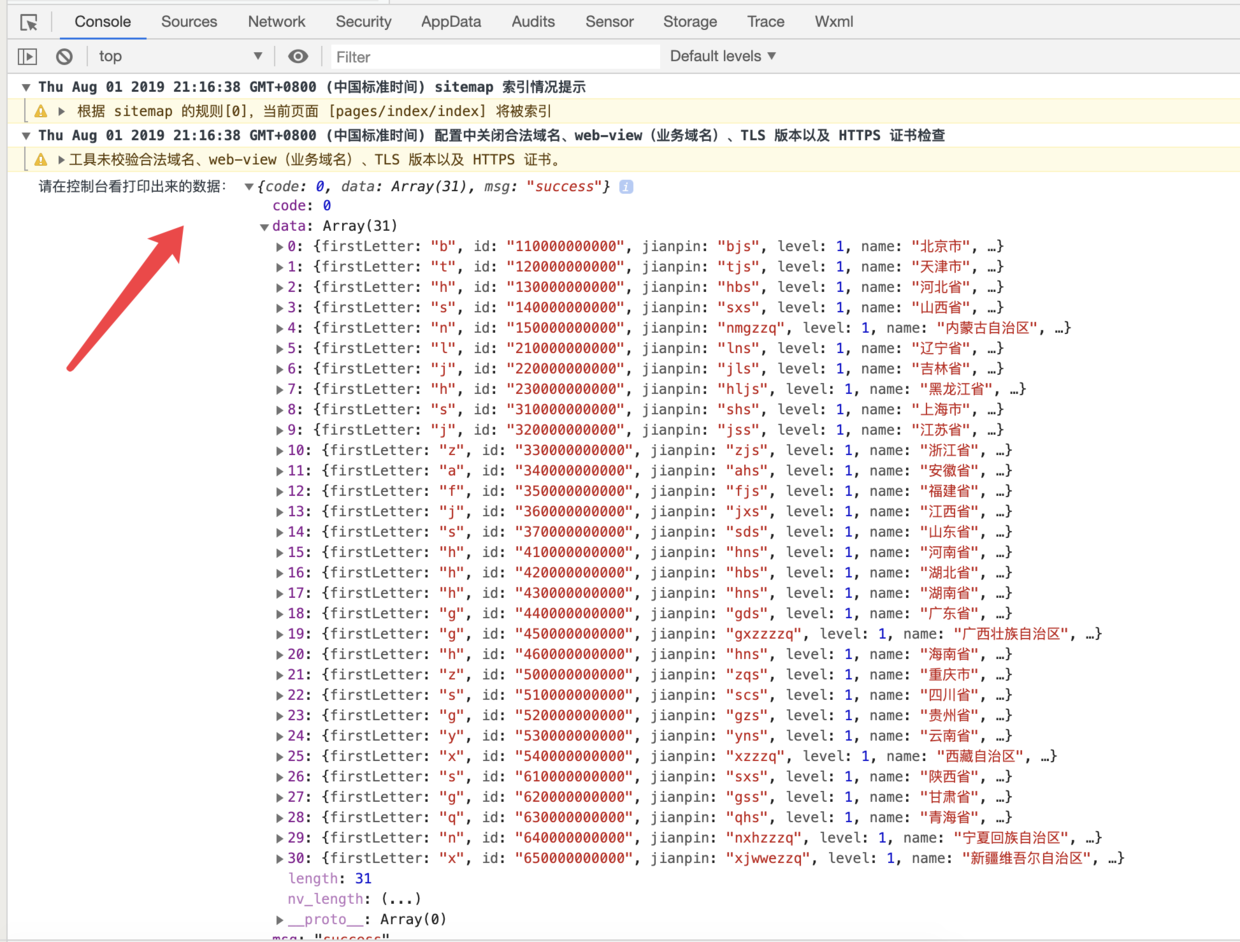
Running results
Let’s stop here today, thank you!