# Create service access token
Click on a workflow and click api in the upper right corner:
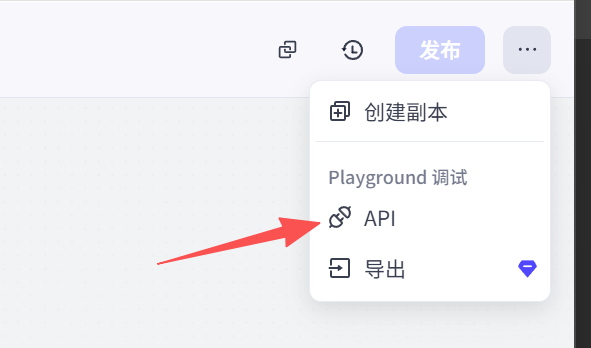
Make sure your workflow has been published. Only published workflows support API calls.

Create an API interface credential. When Coze's workflow is called, this credential is required. For permissions, only authorize the call to the workflow. Try not to give all permissions to ensure the security of your Coze account.

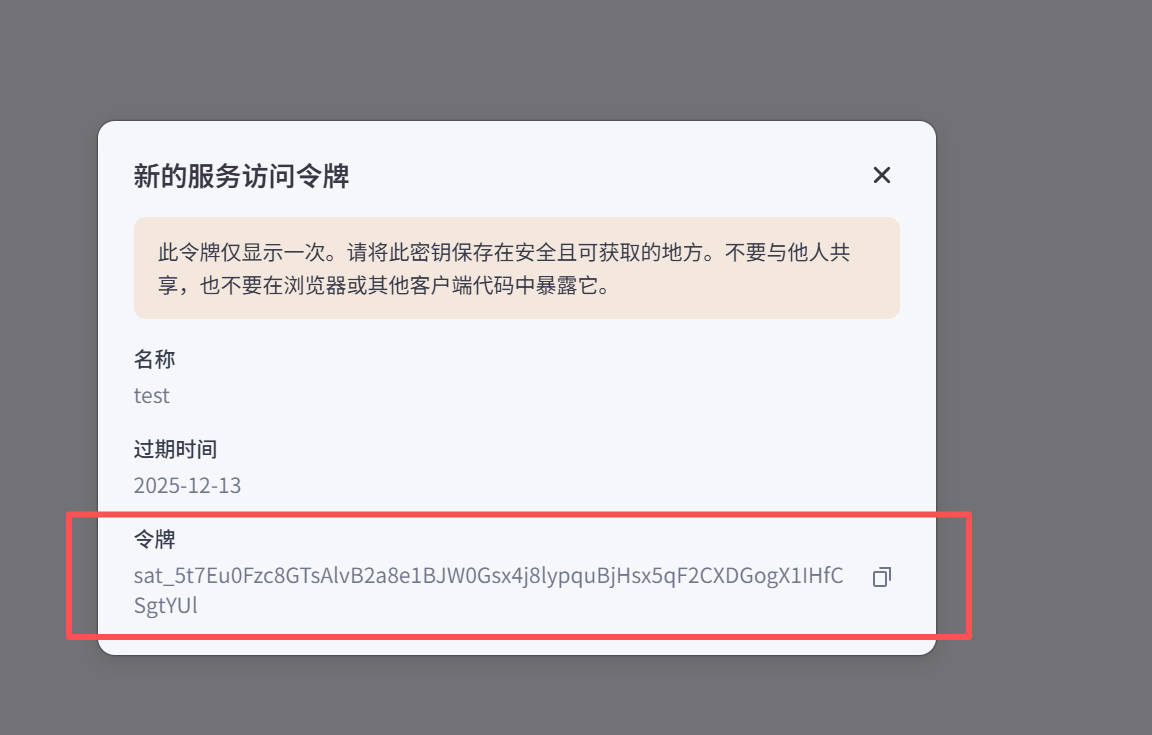
Copy and save the token information above
# Call workflow
Click on a workflow and click api in the upper right corner:

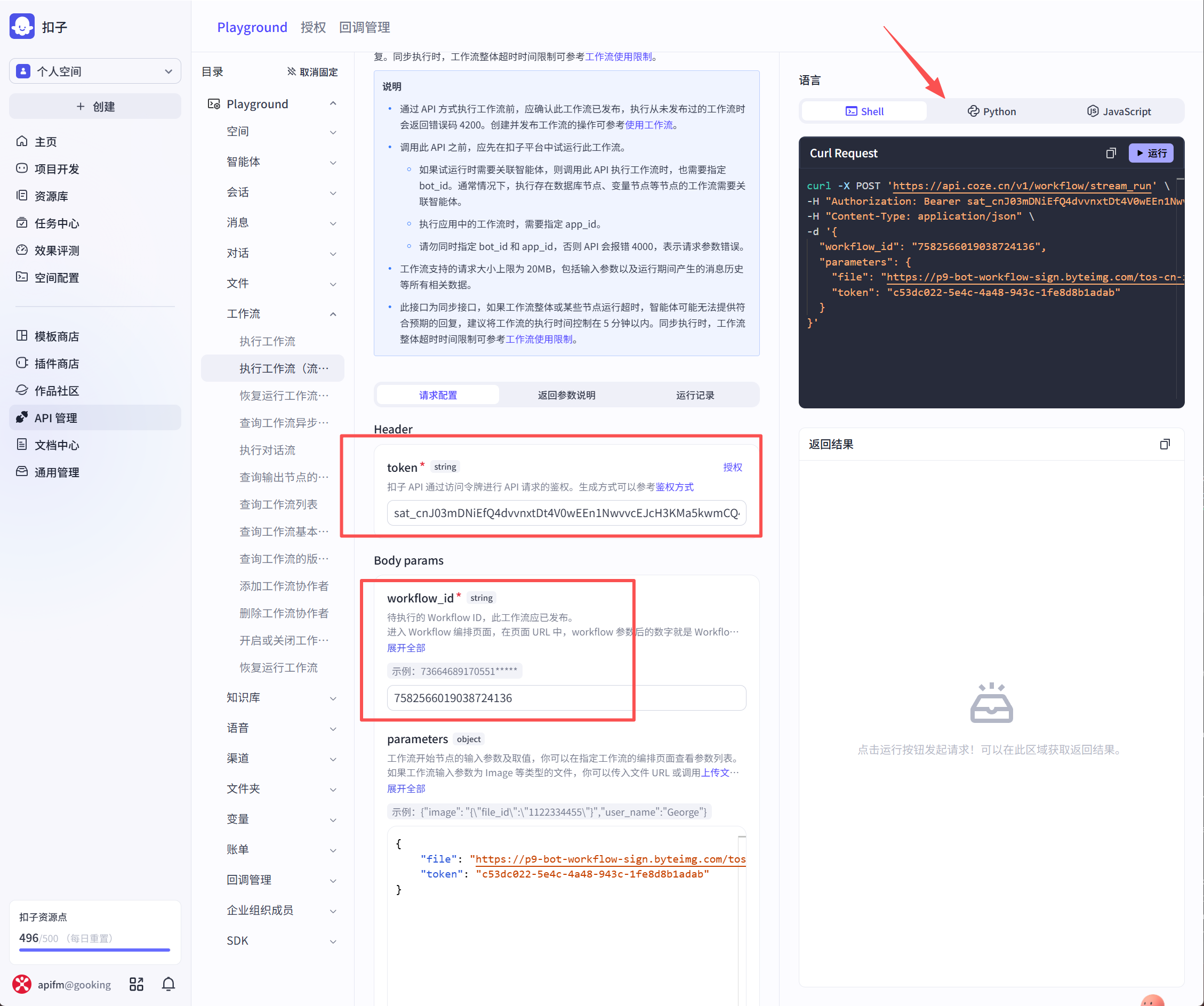
Click on your token here, and the workflow ID will be automatically filled in for you. There is a sample code for api call on the right side. You can also click directly to run the test effect.