The data push service refers to the "apifm" data that is pushed to a push URL address you specify.
For example, when a new order is generated, we will push the order data to your URL address, and you can receive the data in real time and process the data yourself.
# Enable plugin
1. If you are a free member, it is a pity that you cannot use the plug-in function of apifm for the time being;
2. If you are a professional version member, log in to the backend, go to "Factory settings" --> "Plugin management" on the left menu, find the "Data Push" plug-in, and purchase it online to activate it;
3. If you are a value-added member, you don’t need to do anything, you can use all plug-in functions for free;
# Push frequency
We will push the data to your URL address in the form of POST. If you successfully receive the data and process it successfully, please return the success plain text information. After we receive the success returned by you, we will consider that you have successfully received and processed it, and there is no need to re-push the data. This push is over; otherwise, we will think that you have not successfully received and processed the push data. We will repeat the push and retry 16 times in total. After 16 pushes, you still have not returned in time. success, we will no longer continue to push this data; the frequency of these 16 pushes is as follows:
1. 3 seconds after the previous push;
2. 5 seconds after the previous push;
3. 15 seconds after the previous push;
4. 30 seconds after the previous push;
5. 1 minute after the previous push;
6. 5 minutes after the previous push;
7. 10 minutes after the previous push;
8. 20 minutes after the previous push;
9. 30 minutes after the previous push;
10. 45 minutes after the previous push;
11. 1 hour after the previous push;
12. 2 hours after the previous push;
13. 3 hours after the previous push;
14. 4 hours after the previous push;
15. 5 hours after the previous push;
# Push protocol
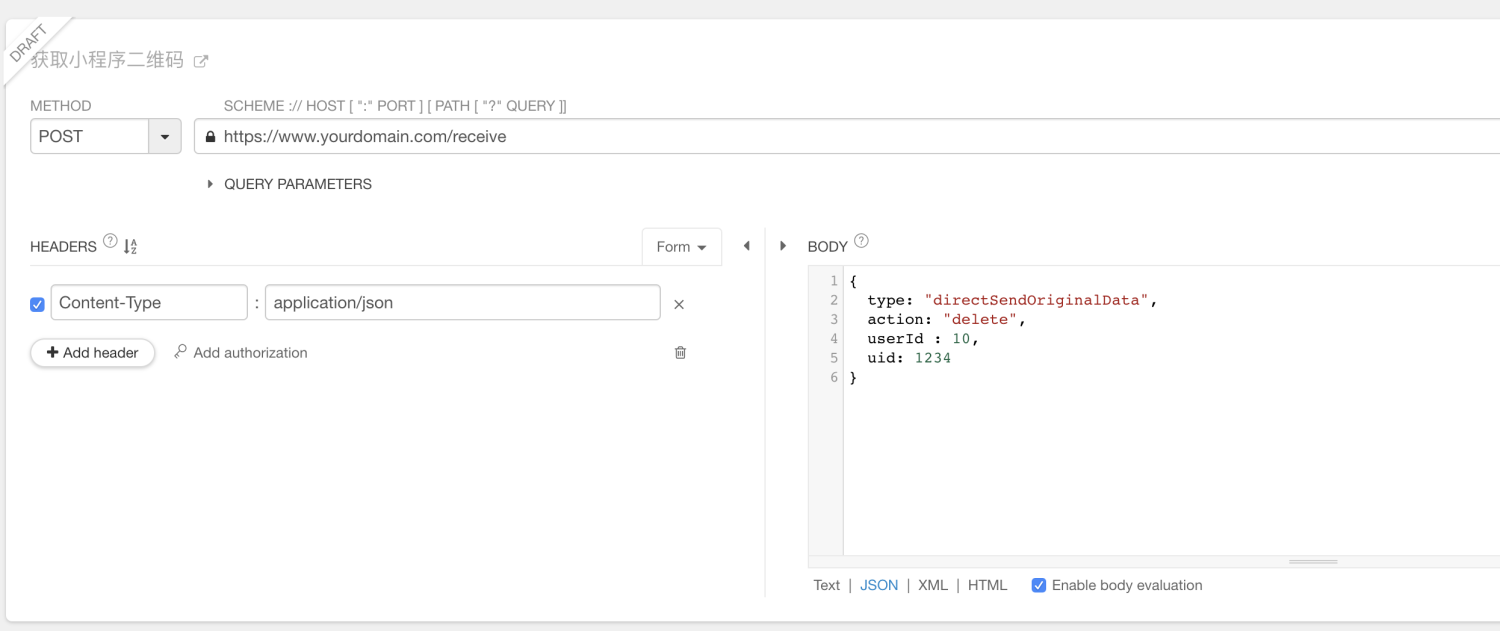
If your URL address for receiving push data is: https://www.yourdomain.com/receive
We will use the POST form to store the data (generally in json data format) in request.body and submit it directly to this URL address.
You can use the api debugging tool locally to debug your URL address first and receive the data:
# Push content
## User registration
When a new user registers for your mini program, or the backend administrator manually adds a user, the "apifm" will push the user information to you, making it easier for you to connect with the existing user system.
Push sample data:
```json
{
"mod": "user",
"uid": 1751316,
"data": {
"id": 1751316,
"pwd": "fbff7f21cd71d4bc2b7569918a8917d5",
"salt": "wZm094",
"ipAdd": "127.0.0.1",
"source": 4,
"userId": 2,
"username": "aaaa1",
"sourceStr": "Username registration",
"cardNumber": "201112185320002"
},
"action": "add",
"userId": 2
}
```
## Delete user
When you delete a user in the "apifm" background or use the "apifm" deletion user interface, we will push the deleted user information to you.
Example of pushed data:
```json
{
type: "directSendOriginalData",
mod: "user",
action: "delete",
userId: 10,
uid: 1234
}
```
uid is the user number of the specifically deleted user. The mod, type, action, and userId fields are fixed and can be ignored.
## Order information
When a new order is generated and the order status changes (closed, paid, shipped, received, evaluated), we will push the latest order information to you. For specific push data, you can view the order details interface. The push data content is consistent with the return value of the order details interface.
## Payment successful
Through the online payment function of "apifm", after the payment is successful, we will also push the payment information to you.
## More push
If you have more push requirements, please Contact and we will connect you as soon as possible!