# Register and open a mini program account
[https://mp.weixin.qq.com/](https://mp.weixin.qq.com/)
Select the identity of "Enterprise", "Individual Industrial and Commercial Household" or "Individual" according to your actual situation, and register a mini program account
Get access to your own mini program**appid and secret information**, save it, it will be used below
["How to check the APPID of my mini program? Where can I check the APPID of my mini program? 》](https://jingyan.baidu.com/article/642c9d340305e3644a46f795.html)
"[Set the legal server domain name of the mini program](https://www.yuque.com/apifm/doc/tvpou9)"
# Register and open a backend account
[https://admin.it120.cc/](https://admin.it120.cc/)
Register for free and open a new backend, then log in. The home page after logging in, **Please note your exclusive domain name**, will be used later
Left menu "Factory settings" --> "Data Clone" --> "Clone other people's data to me"
Fill in the other party’s merchant ID **7709**
Click "Clone Now". After the cloning is successful, F5 refreshes the background.
Left menu, WeChat settings, fill in the appid and secret obtained in the previous step.
# Download and install development tools
[https://developers.weixin.qq.com/miniprogram/dev/devtools/download.html](https://developers.weixin.qq.com/miniprogram/dev/devtools/download.html)
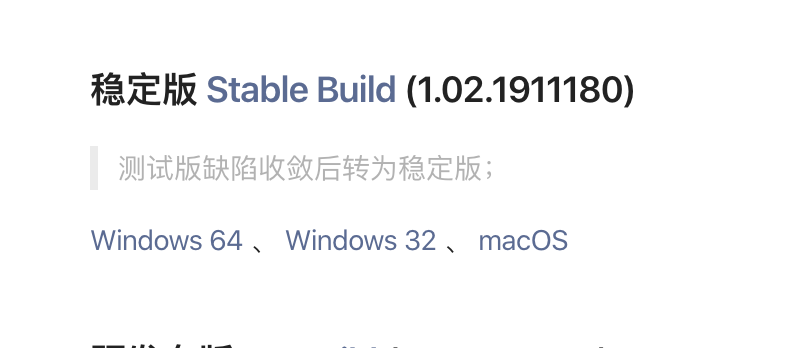
According to your own operating system, download the latest stable version and complete the installation after the download is complete.
# Download the mini program source code
[https://github.com/wangwenzhiwwz/WX](https://github.com/wangwenzhiwwz/WX)

Download the latest mini program source code. The download is a zip compressed package. Please unzip it.
# Run the mini program to see the effect
Double-click to run the small program development tool installed in the first step and open it to see the effect.
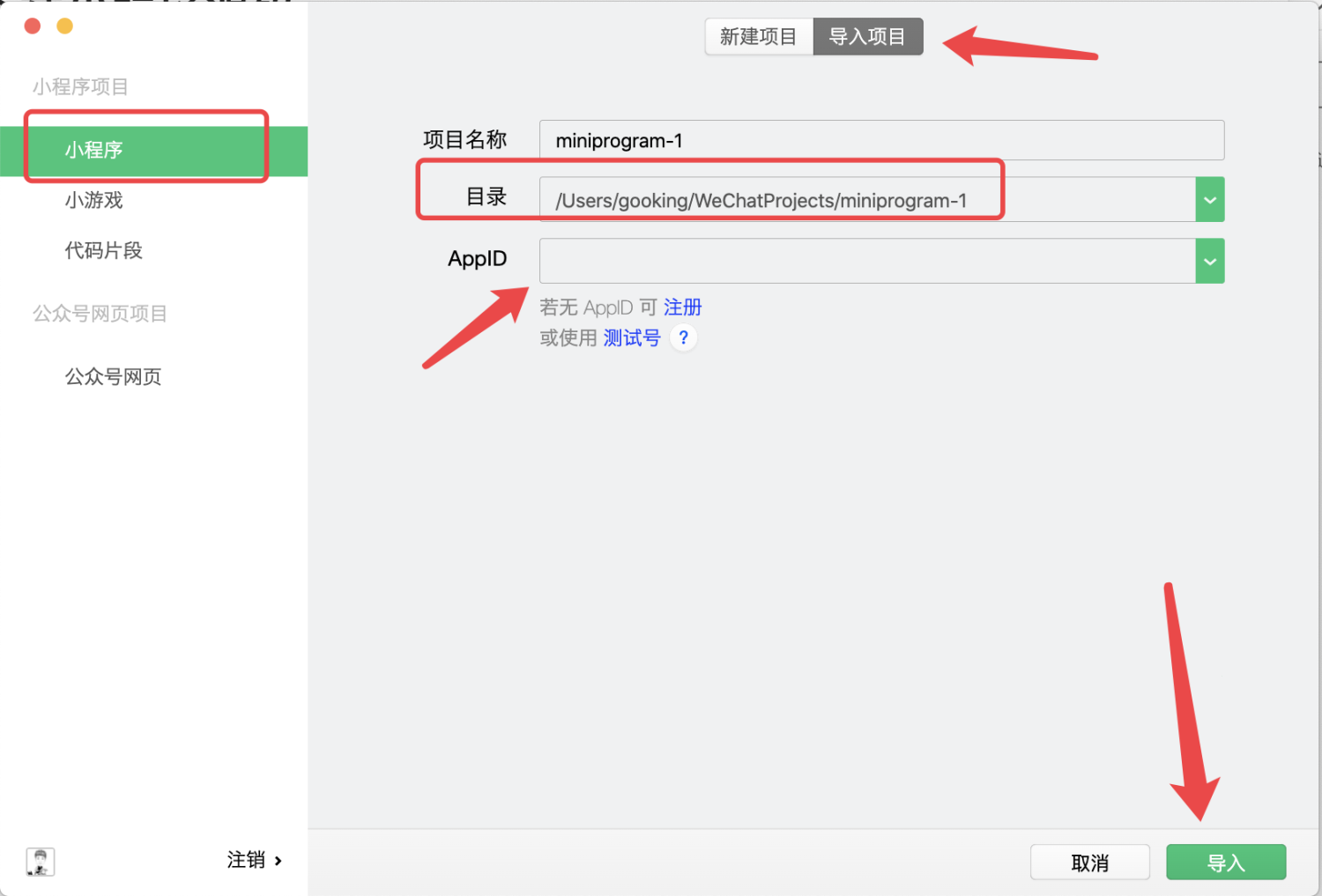
In the directory, select the applet source code you downloaded above, and unzip the ** in the folder.photography folder**
Import the project here, and select the directory where the applet code you downloaded and compressed in the "second step" is located.
**APPID must be changed to the APPID of your own mini program****
****APPID must be changed to the APPID of your own mini program****
****APPID must be changed to the APPID of your own mini program**
Then click the import button
["How to check the APPID of my mini program? Where can I check the APPID of my mini program? 》](https://jingyan.baidu.com/article/642c9d340305e3644a46f795.html)
# Configure docking with your own backend
## Connect to your own backendin development toolsWXAPI.init(' in app.js filephotography'), the red part, change it to youYour own domain name, ctrl + s to save["**What is an exclusive domain name? **》](https://www.yuque.com/apifm/doc/qr6l4m)
## "My" interface 2 How to modify the connection content

How to modify the two contents in the picture above?

Just edit
# Launch mini program
1. Upload the code to the WeChat server
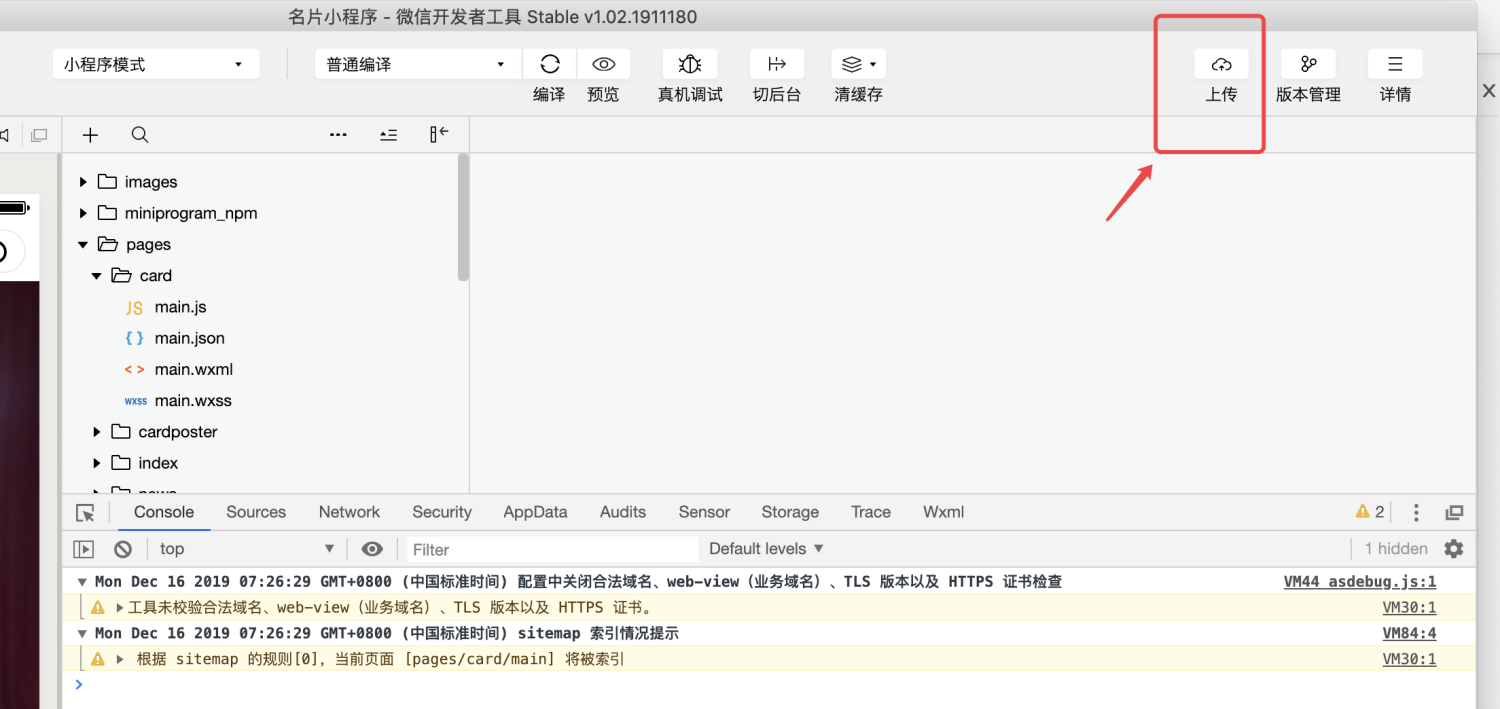
2. Submit for review
Log in to the mini program merchant backend in the "first step", go to "Version Management" on the left menu, find the mini program version you just uploaded, and click Submit for WeChat review. Once approved, your mini program can be officially released.
3. Officially release your mini program
When logging in to the mini program merchant backend in the "first step", go to "Version Management" on the left menu, find the version that has passed the review, and click Publish Now