# enable module
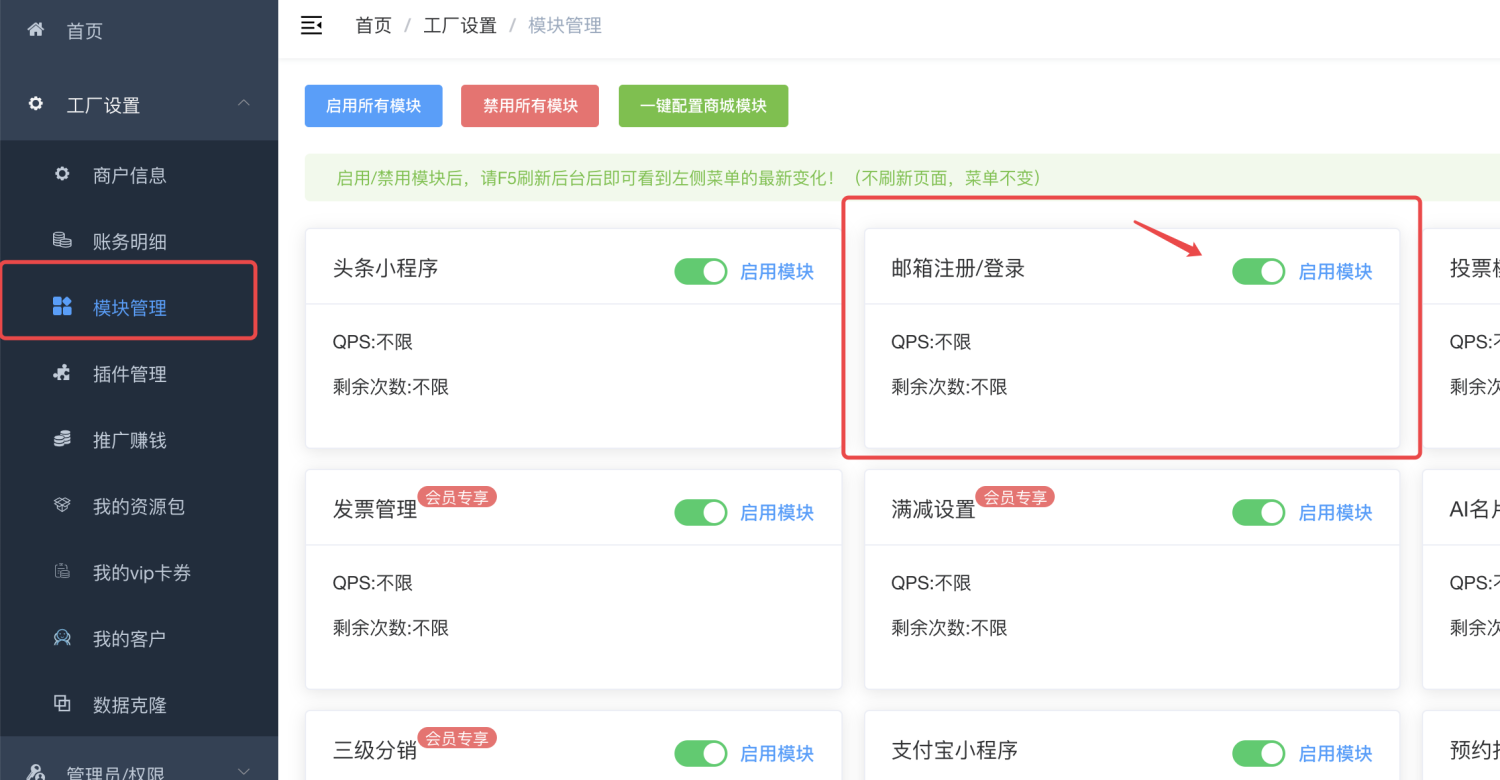
After enabling it, you need to log in again or refresh the background with F5 to take effect~
# Configure mail gateway
["**How to correctly set up the email gateway to send emails**"](https://www.yuque.com/apifm/doc/ds6a3y)
# Enable username login and registration
By default, the system does not allow user name login and registration. You need to enable it before you can use the user name registration and login function. The activation method is also very simple. Just add a setting in the system settings:
["System Parameter Settings"](https://www.yuque.com/apifm/doc/kcncad)
**Parameter type:** Switch parameter
**Parameter name: **register.username.switch
**Set to on**
****
# Call the front-end interface
Relevant interfaces can be called according to the "Interface Document": email verification code, email registration, email login, etc.