# Template 1 (shipping the whole order, for the case of not opening the package)
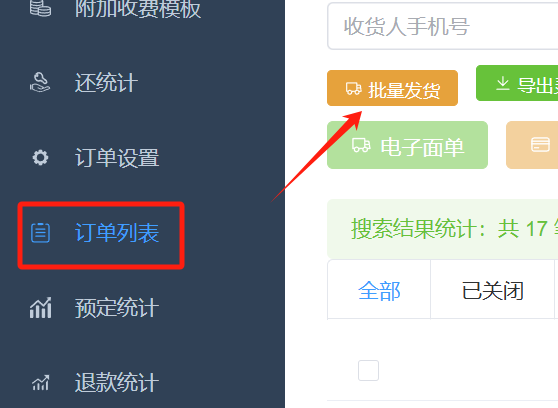
[Bulk shipment.xlsx](https://www.yuque.com/attachments/yuque/0/2025/xlsx/572726/1745893592640-8e042000-b96d-4e92-bfb7-e45453cc3abe.xlsx)
Download the template above and edit it
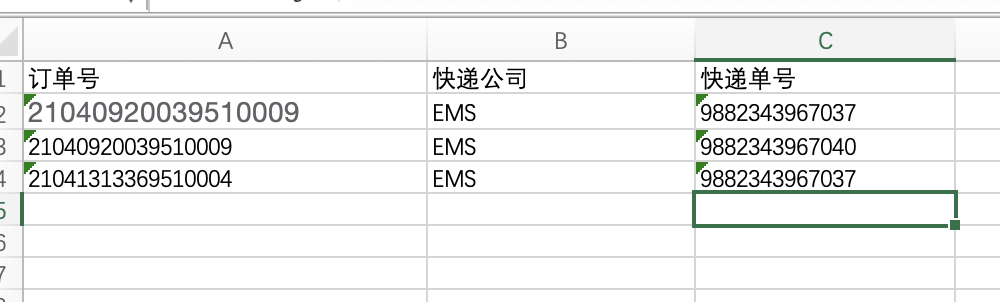
There are 3 columns in total, namelyOrder number, courier company, courier tracking numberMake sure there are no spaces in the title
**The courier company must fill in the Chinese name of the courier company here, not the number! ! !**
****
# Template 2 (suitable for split package delivery)
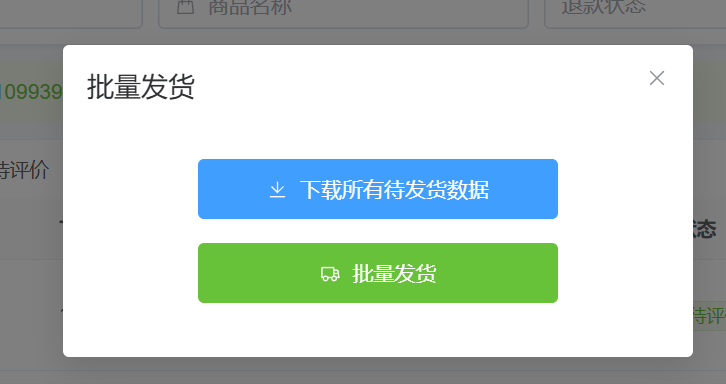
**Step 1:** Click the blue button to export all the information to be shipped
**Step 2:** In the last two columns of the exported Excel, fill in the correct courier company name and courier order number (if the actual shipment quantity is inconsistent with the quantity in Excel, please also modify the quantity of the included product. If you need more packages, copy a column, modify the corresponding quantity, and fill in the new courier information)
**Step 3:** Click the green button in the picture above, select and submit the Excel file you just exported and filled in the express company to achieve automatic delivery.