# Let’s have an easter egg first
cms article list interface, new parameterscategoryKeyParameter, pass the number of a certain category (for example:activity) to read the list of articles under this category (including lower-level subcategories).
For example, if you use the small program SDK to read the article list, you can pull the articles under the active category through the following command:
```javascript
WXAPI.cmsArticles({
categoryKey: 'activity'
})
```
#Associate products with articles
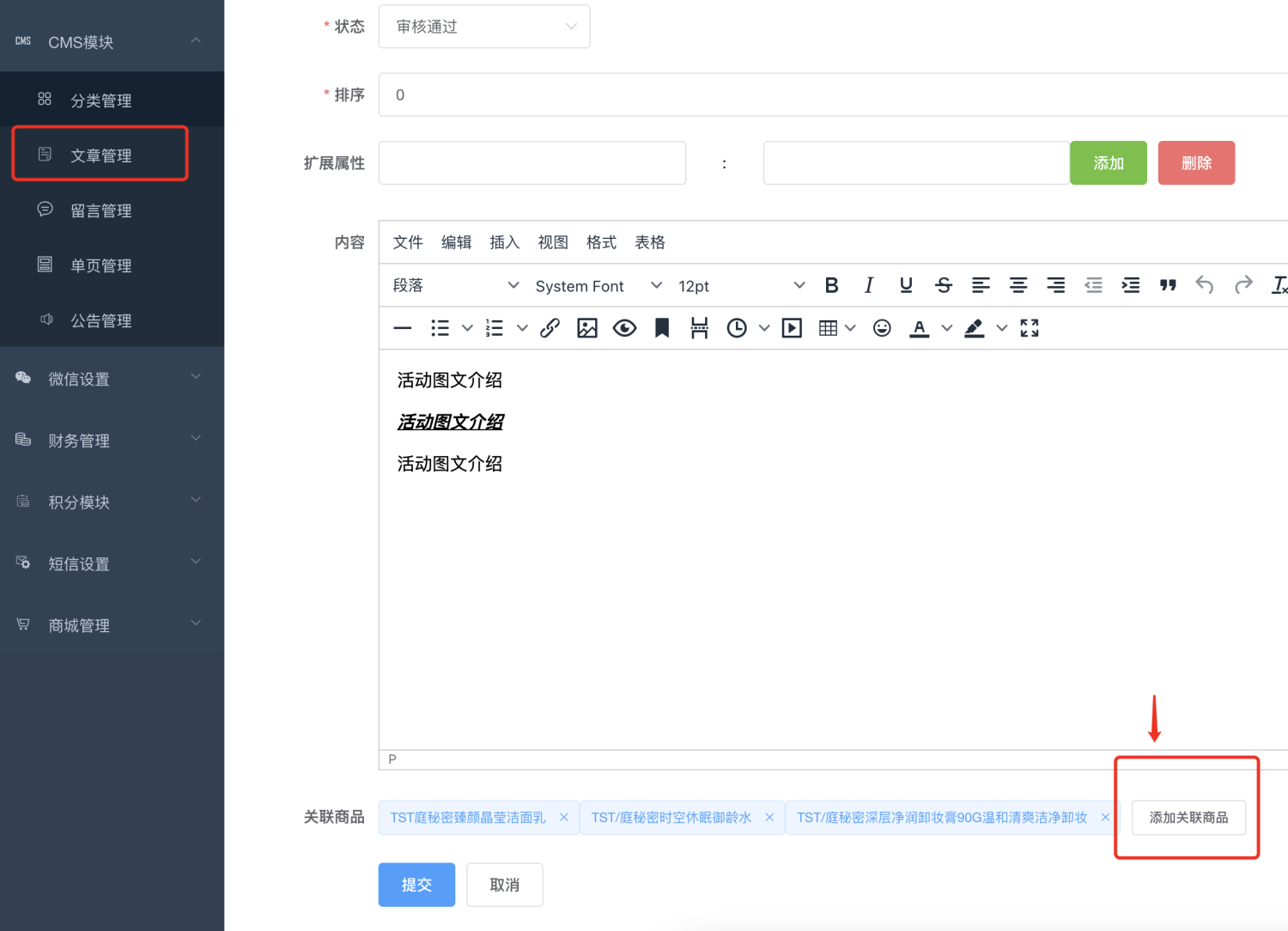
Article editing can be associated with multiple products
# Read article details
Article details interface, upgraded to v2 version:
/cms/news/detail/v2
For details, see ["Front-end API Interface Documentation"](#)
If you use WeChat Mini ProgramSDK, you can read article details through the following code:
```javascript
WXAPI.cmsArticleDetailV2(id)
```
If the backend associates products with the article, then the interface will return the associated product information and save it in the goodsList field. The front-end students only need to display it.