Loading…
📚
apifm
Frontend PaaS & AI Dev Platform
Homepage
Open Source
SDK
Cases
Contact
Backend management
Get your mobile number with one click
Get your mobile number with one click
Help documentation
Update anytime
Table of contents on this page
Selection ability
Mini program code
# Select capabilities 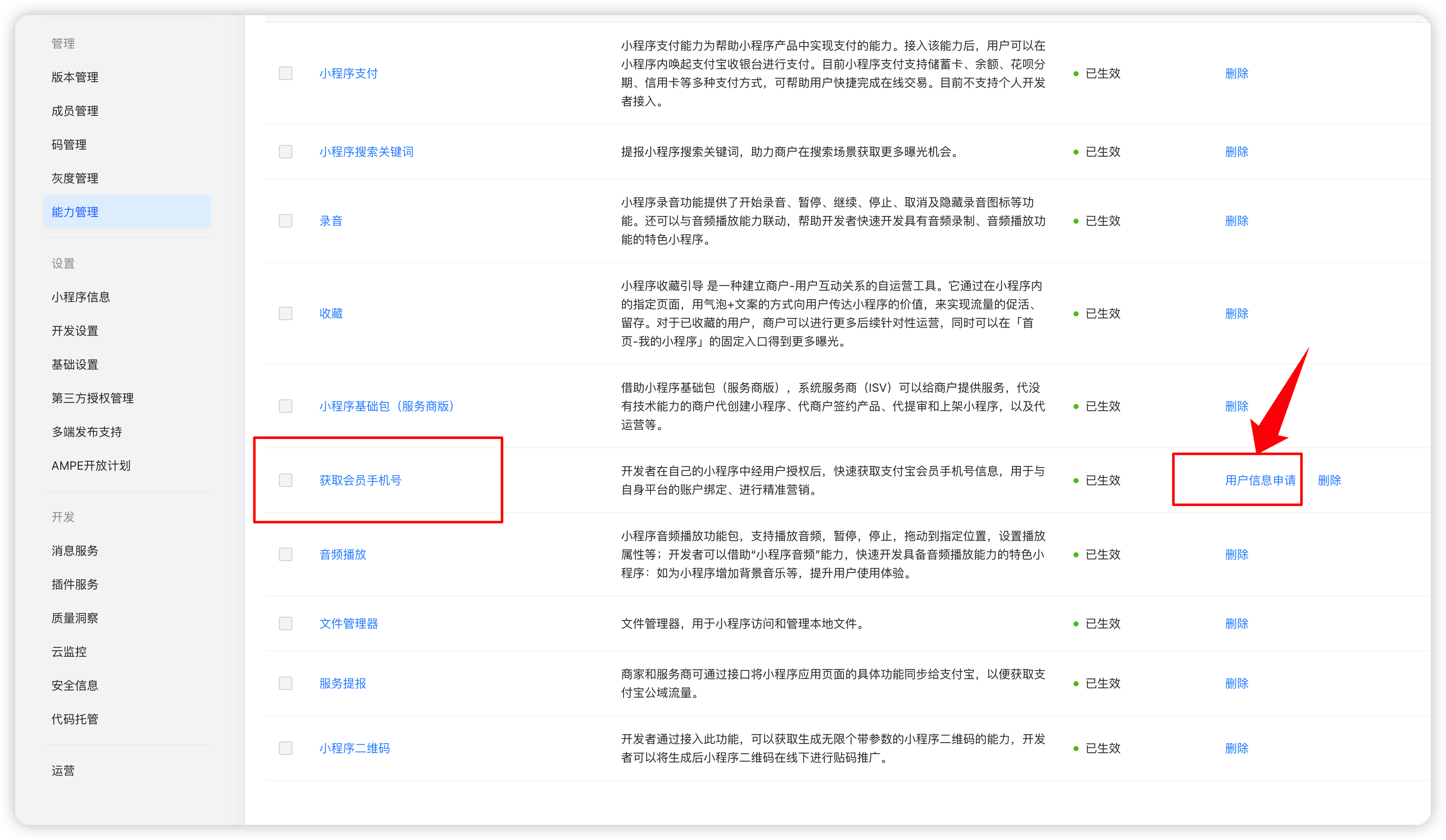 After this capability is added, it must be applied through the subsequent user information before it can be used. # Mini program code [https://opendocs.alipay.com/mini/api/getphonenumber](https://opendocs.alipay.com/mini/api/getphonenumber) ```javascript
One-click login
```
open-type and scope are indispensable
```javascript async getPhoneNumberAlipay() { console.log(1111); my.getPhoneNumber({ success: (res) => { this._getPhoneNumberAlipay(res.response) }, fail: (res) => { console.log(res); console.log('getPhoneNumber_fail'); }, }) }, async _getPhoneNumberAlipay(encryptedData) { console.log(2222); const res = await this.$wxapi.aliappBindMobile({ token: this.token, encryptedData: encryptedData }) if (res.code == 0) { wx.showToast({ title: 'Binding successful', icon: 'success', duration: 2000 }) this.$u.vuex('mobile', res.data) } else { wx.showModal({ title: 'Tips', content: res.msg, showCancel: false }) } }, onAuthError() { console.log(33333); console.log('onAuthErroronAuthErroronAuthErroronAuthErroronAuthError'); }, ```