# Preface
This tutorial is based on the "apifm-wxapi" module and teaches you how to quickly implement small program development, so you may need to understand the following knowledge points first:
["Creating HelloWorld Project"](https://www.yuque.com/apifm/doc/hezlrm)
["Use "apifm-wxapi" to quickly develop small programs"](https://www.yuque.com/apifm/doc/mdldsd)
["Register for free to open the backend and obtain an exclusive domain name"](https://www.yuque.com/apifm/doc/qr6l4m)
# Requirements description
A backend is needed;
After logging in with your account and password, you can publish and manage carousel images;
The mini program displays the corresponding data;
# budget
0 yuan, free implementation
# Requirements realization
### Step 1: Get the backend for free
["Register for free to open the backend and obtain an exclusive domain name"](https://www.yuque.com/apifm/doc/qr6l4m)
### Step 2: Publish/Manage Carousel Picture (Banner)
Log in to the "First Step" registration background, left menu --> Factory settings --> Module management
Find the "App Banner Management Interface" module, click "Enable Module", then F5 to refresh the background interface, you will see the new menu: "System Settings" --> "Banner Management";
Upload your carousel in this menu;
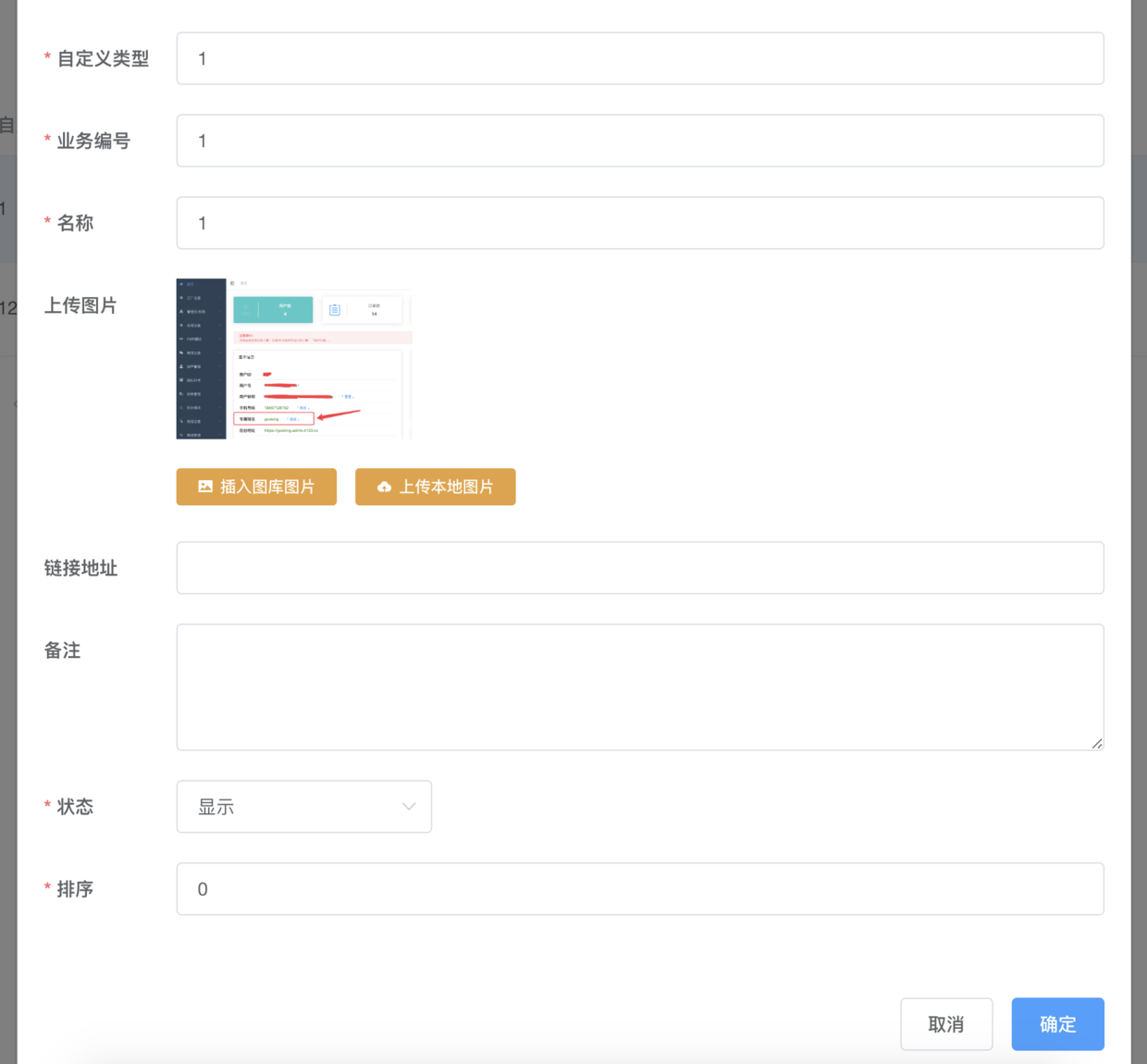
Upload carousel image
### Step 3: Write small program code
Introduce the "apifm-wxapi" plug-in into the js file:
>const WXAPI = require('apifm-wxapi')
>
> WXAPI.init('gooking')>
WXAPI.init('gooking') This code links your mini program to your backend, where **gooking** is your exclusive domain name;
For your own exclusive please check the instructions of “First Step”;
Read the carousel image:
>WXAPI.banners()>
Effect screenshot:
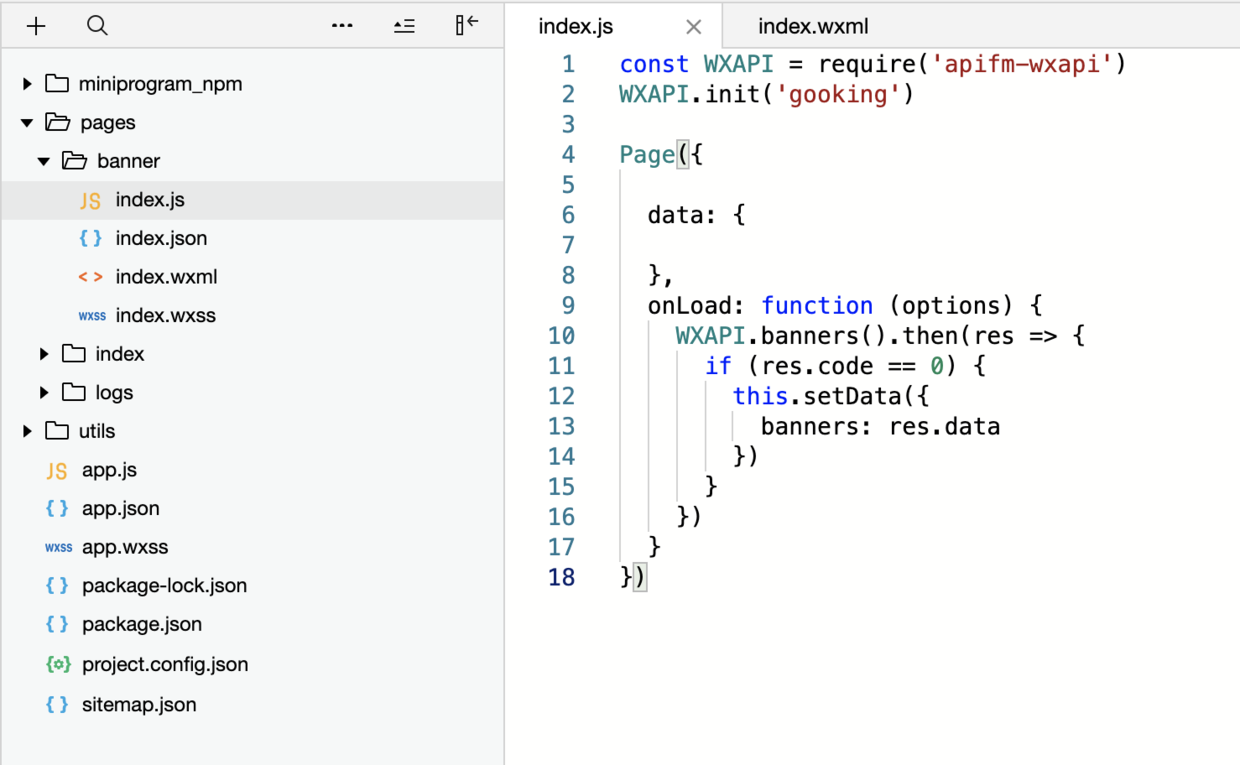
js
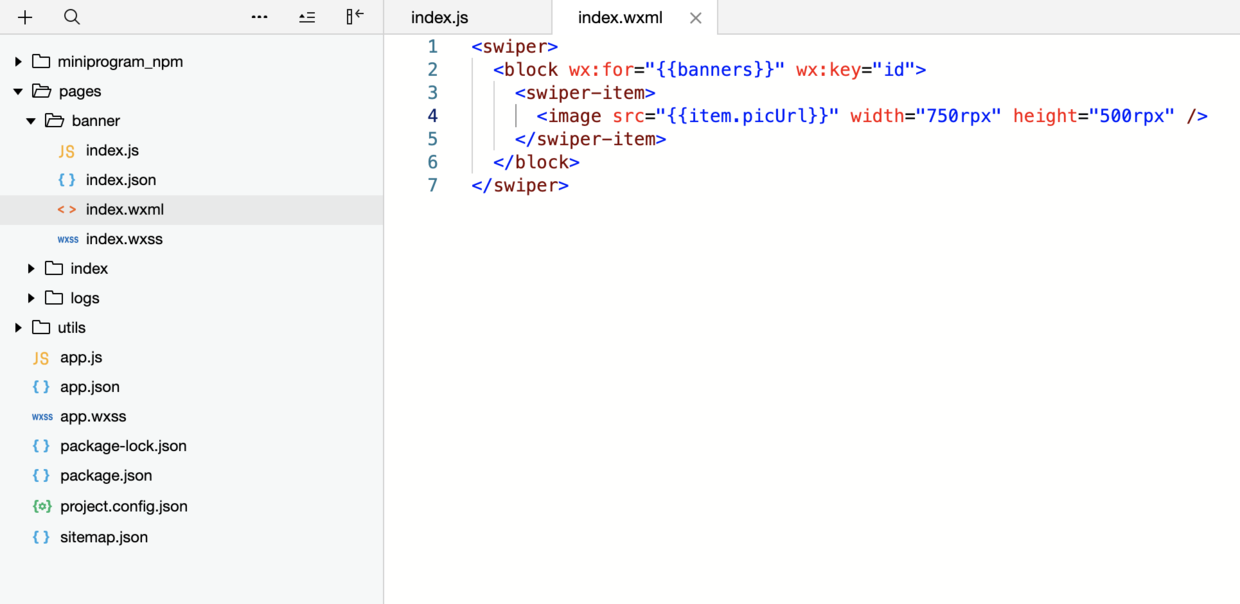
wxml
Running the mini program is the moment you witness the miracle!
grateful!