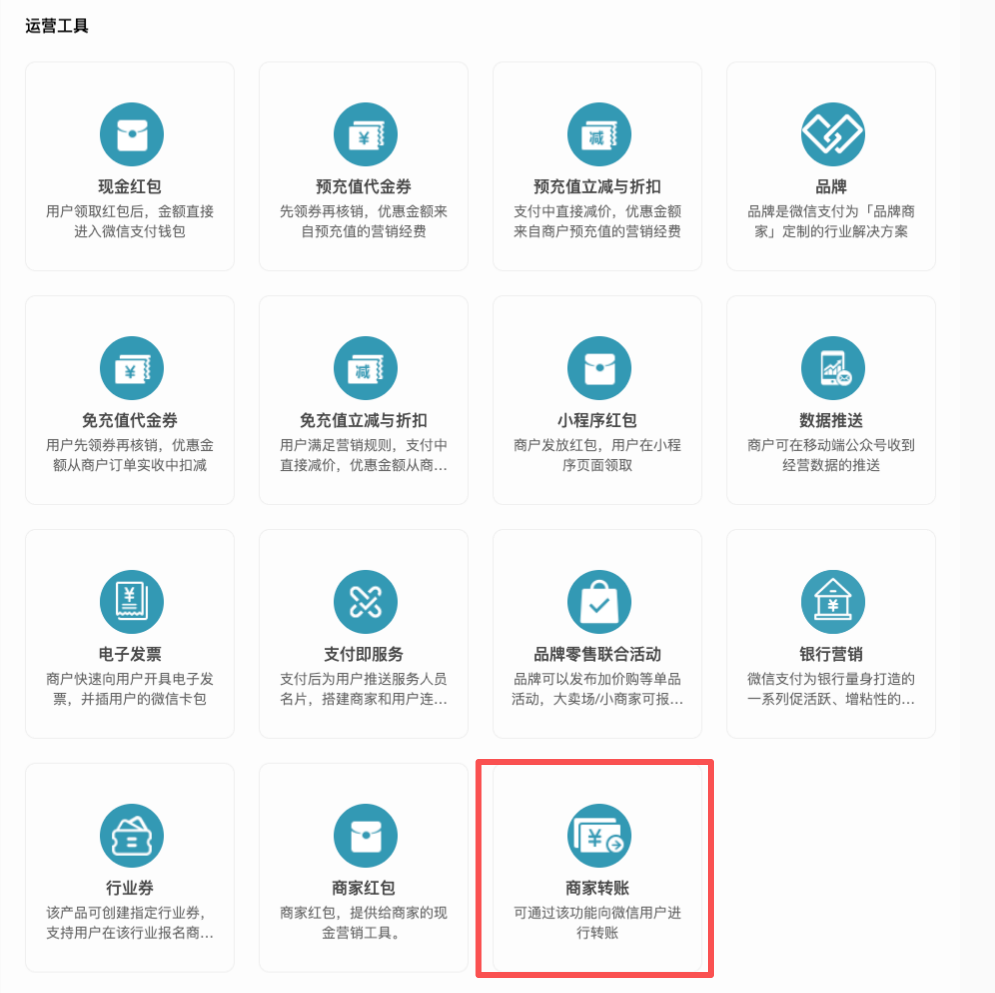
The previous "Business Payment to Change" function, WeChat Pay has been removed from the shelves, and will be used in the future**"Merchant Transfer"**Function superseded.
Here's how to activate and use this feature
Official tutorial:
[https://pay.weixin.qq.com/doc/v3/merchant/4013740645](https://pay.weixin.qq.com/doc/v3/merchant/4013740645)
**Currently, small and micro merchants and individual industrial and commercial households are not supported.**
# Spend from operating account
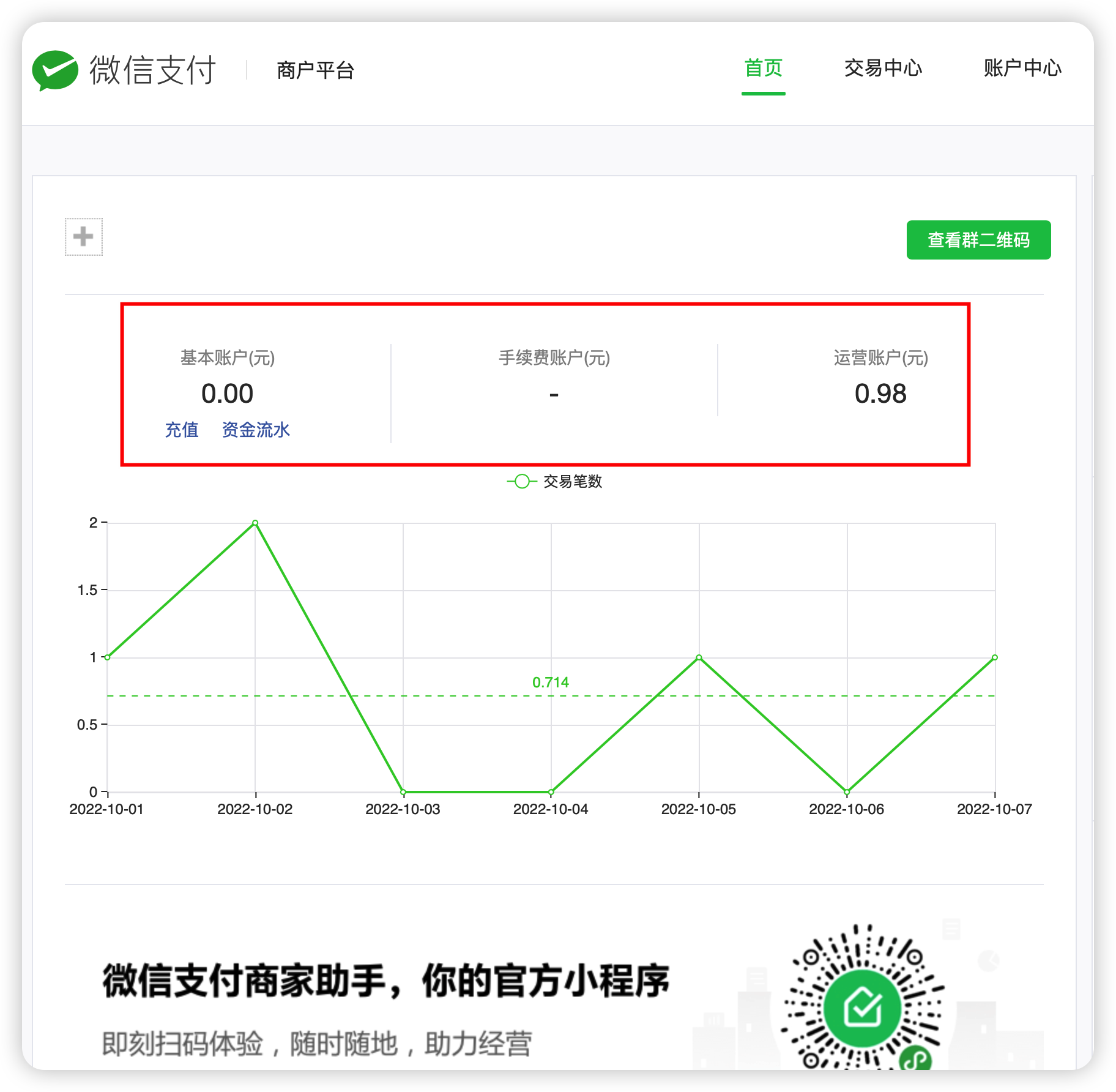
First of all, you need to understand the relationship between the three accounts of WeChat Pay. The "Merchant Transfer to Change" function transfers money from the operating account to the user!
# Activate the "merchant transfer to change" function
Click "Merchant Transfer to Change" in the picture above and activate according to the guidelines
# Set key and certificate

The information set here will be used later, please set it carefully and keep it properly!
## Platform certificate mode
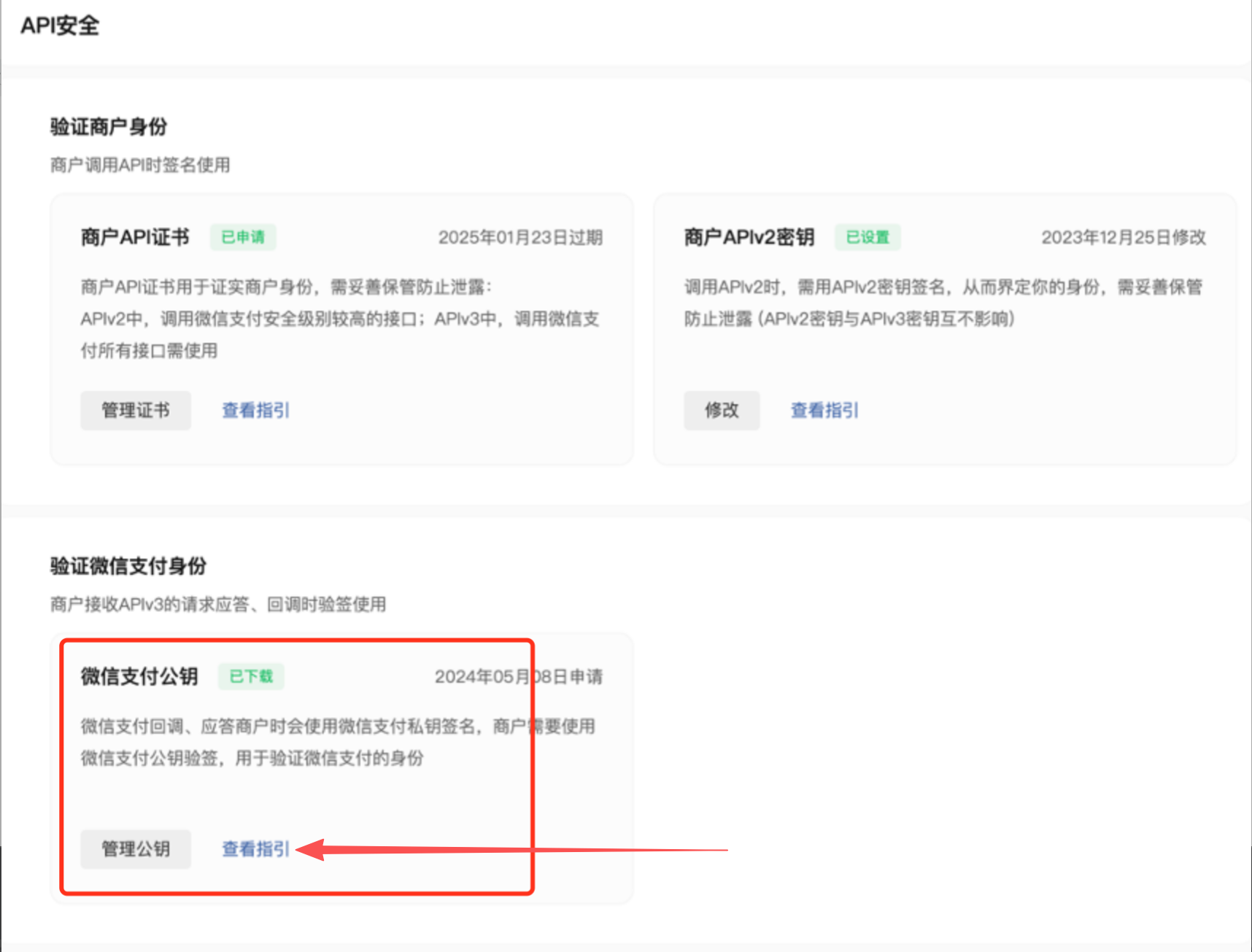
**Currently only platform certificate mode is supported. If yours is public and private key mode, you need to click "View Guide" to switch public and private key mode back to certificate mode.**, as shown below:
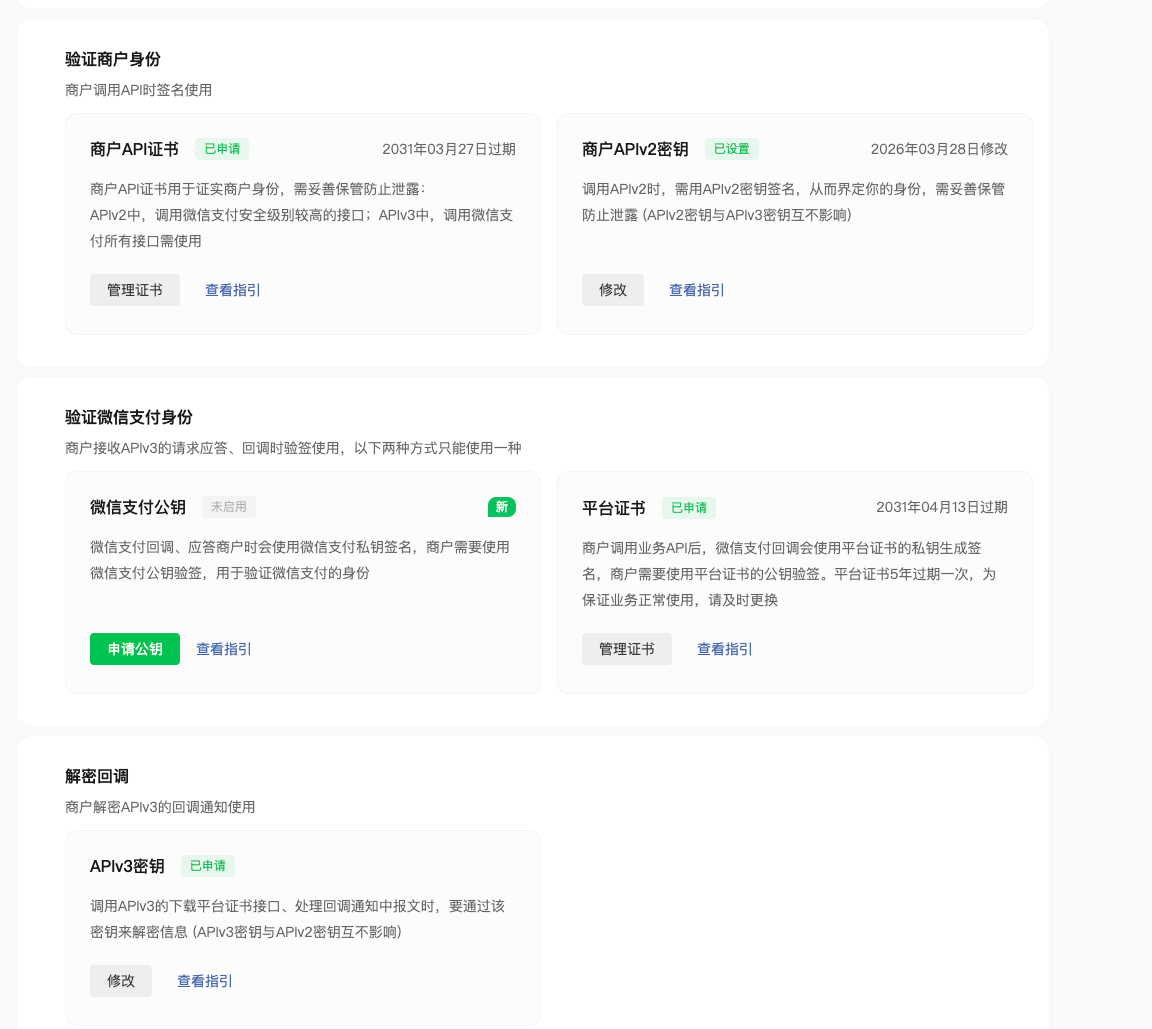
The following is the correct legend when there is a platform certificate:
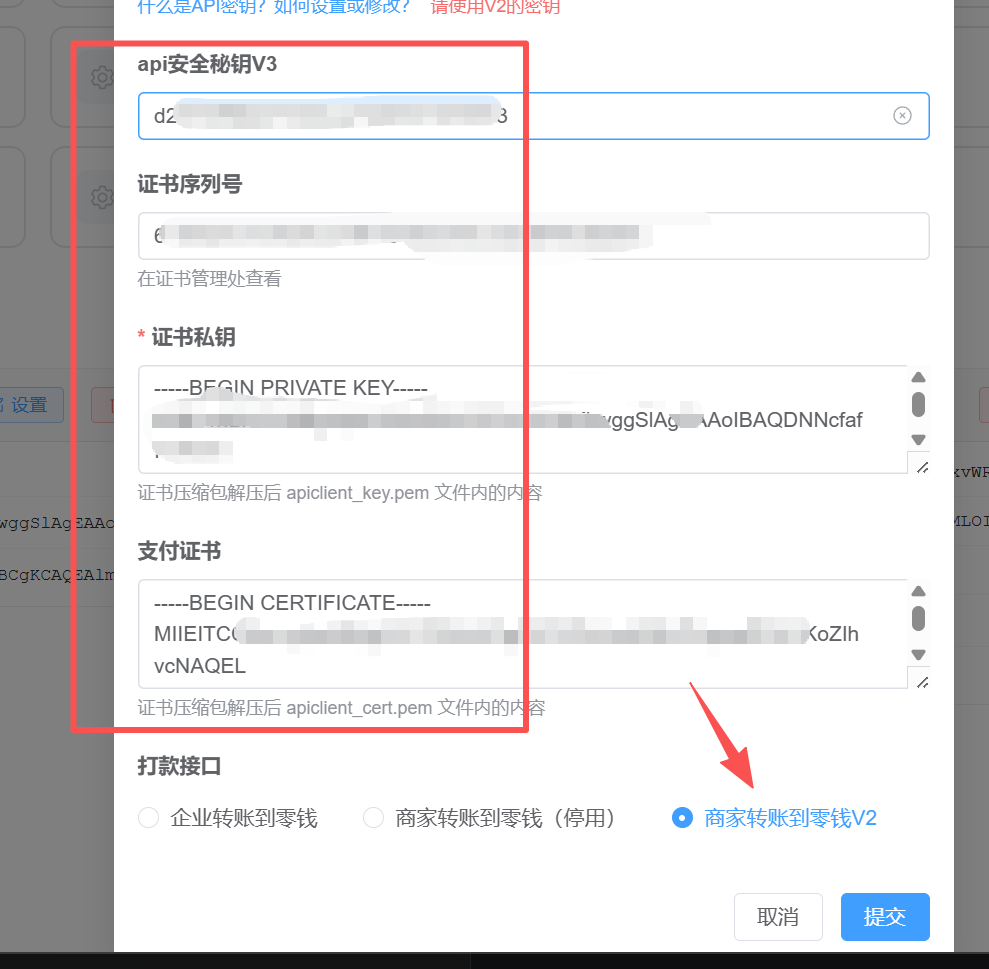
## WeChat payment merchant number
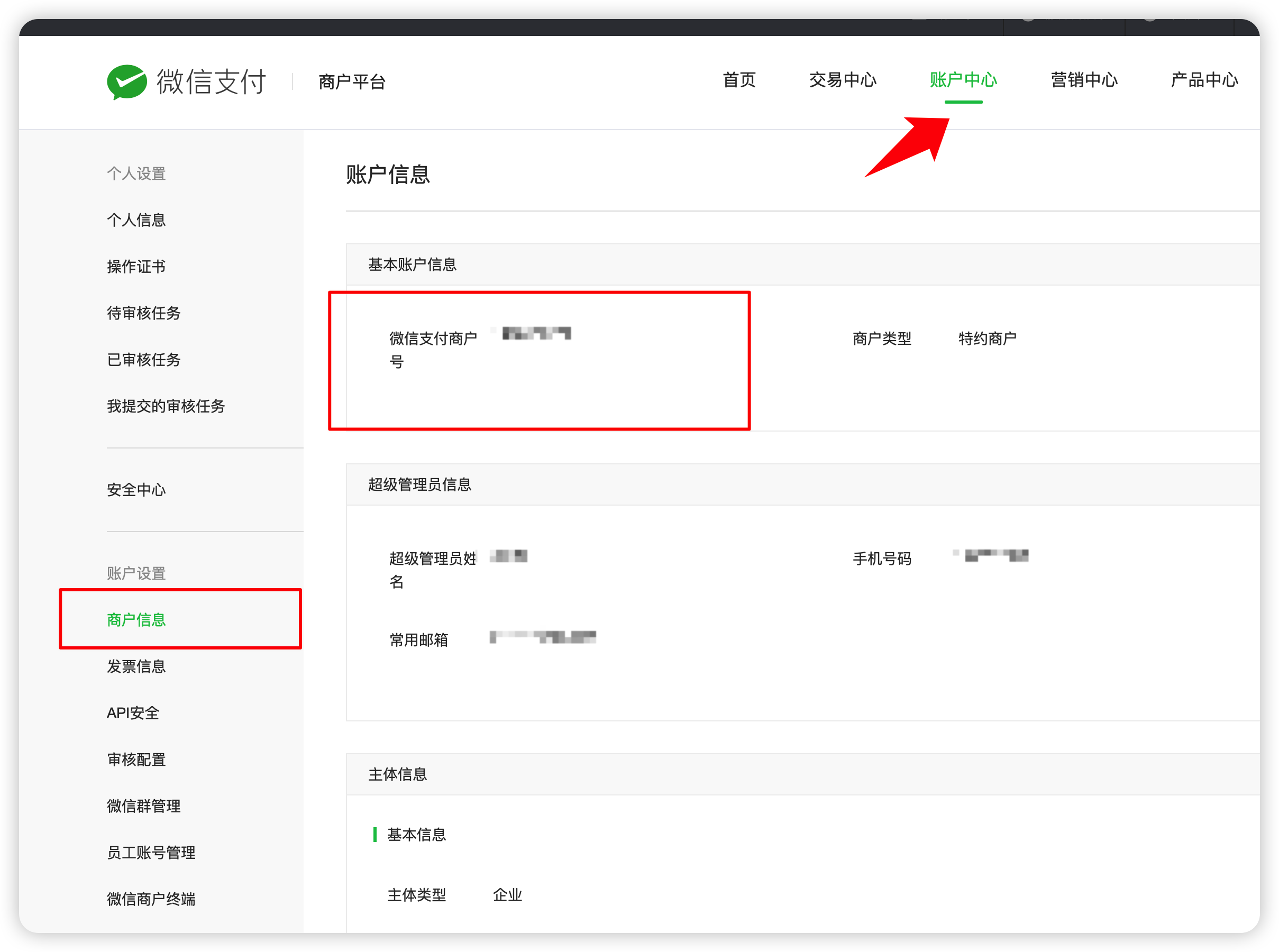
## Certificate serial number
Click the "Manage Certificate" button in the screenshot above to apply for a certificate (if there is no certificate), and then you can see the certificate serial number
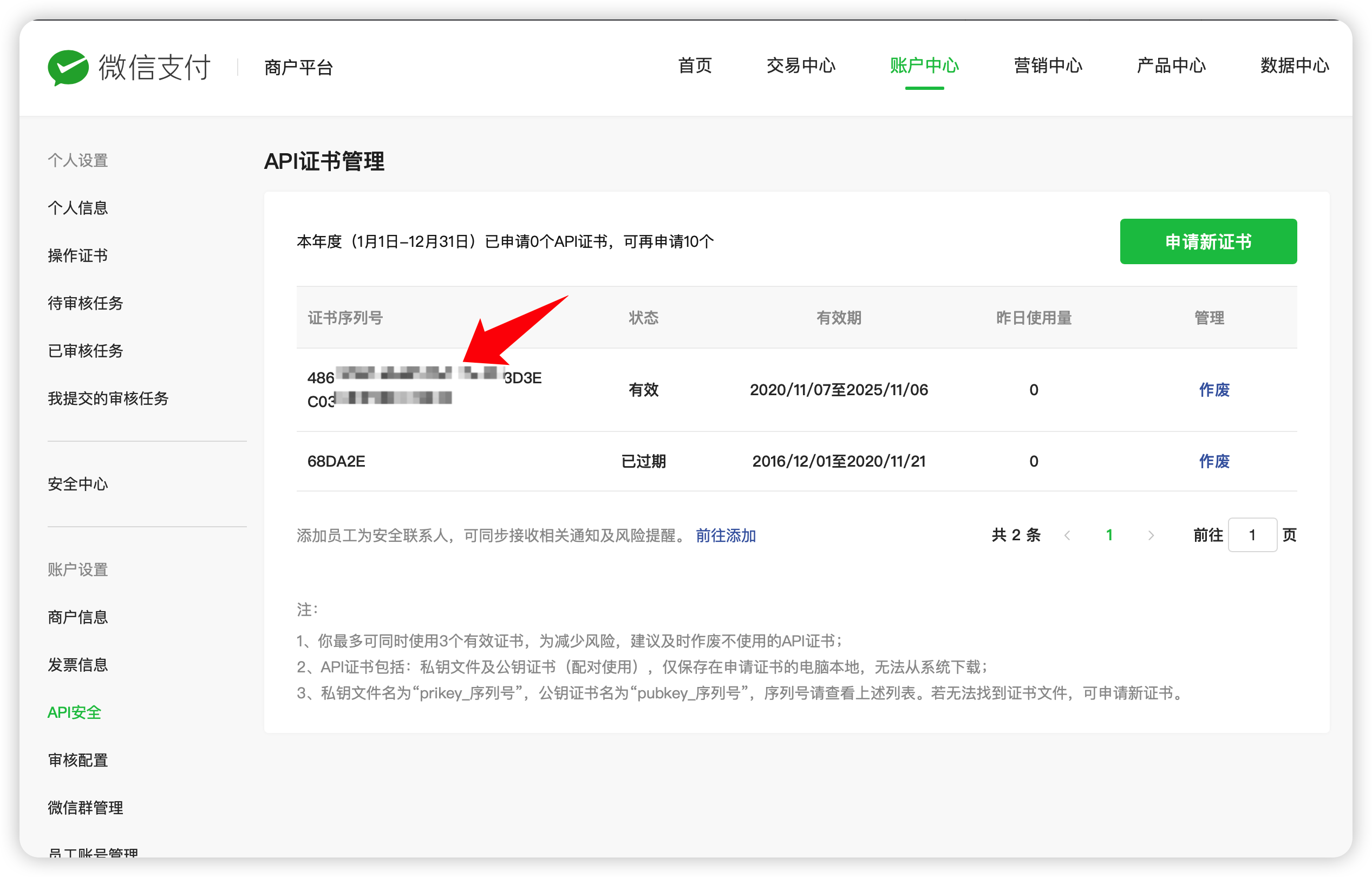
At the same time, keep the downloaded certificate compressed package properly as it will be used later.
## APIv3 key
As shown in the screenshot above, the APIv3 key needs to be set and recorded.
## Certificate private key
The downloaded certificate is a compressed package. Please use decompression software to decompress it and you will get 2 files as shown below:

Open the file `apiclient_key.pem` with Notepad, and the entire text content obtained is the certificate private key:

# Configure API initiation capability
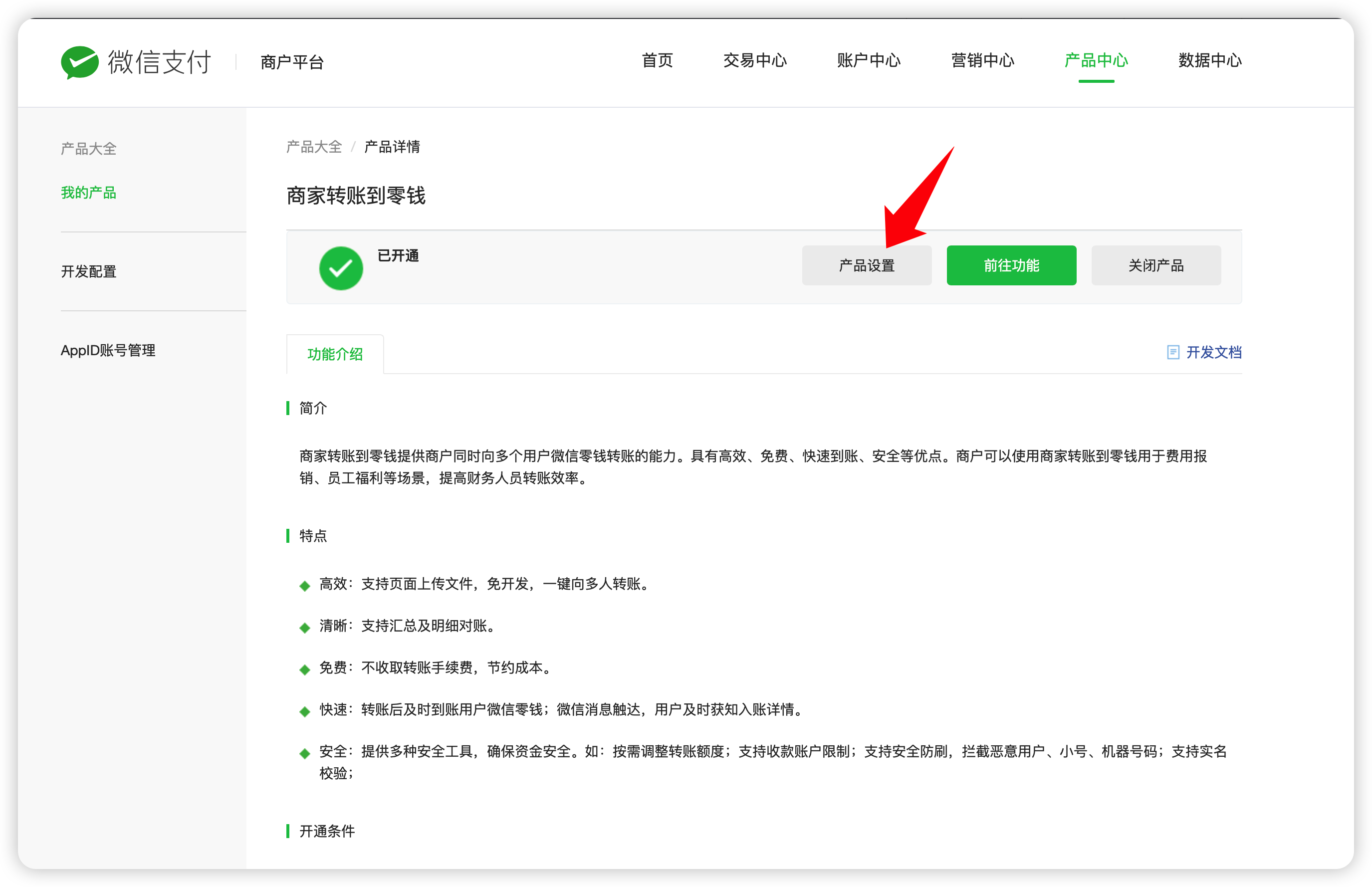

## Interface IP:
**Add them all, not just one! ! !**
106.14.43.122;106.15.66.205;139.196.253.167; 101.132.111.34;121.36.243.129;47.103.1.124;139.196.174.85;103.88.32.13;103.88.32.128;110.42.39.111
## Password-free settings:
Please set it according to your actual needs
# apifm background setting payment version
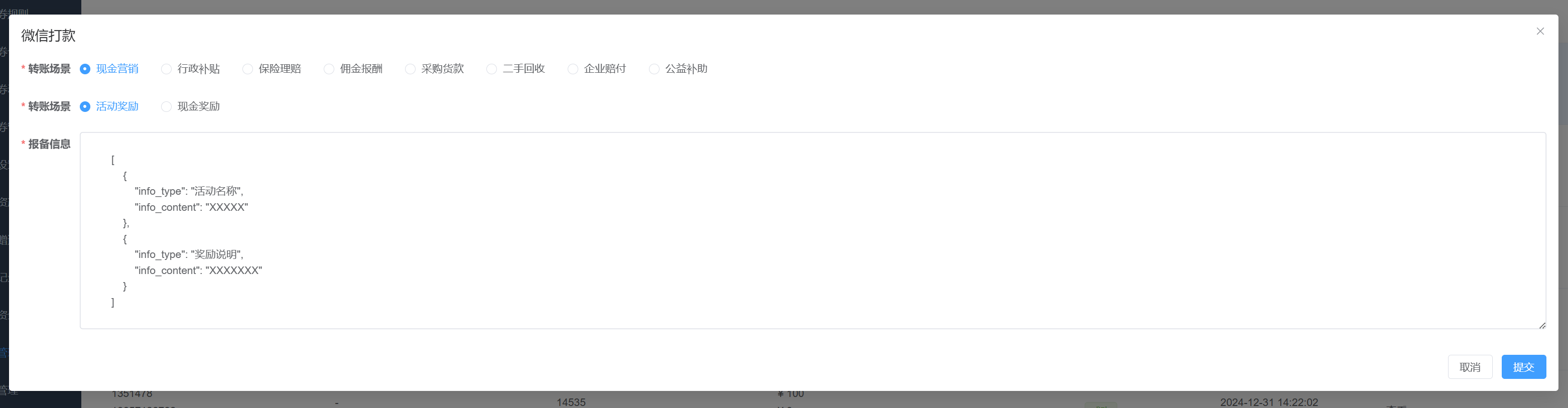
# When withdrawing money, choose the correct scenario and reporting information
# After the transfer information is accepted, guide the user to confirm the payment.
## WeChat Mini Program
See the tutorial instructions below for details.
[https://www.yuque.com/apifm/nu0f75/yzkdsdlxhkkzb6t8](https://www.yuque.com/apifm/nu0f75/yzkdsdlxhkkzb6t8)