# Principle introduction
If Zhang San’s user number is 1234, then how can the user invited by Zhang San establish an invitation relationship with Zhang San?
The invitation relationship between users is established at the moment of registration, and will not change for any reason after it is established;
When a new user registers, all registration api interfaces support the **referrer** parameter. During the user's registration process, if the **referrer** parameter is passed, then the newly registered user will establish an invitation and invitation relationship with the user.
In view of the above brief description, if referrer=1234 is passed in the registration API interface, then the registered user is invited to register by the user number 1234. If invitation rewards, three-level distribution relationships, sharing rewards, etc. are set up in the background, the user number 1234 (Zhang San) will receive the rewards issued by the system.
Of course, the above are all statements based on the API interface principle. So in actual product design, how to achieve user sharing and forwarding to achieve invitation registration? The following directions are available for reference:
1. When forwarding/sharing to friends/WeChat groups/moments, bring your user number (1234); when the other party opens the sharing link, extract the 1234 data and save it in cookie/storage. When waiting for registration, submit the 1234 data to the **referrer** parameter;
2. On the registration interface, an input box (invitation code) is provided to inform registered users to fill in their user number (1234) in the invitation code input box when registering. When clicking the registration button, the 1234 data is submitted to the **referrer** parameter;
# Case description
## Promotion through different channels
Mini programs are launched on different channels (such as Douyin, video accounts, forums, etc.), and I need to know through which channel a user comes in.
This can be tracked through user relationships:
Step 1: Backend, user management, create a user for each channel, record the inviter user number of each channel:
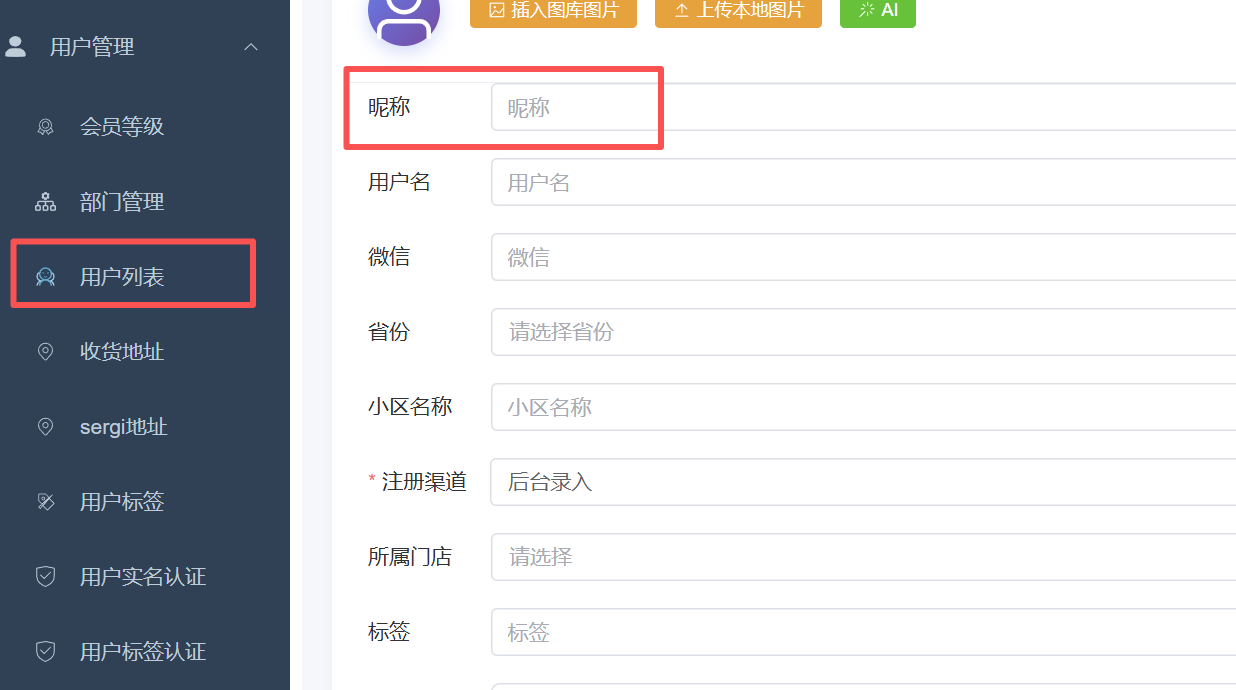
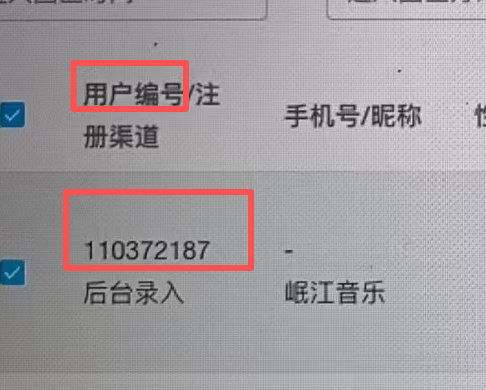
Step 2: Generate exclusive channel QR codes for each different channel:
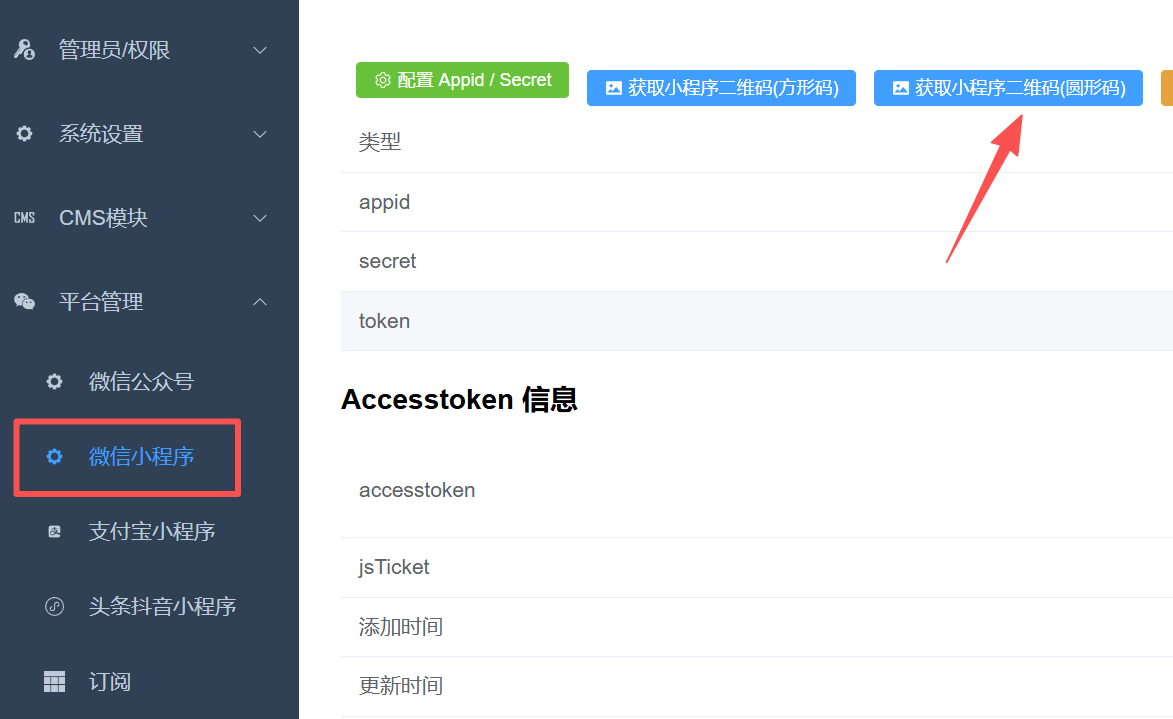
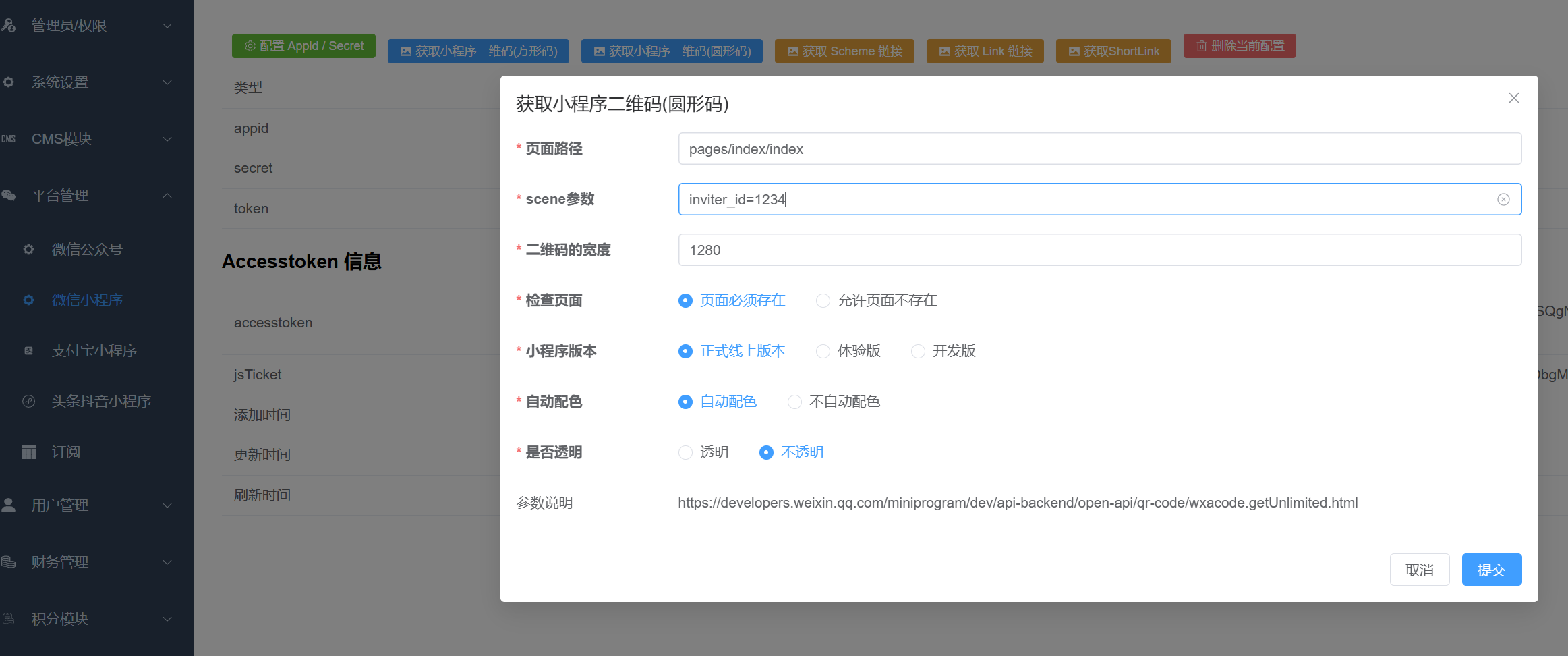
Fill in the page path: `pages/index/index`
Fill in scene parameters: `inviter_id=user number of channel user`
**[Here is the information of the mini program template of Angel Children's Clothing as an example. If you make your own mini program, please confirm the page path and parameters with the developer]**
If it is promoted by other methods instead of QR code, the principle is the same as above, but it may be through passing parameters, such as: `?inviter_id=1234`