# Redeem coupon

Set up coupons in the background and set how many points need to be deducted from the account for the user to receive the coupon;
After the user receives the coupon, it can be used for shopping within the validity period of the coupon;
# Administrator adjustments
Left menu "Financial Management" --> "User Asset Management", the administrator can directly deduct a user's points
# Clear all user points regularly
Only for some marketing campaigns, this feature**Must be used with caution**
For this function, the system will periodically**Clear all user points! ! !**
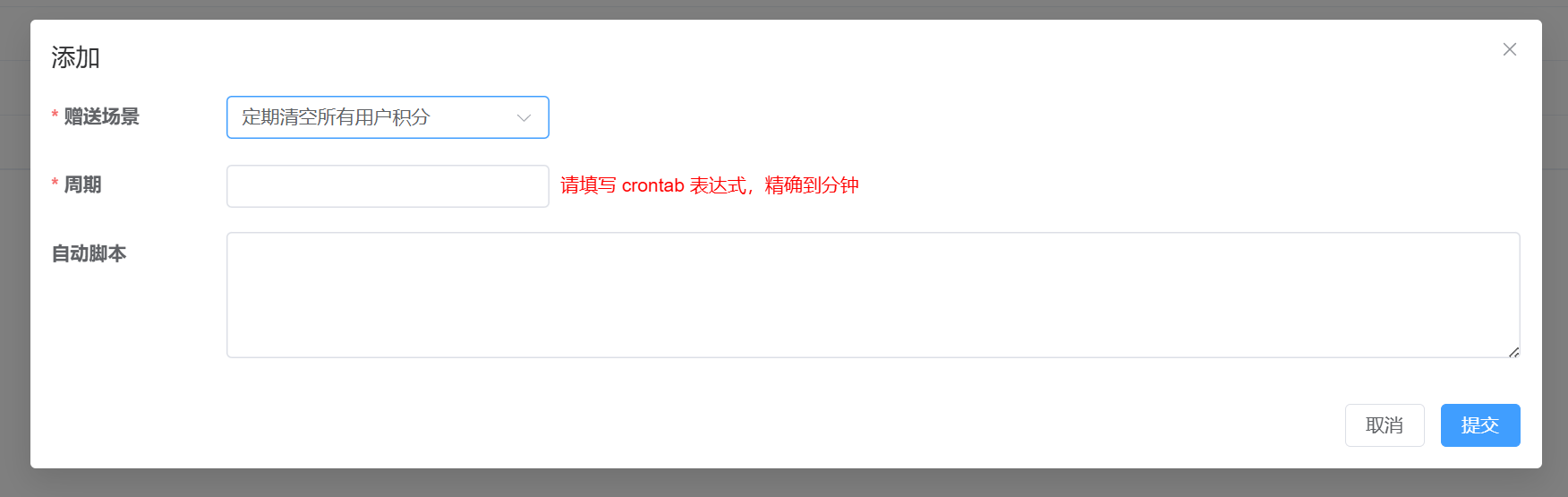
##Period
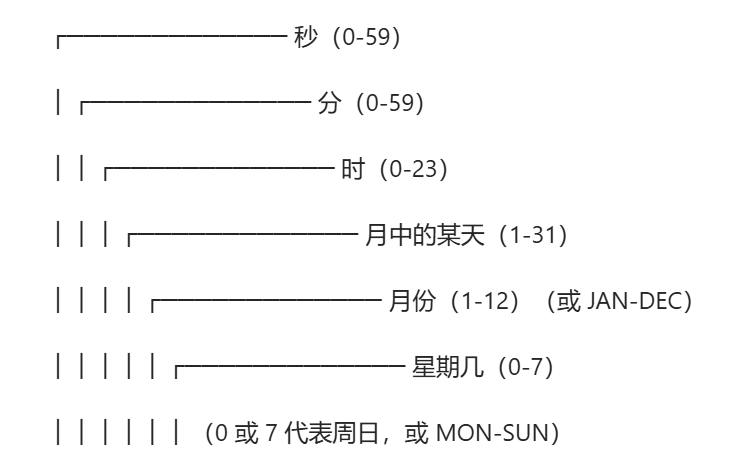
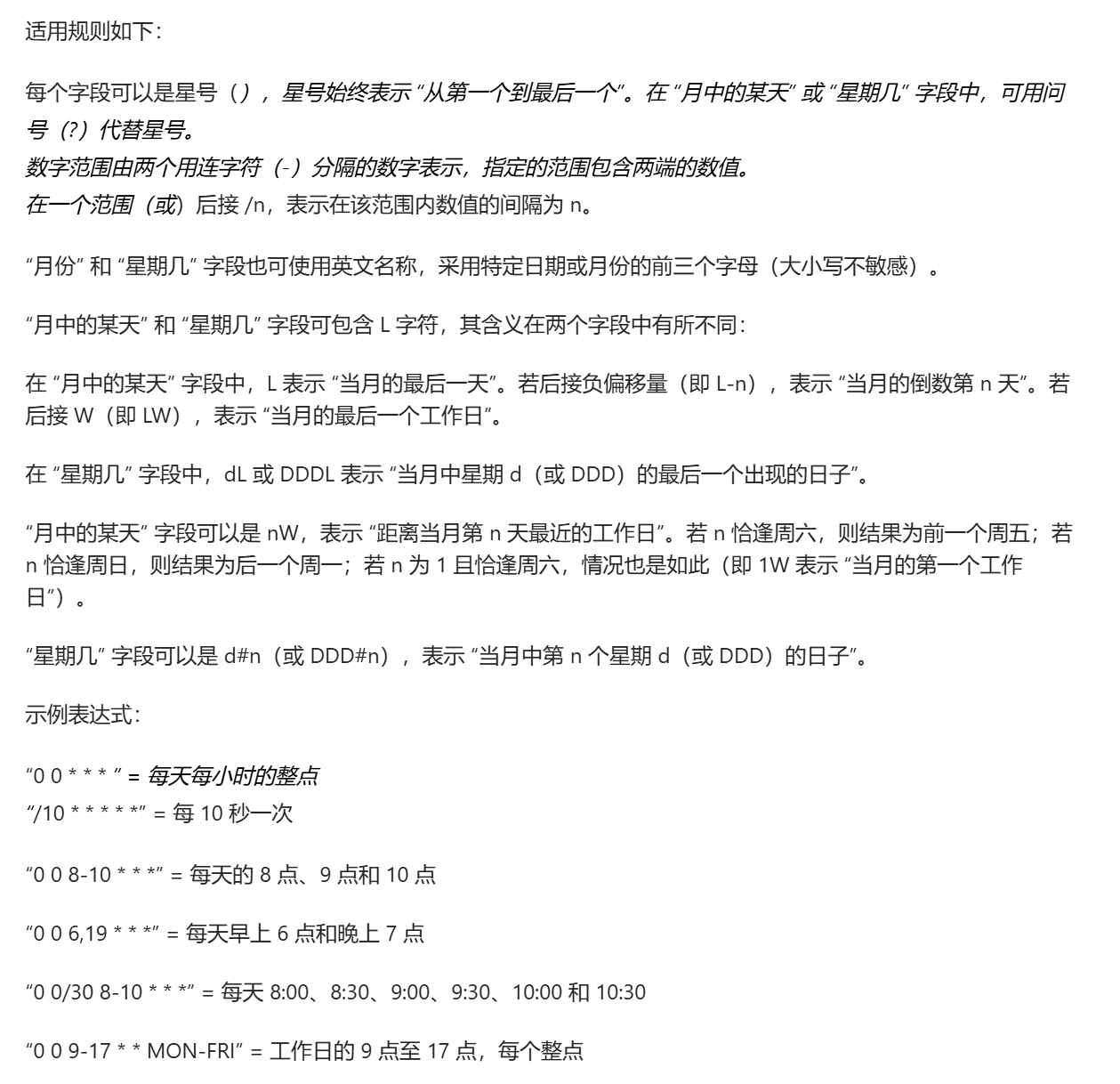
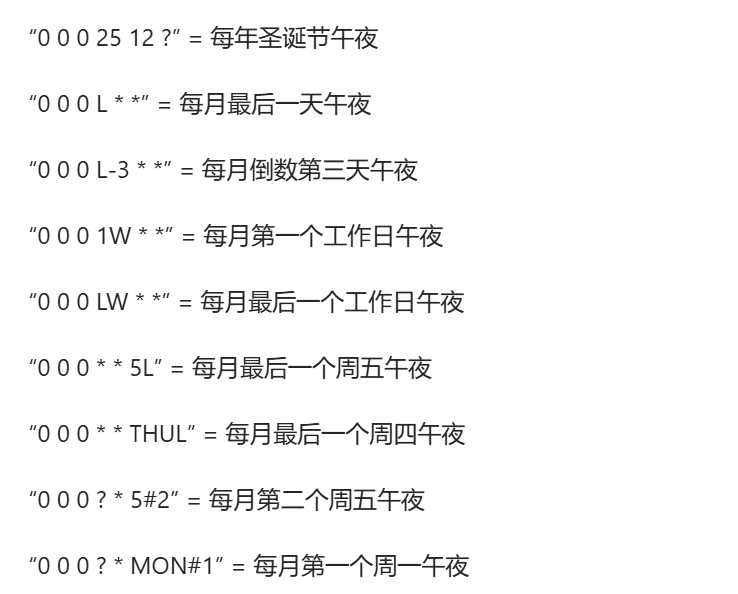
For crontab expression, please search it yourself, for example:
0 0 0 */1 * *
This expression represents that at 0:00:00 every day, all points in the user account are cleared.
## Automatic script
Currently only one script is supported:
[https://www.yuque.com/apifm/doc/nmythe](https://www.yuque.com/apifm/doc/nmythe)
# Purchase items
Product management, edit the product, you can fill in the number of points that need to be deducted from the account to purchase this product, so as to realize the function of the points mall
# Redeem growth value / Points deduction / Points exchanged for cash

# User actively deducts points
Deduction rules can be set in the background. Through the left menu "System Settings" --> "System Parameters", add the following text parameters:

** in the picture above gooking The ** character can be defined at will. After modification, the following interfaces will also be modified simultaneously.
After setting, you can directly deduct your points through the front-end interface call:
[##/%E5%89%8D%E7%AB%AFapi%E6%8E%A5%E5%8F%A3 %E6%96%87%E6%A1%A3/%E7%A7%AF%E5%88%86%E6%A8%A1%E5%9D%97/reduceUsingPOST] (##/%E5%89%8D%E7%AB%AFapi%E6%8E%A5%E5%8F%A3 %E6%96%87%E6%A1%A3/%E7%A7%AF%E5%88%86%E6%A8%A1%E5%9D%97/reduceUsingPOST)
```javascript
POST /score/reduce/gooking
Parameter token, just pass the user’s currently logged in token.
```