# Preface
This tutorial is based on the "apifm-wxapi" module and teaches you how to quickly implement small program development, so you may need to understand the following knowledge points first:
["Creating HelloWorld Project"](https://www.yuque.com/apifm/doc/hezlrm)
["Use "apifm-wxapi" to quickly develop small programs"](https://www.yuque.com/apifm/doc/mdldsd)
["Register for free to open the backend and obtain an exclusive domain name"](https://www.yuque.com/apifm/doc/qr6l4m)
In this case, the "click to draw" function requires the user to log in before it can be operated, which means token authorization is required. Please understand first:
["WeChat Mini Program login to obtain openid and third-party tokens"](https://www.yuque.com/apifm/doc/kaygbw)
# Enable "Lottery Module"
Log in to the "First Step" registration background, left menu --> Factory settings --> Module management
Find "Lottery Module", click "Enable Module", then F5 to refresh the background interface, you will be able to see the new menu: "Marketing Copy" --> "Lottery Settings + Lottery Record";
**You need to publish a new lottery setting item in the background first:**
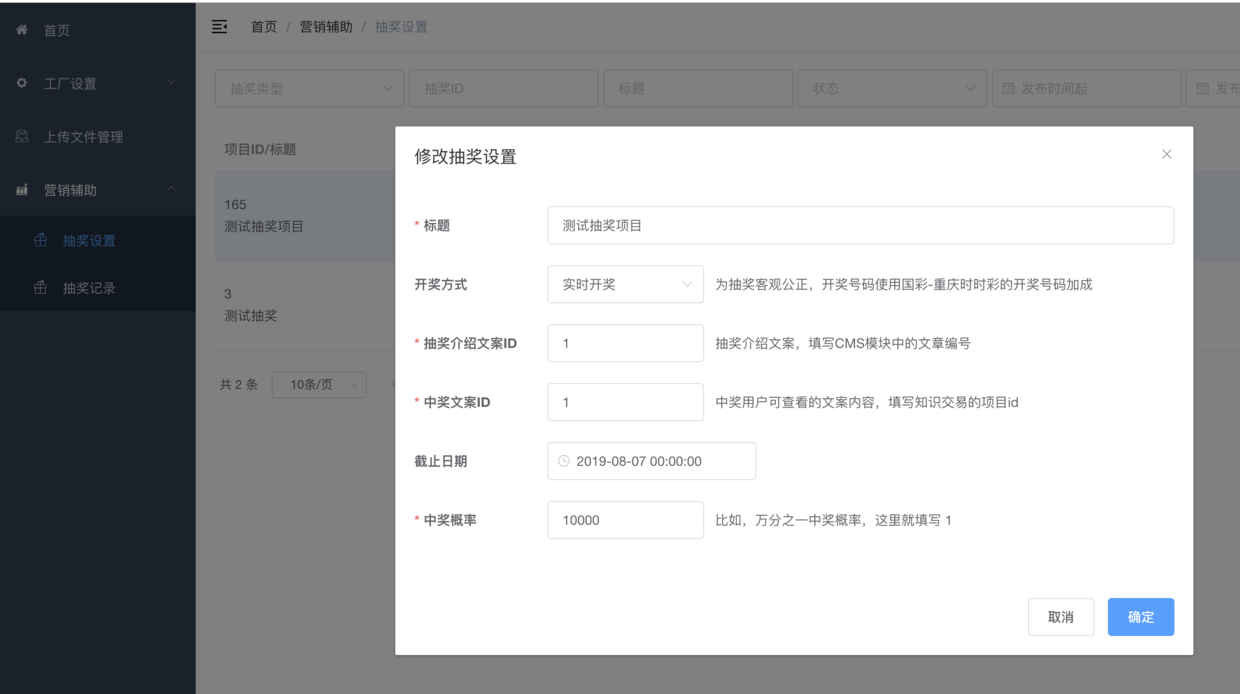
# Mini program development:
_When the interface returns, there is no rendering on the interface and the output is unified on the console. You can try to render the result data on the interface_
## Effect screenshot
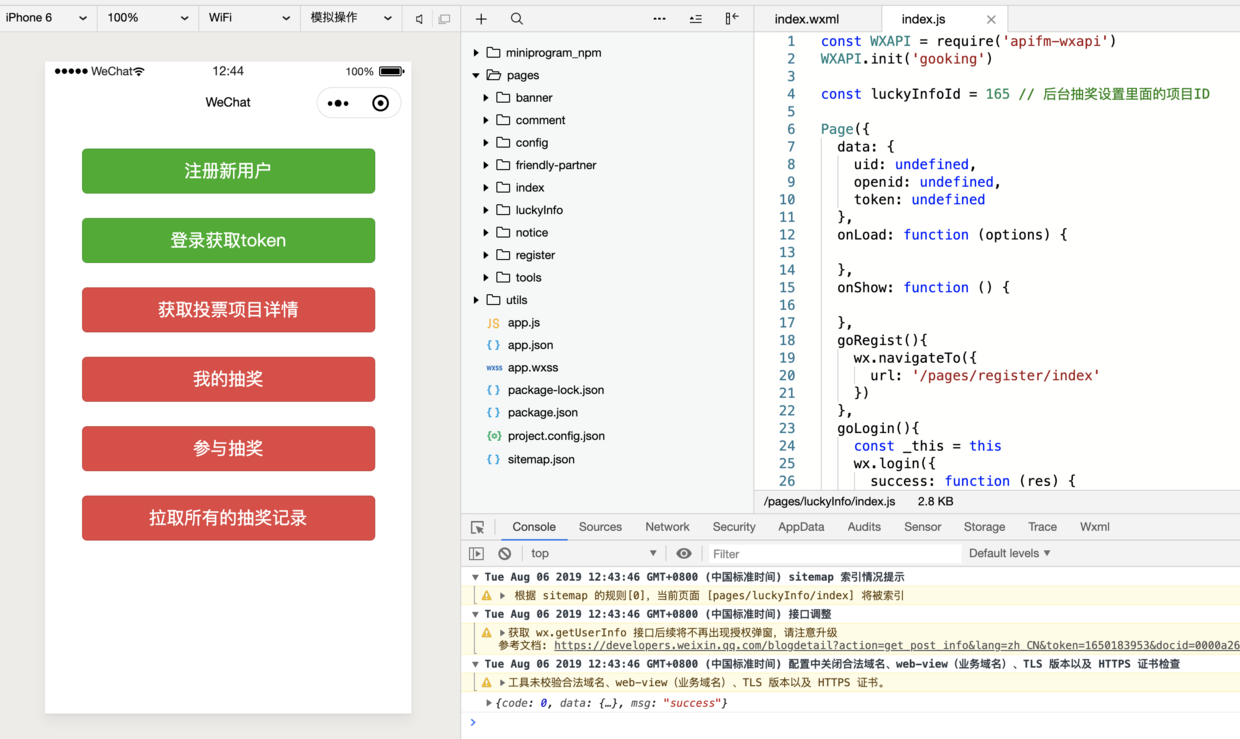
## js file
```plain
const WXAPI = require('apifm-wxapi')
WXAPI.init('gooking')
const luckyInfoId = 165 // Project ID in background lottery settings
Page({
data: {
uid: undefined,
openid: undefined,
token: undefined
},
onLoad: function (options) {
},
onShow: function () {
},
goRegist(){
wx.navigateTo({
url: '/pages/register/index'
})
},
goLogin(){
const _this = this
wx.login({
success: function (res) {
const code = res.code; // The code parameter returned by the WeChat login interface is needed for the following login interface.
WXAPI.login_wx(code).then(function (res) {
// Login interface returns results
console.log(res)
if (res.code == 10000) {
wx.showToast({
title: 'Please register first',
icon: 'none'
})
} else if (res.code == 0) {
wx.showToast({
title: 'Login successful',
icon: 'success'
})
_this.setData(res.data)
} else {
wx.showToast({
title: res.msg,
icon: 'none'
})
}
})
}
})
},
luckyInfo(){
WXAPI.luckyInfo(luckyInfoId).then(res => {
console.log(res)
if (res.code == 700) {
wx.showToast({
title: 'Wrong lottery item ID',
icon: 'none'
})
} else if (res.code == 0) {
wx.showToast({
title: 'Read successfully',
icon: 'success'
})
}
})
},
luckyInfoJoinMy(){
if (!this.data.token) {
wx.showToast({
title: 'Please log in first',
icon: 'none'
})
return
}
WXAPI.luckyInfoJoinMy(luckyInfoId, this.data.token).then(res => {
console.log(res)
if (res.code == 700) {
wx.showToast({
title: 'You haven't participated yet',
icon: 'none'
})
} else if (res.code == 0) {
wx.showToast({
title: 'Read successfully',
icon: 'success'
})
}
})
},
luckyInfoJoin(){
if (!this.data.token) {
wx.showToast({
title: 'Please log in first',
icon: 'none'
})
return
}
WXAPI.luckyInfoJoin(luckyInfoId, this.data.token).then(res => {
console.log(res)
if (res.code == 0) {
wx.showToast({
title: 'Participation successful',
icon: 'success'
})
} else {
wx.showToast({
title: res.msg,
icon: 'none'
})
}
})
},
luckyInfoJoinLogs(){
WXAPI.luckyInfoJoinLogs({
lid: luckyInfoId
}).then(res => {
console.log(res)
if (res.code == 0) {
wx.showToast({
title: 'Read successfully',
icon: 'success'
})
} else {
wx.showToast({
title: res.msg,
icon: 'none'
})
}
})
}
})
```
## wxss file
```plain
button {
width:600rpx;
margin-top:50rpx;
}
```
## wxml file
```plain
```
> WXAPI.init('gooking') This code links your mini program to your backend, where gooking is your exclusive domain name (please check the chapter about exclusive domain names in the preface);
>
_At this point, you have mastered how to develop a lottery function based on a mini program_
**Use the above "apifm-wxapi" method and try to make an exquisite lottery applet! **
Looking forward to your progress!
grateful!