The possible reasons are as follows, please check them one by one:
# Not an npm project yet
Check if there is a _package.json_ file in the root directory of your project. If not, it means your project is not an npm project yet. Please initialize it with the following command:
```javascript
npm init
```
After completion, check whether the _package.json_ file has been generated. If not, it means that you have not successfully run the above command. Check the prompt message carefully to see if there are any errors.
# No npm modules are installed
You need to install the npm plug-in you need through the npm install command first. After installation, you can build the npm module (if you haven't installed it yet, how about building air? ^_^)
If you installed the npm module, you will see the node_modules folder in the root directory of your project, which contains the npm module you installed.
# The development tool version is too low
Lower versions of small program development tools do not support npm modules, so please upgrade to the latest version of the development tools and try again.
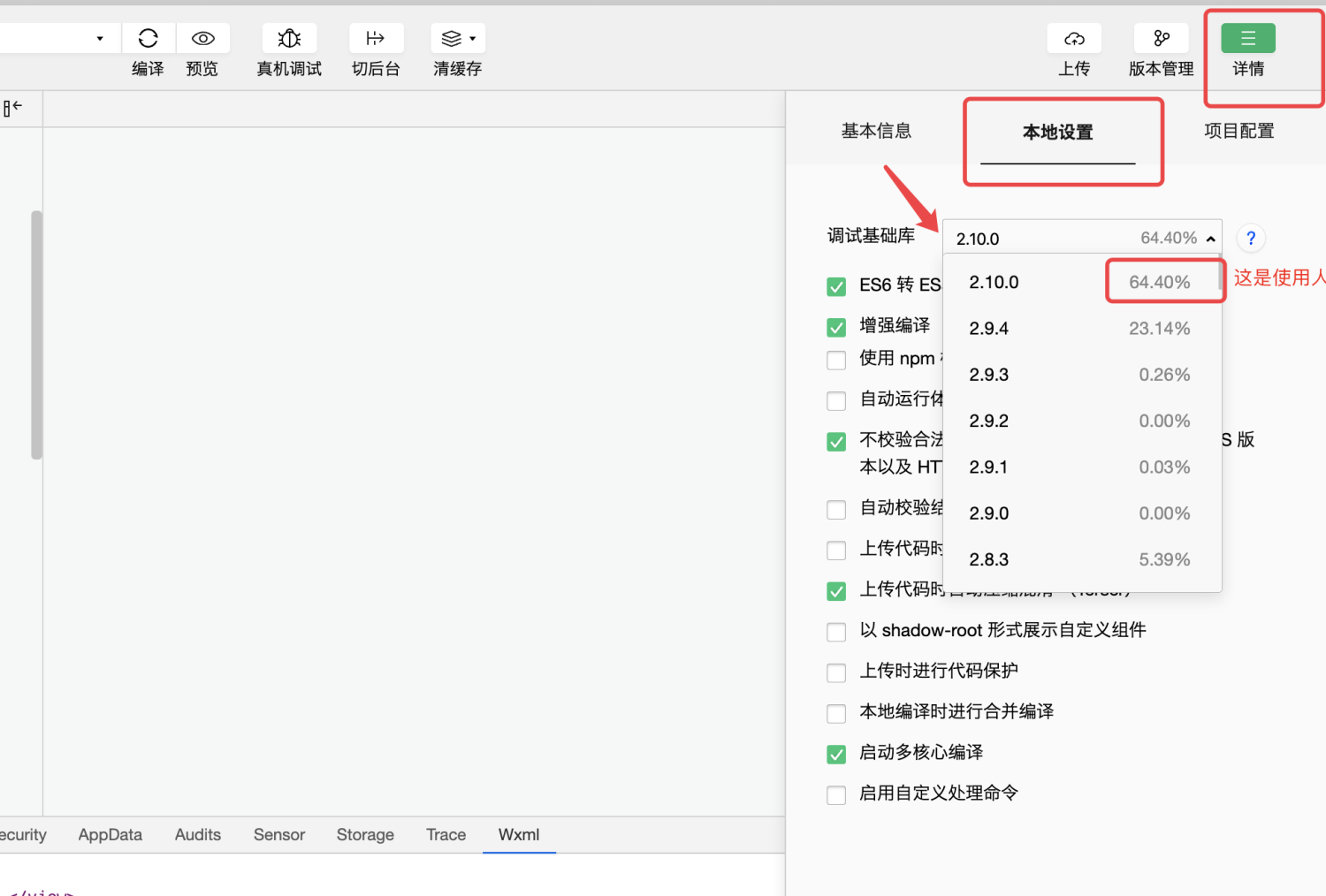
# The debugging base library version is too low
Similarly, lower versions of the debugging base library do not support npm modules. Please select the version with the most users and try again.
# Other questions
The above troubleshooting cannot be solved, please let us help you solve it.