[https://developers.weixin.qq.com/doc/offiaccount/OA_Web_Apps/JS-SDK.html](https://developers.weixin.qq.com/doc/offiaccount/OA_Web_Apps/JS-SDK.html)
Please check the official documentation first. This tutorial mainly helps you how to obtain the signature data of the current page. Only when the signature is correct can you call various js methods in the document:
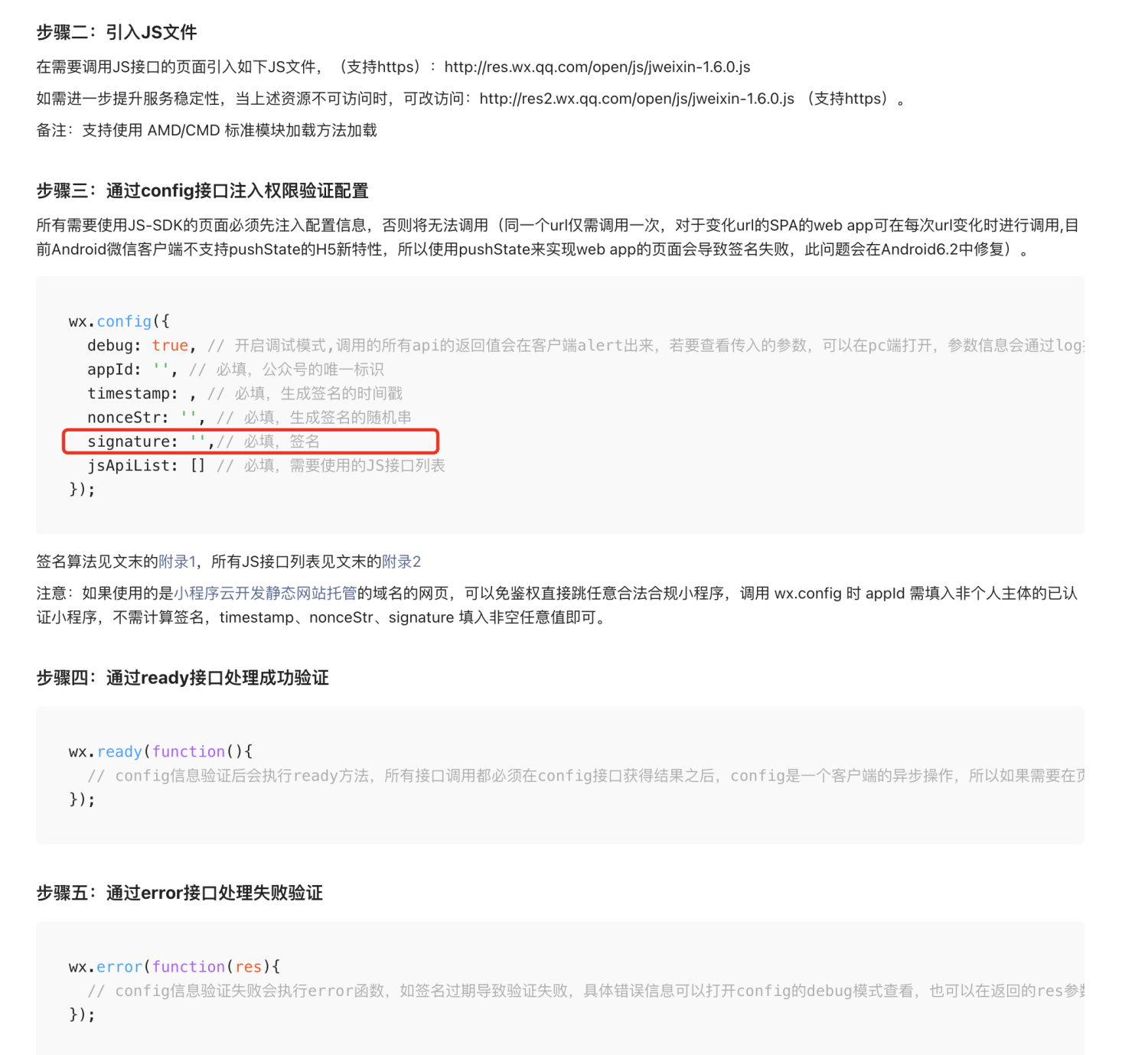
After the signature is correct, the wx.ready method will be called back, otherwise the wx.error method will be called. During the development stage, it is recommended to set debug: true, which will output rich debugging information.
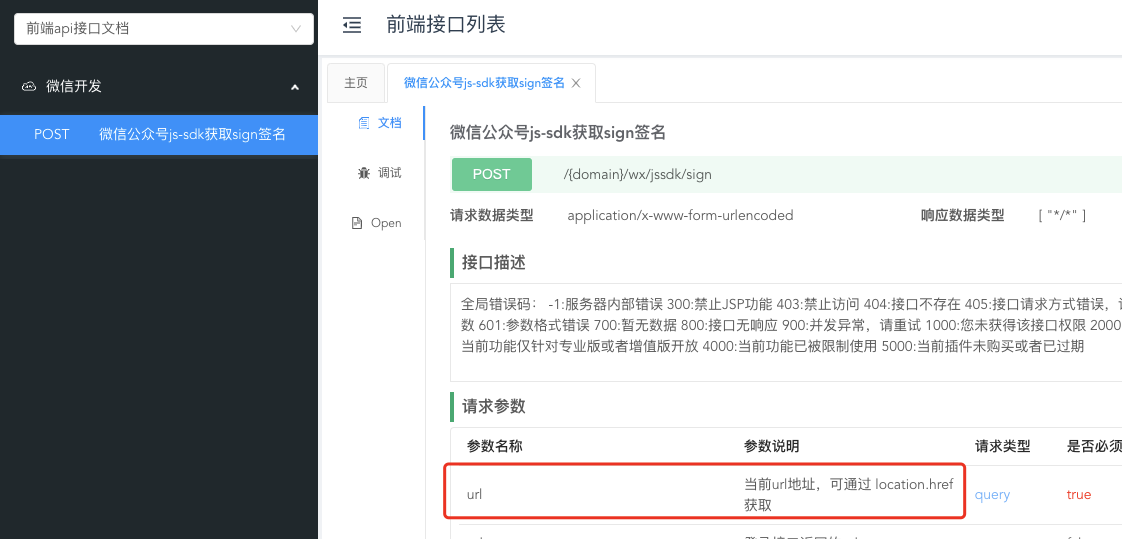
# Signature interface
See the Frontend API docs for details: "WeChat public account js-sdk obtains sign signature” Interface:
# Sample code
The following is an example of how to use vue in development mode:
## vue call sharing
```javascript
npm install weixin-js-sdk --save
```
After installing the plug-in, create a public js file to facilitate subsequent calls:
wxShare.js
```javascript
/* eslint-disable */
import Vue from 'vue';
import wx from 'weixin-js-sdk';
//Storage signature information of each link
const signMap = new Map();
//Set the default sharing information, because sharing pictures, requesting authorization items, hiding authorization items, etc. are basically unchanged. Direct references are set here to avoid cumbersome settings during use.
const defaultWxShareConfig = {
title: "Share title (usually dynamic)",
desc: 'Share description (usually dynamic)',
link: window.location.href,
imgUrl: 'Share image address',
jsApiList: ['onMenuShareTimeline', 'onMenuShareAppMessage', 'hideMenuItems', 'closeWindow'],
hideMenuList: ['menuItem:editTag', 'menuItem:delete', 'menuItem:originPage', 'menuItem:readMode', 'menuItem:openWithQQBrowser', 'menuItem:openWithSafari', 'menuItem:share:email', 'menuItem:share:brand']
}
//Storage temporary sharing information
const wxShareConfig = {
}
const wxShare = {
//After each page is loaded, call this method. The parameter config passed in is an object, and its properties refer to defaultWxShareConfig.
updateWxShareConfig(config = {}) {
wxShareConfig.title = config.title || defaultWxShareConfig.title;
wxShareConfig.desc = config.desc || defaultWxShareConfig.desc;
wxShareConfig.link = config.link || defaultWxShareConfig.link;
wxShareConfig.imgUrl = config.imgUrl || defaultWxShareConfig.imgUrl;
wxShareConfig.jsApiList = config.jsApiList || defaultWxShareConfig.jsApiList;
wxShareConfig.hideMenuList = config.hideMenuList || defaultWxShareConfig.hideMenuList;
var authUrl = window.location.href
const ua = navigator.userAgent
const isAndroid = ua.indexOf('Android') > -1 || ua.indexOf('Adr') > -1
const isiOS = !!ua.match(/\(i[^;]+;( U;)? CPU.+Mac OS X/)
if (isiOS) {
authUrl = 'ios system, the authorization address must use the address when it is opened for the first time, and the address changed midway will not be recognized'
}
//Determine whether it has been signed
if (signMap.has(authUrl)) {
this._wxConfigJSSDK(signMap.get(authUrl), wxShareConfig);
} else {
this.wxShareAuth(authUrl);
}
},
//Get the signature information of a shared link from the server and store it
async wxShareAuth(authUrl) {
//Here I am using my own encapsulated network request method
var postData = {
url: authUrl
}
const res = await requestApi('/gooking/wx/jssdk/sign', 'post', postData)
if (res.code == 0) {
//Share link authorization signature information
const sign = res.data;
signMap.set(authUrl, sign);
this._wxConfigJSSDK(sign);
}
},
//Update signature information to WeChat's SDK
_wxConfigJSSDK(shareSign) {
wx.config({
debug: false,
appId: shareSign.appid,
timestamp: shareSign.timestamp,
nonceStr: shareSign.noncestr,
signature: shareSign.sign,
jsApiList: ['onMenuShareAppMessage', 'onMenuShareTimeline']
})
// After the config information is verified, the ready method will be executed. All interface calls must be made after the config interface obtains the result. config is an asynchronous operation on the client side, so if the relevant interface needs to be called when the page is loaded, the relevant interface must be called in the ready function to ensure correct execution. For interfaces that are called only when triggered by the user, they can be called directly and do not need to be placed in the ready function.
wx.ready(function() {
const {title,desc,link,imgUrl} = wxShareConfig;
wx.onMenuShareAppMessage({
title,
desc,
link,
imgUrl,
success: function() {
console.log("Sharing successful");
},
fail: function() {
console.log("Sharing failed");
},
cancel: function() {
console.log("Cancel sharing");
}
})
wx.onMenuShareTimeline({
title,
link,
imgUrl,
success: function() {
console.log("Sharing successful");
},
cancel: function() {
console.log("Cancel sharing");
}
})
});
// If the config information verification fails, the error function will be executed. If the signature expires and the verification fails, the specific error information can be viewed by opening the debug mode of the config or in the returned res parameter. For SPA, the signature can be updated here.
wx.error(function(res) {
console.log("Sharing failed: error", res);
});
}
}
//Export tool class
export default wxShare;
//Add tool classes to Vue static methods for easy calling
Vue.prototype.$wxShare = wxShare;
```
In the above code, the code that calls the interface should be called according to your actual situation.
Globally introduced in main.js:
```javascript
import './utils/wxShare'
```
For pages that need to be shared, call directly:
```javascript
this.$wxShare.updateWxShareConfig({
title: 'Share title',
desc: 'Share introduction',
imgUrl: 'Share image address',
link: 'Link address'
})
```