Streaming media service -> Video on demand service, you can configure your own Alibaba Cloud video on demand account information in the on demand settings, and then use your own Alibaba Cloud on demand service.
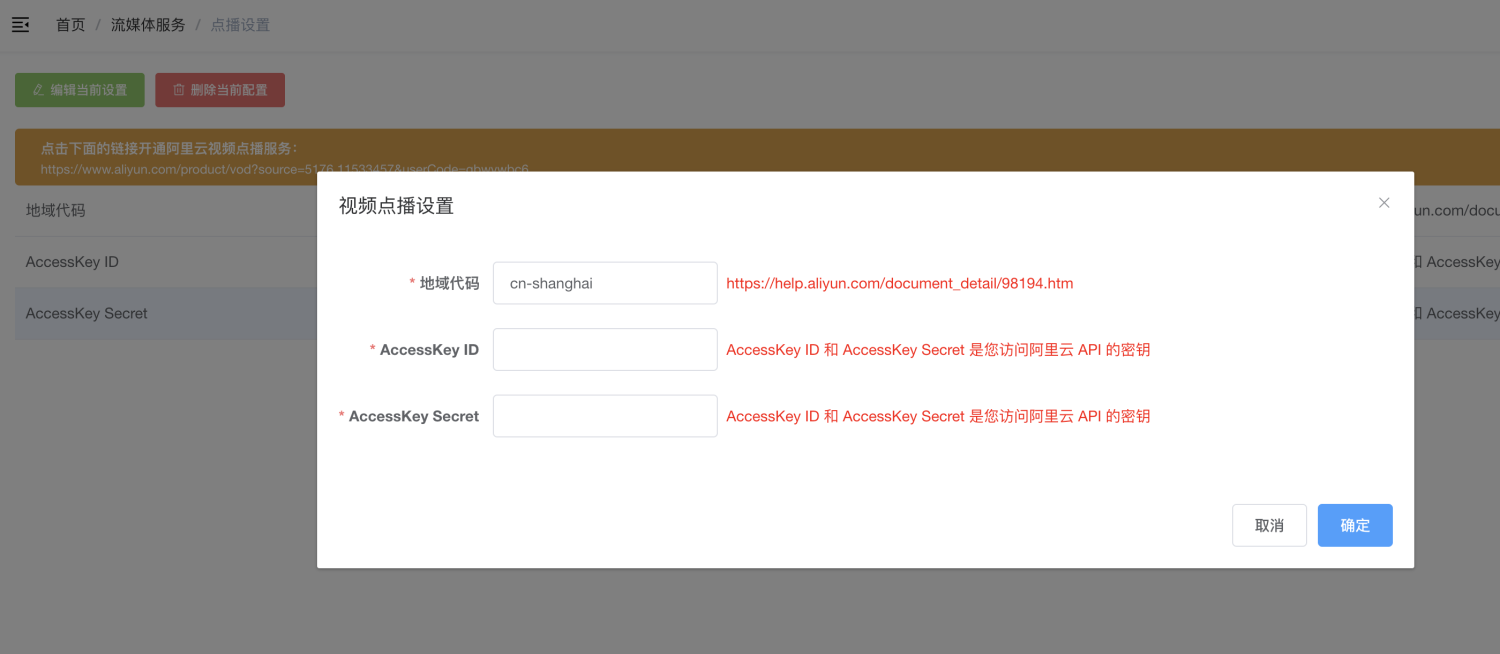
# Activate video on demand service
[https://www.aliyun.com/product/vod?source=5176.11533457&userCode=gbwvwbc6](https://www.aliyun.com/product/vod?source=5176.11533457&userCode=gbwvwbc6)
Go to the Alibaba Cloud official website to activate the on-demand service
# Configure transcoding template
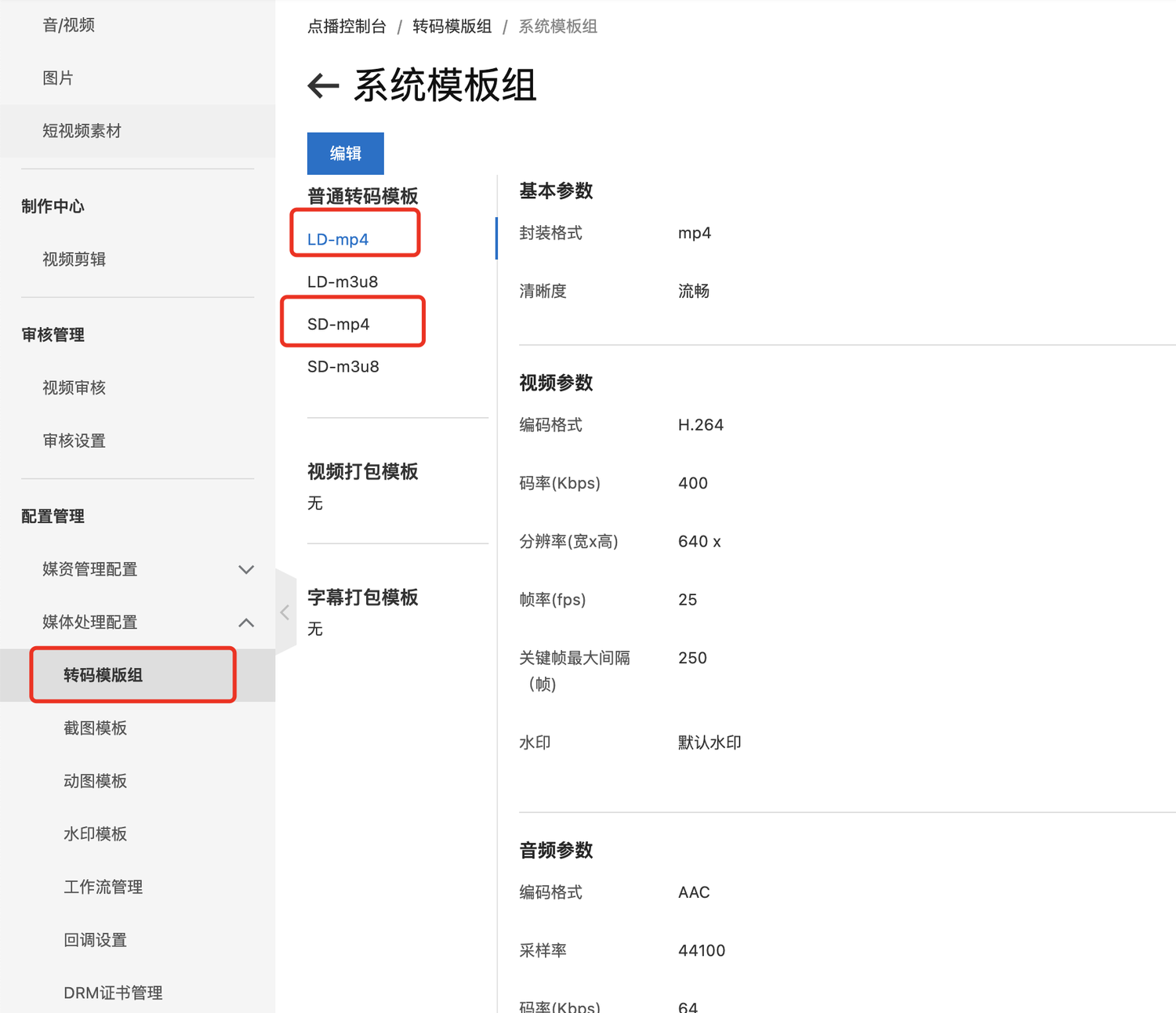
Alibaba Cloud will forward the video files you upload locally. Please configure at least two transcoding standards: mp4 smooth and mp4 standard definition. Other definitions are based on your actual business configuration.
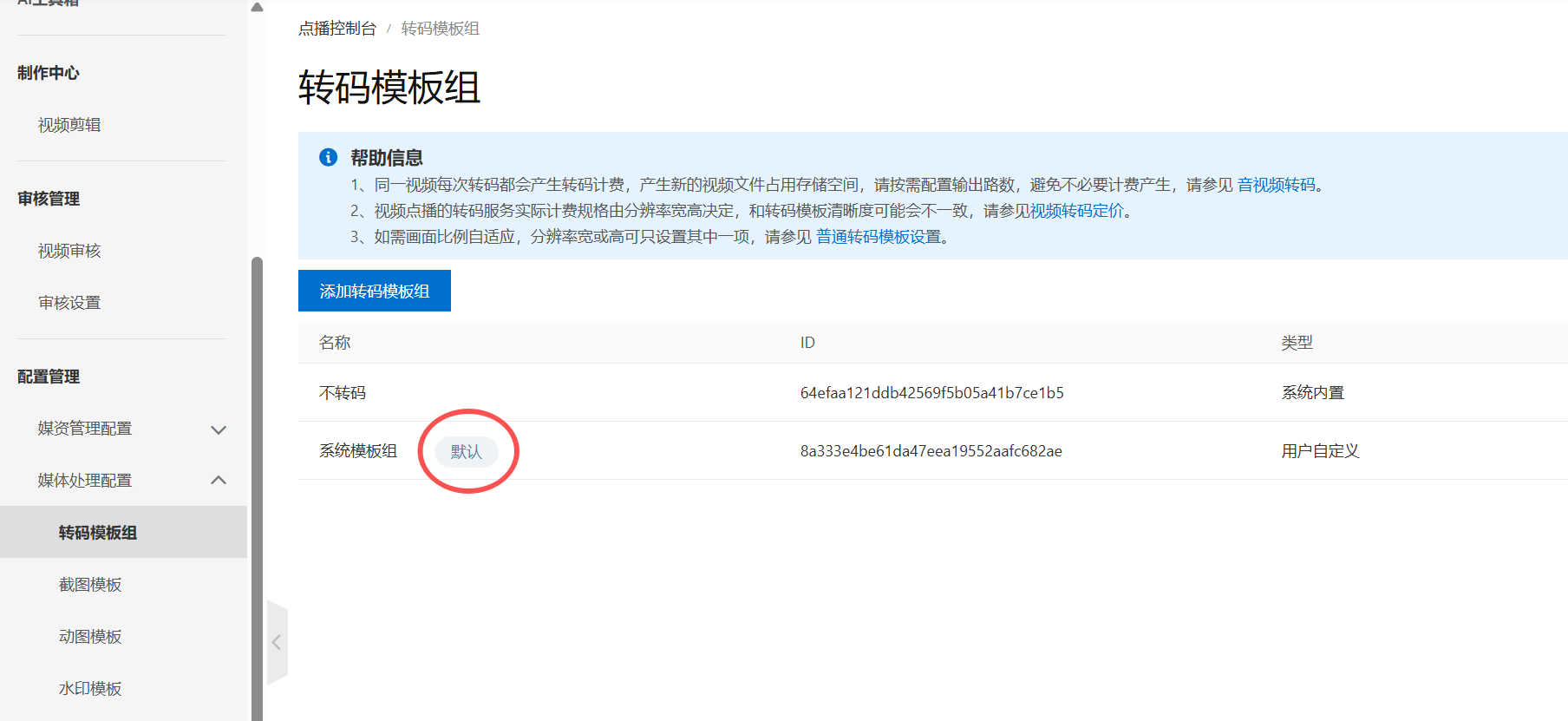
Take a look at what grouping is now the default,**Never transcode**
# Configure video playback domain name
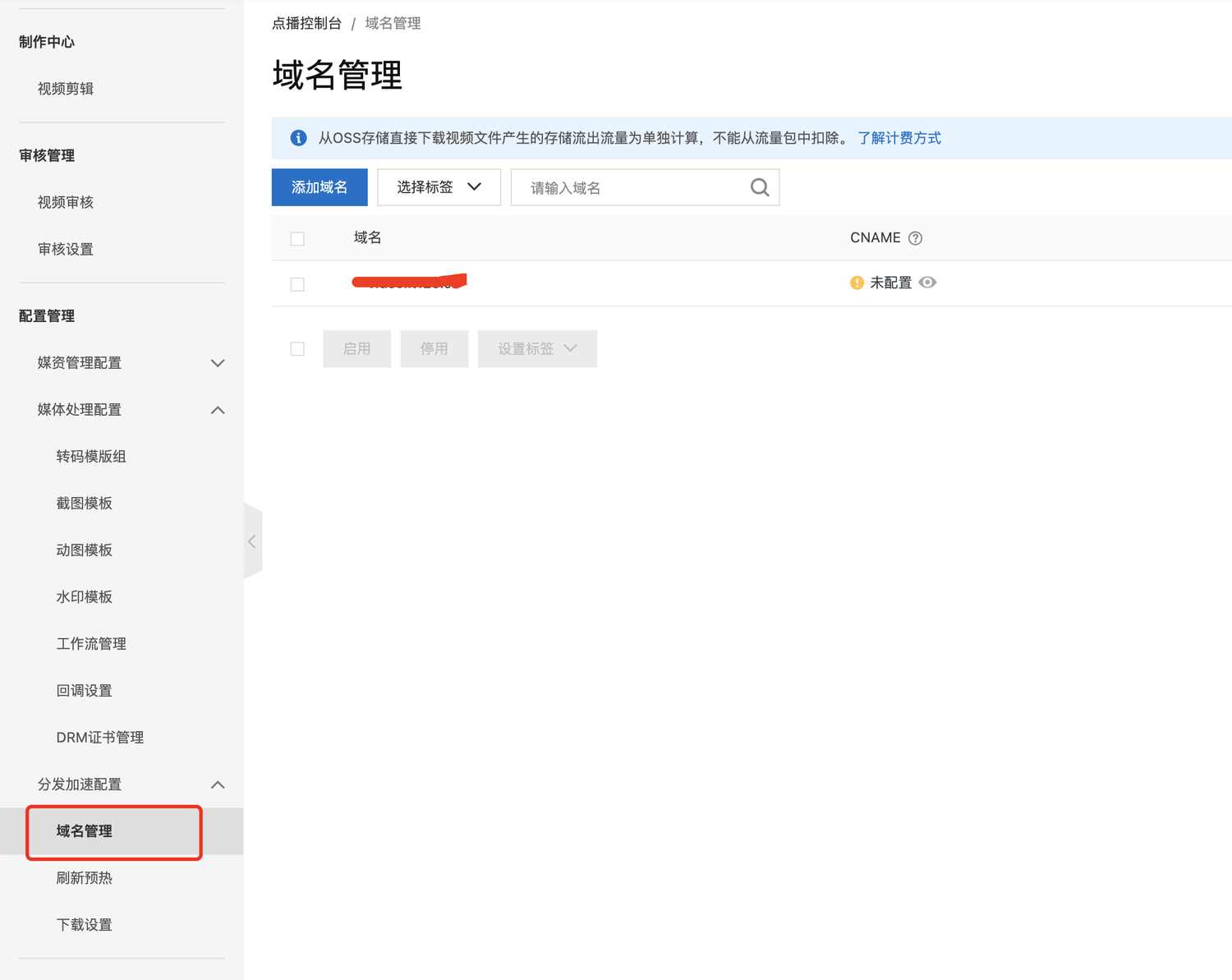
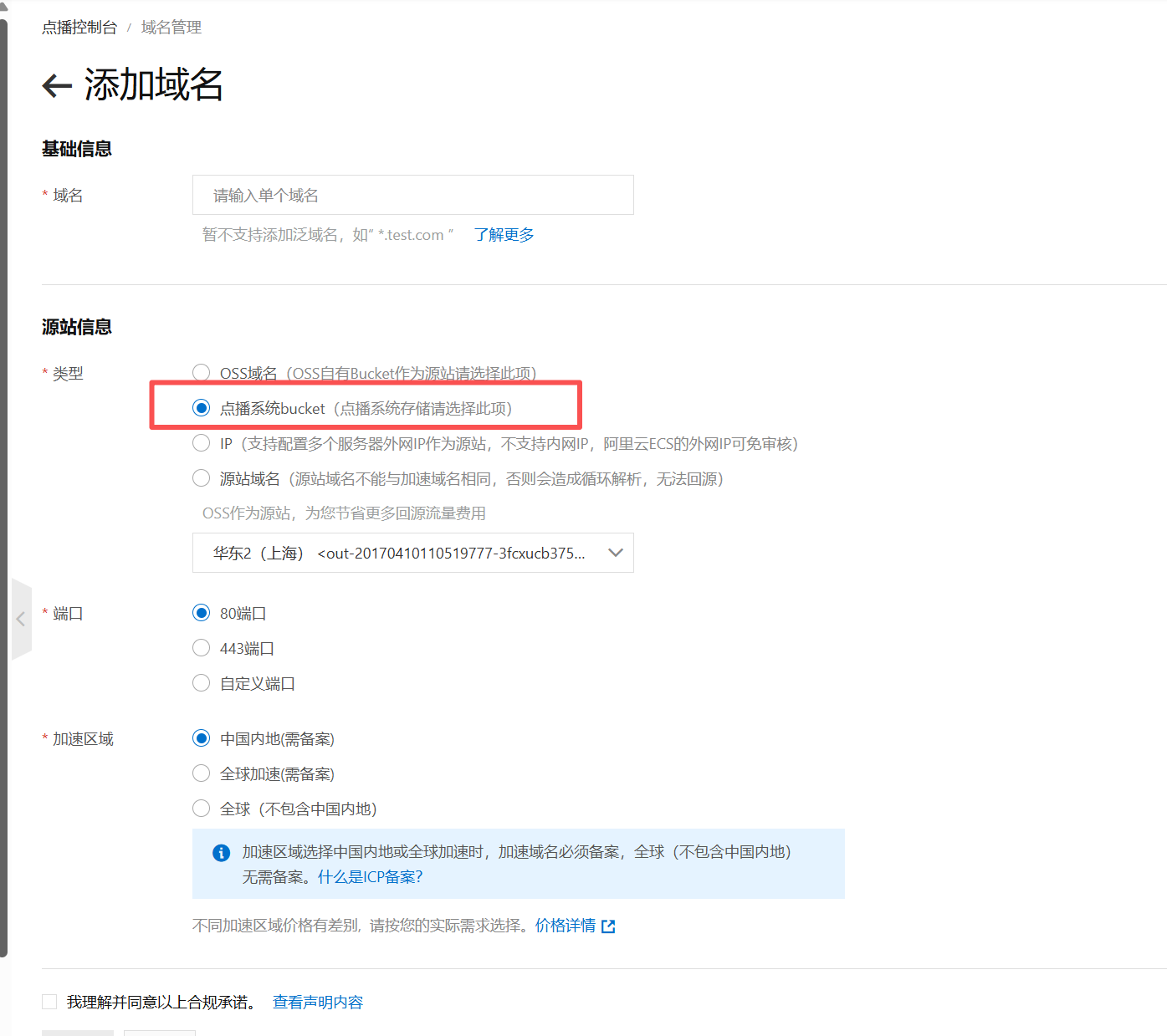
You must configure your own domain name to access uploaded video files
#Upload event callback
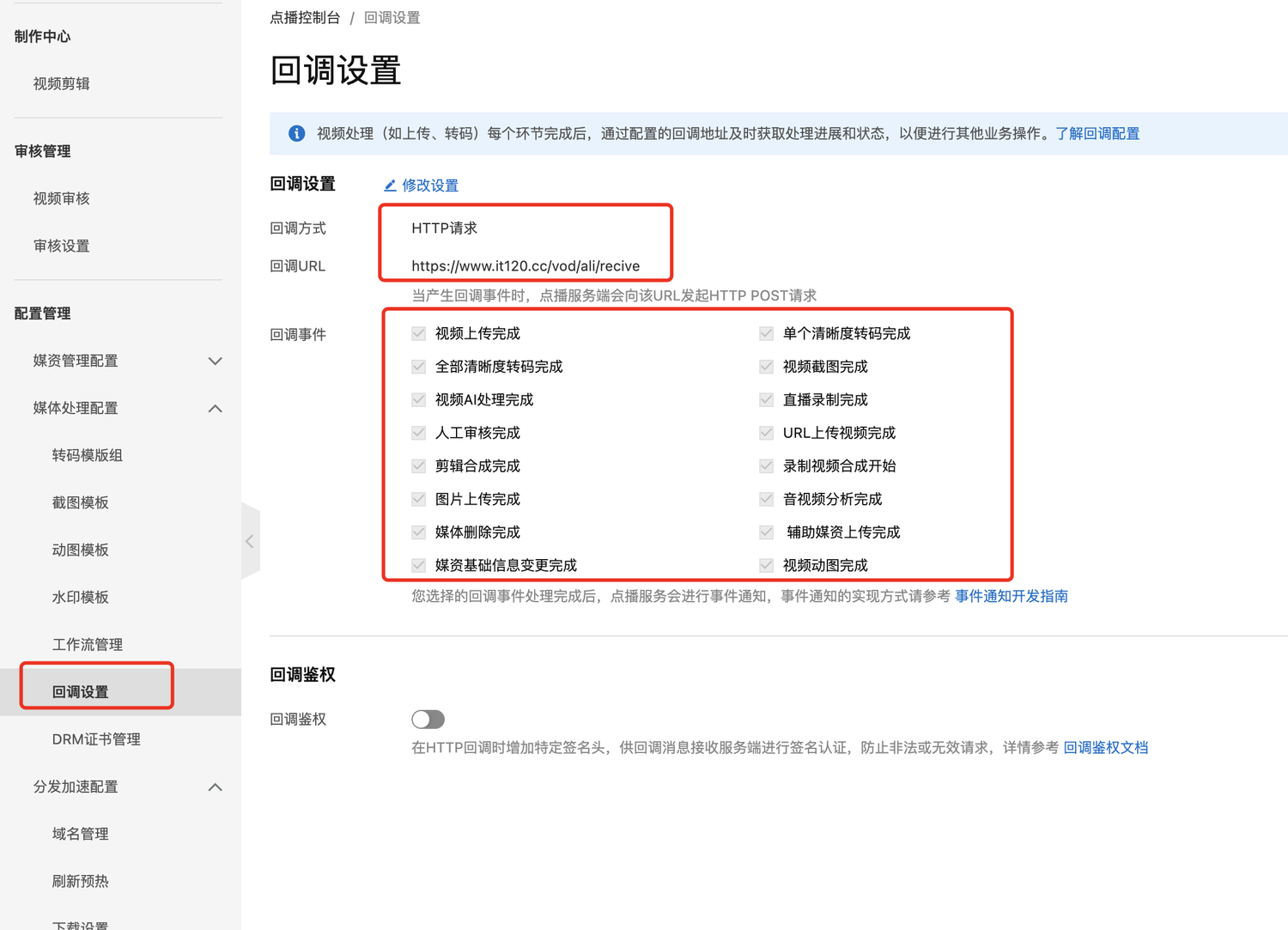
+ Callback method, select http request
+ Fill in the callback url: https://common.apifm.com/vod/ali/recive
+ For callback events, please tick as shown above
Only when the callback is configured, the video upload is completed, and the transcoding is completed, will the "apifm" be notified, so that you can see the successful video upload in the background.