# References
QQ applet official description of WeChat payment:
[https://q.qq.com/wiki/develop/miniprogram/server/virtual-payment/wx_pay.html](https://q.qq.com/wiki/develop/miniprogram/server/virtual-payment/wx_pay.html)
QQ applet wakes up the WeChat payment API:
[https://q.qq.com/wiki/develop/miniprogram/API/open_port/port_pay.html#qq-requestwxpayment](https://q.qq.com/wiki/develop/miniprogram/API/open_port/port_pay.html#qq-requestwxpayment)
# Usage steps
## ①Open WeChat payment H5 payment
[https://pay.weixin.qq.com/](https://pay.weixin.qq.com/)
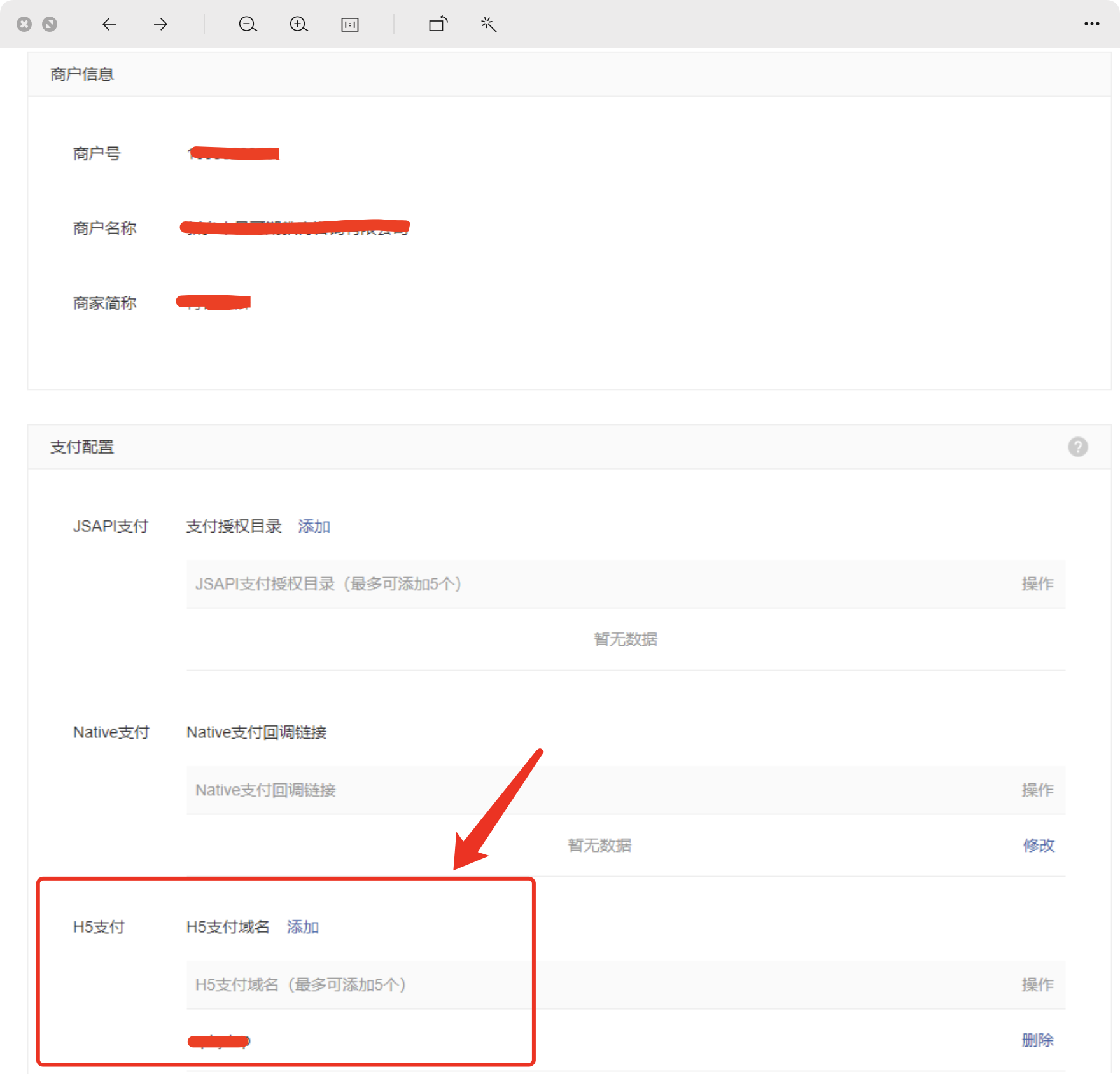
It is assumed here that the domain name you bind is ** www.abc.com**
This domain name will be used later
##② QQ applet background, configure WeChat payment information[https://q.qq.com/](https://q.qq.com/)
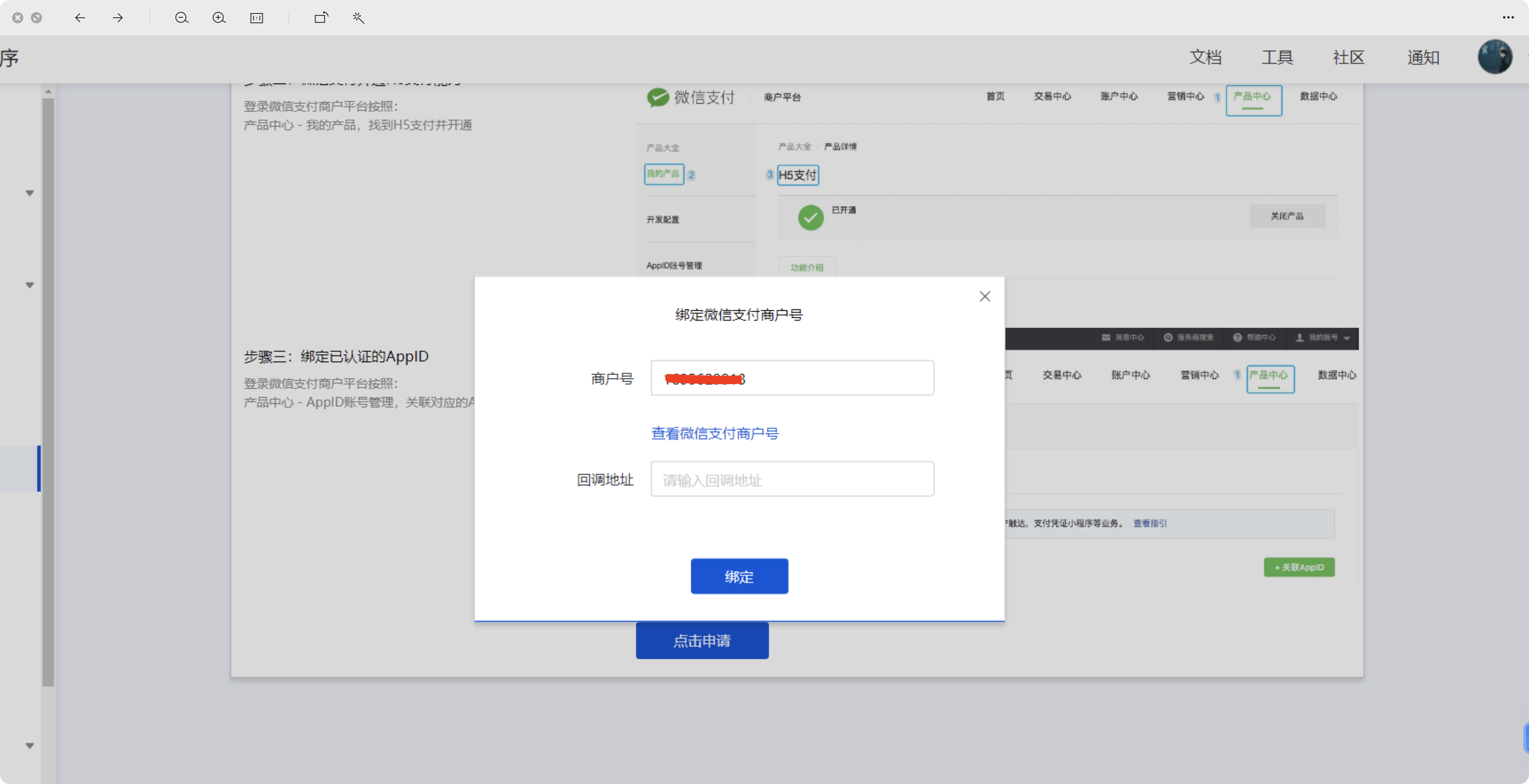
Merchant ID: Fill in your WeChat payment merchant number
Fill in the callback address:
https://api.it120.cc/**gooking**/pay/wx/payBack
Please replace goking with your own exclusive domain name
["What is an exclusive domain name?" 》](https://www.yuque.com/apifm/doc/qr6l4m)
## ③ Call the interface and generate payment information
[##/%E5%89%8D%E7%AB%AFapi%E6%8E%A5%E5%8F%A3%E6%96%87%E6%A1%A3/%E5%9C%A8%E7%BA%BF%E6%94%AF%E4%BB%98/qh5UsingPOST](##/%E5%89%8D%E7%AB%AFapi%E6%8E%A5%E5%8F%A3%E6%96%87%E6%A1%A3/%E5%9C%A8%E7%BA%BF%E6%94%AF%E4%BB%98/qh5UsingPOST)
When the payment amount is submitted through the interface, the h5 WeChat payment address will be returned:
```json
{
"code": 0,
"data": {
"outTradeId": "ZF2104252002525561",
"nonce_str": "cO72uG9dETmRWJzp",
"mweb_url": "https://wx.tenpay.com/cgi-bin/mmpayweb-bin/checkmweb?prepay_id=wx251624501891612d14824df19470cd0000&package=593014821",
"appid": "111111111",
"sign": "222222",
"trade_type": "MWEB",
"return_msg": "OK",
"result_code": "SUCCESS",
"mch_id": "1605629913",
"return_code": "SUCCESS",
"prepay_id": "wx251624501891612d14824df19470cd0001"
},
"msg": "success"
}
```
##④ Wake up WeChat Pay to complete the payment```javascript
qq.requestWxPayment({
url: 'mweb_url returned by the above interface',
referer: 'http://www.abc.com',
fail: function (aaa) {
console.error(aaa)
wx.showToast({
title: 'Payment failed:' + aaa
})
},
success: function () {
// Prompt that payment is successful
wx.showToast({
title: 'Payment successful'
})
}
})
```
In the above example, h5 payment, the bound domain name is www.abc.comSo the referer parameter is http://www.abc.com